Downloaded from hlayiso.com
Information Technology 1 September Control Test 2018
KZN DEPARTMENT OF EDUCATION
GREENBURY SECONDARY SCHOOL
SEPTEMBER CONTROL TEST
2018
INFORMATION TECHNOLOGY
GRADE 10
EXAMINER : M PADAYACHEE MODERATOR: S$ NAIDOO
DURATION : 1 4 HOURS MARK: 60
Please ensure that this paper consists of 8 pages and 7 question)
Skip to contentQuestion paper and memo 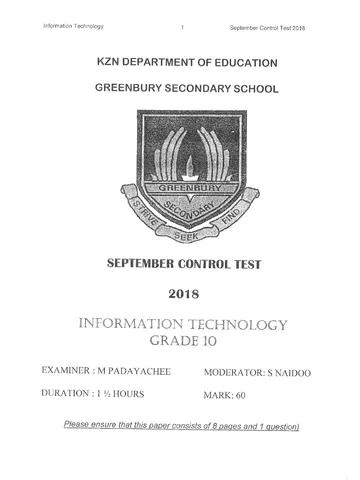
View all
Information Technology Grade 10 September Test 2018 Paper & Memo
Grade 10 Information Technology question paper and memo from the September Test 2018, 8 pages. Read online or get the free PDF download.
Information Technology · Grade 10 · September Test · 2018. Question paper and memorandum, 8 pages. Read online or download the PDF.
- Subject
- Information Technology
- Grade
- Grade 10
- Document type
- Question paper and memo
- Year
- 2018
- Exam period
- September Test
- Curriculum
- CAPS
- Pages
- 8
- File size
- 2.1 MB
Loading document…
Loading document…
1 of 8
Document textSearch extracted text and jump to a page.
Downloaded from hlayiso.com
Information Technology 2 - September Control Test 2018
INSTRUCTIONS AND INFORMATION
1. This question paper contains one question based on general programming
techniques.
2. The duration of this examination is 1% hours.
3. Make sure that you answer the question according to the specifications that are
given in the question. Marks will only be awarded according to the set requirements.
4. Answer only what is asked in the question. For example, if the question does not
ask for data validation, then no marks will be awarded for data validation.
5. Your programs must be coded in such a way that they will work with any data and
not just the sample data supplied or any data extracts that appear in the question
paper.
6. Routines such as search, sort and selection must be developed from first principles.
You may not use the built-in features of a programming language for any of these
routines.
7. All data structures must be defined by you, the programmer. You may not use
components provided within the interface to store and later retrieve data.
8. You must save your work regularly on the folder you have created, or the disk space
allocated to you for this examination.
9. Make sure that your name appears as a comment in every program that you code.
10.You are responsible submission of all code you have written, therefore it is
detrimental that you save your work correctly on the space allocated. Missing pieces
of code will receive a zero mark.
SCENARIO
You are employed as a software developer at a company that buys, renovates and sells
properties.
Downloaded from hlayiso.com
information Technology 3 September Control Test 2018
QUESTION 1: GENERAL PROGRAMMING SKILLS
Do the following:
* Compile and execute the program. The interface displays three different tabs,
namely Advertisement, Living room renovation and Water and electricity.
Example of the tab sheets:
Advertisement | Living room renovation | Water and electricity |
Complete the code for each tab as described in QUESTION 1.1 to QESTION 1.3.
NOTE: QUESTION 1.1 refers to the tab Advertisement.
QUESTION 1.2 refers to the tab Living room renovation.
QUESTION 1.3 refers to the tab Water and electricity.
1.1 Interface for the Advertisement tab
Market value jo -
Selling price fo
Humber of bedrooms: [0 ~
Number of bathrooms fo em
I Pool
Generate advertisement
Advertisement
NOTE: The market value of a property is the municipal value that the property is
assessed for. The selling price of a property is the value of the sale of the property.
[Button - Generate advertisement] Write code to do the following:
* Use information from the provided text boxes to compile an advertisement in the
following format:
House for sale:
| <selling price>i#<number of bedrooms>Bed#<number of bathrooms>Bath#
Downloaded from hlayiso.com
Information Technology
4 September Control! Test 2018
Use the following information to compile the advertisement:
ee
The selling price contained in the advertisement must be formatted to a
currency. Do not display any decimal values.
If the Pool check box is selected, the text 'Pool#' must be added to the advertisement
text.
If the selling price of the property is less than the market value, the word ‘Bargain’
must be added to the advertisement text.
Display the advertisement information in the output area provided.
Examples of compiled advertisements:
Example 1:
Example 2:
If the market value of the property is R950 000, the selling price
is R850 000 and the house has three bedrooms, two bathrooms
and a pool, the advertisement should be displayed as follows:
House for sale:
R850000#3 Bed#2Bath#Pool#Bargain
If the market value of the property is R750 000, the selling price
is R800 000 and the house has two bedrooms, one bathroom and
no pool, the advertisement should be displayed as follows:
House for sale:
RSO0COO#2Bed#1Bath#
Interface for the Living room renovation tab
Area to be renovated in square mettegs—
Enter the area to be renovated: [| “mF
|
(Choose tha typa of renovatint——-— om
© Painting © Tiling
Calculate and display renovation cost
(11)
Downloaded from hlayiso.com
Information Technology 6 September Control Test 2018
Write code to do the following:
1.2.1 [Radio Button — Painting]
if the radio button Painting is selected, use a variable to save the selected type of
renovation as the character P, (1)
1.2.2 [Radio Button — Tiling]
If the radio button Tiling is selected, use a variable to save the selected type of renovation
option as the character T (1)
1.2.3 [Button - Calculate and display renovation cost]
The user is required to enter the number of Square metres to be renovated as an integer
value and select the type of renovation to be done. The cost of each type of renovation
must be calculated as explained below.
(a) If the type of renovation is Painting, use the following information to calculate
how much paint will be required as well as the total cost:
e One litre of paint is used to paint an area of eight square metres.
¢ The pricing structure of paint per drum is as follows:
1-litre drum R 55.50
2-litre drum R 92.30
5-litre drum R 199.00
oo°0
Display the calculated values in the provided output area using the following format:
Area: <area> square metres
Volume of paint required: <volume> litre
1-litre drums: <number of l-litre drums>
2-litre drums: <number of 2-litre drums>
5-litre drums: <number of 5-litre drums>
Total cost: <Total cost of paint>
The total cost must be displayed rounded to two decimal
places.
Example: If the area entered is 148 m?, the output will be as
follows:
Area: 148 square metres
Volume of paint required: 18.5 litres
Downloaded from hlayiso.com
information Technology 6 September Control Test 2018
j-litre drums: 0
2-litre drums:
5-litre drums:
Total cost: R 781.60 (15)
(b) If the type of renovation is Tiling, a dialog box must be used to allow the user to
enter the cost of tiling per square metre. Add five square metres to the original
square metre value that was entered to provide for breakages, and then calculate
the cost. Display the area to be tiled in square metres. The total cost must be
displayed rounded to two decimal places.
Example: If the area entered is 100 m? and the cost of tiling is R50,00 per square
metre, the following will be displayed:
Area: 100 square metres
Total cost: R 5250.00 (5)
1.3 Interface for the Water and electricity tab
Advertisement | Living room renovation :
Calculate electricity used
Electricity usage in kilowatts
. A 8
Previous reading — Current reading mount cu
[e100 po Calculate amount due 0.00
peer geyser options-—
l Enter geyser size (50. 100, 150) i
\ |
Find geysers by size | Find gesyer in list | Alphabetical List |
|
|
|
Downloaded from hlayiso.com
Information Technology 7 September Control Test 2018
Write code to do the following:
1.3.1 [Button - Calculate amount due]
The previous reading for electricity used is supplied in a text box as an integer.
The user must enter the current reading in a text box as an integer.
* If the current reading entered by the user is less than the previous reading,
display a suitable message and clear the current reading text box.
* If the current reading is equal to or greater than the previous reading, use the
following tariffs to calculate the amount due for electricity used:
Units —_| Tariffs _ _
| 0-600 R1,00 per unit
>600 R600 + R1,50 per unit for all units that
exceed 600
* Display the amount in the label provided in a format that includes a currency
correct two decimal places.
Example:
Previous reading Current reading Amount due
R 682.50
(8)
1.3.2 [Buttons — Find geysers by size — Geysers in List ~ Alphabetical List]
In an effort to save electricity, solar geysers are investigated as a possibility. Three
sizes of solar geysers are available based on their capacity in litres, The user is
required to enter one of the three sizes: 50 (litres), 100 (litres) or 150 (litres).
An array that contains strings of text which each describes a type of geyser is
provided as part of the supplied code.
The description of each type of geyser starts with the capacity of the geyser in litres,
followed by a dash and the brand name of the geyser.
Example: The geyser described as '50-Small Wonder' can hold 50 litres of water and
the brand name of the geyser is 'Small Wonder",
(a) Write code to display the types of geysers in the array that matches the
capacity entered by the user when the Find geysers by size button is clicked.
No validation of the input value is required. Program the Find geysers by size
button.
Downloaded from hlayiso.com
Information Technology 8 September Control Test 2018
Example: List of geysers when the value 50 is entered:
_Aiphabatical List
/40-Solar Magic
| SG-InHotWater
1 0-Waterloy 50
| 50-Small Wonder
/ 80-Sun Magic
| 50-Eco Wonder 60
(b) Code the Find geyser in list button to ask the user to enter the name of a geyser to see
if it is included in the list. Display a suitable message if not found. If found in list, display
the full details of the geyser as follows:
If the input brand was Eco Wonder, the output should be:
Eco Wonder is in the list (7)
(c) Program the Alphabetical List button to display the list of geysers in alphabetical order.
Sample Output: ”
Alphabetical List
Find geysers by size | Find geyser in List
i 150+ Big Earth Saver
i 150-BigTub
100-Eco Wonder
180-Eco Wonder
50-Eco Wonder
§0-InHotWater
150-Large Wonder
100-Medium Wonder
160-QuickSun
TOTAL: 60
GREENBURY SECONDARY SCHOOL
@ DEPARTMENT OF MATHS & SCIEMCES
#.0.D. MRL PILLAY
Study this subject
Revise the topics in this paper, then practise them question by question.
- Grade 10 Information Technology notes
CAPS revision notes with worked examples.
- Information Technology questions by topic
Past exam questions sorted by CAPS topic, with memos where available.
- All Grade 10 Information Technology past papers
Past papers by year, with memos where available.
- Grade 10 past papers
More Information Technology and other subjects in this collection.
Recommended for this subject
More papers and memos for this grade and subject.
Question paper and memo
Information Technology Grade 10 NSC Prelim 2018 Paper & Memo
Question paper and memo
Information Technology Grade 10 P2 2017 QP & Memo
Question paper and memo
Information Technology Grade 10 March Test 2017 Paper & Memo
Question paper and memo
Information Technology Grade 10 March Test 2017 Paper & Memo
Question paper and memo
Information Technology Grade 10 P1 2016 QP & Memo
Question paper and memo
Information Technology Grade 10 P2 2016 QP & Memo
Related documents
Question paper
Information Technology Grade 10 P1 KwaZulu Natal June 2018 QP
Question paper
Information Technology Grade 10 P2 KwaZulu Natal June 2018 QP
Question paper and memo
Information Technology Grade 10 March Test 2016 Paper & Memo
Question paper and memo
Information Technology Grade 10 P1 KZN June 2015 Paper & Memo
Question paper and memo
Information Technology Grade 10 P2 KZN June 2015 Paper & Memo
Question paper and memo