
Downloaded from hlayiso.com
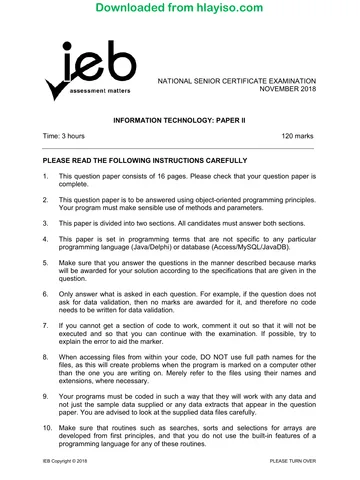
NATIONAL SENIOR CERTIFICATE EXAMINATION
NOVEMBER 2019
INFORMATION TECHNOLOGY: PAPER II
Time: 3 hours 120 marks
PLEASE READ THE FOLLOWING INSTRUCTIONS CAREFULLY
1. This question paper consists of 16 pages. Please check that your question paper is
complete.
2. This question paper is to be answered using object-oriented programming
principles. Your program must make sensible use of methods and parameters.
3. This paper is divided into two sections. All candidates must answer both sections.
4. This paper is set in programming terms that are not specific to any particular
programming language (Java/Delphi) or database (Access/MySQL/JavaDB).
5. Make sure that you answer the questions in the manner described because marks
will be awarded for your solution according to the specifications that are given in
the question.
6. Only answer what is asked in each question. For example, if the question does not
ask for data validation, then no marks are awarded for it, and therefore no code
needs to be written for data validation.
7. If you cannot get a section of code to work, comment it out so that it will not be
executed and so that you can continue with the examination. If possible, try to
explain the error to aid the marker.
8. When accessing files from within your code, DO NOT use full path names for the
files, as this will create problems when the program is marked on a computer other
than the one you are writing on. Merely refer to the files using their names and
extensions, where necessary.
9. Your programs must be coded in such a way that they will work with any data and
not just the sample data supplied or any data extracts that appear in the question
paper. You are advised to look at the supplied data files carefully.
10. Make sure that routines such as searches, sorts and selections for arrays are
developed from first principles, and that you do not use the built-in features of a
programming language for any of these routines.
IEB Copyright © 2019 PLEASE TURN OVER
Skip to contentQuestion paper 

View all


Information Technology Grade 12 IEB Paper 2 2019 Question Paper
IEB Grade 12 Information Technology Paper 2 question paper from the 2019, 16 pages. Read online or get the free PDF download, memo linked when available.
Publisher: IEB
Information Technology · Grade 12 · 2019. Question paper, 16 pages. Read online or download the PDF.
- Subject
- Information Technology
- Grade
- Grade 12
- Document type
- Question paper
- Year
- 2019
- Paper
- 2
- Publisher
- IEB
- Curriculum
- IEB
- Pages
- 16
- File size
- 283.7 KB
Loading document…
Loading document…
1 of 16
Document textSearch extracted text and jump to a page.
Downloaded from hlayiso.com
NATIONAL SENIOR CERTIFICATE: INFORMATION TECHNOLOGY: PAPER II Page 2 of 16
11. All data structures must be defined and declared by you, the programmer. You may
not use components provided within the interface to store and later retrieve data.
12. Read the whole question paper before you choose a data structure. You may find
that there could be an alternative method of representing the data that will be more
efficient considering the questions that are asked in the paper.
13. You must save all your work regularly on the disk you have been given, or the disk
space allocated to you for this examination. You should also create a backup of the
original files before you start in case the original version is accidentally modified by
your solution.
14. If your examination is interrupted by a technical problem such as a power failure,
you will, when you resume writing, be given only the time that was remaining when
the interruption began, to complete your examination. No extra time will be given to
catch up on work that was not saved.
15. Make sure that your examination number appears as a comment in every program
that you code as well as on every page of hard copy that you hand in.
16. Print a code listing of all the programs/classes that you code. Printing must be done
after the examination. You will be given half an hour to print after the examination is
finished. Your teacher will tell you what arrangements have been made for the
printing of your work.
17. You should be provided with the following two folders (in bold) and files. These files
are to be used as data for this examination. Note that the database files are
provided in MS Access, JavaDB and MySQL format. Ensure that you are able to
open the files with the packages that you will use to code your solutions to this
examination.
Section A:
SocialOutreach_Access.mdb
SocialOutreach_JavaDB.sql
SocialOutreach_MySQL.sql
SQLAnswerSheet.rtf
SQLBrowser.exe
Section B:
Students.txt
IEB Copyright © 2019
Downloaded from hlayiso.com
NATIONAL SENIOR CERTIFICATE: INFORMATION TECHNOLOGY: PAPER II Page 3 of 16
SCENARIO
You are involved in creating a software solution for a local school's Social
Outreach programme. This programme is led and run by students for the benefit of
communities around the school.
SECTION A SQL
QUESTION 1
The Social Outreach programme consists of multiple projects. Each project is led
by one of the students and has a weekly outreach activity on a particular day.
Students taking part in this programme can join one or more projects and the
number of hours they spend on each project are tracked.
STUDENT table contains the details of all the students taking part in the school's
Social Outreach programme.
FIELD DATA TYPE DESCRIPTION
StudentID INTEGER A unique identification number for each student.
StudentName TEXT The name of the student.
IsSenior BOOLEAN Whether or not the registered student is a senior
student at the school.
Student table – sample data (first 5 records)
Data may be formatted differently on your computer depending on its settings.
StudentID StudentName IsSenior
1 Jacob Ncube TRUE
2 Samantha Marais FALSE
3 Karabo Mlangeni TRUE
4 Thapelo Mabena FALSE
5 Nic de Klerk FALSE
PROJECT table contains the details of the projects that form part of the Social
Outreach programme. Each project has a weekly outreach activity on a particular day.
This information is included in the ProjectName field.
FIELD DATA TYPE DESCRIPTION
ProjectID INTEGER The unique identification number for each team.
ProjectName TEXT The name of the project. The first three characters of
the name indicate the day on which the weekly activity
for this project takes place.
StudentLeaderID INTEGER The StudentID of the leader of this project. This is a
foreign key to the Student table.
DateStarted DATE The date on which this project was started.
Project table – sample data (first 5 records)
Data may be formatted differently on your computer depending on its settings.
ProjectID ProjectName StudentLeaderID DateStarted
1 THU Sandwich feeding scheme 1 2019-01-17
2 SAT English tutoring programme 3 2019-01-19
3 SAT River clean up 16 2019-02-02
4 FRI Mathematics tutorials 12 2019-01-18
5 TUE Knitting for moms 9 2019-03-21
IEB Copyright © 2019 PLEASE TURN OVER
Downloaded from hlayiso.com
NATIONAL SENIOR CERTIFICATE: INFORMATION TECHNOLOGY: PAPER II Page 4 of 16
REGISTRATION table contains details of all students who have registered for at
least one project. The table also contains the project identification numbers.
Students may register for more than one project. The number of times that a
student has attended an activity for a certain project is recorded in the
NumAttended field. The number of hours a student has spent on every project is
recorded in the AccumulatedHours field.
FIELD DATA TYPE DESCRIPTION
RegistrationID INTEGER The unique identification number for each registration.
StudentID INTEGER The StudentID of the student who has registered for a
project. This is a foreign key to the Student table.
ProjectID INTEGER The ProjectID of the Project for which the student has
registered. This is a foreign key to the Project table.
NumAttended INTEGER The number of times the students attend an activity for
this project.
AccumulatedHours DOUBLE The accumulated number of hours spent on this
project by this student.
Registration table – sample data – first 5 records
Data may be formatted differently on your computer depending on its settings.
RegistrationID StudentID ProjectID NumAttended AccumulatedHours
1 2 1 15 16.25
2 22 1 14 12.5
3 35 1 15 12
4 30 2 14 11
5 1 2 16 13.5
1.1 Write a query that will display all information about all senior students in the
STUDENT table. Order this list alphabetically by student name. A sample of
the correct output is shown below.
Note that only the first five records are shown.
StudentID StudentName IsSenior Data may be formatted
differently on your computer
53 Amy Radebe TRUE
30 Andrea Badenhorst TRUE
54 Brendan Smit TRUE
1 Jacob Ncube TRUE
25 Joshua Jacobs TRUE
... ... ... (4)
1.2 Write a query that will display the names of all projects with "tutor" in their
names. The correct output is shown below.
ProjectName
SAT English tutoring program
FRI Mathematics tutorials (4)
IEB Copyright © 2019
Downloaded from hlayiso.com
NATIONAL SENIOR CERTIFICATE: INFORMATION TECHNOLOGY: PAPER II Page 5 of 16
1.3 Write a query that will display the average number of hours spent per
activity attended for each entry in the REGISTRATION table. This can be
calculated by dividing the accumulated hours by the number of times this
activity was attended. Display this information next to its RegistrationID. It
is not necessary to provide a name for the calculated field. A sample of the
correct output is shown below.
Note that only the first five records are shown.
RegistrationID AveHours
Data may be formatted differently on your computer
1 1.0833333333333333
2 0.8928571428571429
3 0.8
4 0.7857142857142857
5 0.84375
... ... (3)
1.4 The first three characters of a project's name indicates the day on which its
weekly activity takes place. Write a query that will display all days of the
week that have projects taking place. Do not display duplicates. The correct
output is shown below.
Day
FRI
MON
SAT
THU
TUE
WED (4)
1.5 Write a query that will display the name of the student leader for each of the
projects. The correct output is shown below.
ProjectName StudentName
THU Sandwich feeding scheme Jacob Ncube
SAT English tutoring programme Karabo Mlangeni
SAT River clean up Penny Mbele
FRI Mathematics tutorials Kenneth Motala
TUE Knitting for moms Patricia Davids
MON Old Age Home Visit Steven Govender
WED Recycling Programme Wiseman Legodi
FRI Textbook Collection Joshua Jacobs (4)
1.6 Write a query that will display the total hours accumulated by each student
for all projects, based on their StudentID – rename the calculated field
TotalHours. The correct output is shown below.
StudentID TotalHours
1 13.5
2 16.25
3 8.5
4 17.5
5 9.25 (5)
IEB Copyright © 2019 PLEASE TURN OVER
Downloaded from hlayiso.com
NATIONAL SENIOR CERTIFICATE: INFORMATION TECHNOLOGY: PAPER II Page 6 of 16
1.7 Write a query that will display the names of the students whose ID does not
appear in the REGISTRATION table. The correct output is shown below.
StudentName
Khaya Mokoena
Mishka Hassen (4)
1.8 Write a query that will display the names of the most recent project(s), i.e.
projects that have the latest date. The correct output is shown below.
ProjectName
TUE Knitting for moms
FRI Textbook Collection (4)
1.9 Write a query that will display a list of the names of the students who have
registered for at least two projects. The number of projects they have
registered for must also be displayed. Rename the calculated field
NumProjects. A sample of the correct output is shown below.
Note that only the first nine records are shown.
StudentName NumProjects
Bhule Mbasa 2
Blessing Mkhize 2
Conrad Snyman 2
Frans Theron 2
Heinriche Pretorius 2
Joshua Jacobs 2
Kobus Venter 2
Laetitia Adams 2
Mahmood Chetty 3
... ... (8)
40 marks
IEB Copyright © 2019
Downloaded from hlayiso.com
NATIONAL SENIOR CERTIFICATE: INFORMATION TECHNOLOGY: PAPER II Page 7 of 16
SECTION B OBJECT-ORIENTED PROGRAMMING
SCENARIO
The Social Outreach team has a new project in which students can participate.
They have a list of all students in the school who are willing to be involved in any
new projects. These students are stored in a text file called Students.txt. The text
file stores the student's full name, their grade (8 to 12), their area of interest
(indoor, outdoor or both) and the number of hours that the student has
accumulated during the term in the outreach programme.
The text file contains each student's details separated by commas, each on a new
line. A sample of the first 15 lines is shown below:
Students.txt
full name,grade,area of interest,hours
Annie Morris,11,Outdoor,2
Lonnie Heriot,11,Indoor,3.5
Morris Scotty,10,Indoor,1
Lucius McNabb,10,Outdoor,8.5
Gerhard Leaby,10,Indoor,3
Hayden Haley,10,Outdoor,1.5
Carl Rabey,10,Indoor,4
Mary Gibbs,8,Outdoor,0
Myron Rhoan,8,Outdoor,3.5
Francisco Pettie,8,Indoor,2.5
Bertrand Delaney,9,Indoor,3
Mattie Rules,11,Outdoor,10
Seth Maler,8,Both,0
Justin Doyle,9,Both,4
Bessie Monahan,12,Indoor,5
The Social Outreach team need to code a program to store the details of each
student, and assign them to a project based on their area of interest. A project has
a maximum number of possible students that can be allocated and is classified as
either "Indoor" or "Outdoor". Students whose interest is listed as "Both" can be
allocated to either indoor or outdoor projects.
Should there be more students than the project needs, excess students will need
to be removed from the project on a random basis.
Lastly, the school's principal has recorded the total number of hours accumulated
by each grade during the year as a string "11;90;8;72;12;13;10;34;9;53".
The string is in the format of grade followed by total hours, where each value is
separated from the next one by a semicolon (;). Unfortunately, the grades are not
listed in any order. This string will be used in Question 7. To encourage students
to participate in projects, the principal will award 10 extra hours to any grade that
has accumulated more than 20 hours on a new project.
IEB Copyright © 2019 PLEASE TURN OVER
Downloaded from hlayiso.com
NATIONAL SENIOR CERTIFICATE: INFORMATION TECHNOLOGY: PAPER II Page 8 of 16
The program requires the following base classes:
Student
A class will need to be created to represent each student. A Student has the
following information:
• fullName – the name of the student
• grade – the grade of the student
• interest – the preference of the student for indoor activities, outdoor activities
or both
• hours – the numbers of hours the student has accumulated working on
projects in the term
Grade
A class will also have to be created to represent each grade. A Grade has the
following information:
• grade – a value from 8 to 12 inclusive
• total – the sum of the outreach hours of all the students combined in a grade
for the year
• LIMIT = 20 – the value of 20 hours above which a BONUS will be added
• BONUS = 10 – the value of 10 hours to be added to the total if it is above 20
QUESTION 2
Use the class diagram below to create a new class called Student. This class will
be used to store the details of a student. The diagram below indicates the
properties and methods of the class. Not all methods will be required in later
classes.
Note that the type double indicates real numbers in all class diagrams.
Student
Properties:
- string fullName
- integer grade
- string interest
- double hours
Methods:
+ Constructor(string inFn, integer inG, string inI, double inH)
+ getGrade() : integer
+ getInterest() : string
+ getHours() : double
+ toString() : string
- alterName() : string
IEB Copyright © 2019
Downloaded from hlayiso.com
NATIONAL SENIOR CERTIFICATE: INFORMATION TECHNOLOGY: PAPER II Page 9 of 16
2.1 Create a new class named Student with fullName, grade, interest and
hours properties indicated above. (4)
2.2 Create a constructor method that accepts a string inFn as a parameter
representing the fullName property, an integer inG representing the grade
property, a string inI representing the interest property and a double inH
representing the hours property. Use these parameters to assign values to
the properties. (3)
2.3 Create accessor/get methods for the grade, interest and hours properties. (2)
2.4 Code a method called alterName to change the student's name to be in the
format of surname and initial of the first name as shown below:
surname,<space>initial
For example, Annie Morris will be
Morris, A (4)
2.5 Code a toString() method to return all the properties combined as a string
separated by tabs.
surname,<space>initial<tab>grade<tab>interest<tab>hours
For example: Heriot, L 11 Indoor 3.5 (3)
[16]
IEB Copyright © 2019 PLEASE TURN OVER
Downloaded from hlayiso.com
NATIONAL SENIOR CERTIFICATE: INFORMATION TECHNOLOGY: PAPER II Page 10 of 16
QUESTION 3
Use the class diagram below to create a new class called Grade. This class will be
used to store the details of a grade.
The diagram below indicates the properties and methods of the class. Not all
methods will be required in later classes.
This class will be used in Question 7.
Grade
Properties:
- integer grade
- double total
- (final/constant) integer LIMIT = 20;
- (final/constant) integer BONUS = 10;
Methods:
+ Constructor(integer inG, double inT)
+ getTotal() : integer
+ setTotal(double inT)
+ toString() : string
3.1 Create a new class named Grade with grade and total properties as
indicated above. (2)
3.2 Create the two final/constants with the names and values as shown in the
class diagram. (2)
3.3 Create a constructor method that accepts an integer inG as a parameter
representing the grade property, and a double inT representing the total
hours property for a grade. Use these parameters to assign values to the
properties. If the total number of hours (represented by the parameter inT)
is greater than the LIMIT, then a BONUS must be added to the total. Use
the constants LIMIT and BONUS to increase the total should it be
necessary. (4)
3.4 Create an accessor/get and mutator/set method for the total property. (2)
3.5 Code a toString() method to return the grade and total properties as a
string in the following format:
"Grade:"grade<4 spaces>"total hours"<space>total
For example: Grade:8 total hours 82.0
(2)
[12]
IEB Copyright © 2019
Downloaded from hlayiso.com
NATIONAL SENIOR CERTIFICATE: INFORMATION TECHNOLOGY: PAPER II Page 11 of 16
QUESTION 4
Use the class diagram below to create a new class called Project. The Project
class will store the details of a single project, including the name of the project, the
maximum number of students that may take part in the project and an array of
Student objects allocated to the project.
The details of the project will be sent as parameters to the constructor method of
the Project. The students selected to take part in the project will be extracted from
the text file Students.txt.
In addition, the class will store an array of Grade objects. This array will be used in
Question 7 to store the hours contributed by each grade using a string parameter.
The correctNumbers and createGradeArray methods will be created in
Question 6 and 7 respectively.
Project
Properties:
- string name
- integer max
- Student [] sArr
- integer sCount
- Grade [] gArr
Methods:
+ Constructor(string inN, string inC , integer inM)
+ toString() : string
+ sort()
+ correctNumbers() : string
+ createGradeArray (string inH) : string
4.1 Create a new class named Project with name and max properties to store
the name of the project and the maximum number of students that can be
allocated to this project. (2)
4.2 Declare the following TWO arrays:
• An array called sArr to store up to 50 Student objects.
• A counter variable called sCount to keep track of the number of
Student objects stored.
• An array called gArr to store five Grade objects (for Grades 8, 9, 10, 11
and 12). (4)
IEB Copyright © 2019 PLEASE TURN OVER
Downloaded from hlayiso.com
NATIONAL SENIOR CERTIFICATE: INFORMATION TECHNOLOGY: PAPER II Page 12 of 16
4.3 Write code for the constructor method that accepts a string inN as a
parameter representing the name property, a string inC to be used for the
classification "Indoor", "Outdoor" or "Both" and integer inM representing the
max property. The constructor will receive these values to define the type of
project to which students are assigned. These values will be supplied when
the Project is instantiated in Question 5.2.
The constructor method will read the contents of a text file called
Students.txt to find suitable students for the project. The file name must be
hardcoded in the constructor method. Each line of the file stores the details
of one student. Do the following:
• Open the text file Students.txt for reading.
• Loop through the file until there are no more lines. In each iteration of
the loop:
– Read in each line and split the student's data into separate items.
– Determine if the student's interest matches the classification of the
project. A student can list their interest as indoor, outdoor or both. If
the project is classified as indoor, then students who have listed their
interest as indoor or both may be added to the array. Similarly, if a
project is classified as outdoor then students who have listed their
interest as outdoor or both may be added to the array.
– Create and add a Student object to the array sArr only if the student
matches the classification and increment the counter sCount.
– NOTE – not all the students in the text file will be added to the array. (8)
4.4 Code the toString method to return a string that contains the information of
all the Student objects in the array called sArr. Use the toString method of
the Student class that you created previously in Question 2.5. Each
student's details must be on a new line. Include a heading to display the
name and the maximum number of participants in the project before the
student details. The heading must be in the format:
"Name:"<tab>name
"Maximum:"<tab>max (4)
4.5 Code a method called sort to arrange the students according to grade. The
Grade 8s must be displayed first and the Grade 12s last. (6)
[24]
IEB Copyright © 2019
Downloaded from hlayiso.com
NATIONAL SENIOR CERTIFICATE: INFORMATION TECHNOLOGY: PAPER II Page 13 of 16
QUESTION 5
5.1 Write code to create a text-based user interface called ProjectUI that will
allow simple input/output. (1)
5.2 The Social Outreach team have a new project to collect old clothes for the
residents of an old-age home. The project can have at most 12 members
and is classified as indoor. Declare and instantiate a Project object using
this information as parameters in the appropriate place in the code. (1)
5.3 Add code that will sort and then display all the Student objects by calling
the appropriate methods in the Project class. Your output should be
displayed as:
Name: Collect old clothes
Maximum: 12
Pettie, F 8 Indoor 2.5
Maler, S 8 Both 0.0
Honiford, E 8 Indoor 5.5
Doyle, J 9 Both 4.0
Boyder, L 9 Both 9.5
Delaney, B 9 Indoor 3.0
Leaby, T 9 Both 7.0
Shorts, H 9 Both 12.0
Rabey, C 10 Indoor 4.0
Janson, C 10 Both 7.0
Scotty, M 10 Indoor 1.0
Leaby, G 10 Indoor 3.0
Morvel, M 11 Both 1.0
Heriot, L 11 Indoor 3.5
McCalum, A 11 Both 5.0
Monahan, B 12 Indoor 5.0 (2)
[4]
IEB Copyright © 2019 PLEASE TURN OVER
Downloaded from hlayiso.com
NATIONAL SENIOR CERTIFICATE: INFORMATION TECHNOLOGY: PAPER II Page 14 of 16
QUESTION 6
Return to the Project class and add code to randomly remove any extra students
from the project based on the maximum number of students allowed in a project
stored in the property max.
Code a typed method called correctNumbers that will remove any extra Student
objects from the array. The students to be removed should be randomly selected.
The maximum number of students that can be allocated to this project is stored in
the property called max. The method must return a string listing the students that
have been deleted followed by the remaining students.
You may use any correct method to remove the randomly selected students from
the array.
You may assume that there are more students than the project requires.
You may code additional helper methods in the Project class should you require.
The format of the string that is returned is shown in Question 8.1.
[13]
IEB Copyright © 2019
Downloaded from hlayiso.com
NATIONAL SENIOR CERTIFICATE: INFORMATION TECHNOLOGY: PAPER II Page 15 of 16
QUESTION 7
Return to the Project class to create the array of Grades called gArr based on
values sent as a string parameter.
Code a typed method called createGradeArray to store the number of hours for
each grade sent as a string parameter inH. The string parameter will be sent the
value:
"11;90;8;72;12;13;10;34;9;53"
The data will be in five pairs separated by a semi colon (;). The first value
represents the grade and the second value the total number of hours. The above
string represents Grade 11 with a total of 90, Grade 8 with a total of 72, Grade 12
with a total of 13, Grade 10 with a total of 34 and Grade 9 with a total of 53.
The grades are not listed in any order, but there will always be the five pairs of
values. Your code must be able to deal with the grades listed in any order. For
example, the above data, could be in the order:
"9;53;12;13;8;72;11;90;10;34"
and this is equivalent to the original string shown above.
Your solution will need to:
• Extract the grade number and hours for each grade from the parameter inH.
• Create a Grade array object for each grade using the extracted grade number
and hours.
• Create and return a string to list each grade together with its total. The list must
be preceded by the heading "Grade Totals:".
You may code additional helper methods in the Project class should you require.
The format of the string that is returned is shown in Question 8.2.
[9]
IEB Copyright © 2019 PLEASE TURN OVER
Downloaded from hlayiso.com
NATIONAL SENIOR CERTIFICATE: INFORMATION TECHNOLOGY: PAPER II Page 16 of 16
QUESTION 8
In the ProjectUI class, add code to call the methods you coded in Question 6
and 7.
8.1 Add code to the ProjectUI class to call the correctNumbers method. Your
output should appear similar to the following depending on the students that
were deleted:
Students removed:
Maler, S 8 Both 0.0
Doyle, J 9 Both 4.0
Leaby, T 9 Both 7.0
Pettie, F 8 Indoor 2.5
Remaining students:
Name: Collect old clothes
Maximum: 12
Honiford, E 8 Indoor 5.5
Boyder, L 9 Both 9.5
Delaney, B 9 Indoor 3.0
Shorts, H 9 Both 12.0
Rabey, C 10 Indoor 4.0
Janson, C 10 Both 7.0
Scotty, M 10 Indoor 1.0
Leaby, G 10 Indoor 3.0
Morvel, M 11 Both 1.0
Heriot, L 11 Indoor 3.5
McCalum, A 11 Both 5.0
Monahan, B 12 Indoor 5.0 (1)
8.2 Add code to ProjectUI to call the createGradeArray method. Your output
should appear as follows:
Grade Totals:
Grade:8 total hours 82.0
Grade:9 total hours 63.0
Grade:10 total hours 44.0
Grade:11 total hours 100.0
Grade:12 total hours 13.0
Note that the grades whose total exceeds 20 will have 10 hours added to
their total. (1)
[2]
80 marks
Total: 120 marks
IEB Copyright © 2019
Study this subject
Revise the topics in this paper, then practise them question by question.
- Grade 12 Information Technology notes
CAPS revision notes with worked examples.
- Information Technology questions by topic
Past exam questions sorted by CAPS topic, with memos where available.
- All Grade 12 Information Technology past papers
Past papers by year, with memos where available.
- Grade 12 IEB past papers
More Information Technology and other subjects in this collection.
Recommended for this subject
More papers and memos for this grade and subject.
Question paperIEB
Information Technology Grade 12 IEB Paper 1 2019 Question Paper
Question paperIEB
Information Technology Grade 12 IEB P1 2019 Question Paper (Afr)
Question paperIEB
Information Technology Grade 12 IEB Paper 1 2019 Question Paper
Question paperIEB
Information Technology Grade 12 IEB P1 2019 Question Paper (Afr)
Question paperIEB
Information Technology Grade 12 IEB P2 2019 Question Paper (Afr)
Question paperIEB
Information Technology Grade 12 IEB Paper 1 2018 Question Paper
Related documents
MemorandumIEB
Information Technology Grade 12 IEB Paper 2 2019 Memo
MemorandumIEB
Information Technology Grade 12 IEB Paper 2 2019 Memo (Afrikaans)
Question paperIEB
Information Technology Grade 12 IEB Paper 2 2018 Question Paper
Question paperIEB
Information Technology Grade 12 IEB Paper 2 2017 Question Paper
Question paperIEB
Information Technology Grade 12 IEB Paper 2 2017 Question Paper
Question paperIEB
Information Technology Grade 12 IEB Paper 2 2016 Question Paper
More from Grade 12 Information Technology
MemorandumIEB
Information Technology Grade 12 IEB Paper 1 2019 Memo
MemorandumIEB
Information Technology Grade 12 IEB Paper 1 2019 Memo (Afrikaans)
Question paperIEB
Information Technology Grade 12 IEB Paper 1 2018 Question Paper
MemorandumIEB
Information Technology Grade 12 IEB Paper 1 2018 Memo
MemorandumIEB
Information Technology Grade 12 IEB Paper 2 2018 Memo
Question paperIEB