Mock
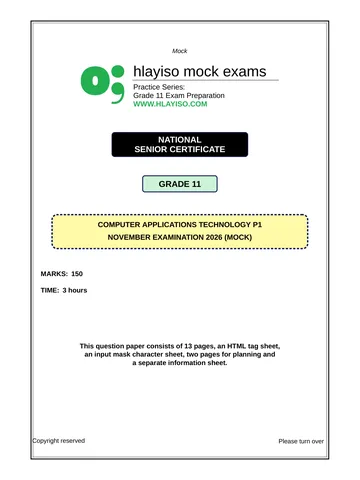
hlayiso mock exams
Practice Series:
Grade 11 Exam Preparation
WWW.HLAYISO.COM
NATIONAL
SENIOR CERTIFICATE
GRADE 11
COMPUTER APPLICATIONS TECHNOLOGY P2
NOVEMBER EXAMINATION 2026 (MOCK)
MARKING GUIDELINES
MARKS: 150
These marking guidelines consist of 11 pages.
Copyright reserved Please turn over
Skip to contentAll 2026 papers 
View all
Computer Applications Technology Grade 11 P2 2026 Memo (Eng)
Grade 11 Computer Applications Technology Paper 2 memorandum from the November Mock Exam 2 2026 (English), 11 pages. Read online or download the free PDF.
Computer Applications Technology · Grade 11 · November Mock Exam 2 · 2026 · English. Memorandum, 11 pages. Read online or download the PDF.
- Subject
- Computer Applications Technology
- Grade
- Grade 11
- Language
- English
- Document type
- Memorandum
- Year
- 2026
- Exam period
- November Mock Exam 2
- Paper
- 2
- Publisher
- Hlayiso
- Curriculum
- CAPS
- Pages
- 11
- File size
- 167.8 KB
Free to read online, no sign-up needed
Loading document…
Loading document…
1 of 11
This exam
November Mock Exam 2 2026
- Paper 1Question paperMemo
- Paper 2Question paperMemo
Document textSearch extracted text and jump to a page.
Computer Applications Technology/P2 2 Hlayiso/Mock 2026
NSC – Marking Guidelines
SUGGESTIONS AND RECOMMENDATIONS TO MARKERS
• Revisit the questions and the marking guidelines frequently during the marking session.
• Read the entire answer and check that it correlates with the question. Do not focus only
on keywords.
• Accept correct answers that are expressed differently, e.g. the marking guidelines state
’slow’ and the candidate responds ’not fast’.
• In general, ONE mark is awarded per fact. Beware of overlapping answers to a specific
question.
• Where a question requires a candidate to LIST or NAME: mark the first number of
answers/facts required, e.g. the first TWO facts if TWO were required, even if presented
in paragraph format.
• Questions requiring longer answers must be regarded as a single unit. Marks can be
awarded if correct statements are found anywhere in the answer.
• The answers below are not exhaustive: accept any other correct and relevant answers.
SECTION A
QUESTION 1: MULTIPLE-CHOICE QUESTION 2: MATCHING ITEMS
1.1 B3 1 2.1 H3 switch 1
1.2 C3 1 2.2 L3 ROM 1
1.3 C3 1 2.3 P3 ISP 1
1.4 B3 1 2.4 I3 blog 1
1.5 A3 1 2.5 R3 defragmentation 1
1.6 A3 1 2.6 D3 archiving 1
1.7 B3 1 2.7 N3 plagiarism 1
1.8 C3 1 2.8 G3 AUP 1
1.9 D3 1 2.9 J3 #### 1
1.10 D3 1 2.10 M3 EULA 1
[10] [10]
QUESTION 3: TRUE/FALSE ITEMS
(Note to marker: Award the mark if the correct term is given without the word FALSE. Do NOT
award the mark if only FALSE is written.)
3.1 True 3 1
3.2 True 3 1
3.3 False – search engine 3 1
3.4 False – Adware 3 1
3.5 False – field 3 1
[5]
TOTAL SECTION A: 25
Copyright reserved Please turn over
Computer Applications Technology/P2 3 Hlayiso/Mock 2026
NSC – Marking Guidelines
SECTION B
QUESTION 4: SYSTEMS TECHNOLOGIES
4.1 Quad-core: the processor has FOUR cores/processing units, so it 2
can process four sets of instructions (threads) at the same time 3
3.2 GHz: the clock speed – the processor carries out 3.2 billion
cycles per second 3
4.2 (1) Easier and cheaper to upgrade/repair (e.g. add RAM, graphics 2
card)
(2) Usually more powerful/better specifications for the same price
(3) Bigger screen, full-size keyboard – more comfortable/ergonomic
(4) Better cooling – less overheating
(5) More ports/expansion slots
(6) Less likely to be stolen/lost/dropped
33 (Any two)
(Do NOT accept ’cheaper’ – excluded by the question.)
4.3.1 Monitor B 3 2
Higher resolution/more pixels (2 560 x 1 440), so more detail is
shown (more pixels per inch – about 109 ppi vs 92 ppi) 3
(No mark for ’Monitor B’ if no motivation.)
4.3.2 The image on the screen is redrawn/refreshed 144 times per second 1
3
4.3.3 (1) HDMI carries a digital signal (VGA is analogue) – better image 2
quality/no conversion
(2) HDMI carries audio and video in one cable
(3) HDMI supports higher resolutions
(4) Most modern devices/graphics cards have HDMI (VGA is
outdated)
33 (Any two)
4.4 (1) Faster access/read and write speeds – faster boot and loading 2
(2) No moving parts – more durable/shock resistant
(3) Silent
(4) Uses less power/generates less heat
(5) Smaller/lighter
33 (Any two)
4.5 Purpose: supplies battery power to the computer when the electricity 2
fails (also protects against surges) 3
Gives the user enough time to save work and shut down the
computer properly, so that data is not lost/files are not corrupted 3
4.6 (1) Fix bugs/errors in the software 2
(2) Close security holes/protect against new malware
(3) Add new features
(4) Improve performance/stability
(5) Improve compatibility with new hardware/software
33 (Any two)
Copyright reserved Please turn over
Computer Applications Technology/P2 4 Hlayiso/Mock 2026
NSC – Marking Guidelines
4.7 (1) To choose only the components/programs that he needs 1
(2) To save storage space
(3) To choose the installation location/folder
(4) To add components that a typical installation leaves out
3 (Any one)
4.8 The OS can run more than one program/task at the same time (and 1
the user can switch between them) 3
4.9 An SSD has no moving parts and can access any part of the drive 2
equally fast, so fragmentation does not slow it down 3
Defragmenting causes unnecessary writes that shorten the lifespan
of the SSD 3
4.10.1 intro.mp4 3 1
4.10.2 budget.xlsx 3 1
4.11 The data in RAM is lost when the power is switched off 3 1
4.12.1 The printer can print 30 pages per minute 3 1
4.12.2 Prints on both sides of the paper automatically, so less paper is used 1
3 (accept: saves paper/environmentally friendly/professional
booklets)
4.12.3 Laser printer 3 1
[25]
QUESTION 5: INTERNET AND NETWORK TECHNOLOGIES
5.1 (1) Availability/coverage in the area (e.g. fibre or LTE) 2
(2) Speed/bandwidth
(3) Data cap/amount of data included
(4) Reliability/stability (e.g. during load-shedding)
(5) Contract period/conditions
(6) Customer service/technical support of the ISP
(7) Number of users/how the connection will be used
33 (Any two)
(Do NOT accept cost.)
5.2 Capped: the user can only use a fixed amount of data per month; 2
when it is used up, the connection stops or more data must be
bought 3
Uncapped: there is no limit on the amount of data that may be used
(although the speed may be reduced/shaped) 3
5.3 All the devices share the same bandwidth of the home connection 3 2
Streaming uses a lot of bandwidth, so there is not enough left for the
video call, which then buffers/freezes 3 (accept: network congestion
at the ISP in peak hours)
5.4.1 The file is larger than the attachment size limit of the mail 1
server/mailbox 3 (accept: recipient’s mailbox is full)
5.4.2 Upload it to cloud storage and share a link/use a file-transfer 1
service/compress the video/copy it to a flash drive 3
Copyright reserved Please turn over
Computer Applications Technology/P2 5 Hlayiso/Mock 2026
NSC – Marking Guidelines
5.5 Other people who use the computer after her can see which sites 2
she visited 3
and could access her accounts/personal information/passwords if
she remains logged in (identity theft/privacy) 3
5.6 (1) Post news, notices and dates of events 2
(2) Share photos/videos of school activities
(3) Post homework/learning material/exam timetables
(4) Parents can give feedback/comments
(5) Share achievements/results
33 (Any two)
5.7 It connects networks/computers over a very large geographical area 1
– the whole world 3
5.8 Router (accept: modem/router, ONT for fibre) 3 1
5.9 (1) Higher data transfer speeds/bandwidth 1
(2) Can carry data over longer distances without loss of signal
(3) Not affected by electrical/electromagnetic interference
(4) More secure/difficult to tap
(5) Not affected by lightning
3 (Any one)
[15]
QUESTION 6: INFORMATION MANAGEMENT
6.1 Primary data: data that the researcher collects himself/herself for the 2
first time, e.g. with a questionnaire or interview 3
Secondary data: data that has already been collected/published by
someone else, e.g. on websites, in books or reports 3
6.2.1 The categories overlap – a learner who is 14 or 16 fits into two 1
options (accept: no option for learners younger than 12 or older than
18) 3
6.2.2 Any neutral version, e.g. ’Do cellphones affect the sleep of 1
teenagers? Yes/No/Not sure’ OR ’How do you think cellphones
affect teenagers? Positively/Negatively/No effect’ 3
6.3 Check boxes 3 1
6.4 (1) Author is known and is an expert/qualified 2
(2) The website belongs to a reputable organisation (e.g. .gov,
.ac.za)
(3) The information is current/the date of the last update is shown
(4) The information is objective/not biased
(5) The information can be verified on other sites/sources are cited
(6) No spelling/grammar errors; professional design
33 (Any two)
Copyright reserved Please turn over
Computer Applications Technology/P2 6 Hlayiso/Mock 2026
NSC – Marking Guidelines
6.5 (1) Author 2
(2) Title of the article
(3) Name of the website
(4) URL/web address
(5) Date published
(6) Date accessed
33 (Any two)
6.6 Pie chart 3 1
[10]
QUESTION 7: SOCIAL IMPLICATIONS
7.1.1 Social engineering (accept: pretexting/vishing) 3 1
7.1.2 It targets people (human weakness/trust), not the technology – the 1
attacker gets a valid password, so the firewall/antivirus sees a
legitimate user 3
7.2 (1) Computer runs very slowly 2
(2) Unexpected pop-ups/advertisements
(3) Programs crash/the computer restarts unexpectedly
(4) Files are missing, changed or encrypted
(5) Browser home page changed/unknown toolbars
(6) Antivirus is disabled
(7) Friends receive e-mails/messages that you did not send
(8) Unusual network activity/data usage
33 (Any two)
7.3 (1) A fingerprint cannot be forgotten/lost 2
(2) Difficult to copy/steal/share – more secure
(3) Faster/more convenient to log on
(4) Each person’s fingerprint is unique – proves who logged on
33 (Any two)
7.4 Problem: Eye strain/computer vision syndrome (CVS)/dry, tired 2
eyes/blurred vision/headaches 3
Prevention: Follow the 20-20-20 rule (every 20 minutes look at
something 20 feet/6 m away for 20 seconds)/take regular breaks/use
an anti-glare screen/adjust the brightness and contrast/blink
often/use night mode 3
7.5 E-waste contains toxic substances, e.g. lead, mercury, cadmium 3 2
that leak into the soil and water at landfill sites and harm
people/animals/the environment
OR valuable materials (e.g. metals) can be recovered when it is
recycled 3
[10]
Copyright reserved Please turn over
Computer Applications Technology/P2 7 Hlayiso/Mock 2026
NSC – Marking Guidelines
QUESTION 8: SOLUTION DEVELOPMENT
8.1.1 =B2*C2 3 (accept =C2*B2) 1
8.1.2 4 3 (COUNT ignores the empty cell C4) 1
8.1.3 The column is too narrow to display the value (11 520.00) 3 2
Make column D wider/AutoFit the column (accept: decrease the font
size/reduce the number of decimals) 3
8.1.4 =SUM(D2:D6) 3 (displays 14 450.00) 1
8.1.5 =IF(C2>100,"Reorder","") 3
=IF(C2>100 3 ,"Reorder" 3 ,"") 3
(Accept " " for the empty result. Accept C2>=101.)
8.2.1 Hanging indent 3 1
8.2.2 (1) Text lines up exactly/consistently (spaces differ in width with 1
proportional fonts)
(2) Easy to change the position of all the columns at once by moving
the tab stop
(3) Alignment is kept when the font/size changes
3 (Any one)
8.2.3 Column break 3 1
8.2.4 ’you’re’ and ’form’ are correctly spelt words 3 2
The spelling checker only checks whether a word exists in its
dictionary, not whether it is used correctly in the context
(homophones/wrong word) 3
8.3.1 Displays alternative text if the image cannot be shown/is read aloud 1
by a screen reader for visually impaired users 3
8.3.2 <ol> (with </ol>; accept <ol> and <li>) 3 1
[15]
TOTAL SECTION B: 75
Copyright reserved Please turn over
Computer Applications Technology/P2 8 Hlayiso/Mock 2026
NSC – Marking Guidelines
SECTION C
QUESTION 9: INTEGRATED SCENARIO
9.1.1 Wireless access point (WAP) OR wireless router 3 1
9.1.2 (1) Use a strong Wi-Fi password 2
(2) Use WPA2/WPA3 encryption
(3) Change the default administrator password of the router/access
point
(4) MAC address filtering – allow only registered devices
(5) Hide the network name (SSID)
(6) Set up a separate guest network
33 (Any two)
9.2.1 (1) Lighter/smaller – easy to carry around the field 2
(2) Longer battery life
(3) Touch screen – can be used while standing/no keyboard needed
(4) Built-in camera to record training/matches
(5) Switches on instantly
(6) Built-in mobile (LTE) connection
33 (Any two)
9.2.2 40 × 1 024 = 40 960 MB 3 2
40 960 ÷ 500 = 81.92, so 81 complete videos 3
(CA: second mark for dividing the candidate’s MB value by 500 and
rounding DOWN. If 1 GB = 1 000 MB was used: 40 000 ÷ 500 = 80,
award max 1 mark (CA for division and whole number).)
9.3.1 MemberID 3 2
Every member has a unique ID – the value is never repeated
(Surname, e.g. Dlamini, is repeated) 3
9.3.2 Yes/No (Boolean) 3 1
9.3.3 A Number field will remove the leading zero (0821234567 becomes 1
821234567) OR no calculations are done with phone numbers OR it
may contain spaces/+27 3
9.3.4 Between #2012/01/01# And #2012/12/31# 2
Between #2012/01/01# 3 And #2012/12/31# 3
(Accept >=#2012/01/01# And <=#2012/12/31# for 2 marks; any
valid date format. Accept Like "*2012*" for 2 marks.
Year([DateOfBirth])=2012 earns 2 marks ONLY if given as a
calculated field, e.g. BirthYear: Year([DateOfBirth]) with
criterion 2012; otherwise max 1.)
9.3.5 In("U13","U15","U17") 2
OR ="U13" Or ="U15" Or ="U17"
In/Or structure 3 all three values correct 3
9.3.6 (1) Data can be grouped/sorted and totals calculated 1
(2) Professional layout with headings/logo
(3) Can show only the records needed (based on a query)
(4) Fits on the page when printed
3 (Any one)
Copyright reserved Please turn over
Computer Applications Technology/P2 9 Hlayiso/Mock 2026
NSC – Marking Guidelines
9.4.1 If there is a fire, flood or theft in the office, both the original data and 1
the backup will be lost 3
9.4.2 Store the backup off-site (e.g. at another person’s home/in a safe) 1
OR use online/cloud backup 3
9.5 (1) The parents’ e-mail addresses are kept private/not shown to the 2
other recipients (protects personal information/POPIA)
(2) Prevents others from using the addresses for spam
(3) Prevents ’Reply all’ messages being sent to everyone
(4) The e-mail looks neater – no long list of addresses
33 (Any two)
9.6.1 (1) Strangers/predators can identify, locate or stalk the children 2
(2) Photos can be copied, edited and misused
(3) Photos stay online permanently (digital footprint)
(4) Children may be cyberbullied/teased
(5) Location/school/club details are revealed
33 (Any two)
9.6.2 Get written permission from the parents/guardians (accept: do not 1
tag/name the children; use privacy settings; remove location data) 3
9.7 (1) Do not share your username/password 2
(2) Do not install software without permission
(3) Do not visit inappropriate/illegal websites
(4) Do not download illegal/pirated material
(5) Do not copy/share members’ personal information
(6) Log off after use
(7) Use the computers only for club work
(8) Do not plug in unknown flash drives (scan first)
33 (Any two)
[25]
QUESTION 10: INTEGRATED SCENARIO
10.1 Wi-Fi range extender/repeater OR an additional wireless access 1
point/mesh Wi-Fi system 3
10.2 Guests could gain access to the shared files/private records of the 2
guesthouse (and guests’ personal information) 3
Malware on a guest’s device could spread to the office computer 3
(Accept: a separate guest network with a firewall keeps the office
network secure.)
10.3.1 (1) Bookings can be made 24/7 2
(2) Fewer phone calls/e-mails – saves time
(3) Prevents double bookings – availability is updated automatically
(4) Payments are received immediately
(5) Reaches more (international) guests
(6) Booking data is captured electronically/fewer errors
33 (Any two)
Copyright reserved Please turn over
Computer Applications Technology/P2 10 Hlayiso/Mock 2026
NSC – Marking Guidelines
10.3.2 Ensures that a valid date is entered in the correct format (fewer 1
errors)/faster and easier for the guest 3
10.3.3 (1) Opens on any device/operating system with the same layout 1
(2) Cannot be edited easily
(3) Usually a smaller file size
(4) Looks professional/prints as it looks on screen
3 (Any one)
10.4 Table: tblGuests (accept tblRooms/tblPayments or any sensible 2
table) 3
Linking field: the primary key of that table used as a foreign key in
tblBookings, e.g. GuestID (accept RoomID/RoomNumber for
tblRooms; BookingID for tblPayments) 3
(Second mark only if the field matches the table given.)
10.5 NFC (Near Field Communication) 3 (accept RFID) 1
10.6.1 (1) Footage is safe if the office hard drive/recorder is stolen, 2
damaged or destroyed
(2) Footage can be viewed from anywhere with an internet
connection
(3) No need to buy/maintain storage hardware; storage can be
increased easily
(4) Automatic backups by the service provider
33 (Any two)
10.6.2 (1) Needs a stable internet connection – no recording/upload during 1
outages/load-shedding
(2) Uses a lot of data/bandwidth
(3) Monthly subscription fees
(4) Privacy/security risk – footage stored on another company’s
servers
3 (Any one)
10.7.1 Ransomware 3 1
10.7.2 (1) Make regular backups (off-site/offline) so that files can be 2
restored
(2) Install and update antivirus/anti-malware software
(3) Keep the operating system and software updated/patched
(4) Do not open unknown e-mail attachments/links
(5) Use a firewall
(6) Train staff about online security
33 (Any two)
10.8 (1) Screen magnifier/zoom 2
(2) Larger font/display scaling
(3) High-contrast mode
(4) Screen reader/narrator (text-to-speech)
(5) Larger monitor
(6) Large-key/high-visibility keyboard
(7) Speech recognition/voice input
33 (Any two)
Copyright reserved Please turn over
Computer Applications Technology/P2 11 Hlayiso/Mock 2026
NSC – Marking Guidelines
10.9 (1) Use positive reviews in advertising/on the website 2
(2) Improve services based on complaints/feedback
(3) Respond to reviews to build a good relationship with guests
(4) Good ratings attract new guests (free advertising)
(5) Identify what guests like most
33 (Any two)
10.10.1 (1) SSD – much faster read/write (access) speed than an HDD (5 2
400 rpm)
(2) More RAM (16 GB) – more programs/data can be kept in
memory, less use of virtual memory
(3) Octa-core/more cores – more instructions can be processed at
the same time
(4) Higher clock speed (3.4 GHz) – more instructions per second
33 (Any two)
10.10.2 When a lot of storage space is needed, e.g. to store many 1
photos/videos (1 TB is four times 256 GB) 3 (accept: only basic
tasks such as e-mail and word processing are needed)
10.11 (1) Webcam/camera 2
(2) Microphone
(3) Speakers/headphones/headset
(4) Network card/Wi-Fi adapter (connection to the internet)
33 (Any two)
[25]
TOTAL SECTION C: 50
GRAND TOTAL: 150
Copyright reserved
Study this subject
Recommended for this subject
Question paper
Computer Applications Technology Grade 11 P1 2026 QP (Eng)
Question paper
Computer Applications Technology Grade 11 P2 2026 QP (Eng)
Memorandum
Computer Applications Technology Grade 11 P2 2020 Memo (Eng)
Memorandum
Computer Applications Technology Grade 11 P2 2019 Memo (Eng)
Memorandum
Computer Applications Technology Grade 11 P2 2018 Memo (Eng)
Memorandum