
Downloaded from hlayiso.com
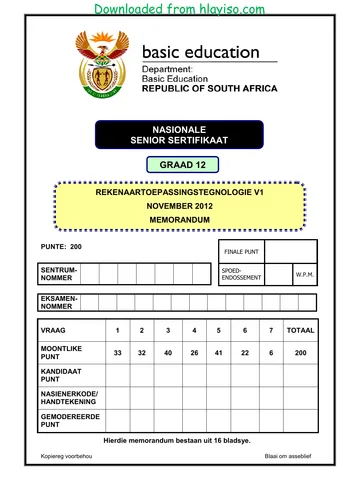
NATIONAL
SENIOR CERTIFICATE
GRADE 12
COMPUTER APPLICATIONS TECHNOLOGY P1
NOVEMBER 2012
MEMORANDUM
MARKS: 200
FINAL MARK
CENTRE SPEED
NUMBER WPM
ENDORSEMENT
EXAMINATION
NUMBER
QUESTION 1 2 3 4 5 6 7 TOTAL
POSSIBLE MARK 33 32 40 26 41 22 6 200
CANDIDATE
MARK
MARKER CODE/
SIGNATURE
MODERATED
MARK
This memorandum consists of 16 pages.
Copyright reserved Please turn over
Skip to contentMemorandum 




_hlayiso.com_--810d2c32-e315-4816-bc8a-e27be13a16f6/v1-7b02c01b6f4af79ca907/card.webp)
_hlayiso.com_--c01bfbcb-cb2b-4618-9d1d-c1121a3bfe6b/v1-ca8424d1fe5bc9192ecd/card.webp)
View all





Computer Applications Technology Grade 12 P1 2012 Memo
Grade 12 Computer Applications Technology Paper 1 memorandum from the NSC November Exam 2012, 16 pages. Read online or get the free PDF download, question paper linked when available.
Computer Applications Technology · Grade 12 · NSC November Exam · 2012. Memorandum, 16 pages. Read online or download the PDF.
- Subject
- Computer Applications Technology
- Grade
- Grade 12
- Document type
- Memorandum
- Year
- 2012
- Exam period
- NSC November Exam
- Paper
- 1
- Curriculum
- CAPS
- Pages
- 16
- File size
- 362.9 KB
Loading document…
Loading document…
1 of 16
Document textSearch extracted text and jump to a page.
Downloaded from hlayiso.com
Computer Applications Technology/P1 2 DBE/November 2012
NSC – Memorandum
EXAMINATION
NUMBER
QUESTION 1 File name: 1Climate_Klimaat Total Q1: 33
No Criteria Max Mark Candidate
Mark
1.1 Margin 1
• Right-hand margin set to 1.5 cm 1
(Note to marker: Allocate mark if the right-hand
margin is set to 1.5 cm of the first, middle or last
part of the document)
1.2 Page Layout: Justification and hyphenation 2
• Full justification applied to whole document 1
• Automatic hyphenation applied to whole document 1
(Note to marker: Allocate mark if the automatic
hyphenation has been set
Do not accept manual setting of the hyphenation
Allocate the mark if full justification has been applied
to any sections of the document )
1.3 Page border 3
• 3 pt wide 1
• Double line page border 1
• to whole document 1
1.4 WordArt/Fontworks 5
• Any WordArt/Fontwork applied to 'Climate Institute' 1
• Width of WordArt/Fontwork is set to approximately
23 cm 1
• Heading reads vertically from bottom to top (as 1
shown in QP example)
• Heading appears on left of page 1
• Text is not obscured by diagram 1
1.5 Styles 2
• All 4 instances 1
(Extreme Weather
Tropical Storms
Heat Waves
Floods and Drought)
• Any Heading 1 sub-heading is formatted to Heading 2 1
style
1.6 Paragraph spacing 1
• Paragraph spacing set to 10 pt/2 lines/0.35 cm after/
below 1
1.7 Image 1
• Image appears in colour shades (not grayscale) 1
Copyright reserved Please turn over
Downloaded from hlayiso.com
Computer Applications Technology/P1 3 DBE/November 2012
NSC – Memorandum
EXAMINATION
NUMBER
1.8 Reference 2
• Caption reads only 'Storm' (not Storm 1, 2, etc.) 1
• Anywhere above the graph/chart 1
(Note to marker: Mark by inspection/on evidence.
Check the graph on the 1st page to allocate the 2nd
mark)
1.9 Drop Cap 1
• Distance from text is 0 (zero) for Drop Cap 1
(Note to marker: No mark if changed to In Margin)
Double click on Drop Cap to see horizontal distance
from text is 0)
1.10 Columns 5
• Correct text selected (Tropical storms ...climate 1
change')
• Two columns 1
• First column is set at 5.5 cm wide 1
• Column break before 'Heat Waves' (Do not accept 1
continuous break)
• Vertical line between columns after 'Heat Waves' 1
(Note to marker: Ignore if heading 'Heat Waves' falls
on new page)
1.11 Graph/Chart 4
• Graph/chart appears on same page as 'Tropical
Storms' 1
• Graph/chart centred horizontally and vertically 1
• Graph/chart centred relative to page 1
• Text wraps around graph/chart 1
(Note to marker: MSO 2007/2010 – Select Text
wrapping, More layout options or Right click to see
position)
1.12 Find and Replace 3
• All 13 occurrences of the underlined storms (only 1
lower case – Match case option had to be used)
• Display in red font 1
• Not underlined 1
1.13 Watermark 3
• Text watermark added (Do not penalise for 1
spelling)
• Runs diagonally 1
• Arial font used 1
Total for QUESTION 1 [33]
Copyright reserved Please turn over
Downloaded from hlayiso.com
Computer Applications Technology/P1 4 DBE/November 2012
NSC – Memorandum
EXAMINATION
NUMBER
QUESTION 2 File name: 2Wind_Wind Total Q2: 32
Candidate
No Criteria Max Mark Mark
2.1 File properties 1
• Author property set to candidate's examination
number 1
(Note to marker: Ignore any authors that may already
have been there )
2.2 Bookmark 2
• Text 'male or female' at the end of the first paragraph
is replaced with 'gender' 1
• Bookmark 'BoyGirl' has not been deleted 1
(Note to marker: Only award 2nd mark if work for the
1st mark was attempted)
2.3 Indent 2
• 'Alex (male) ...' to '... and so on ...' is indented 1
• Indent is set to 1 cm exactly 1
2.4 Spell checker 1
• Spelling of 'tehn' in the 3rd paragraph has been
corrected to 'then' 1
2.5 Paragraph border 3
• Paragraph border appears around 'Tornado versus
hurricane' and its content ending '... 320 km/hr.' 1
(Note to marker: Do not accept a text box or shape)
• Border is dashed 1
• Border is shadowed 1
(Note to marker: Accept a dotted border)
(Note to marker: The shadowed border may appear
as a solid line on 2 sides of the paragraph)
2.6 Bulleted list 3
• 'Be sure ...' to '... on it.' is a bulleted list 1
• Bullets are customised to 'lightning clouds' 1
(Webdings character number 43
In LibreOffice: U+F02B)
• Bullets are 14 pt 1
2.7 Table to Text 1
• 'Categories of Hurricanes' table has been converted
to text 1
(Note to marker: Accept any separator for example
paragraph marks, commas, tabs, etc.)
Copyright reserved Please turn over
Downloaded from hlayiso.com
Computer Applications Technology/P1 5 DBE/November 2012
NSC – Memorandum
EXAMINATION
NUMBER
2.8.1 Tables 1
• All column headings of table appear in upper case 1
2.8.2 • Two tables have been merged as one without 1
deleting any data 1
(Note to marker: If the tables have not been merged,
the answers to questions 2.8.3 to 2.8.8 should be
marked on the second table)
2.8.3 • Outside border is 6 pt 1 2
• Inside gridlines are ½ pt 1
(Note to marker: An attempt must have been made to
change the outside border in order to allocate the 2nd
mark)
2.8.4 • All row heights are changed 1 2
• Is set to exactly 1 cm 1
(Note to marker: Check on the Layout tab to see
the row height of all the rows. The property reflects
the settings only if the row height is the same for all
rows.)
2.8.5 • All cell contents are aligned vertically to the centre 1 1
(Note to marker: Mark by inspection, ignore
horizontal alignment)
2.8.6 • Bottom row's cells, excepting the formula cell, is 2
merged 1
• Text 'TOTAL' is right aligned 1
(Note to marker: Do not penalise if sorting has
caused the last row to move)
2.8.7 • Formula =SUM(Above) is inserted to obtain an 1
answer of 14433 for Death Toll 1
(Note to marker: Click on the cell/answer 14433 and
check that formula is a field that works)
(Note to marker: Also accept =F2+F3+F4+F5+F6)
2.8.8 • Data is sorted by year 1 2
• In descending order 1
(Note to marker: Do not penalise if heading row is
included)
Copyright reserved Please turn over
Downloaded from hlayiso.com
Computer Applications Technology/P1 6 DBE/November 2012
NSC – Memorandum
EXAMINATION
NUMBER
2.9 Multilevel/Outline numbering 3
• Level 1 multilevel/outline numbering is applied,
(1. 2. 3.) 1
• Level 2 multilevel/outline numbering is applied,
(a. b. c.) 1
• Multilevel/outline numbering applied to all three
questions in all 3 instances 1
(Note to marker: Allocate the first 2 marks only if the
format of the numbering is absolutely correct.
Allocate the 3rd mark if multilevel/outline numbering
was applied to all three instances, irrespective of the
numbering format)
2.10 Page numbering 4
• Automatic page numbering has been inserted (in any
format) 1
• In the footer of the document 1
• First page is not numbered 1
• Second page starts at number 1 1
(Note to marker: Page numbering must have been
attempted to allocate the mark for the 3rd bullet)
Total for QUESTION 2 [32]
Copyright reserved Please turn over
Downloaded from hlayiso.com
Computer Applications Technology/P1 7 DBE/November 2012
NSC – Memorandum
EXAMINATION
NUMBER
QUESTION 3 Filename: 3Travel_Reis Total Q3: 40
• Mark the questions from the formulae and not the values/answers in the cell.
• Check against candidates' actual work (Cell references may differ, depending on the
candidates' response).
• Candidates may use multiple formulae or cells as 'building blocks' to answers.
No Criteria Max Mark Candidate
Mark
Cities_Stede worksheet
3.1 Cell A2:H2 2
• Oblique bar removed 1
• Text appears on two lines 1
(Note to marker: Mark by inspection/on evidence
Allocate only 1 mark if the cells were unmerged)
3.2 Cell L15 =AVERAGE (L5:L14) 2
• = AVERAGE 1
• Correct range (Accept L4:L15) 1
[Note to marker: SUM(L5:L14)/COUNT(L5:L14)]
3.3 Cell D18 =MODE (D5:D14) 2
• = MODE 1
• Correct range 1
3.4 Cell S18 = MAX (S5:S14) 2
OR Cell S18=LARGE(S5:S14,1)
• = MAX 1
• Correct range 1
3.5 Cell F21=SUM(G5:G14,N5:N14,U5:U14) 3
OR
Cell F21= SUM(G5:G14)+SUM(N5:N14)+SUM(U5:U14)
• =SUM 1
• Function/formula applied to one or two of the cell 1
ranges 1
• Function/formula applied to all 3 non-adjacent cell
ranges
(Expected answer: 20)
(Note to marker: Accept alternative correct
responses, for example:
=SUMIF(G5:G14,">0")+SUMIF(N5:N14,">0")+SUMIF
(U5:U14,">0")
=SUM(G5:G14,N5:N14,U5:U14)
=G5+G6+G7 …U12+U13+U14, etc.
Copyright reserved Please turn over
Downloaded from hlayiso.com
Computer Applications Technology/P1 8 DBE/November 2012
NSC – Memorandum
EXAMINATION
NUMBER
No Criteria Max Mark Candidate
Mark
3.6 Column O 3
• Conditional formatting applied 1
• Top 3 1
• Blue fill 1
(Note to marker: in LibreOffice, 3 conditions must be
set using the LARGE function to earn the mark for the
top 3)
Graph_Grafiek worksheet
3.7 Chart/graph 5
• Is a bar chart/graph 1
• Chart title changed to Maximum Temperatures for
2007 - 2011 1
• Legend displays on the right, no overlay 1
• Minor or major vertical gridlines display 1
• Ticks (marks) cross the vertical axis 1
(Note to marker: Ignore any spelling errors in the
chart title)
3.8 Header 3
• Temperatures are left aligned (Accept examination 1
number)
• Today's date is centred 1
• Automatic page number is right aligned 1
(Note to marker: Accept with/without the text 'Page
number')
Summary_Opsomming worksheet
3.9 Row height 1
• Row height of row 1 changed to 80 pt/2.82 cm 1
(Note to marker: Check in the row height and not on
the cell)
3.10 Cells A1:D1 2
• Double line border inserted 1
• Only to the bottom of merged cells 1
3.11 Cell D3=AVERAGE(Cities_Stede!P5:P14) 2
• Correct function 1
• Correct range: sheet and cells 1
(Note to marker:
Also accept Cell D3 =Cities_Stede! P15)
Copyright reserved Please turn over
Downloaded from hlayiso.com
Computer Applications Technology/P1 9 DBE/November 2012
NSC – Memorandum
EXAMINATION
NUMBER
3.12 Cell B8=IF(B3-B4>=13, "Extreme", IF(B3-B4>=10 , "Settled", 4
"Constant"))
OR
Cell B8=IF(B3-B4<10, "Constant", IF(B3-B4>=13 , "Extreme",
"Settled"))
OR
Cell B8=IF(B3-B4<10, "Constant", IF(B3-B4<13 , "Settled",
"Extreme"))
OR
=IF(E4<10,"Constant",IF(E4>=13,"Extreme","Settled"))
OR
=IF(B3-B4<10,"Constant",IF(B3-B4>=13,"Extreme","Settled"))
• 'Constant' is linked to the correct condition 1
• 'Extreme' is linked to the correct condition 1
• 'Settled' is linked to the correct condition 1
1
• Nested-if construct is used correctly
3.13 Cell B9=ROUNDUP (B5/365*100,0) 3
• Formula = ROUNDUP 1
• Calculation – accept * 100 OR B5 formatted as % 1
• Zero decimal places 1
3.14 Column Graph 6
• Column chart/graph created in the 1
Summary_Opsomming worksheet.
• Correct data used (B2:D7) 1
• Heading reads 'Basic Climate Comparison' 1
• Column of average number of rainy days for Durban
is selected 1
• Gradient fill 1
• In a dark colour used 1
Total for QUESTION 3 [40]
Copyright reserved Please turn over
Downloaded from hlayiso.com
Computer Applications Technology/P1 10 DBE/November 2012
NSC – Memorandum
EXAMINATION
NUMBER
QUESTION 4 Filename: 4Daily_Daagliks Total Q4: 26
• Mark the questions from the formulae and not the values/answers in the cell.
• Check against candidates' actual work (Cell references may differ, depending on the
candidates' response).
• Candidates may use multiple formulae or cells as ‘building blocks’ to answers.
No Criteria Max Mark Candidate
Mark
DayRecord_DagRekord worksheet
4.1 Cell N2=COUNTA (J5:J36) 2
OR 1
Cell N2=COUNT(K5:K36) 1
OR
Cell N2= COUNTA(K5:K36)
• Formula =COUNTA
• Correct range
4.2 Cell E5=(D5-C5)/C5*100 OR E5=(D5-C5)/C5 3
• Correct calculation in brackets 1
• Division by C5 1
• * 100 1
(Note to marker: Allocate the last mark if learner
applied the percentage format to the cell instead of
multiplying by 100)
4.3 Cell F5 = ROUND 4
(AVERAGE(Temperature_Temperatuur!B4:H4),2)
• Formula = ROUND 1
• Formula AVERAGE 1
• Correct worksheet and range 1
• 2 decimal places 1
4.4 Cell H5 =IF(G5>=80,"Hot", "Mild") 3
=IF(G5>=80,"Hot",IF(G5<80,"Mild"))
=IF(G5>=80,"Hot",IF(G5<80,"Mild",))
1
OR 1
=IF(G5 <80,"Mild","Hot") 1
=IF(G5<80,"Mild",IF(G5>=80,"Hot"))
=IF(G5<80,"Mild",IF(G5>=80,"Hot",))
• IF statement
• Condition
• Hot and mild added in the appropriate order
(Note to marker: The condition for hot could be >80
and the condition for mild could be <80)
Copyright reserved Please turn over
Downloaded from hlayiso.com
Computer Applications Technology/P1 11 DBE/November 2012
NSC – Memorandum
EXAMINATION
NUMBER
4.5 Cell K5 5
=VLOOKUP(A5,Wind_Wind!$A$4:$H$19,5,FALSE)
OR
=VLOOKUP(A5,Wind_Wind!$A$4:$E$19,5,FALSE)
• Correct cell 1
• Correct sheet and range (accept named range) 1
• Absolute cell reference 1
• 5th column 1
• FALSE 1
(Note to marker: Also accept sorting of lookup table
and no false parameter.
Accept alternative range: $A$4:$E$19 or $A$4:$F$19
or $A$4:$G$19 or $A$4:$H$19)
4.6 Cell L5 =UPPER (CONCATENATE("*",B5,LEFT (A5,3))) 6
• Function = UPPER 1
• Function CONCATENATE or & operator 1
• Asterisk 1
• Correct cell B5 1
• Function LEFT 1
• Correct cell and 3 characters 1
(Note to marker: Accept other correct variations/
building blocks)
4.7 Cell N3 =COUNTIF(Wind_Wind!B4:H10,">0") 3
• Function =COUNTIF 1
• Correct range 1
• Condition of >0 1
(Expected answer: 6 days or 45 days)
(Note to marker: Accept: any other method that
produces the correct answer
Note: it was not necessary to change the cell format)
Total for QUESTION 4 [26]
Copyright reserved Please turn over
Downloaded from hlayiso.com
Computer Applications Technology/P1 12 DBE/November 2012
NSC – Memorandum
EXAMINATION
NUMBER
QUESTION 5 Filename: 5Weather_Weer Total Q5: 41
No Criteria Max Mark Candidate
Mark
Table: Data_Data
5.1.1 Experience_Ondervinding field 1
• Data type changed to Yes/No 1
5.1.2 Delete record 1
• L Jackson record does not appear 1
(Note to marker: the whole record must be deleted and
not just the data in that row)
5.1.3 Gender_Geslag field 3
• Display control changed to list box 1
• Source type changed to value list 1
• 'M' and 'F' appear as options 1
(Note to marker: Accept combo box)
5.1.4 Validation rule for Departure_Vertrek field 4
• Between #2011/10/01# and #2012/12/31# OR 3
• >#2011/09/30# and <#2013/01/01# OR
• >=#2011/10/01# and <=#2012/12/31#
Validation text
Suitable message that relates to data range 1
E.g. 'Date must be between October and December 2012'
(Note to marker: Allow for different date formats on the
systems)
Query: QryMale_Manlik
5.2 • Criteria: 'M' under the Gender_Geslag field 1 3
• Only Surname_Van and Initial_Voorletter are shown 1
• Departure_Vertrek field sorted in ascending order 1
(Expect 27 records)
Query: QryDays_Dae
5.3 • Calculated field Days_Dae inserted correctly 1 4
(Note to marker: Ignore spelling of field name)
• Correct fields used: 1
[Arrival_Aankoms] – [Departure_Vertrek]
• Correct operator: 1
Minus (-)
• Fields in correct order: 1
Copyright reserved Please turn over
Downloaded from hlayiso.com
Computer Applications Technology/P1 13 DBE/November 2012
NSC – Memorandum
EXAMINATION
NUMBER
Query: QryFlood
5.4 • Initial_Voorletter, Surname_Van, Country_Land, 4
selected 1
• The Danger_Gevaar field does not display 1
• Danger_Gevaar set to LIKE 'Flooding *' 2
OR
Criteria of Danger_Gevaar set to
Flooding AND Flooding/Drought
(Expect 18 records)
Spreadsheet: MyInfo
5.5 • All data from QryInfo_Inlig query 1 2
• Appears in the spreadsheet called MyInfo 1
(Expect 6 records)
Form: New_Nuut
5.6 • Form called New_Nuut created 1 3
• Based on Data_Data table 1
• All 11 fields appear 1
Form: FrmForm_Vorm
5.7.1 • Label is added to form header 1 4
• Examination number appears 1
• Image moved to header 1
(Note to marker: Image does not appear in both the
header and footer
Mark this question in Design View and Form View)
1
• Shadow border placed around the image
5.7.2 • Horizontal line placed at top of footer 1 3
• Updatable date field has been added to the footer 2
(Note to marker: Check that today's date is displayed)
Copyright reserved Please turn over
Downloaded from hlayiso.com
Computer Applications Technology/P1 14 DBE/November 2012
NSC – Memorandum
EXAMINATION
NUMBER
Report: MyReport_Verslag
5.8 • All 10 fields of the Info_Inlig table are included in 4
report 1
• Grouped according to Country_Land field 1
• Sorted according to the Surname_Van field 1
• Block layout 1
(Note to marker: Accept if form was based on another
table and then do not allocate the 1st mark)
Report: RepInfo_Inlig
5.9 • Function placed in the group footer 1 5
(Note to marker: Do not accept in the group header)
• Function =count(*) 1
(Accept any field in square brackets
e.g.=count([Surname_Van])
• Anywhere in the page footer place the page number 2
field set to Page X of Y 1
Total for Question 5 [41]
Copyright reserved Please turn over
Downloaded from hlayiso.com
Computer Applications Technology/P1 15 DBE/November 2012
NSC – Memorandum
EXAMINATION
NUMBER
QUESTION 6 Filename: 6Record_Opname, 6Day_Dag Total Q6: 22
No Criteria Max Mark Candidate
Mark
6Record_Opname
6.1 Page orientation 1
• Landscape 1
Title
6.2.1 • Outline font style applied 1 2
(Note to marker: Do not accept WordArt/Fontwork)
• Small caps/small capitals effect applied 1
6.2.2 • Any type of sun symbol/autoshape inserted 1 3
• To the left of the title 1
• Sun symbol/autoshape is resized to match the font
size 1
6.3 Tabs 3
• Right leader tab 1
• Placed at 10 cm 1
• Leader tab applied to the Recorder's name 1
6.4 Endnote 3
• Endnote added in (Do not accept footnote) 1
• Info symbol used as custom mark 1
• 'GPS pending' appears as the endnote text 1
(Note to marker: For LibreOffice users only.
Accept any symbol other than the default)
6.5 Form field 3
• Text form control added 1
• Default text set to 'Enter the name here' 1
• Length is set to 20 1
(Note to marker: Accept anywhere)
6.6 Field 1
• Field containing file name and path name inserted 1
anywhere at the bottom of the page
6.7 Paste table 2
• Correct data from cells B2:G9 pasted from
spreadsheet 1
• Pasted as a linked table/object 1
6.8 Find 2
• 10 city names appear 1
• No other text appears 1
6.9 Hyperlink 2
• Hyperlink added to image 1
• Links to 2Wind_Wind document 1
Total for QUESTION 6 [22]
Copyright reserved Please turn over
Downloaded from hlayiso.com
Computer Applications Technology/P1 16 DBE/November 2012
NSC – Memorandum
EXAMINATION
NUMBER
QUESTION 7 Total Q7: 6
Filenames: 7 Answers_Antwoorde, 7Extreme_Uiters,
7FloodDrought_VloedDroogte, 7Password_Wagwoord, 7Storm_Storm
Candidate
No Criteria Max Mark Mark
7Answers_Antwoorde File
7.1 • 3502 (If read from properties without opening the file) 1
OR
3473 (If file was/is opened) 1
OR
Accept 2931 (no spaces)
7.2 • Normal template 1 1
7.3 • Password removed 1 1
(Note to marker: The file 7PassWord_Wagwoord will
open without requiring a password)
7.4 • 28 KB 1 1
(Accept any size in the range 28 KB – 32 KB)
OR
28672 bytes
(Accept any size in the range 28000 KB – 32000 KB)
7.5 • Image from 7Storm_Storm 1 2
• Saved as an image file (any graphics file format) for
example: jpeg, png, gif, tiff, bmp, etc. 1
Total for QUESTION 7 [6]
TOTAL 200
Copyright reserved
Study this subject
Revise the topics in this paper, then practise them question by question.
- Grade 12 Computer Applications Technology notes
CAPS revision notes with worked examples.
- Computer Applications Technology questions by topic
Past exam questions sorted by CAPS topic, with memos where available.
- Grade 12 Computer Applications Technology quizzes
Short topic quizzes with instant feedback.
- All Grade 12 Computer Applications Technology past papers
Past papers by year, with memos where available.
- Grade 12 past papers
More Computer Applications Technology and other subjects in this collection.
Recommended for this subject
More papers and memos for this grade and subject.
Memorandum
Computer Applications Technology Grade 12 P1 2025 Memo
Memorandum
Computer Applications Technology Grade 12 P2 2025 Memo
Memorandum
Computer Applications Technology Grade 12 P1 NSC June 2025 Memo
Memorandum
Computer Applications Technology Grade 12 P1 2024 Memo (Eng)
Memorandum
Computer Applications Technology Grade 12 P1 2022 Memo (Afr)
Memorandum
Computer Applications Technology Grade 12 P1 2022 Memo (Eng)
Related documents
Memorandum
Computer Applications Technology Grade 12 P1 2012 Memo
Information sheet
Computer Applications Technology Grade 12 P1 2012 Info Sheet
Information sheet
Computer Applications Technology Grade 12 P1 2012 Info Sheet
Question paper
Computer Applications Technology Grade 12 P1 NSC November 2012 QP
Question paper
Computer Applications Technology Grade 12 P1 NSC November 2012 QP
Question paper
Computer Applications Technology Grade 12 P1 NSC November 2012 QP
More from Grade 12 Computer Applications Technology
Question paper
Computer Applications Technology Grade 12 P2 2025 QP
Question paper
Computer Applications Technology Grade 12 P1 2024 QP (Afr)
Question paper
Computer Applications Technology Grade 12 P1 2024 QP (Eng)
Question paper
Computer Applications Technology Grade 12 P2 2024 QP (Eng)
Question paper
Computer Applications Technology Grade 12 P1 November 2024 NSC QP
Question paper