
Downloaded from hlayiso.com
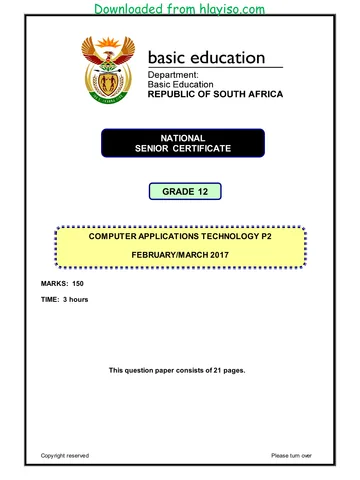
NATIONAL
SENIOR CERTIFICATE
GRADE 12
COMPUTER APPLICATIONS TECHNOLOGY P2
FEBRUARY/MARCH 2017
MEMORANDUM
MARKS: 150
This memorandum consists of 15 pages.
Copyright reserved Please turn over
You're offline
Skip to contentMemorandum 




_hlayiso.com_--f13e52b1-d03e-4ce0-9cbb-fd83efd28130/v1-8ef7c28c9e52e80e7e56/card.webp)
_hlayiso.com_--c01cc76d-6be5-4f8e-b0dd-c7487e06934f/v1-34719e235a0428d8db32/card.webp)
View all





Computer Application Technology P2 Feb March 2017 Memo Eng hlayiso.com
Computer Applications Technology · Grade 12 · NSC Supplementary Exam · 2017. Memorandum, 15 pages. Read online or download the PDF.
- Subject
- Computer Applications Technology
- Grade
- Grade 12
- Document type
- Memorandum
- Year
- 2017
- Exam period
- NSC Supplementary Exam
- Paper
- 2
- Pages
- 15
- File size
- 367.2 KB
Loading document…
Loading document…
1 of 15
Document textSearch extracted text and jump to a page.
Downloaded from hlayiso.com
Computer Applications Technology/P2 2 DBE/Feb.–Mar. 2017
NSC – Memorandum
SUGGESTIONS AND RECOMMENDATIONS TO MARKERS
• Revisit the questions and the memorandum frequently during the marking session.
• It is advisable to read the question frequently (and re-read) together with the
candidate's response to check that it correlates, so that you are not misled by the
candidate's statements/answers.
• Be careful not to focus on keywords or general statements, but rather read the entire
answer. If in doubt, read the entire answer and then the question paper and
memorandum. Ask yourself or your senior marker if the response could ΄fit΄ into the
memorandum before allocating the correct marks to the candidate. For example, the
memorandum states 'cheap' and the learner responds with 'less expensive'.
• Beware of overlapping answers to a specific question. In general, ONE mark is
awarded per fact.
SECTION A
QUESTION 1: MULTIPLE-CHOICE QUESTION 2: MATCHING ITEMS
1.1 B 1 2.1 P 1
1.2 B 1 2.2 J 1
1.3 B 1 2.3 B 1
1.4 D 1 2.4 N 1
1.5 C 1 2.5 Q 1
1.6 A 1 2.6 E 1
1.7 B 1 2.7 L 1
1.8 C 1 2.8 I 1
1.9 D 1 2.9 M 1
1.10 B 1 2.10 O 1
Total: [10] Total: [10]
Copyright reserved Please-turn-over
Downloaded from hlayiso.com
Computer Applications Technology/P2 3 DBE/Feb.–Mar. 2017
NSC – Memorandum
QUESTION 3: TRUE/FALSE ITEMS
(Note to marker: In Question 3.1, 3.2, 3.3 and 3.4 accept the correct term even if 'false' is
not stated. Do not award a mark if only 'FALSE' is written down.)
3.1 FALSE, crowd funding 1
3.2 FALSE, Count 1
3.3 FALSE, VGA/DVI/HDMI/display port 1
3.4 FALSE, Aspect Ratio 1
3.5 TRUE 1
[5]
TOTAL SECTION A: 25
Copyright reserved Please-turn-over
Downloaded from hlayiso.com
Computer Applications Technology/P2 4 DBE/Feb.–Mar. 2017
NSC – Memorandum
SECTION B
QUESTION 4: SYSTEMS TECHNOLOGIES
4.1.1 • To obtain directions/To pinpoint where they are. 1
• To find alternative routes (less traffic)
(Any one)
4.1.2 To stay up to date with new editions of maps/roads/street 1
names.
4.1.3 • To check the driving of the driver
• To identify the exact location of the vehicle for
evidence/insurance purposes should the taxi/bus be
involved in an accident or hijacking, etc.
• To use as evidence if the driver is accused of being
negligent/if criminal activities take place in the taxi etc.
• To gather data regarding traffic patterns
• As training material for drivers, etc.
(Any three) 3
4.1.4 It has no moving parts and is therefore less likely to be affected
by vibration in the vehicle/less likely to 'break'.
(Note to marker: Do not accept answers referring to speed,
capacity or noise). 1 6
4.2 It will revert to using the on-board graphics adapter 1
4.3.1 • Large file size of photos/uses a lot of storage space/fills up 1
the available storage quickly
• Sending/uploading/saving to the cloud will take a lot of data
(Any one)
4.3.2 • Reduce brightness 1
• Reduce screen time-out/reduce the time before the screen
blanks out
• Turn off vibration mode
• Reduce volume
• Turn off any wireless functionality, e.g. Wi-Fi,
Bluetooth/Airplane mode
• Monitor/switch off background apps that are not needed
• Minimise notifications/Reduce checks for e-mails
• Use power saving modes, etc.
(Any one)
Copyright reserved Please-turn-over
Downloaded from hlayiso.com
Computer Applications Technology/P2 5 DBE/Feb.–Mar. 2017
NSC – Memorandum
4.3.3 • Fewer physical buttons 2
• The button layout can be changed as needed on the touch
screen
• More intuitive action
• Easier to manipulate images/Gestures, e.g. pinching, etc.
(Any two)
4.4 • Accidental deletions also affect backups/files across multiple
devices
• Extra bandwidth used
• Malware can spread
• Possible security risks with multiple copies of same file, etc.
(Any two) 2
4.5.1 • Keyboard
• Touch screen
• Mouse
• Keypad
(Any one) 1
4.5.2 Update the record of the item on the POS system/database/
server 1
4.6 A site license allows installation of the software on all devices
within the company 2
4.7 To check which programs/background processes are making his
computer perform slowly and to close these programs 2
4.8 RAM loses its contents when the computer is switched off/in a
power failure 1
4.9 • Pin code/Password
• Fingerprint scanner
• Pattern unlock (draw a pattern on the screen)
(Any two) 2
4.10 • To reduce (cost of) data usage
• Often have limited storage space
• Threat of malware
• Reduce power consumption, etc.
(Any two) 2
4.11 Add a USB hub to the computer
(Note to marker: Accept general answers such as unplugging a
device that is not used all the time, such as the printer.) 1
[25]
Copyright reserved Please-turn-over
Downloaded from hlayiso.com
Computer Applications Technology/P2 6 DBE/Feb.–Mar. 2017
NSC – Memorandum
QUESTION 5: INTERNET AND NETWORK TECHNOLOGIES
5.1 • Delivery to your home/No need to leave your home/Safer
than going to a shop/More convenient
• Can do your shopping from any device connected to the
Internet
• Can easily compare specifications/prices/easier to find
specific item
• Can see recommendations/choices of other customers
• Much wider variety of items to choose from/Can buy from
overseas shops
• Saves on travelling costs when doing shopping, etc.
(Any two) 2
5.2 It indicates that the website is designed for viewing on mobile
devices/smaller screens 1
5.3.1 • Malware infection 2
• Maintenance being performed on lines
• Number/Size of concurrent downloads
• Amount of people online through a certain
exchange/Contention ratio
• Connection problems at the telephone exchange/ISP
problems/Damage to (underwater) cables
• Damaged/Malfunctioning router
• Shaping/Soft cap on an uncapped line/Line throttling, etc.
(Any two)
5.3.2 Connects the computer/network to the Internet 1 3
5.4 • High cost of data/Internet connectivity
• Relative lack of knowledge and skills
• Lack of access to (very) high speed Internet access.
(Any two) 2
5.5 • Emoticons/Smileys/Emojis/Icons
• Short versions of phrases, e.g. LOL, ROTFL
• Use capital letters when necessary, etc.
(Any two) 2
5.6.1 Web browser
(Note to marker: accept specific examples, e.g. Google Chrome,
etc.) 1
5.6.2 Intranet uses Internet technology and can be accessed from
outside the premises as long as the user has been authorised 2
5.7 Transferring files 1
5.8 Firewall 1
[15]
Copyright reserved Please-turn-over
Downloaded from hlayiso.com
Computer Applications Technology/P2 7 DBE/Feb.–Mar. 2017
NSC – Memorandum
QUESTION 6: INFORMATION MANAGEMENT
6.1.1 • Check boxes allow users to make more than one choice
• Data would not be accurate
(Any one)
(Note to marker: Accept any valid, specific example of data not
being accurate.) 1
6.1.2 • The caption/text on the button does not clearly indicate the
function of the button
• The location of the button on the form is not intuitive
(Any one) 1
6.1.3 • List boxes restrict the user to only choosing from the list of
options whereas combo boxes allow users to enter
additional items not on the list. This may cause incorrect
or invalid options to be entered/The list of classes is
fixed/finite so there is no need for the user to enter another
option 3 5
6.2. Information on web page may be outdated/old/not show any
updated information on the page.
Any ONE of :
• Refresh/reload the page/Press F5 key
• Delete the cached pages, etc. 2
6.3.1 COUNTIF 1
6.3.2 She included the levels (cells A2:A7) as part of the chart
data/Cells A2:A7/Column A forms a(nother) series on the chart.
/Incorrect data range
Any ONE of:
• Use cells B2:B7/column B to draw the chart
• Delete the series including the levels from column A
2 3
[10]
Copyright reserved Please-turn-over
Downloaded from hlayiso.com
Computer Applications Technology/P2 8 DBE/Feb.–Mar. 2017
NSC – Memorandum
QUESTION 7: SOCIAL IMPLICATIONS
7.1 The confidential information that was collected cannot be sent
back to the creator of the malware.
(Note to marker: Accept answers referring to keylogger hardware
being harmful.) 1
7.2.1 Using computers in a way that is not harmful to the 1
environment
7.2.2 • It contains poisonous materials
• It requires more and more land to be allocated to rubbish
heaps
• It can cause health issues for humans and animals
• It can pollute water and soil, etc.
(Any two) 2 3
7.3 • Do not need large premises
• Employees can work flexi-time (24/7) if need be
• Less need for expensive equipment/features to improve
working conditions (like coffee machine)
• Reduced carbon footprint for the company, etc.
(Any two) 2
7.4 Phishing is any attempt to trick a user into giving out sensitive
information.
Humans make the attempt by sending out e-mails etc./There is
no set program/code for the anti-virus program to recognise 2
7.5 • Do not use a lot of data/Do not download too much/Ask how
much data you may use
• Do not visit sites which could potentially endanger the
security of the computer
• Not visiting sites with inappropriate content sites
• Not downloading inappropriate content
• Ask each time before you use the connection, etc.
(Any two) 2
[10]
Copyright reserved Please-turn-over
Downloaded from hlayiso.com
Computer Applications Technology/P2 9 DBE/Feb.–Mar. 2017
NSC – Memorandum
QUESTION 8: SOLUTION DEVELOPMENT
8.1 Match Table of Contents levels/styles to those of styles used in
the document
OR
Change the styles of the headings to match the ones specified
in the Table of contents dialog 1
8.2 Use a column break (Ctrl+Shift+enter) 1
8.3 • Indentation
• Tab Stops
• Text Box
• Align (center)
(Any two) 2
8.4 A bookmark marks/indicates specific text in a document which
can be navigated/hyperlinked to 2
8.5.1 • CONCATENATE 2
• RIGHT/MID (not both)
• RANDBETWEEN
• LEN
(Any two)
8.5.2 The number of days (between the two dates) 2
AND
• Divide by 365(.25)
• Custom date display format
(Any one) 4
8.6.1 The number of records that appear in the report 2
(Note to marker: Also accept the number of records that have a
value for the Pay field.)
8.6.2 The (current) date/time 1 3
8.7 The end tag/</b> was omitted 1
8.8 • The image is not saved in the same folder as the HTML
document/image name spelled incorrectly
• The code is unknown format/ not compatible with the
browser being used
(Any one) 1
[15]
TOTAL SECTION B: 75
Copyright reserved Please-turn-over
Downloaded from hlayiso.com
Computer Applications Technology/P2 10 DBE/Feb.–Mar. 2017
NSC – Memorandum
SECTION C: INTEGRATED SCENARIO
QUESTION 9
9.1.1 • Devices can be moved freely around the venue and still
connect
• No need to install/lay cables for every device
• Internet connectivity can be given to devices where cables
cannot be laid, etc.
(Any two) 2
9.1.2 3G/4G/LTE 1
9.1.3 • Communication medium/Cable
• Switch
• (Modem) Router/Access Point
• Modem
• Wi-Fi cards/NICs
• Wi-Fi extenders/signal boosters, etc.
(Any two) 2
9.1.4 • Website hosting
• E-mail services/addresses
• Fax to e-mail
• Cloud storage
• Spam/Phishing protection
• SaaS
(Any two) 2
9.1.5 To control or limit Internet use
(Note to marker: Accept specific examples such as not going
onto 'dodgy' sites/excessive downloading, etc.) 1
9.1.6 • Data usage could be high
• Poor connection speed could cause the video to hang/buffer
(Any two)
(Note to marker: Accept answers relating to cost of high data
usage such as the faster connection required or to quality of the
video.) 2 10
Copyright reserved Please-turn-over
Downloaded from hlayiso.com
Computer Applications Technology/P2 11 DBE/Feb.–Mar. 2017
NSC – Memorandum
9.2 • Can be accessed from any computer, anywhere in the world
via the Internet
• Online storage is usually available with the online
application
• Software is always up to date/New versions are
automatically available to subscribers
• The hardware requirements of the computer can be lower,
etc.
(Any two)
(Note to marker: Do not allocate a mark for cheaper if not
accompanied by a valid explanation.) 2
9.3 • There may be software compatibility issues
• Problems with hardware compatibility
• Need for more expertise to support different devices
• Greater concern for theft/loss of confidential information
• Potential misuse of bandwidth
• Potential spread of viruses
• Slowing down the network
(Any one) 1
9.4.1 The server provides resources/services to the clients
(Note to marker: Do not accept answers such as 'controlling the
network'.) 1
9.4.2 • Less data will be used
• Less bandwidth will be used/fewer bottlenecks will occur
when multiple users try to download over the Internet
connection simultaneously.
• Will be quicker/easier to download from the intranet
• They will automatically download the correct app without
searching the app store or choosing between similar apps
(Any two 2
9.4.3 A Trojan is a malicious software/program designed to look
unsuspicious/useful
It relies on the user opening/running it so that it can deliver its
payload/implement the malware contained in it 2 5
9.5.1 1152 GB/1128 GB/1 TB + 128 GB 1
9.5.2 The SSD 1
9.5.3 NIC 1
9.5.4 RAM 1 4
Copyright reserved Please-turn-over
Downloaded from hlayiso.com
Computer Applications Technology/P2 12 DBE/Feb.–Mar. 2017
NSC – Memorandum
9.6.1 • Fixing problems/bugs/flaws in software
• Improve the security features of the software
• Improve the efficiency of the software
(Any two) 2
9.6.2 • Updates ensure minimal problems with software
• Developer feels all updates are important
• Updates ensure that software stays current
• Users may forget to update software, etc.
(Any one) 1
9.6.3 • Data use could increase dramatically
• Downloading updates will have an impact on the speed at
which a user can browse the Internet
• A drop in computer performance while the update is running
may occur
• Drop in performance after updates installed
• Decrease in storage space
• Features may be unnecessarily updated as they are not
used, etc.
(Any one) 1 4
[26]
Copyright reserved Please-turn-over
Downloaded from hlayiso.com
Computer Applications Technology/P2 13 DBE/Feb.–Mar. 2017
NSC – Memorandum
QUESTION 10
10.1 • Not everybody has the WhatsApp app installed
• Need to have everybody's cellphone numbers
• In a group one can be inundated with responses to a
posting/People are reluctant to join groups
(Any one) 1
10.2.1 A person receives too much new information/posts/e-mails, etc. to
process efficiently/being overwhelmed/is not coping with volume
of information they encounter 1
10.2.2 • Don't subscribe to too many sites for updates/Unsubscribe
from lists/groups
• Define/Use e-mail message rules
• Limit interactions/friendships/postings on social media
• Do not contribute to the problem by continually
posting/sending (needless) information
• Use ICT tools (accept examples such as RSS feeds) to help
process organise data/information
• Create to-do lists of critical tasks
• Actively take breaks from interacting with people/systems
that contribute to information overload etc.
(Any two) 2 3
10.3.1 • Internet banking/Banking app
• Cell phone banking (for dumb/feature phones)
• Transfer at an ATM
(Any two)
(Note to marker: Accept specific examples, FNB banking app,
Paypal, Bitcoin etc.) 2
10.3.2 • Receive a confirmation notification via e-mail or SMS
• Use a banking app/Notifications/Electronic receipts
• Check online bank statements
(Any one) 1 3
10.4.1 It reduces the likelihood of error as it guides the user to fill in
the correct number of digits. 1
10.4.2 • Add more space for the surname
• Use blocks for surname
• Reduce space for the initials
• Increase height of rows
• Add instructions
• Increase the number of blocks/cells for the cell number, etc.
(Any two) 2 3
Copyright reserved Please-turn-over
Downloaded from hlayiso.com
Computer Applications Technology/P2 14 DBE/Feb.–Mar. 2017
NSC – Memorandum
10.5 • Do not connect to the network/Internet
• Install/Make use of security software
• Ensure security software is updated
• Do not allow anyone to insert any form of storage device/block
ports
• Disable any wireless capabilities, e.g. Bluetooth
• Password-protect the data files which contain the final votes
• Encryption
• Biometrics, etc.
(Any two) 2 2
10.6.1 Duplicate values are likely/not unique value 1
10.6.2 Input mask 1
10.6.3 Validation rule(s)/required field 1
10.6.4 Combo/Drop down/ List box/Lookup Wizard 1 4
10.7.1 When the file will not open automatically when double-clicking on it/
When the file has no default program associated with it. 1
10.7.2 • It can be viewed without access to the type/version of software
it was created in
• The 'reader' software is free/freely available
• It has become standard/used extensively
• It can be used to restrict editing of the file
• It can (sometimes) be smaller in size than the original file, etc.
(Any two) 2
10.7.3 • So that it associates the type of file with the selected program
• So that it will automatically open this type of files with the
selected program in the future
• So that you are not asked the same 'question' next time
(Any one) 1 4
10.8.1 Only need to change in one place if cost changes/Do not have to
adjust each formula, etc.
(Note to marker: Do not accept 'quicker' or 'easier' without a
suitable explanation.) 1
10.8.2 Absolute cell referencing needs to be used on cell B9/B9 cell
reference changes when copied OR Relative cell referencing
was used and resulted in cell reference changes when copied
=IF(D2="Yes",0,C2*$B$9) /=IF(D2="Yes",0,C2*B$9) 2
Copyright reserved Please-turn-over
Downloaded from hlayiso.com
Computer Applications Technology/P2 15 DBE/Feb.–Mar. 2017
NSC – Memorandum
10.8.3 • Yes, if one calculates totals of each project type first
• A meaningful graph cannot be produced by just selecting text
entries
(Any one) 1 4
[24]
TOTAL SECTION C: 50
GRAND TOTAL: 150
Copyright reserved
Recommended for this subject
Published documents with matching subject and grade metadata.
Memorandum
CAT P1 MEMO GR12 SEPT 2025 ENG
Memorandum
CAT P2 GR12 MEMO September 2025 AFR
Memorandum
Computer Applications Technology P1 May June 2025 MG Eng
Memorandum
CAT P1 MEMO GR12 SEPT 2024 English hlayiso.com
Memorandum
CAT P1 MEMO GR12 SEPT 2022 Afrikaans hlayiso.com
Memorandum
CAT P1 MEMO GR12 SEPT 2022 English hlayiso.com
Related documents
Matched using subject, grade, language, document type and exam metadata.
Memorandum
Computer Application Technology P2 Feb March 2017 Memo Afr hlayiso.com
Question paper
Computer Application Technology P2 Feb March 2017 Afr hlayiso.com
Question paper
Computer Application Technology P2 Feb March 2017 Eng hlayiso.com
Memorandum
CAT P2 GR12 MEMO SEPT2017 (Afrikaans) hlayiso.com
Memorandum
CAT P2 GR12 MEMO SEPT2017 (English) hlayiso.com
Memorandum
Computer Application Technology P2 May June 2017 Memo Eng hlayiso.com
More from Grade 12 Computer Applications Technology
Explore more published documents in this catalogue.
Question paper
CAT P2 GR12 QP September 2025 ENG
Question paper
CAT P1 QP GR12 SEPT 2024 Afrikaans hlayiso.com
Question paper
CAT P1 QP GR12 SEPT 2024 English hlayiso.com
Question paper
CAT P2 GR12 QP SEPT 2024 English hlayiso.com
Question paper
Computer Applications Technology P1 Nov 2024 Afr
Question paper