
Downloaded from hlayiso.com
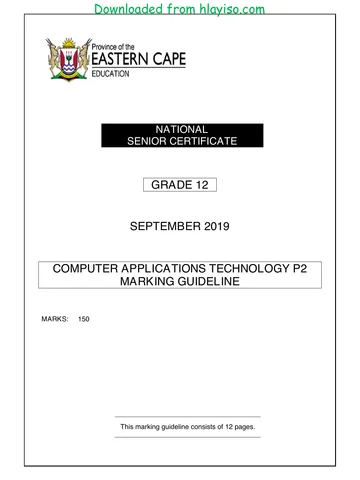
SENIOR CERTIFICATE EXAMINATIONS/
NATIONAL SENIOR CERTIFICATE EXAMINATIONS
COMPUTER APPLICATIONS TECHNOLOGY P2
2019
MARKING GUIDELINES
MARKS: 150
These marking guidelines consist of 19 pages.
Copyright reserved Please turn over
Skip to contentMemorandum 





View all





Computer Applications Technology Grade 12 P2 NSC June 2019 Memo
Grade 12 Computer Applications Technology Paper 2 memorandum from the NSC June Exam 2019, 19 pages. Read online or get the free PDF download, question paper linked when available.
Computer Applications Technology · Grade 12 · NSC June Exam · 2019. Memorandum, 19 pages. Read online or download the PDF.
- Subject
- Computer Applications Technology
- Grade
- Grade 12
- Document type
- Memorandum
- Year
- 2019
- Exam period
- NSC June Exam
- Paper
- 2
- Curriculum
- CAPS
- Pages
- 19
- File size
- 445.9 KB
Loading document…
Loading document…
1 of 19
Document textSearch extracted text and jump to a page.
Downloaded from hlayiso.com
Computer Applications Technology/P2 2 DBE/2019
SC/NSC – Marking Guidelines
SUGGESTIONS AND RECOMMENDATIONS TO MARKERS
Revisit the questions and the marking guideline frequently during the marking
session.
It is advisable to read the question frequently (and re-read) together with the
candidate's response to check that it correlates, so that you are not misled by the
candidate's statements/answers.
Be careful not to focus on keywords or general statements, but rather read the entire
answer. If in doubt, read the entire answer and then the question paper and the
marking guideline.
o Ask yourself or your senior marker if the response could ΄fit΄ into the marking
guideline before allocating the correct marks to the candidate.
o Accept correct answers that are opposite to the answers in the marking guidelines,
e.g. the marking guideline states 'slow' and the learner responds with 'not fast'.
Beware of overlapping answers to a specific question. In general, ONE mark is
awarded per fact.
Do NOT choose answers on the candidate's behalf. Where a question requires a
candidate to LIST, NAME or STATE: mark the first number of instances required, e.g.
the first TWO facts if the candidate presents a list of say FIVE facts and only two facts
were required.
All other answers must be regarded as a single unit.
SECTION A
QUESTION 1: MULTIPLE-CHOICE QUESTION 2: MATCHING ITEMS
1.1 A 1 2.1 K 1
1.2 C 1 2.2 M 1
1.3 B 1 2.3 L 1
1.4 A 1 2.4 J 1
1.5 D 1 2.5 B 1
1.6 B 1 2.6 C 1
1.7 C 1 2.7 D 1
1.8 B/C 1 2.8 R 1
1.9 D 1 2.9 E 1
1.10 C 1 2.10 G 1
Total: [10] Total: [10]
Copyright reserved Please turn over
Downloaded from hlayiso.com
Computer Applications Technology/P2 3 DBE/2019
SC/NSC – Marking Guidelines
QUESTION 3: MODIFIED TRUE OR FALSE
(Note to marker: In Question 3.2, 3.4 and 3.5, accept the correct term even if false is not stated.
Do NOT award a mark if only 'FALSE' is written down.)
3.1 TRUE 1
3.2 FALSE, HDMI/DisplayPort 1
3.3 TRUE 1
3.4 FALSE, Blogs 1
3.5 FALSE, Report 1
[5]
TOTAL SECTION A: [25]
Copyright reserved Please turn over
Downloaded from hlayiso.com
Computer Applications Technology/P2 4 DBE/2019
SC/NSC – Marking Guidelines
SECTION B
QUESTION 4: SYSTEMS TECHNOLOGIES
4.1 TWO types of computer users
Home user
Personal user
SOHO user
Mobile user
Enterprise/Office user
(Any two) 2
4.2 Open source operating system (Linux) vs enterprise operating
system (Windows)
FOSS has a less formal support structure
FOSS source code is available/FOSS can be modified
FOSS is generally free of charge
Operating systems have a different approach to the UI
(Any two) 2
4.3 TWO advantages of web applications over installed applications
The latest/updated version of the software (web application) is used
Web applications run irrespective of the operating system or device
provided the browser is compatible
Saves hard drive/storage space
Subscription costs are lower than purchasing the software outright
Available on multiple devices provided internet connectivity is
available
May possibly contribute to reducing software piracy as applications
are readily available
(Any two) 2
4.4 TWO practical examples of where RFID tags are used
Tracking/identification, i.e. timing of marathon runners, animals,
airline luggage, location of soldiers, library books, etc.
Tap and Go/Contactless payments
E-tolls: tracking vehicles moving through toll gates for payment
purposes
Stock/inventory control, e.g. supermarkets, DVD store, etc.
Security access control
Preventing theft/misplacing of goods
Gauging pressure and temperature of tyres on a vehicle, etc.
(Any two) 2
Copyright reserved Please turn over
Downloaded from hlayiso.com
Computer Applications Technology/P2 5 DBE/2019
SC/NSC – Marking Guidelines
4.5 TWO reasons for touch screens on portable devices
More intuitive to use
Navigation is easier for most users, e.g. swiping/swyping/trace typing
Multi-touch functionality increases variety of operations
Devices can possibly be made smaller
No need for a physical keyboard/Both input and output
(Any two) 2
4.6 TWO advantages of a micro USB port over a standard USB port
Is standard on most mobile devices, can share chargers/connectors
Takes up less space/Device can be made smaller/thinner 2
4.7.1 TWO reasons for hard drives compared with DVDs for backup
(excluding costs)
HDD has more capacity
HDDs have faster access speeds
More convenient to save to HDD
DVDs are more likely to be damaged
DVD writers are not standard on newer PCs
(Any two) 2
4.7.2 TWO ways to free up space on an external hard drive
Delete unwanted file/Run the Disk Cleanup utility/Clear Recycle bin
Compress data
Reduce resolution of image/multimedia files
(Any two) 2
4.7.3 TWO reasons for external HDD becoming corrupted when making a
backup
Virus infection
Power failure during data transfer
Faulty USB port/Faulty cable
Corrupted driver
Drive failure during the backup process
Vibration/jolting during backup process, if device is moved
HDD removed during the process
(Any two) 2 6
Copyright reserved Please turn over
Downloaded from hlayiso.com
Computer Applications Technology/P2 6 DBE/2019
SC/NSC – Marking Guidelines
4.8 TWO reasons why there is no display on a screen
Faulty power
Faulty cable
Cable not connected/Screen not switched on
Faulty graphics card/motherboard/port/computer
Driver problems
Issues resulting from using multiple display devices
(Any two) 2
4.9 TWO reasons why software fails to install
(Software/Installation media) not compatible with operating
system/device
Corrupt/Incomplete installation file
Computer does not meet the minimum system requirements, e.g.
RAM, CPU, Hard drive, etc.
Need to uninstall old/existing version first
No internet access that the installation may require
User account does not allow software installations/Administrator
rights required
Does not have a valid licence key/Does not agree to terms of use
(Any two) 2
4.10 ONE limitation of a 3D printer
Model size is limited to the printer size
Can only print in one material at a time
Not suitable for mass production/It takes long to print objects
Not all objects can be created/printed
Complete re-print is required if any errors occur
(Any one) 1
4.11 TWO reasons for text being cut off at the edge of a printout
Printer is not capable of printing close to the edge/Does not have
borderless capabilities
Printer properties and the page set up of the document do not
correspond/Printer margin settings override the document margins
Printer cannot cater for the specified page size
Paper gets misaligned as it passes through the printer
(Any two) 2
[25]
Copyright reserved Please turn over
Downloaded from hlayiso.com
Computer Applications Technology/P2 7 DBE/2019
SC/NSC – Marking Guidelines
QUESTION 5: INTERNET AND NETWORK TECHNOLOGIES
5.1.1 Device used to connect computers to a network
Switch/Hub/Router/Access point
(Note to marker: Accept references to an access point, e.g. Hotspot, etc.) 1
5.1.2 Computer component to connect to a network
NIC/Wi-Fi adaptor/Ethernet/Network adaptor 1
5.1.3 TWO limitations of wired LAN over WLAN
Adding infrastructure is difficult/Specialist knowledge may be required
Available space/specific venue may make it difficult/inappropriate to
lay cables/Possible cable clutter
Reduced mobility/portability of devices
Not generally suited for connecting IoT devices
(Any two) 2 4
5.2.1 Definition of grid computing
Grid computing combines the resources of many servers and/or
personal computers on a network, such as the internet
To act as one large computer/To satisfy the demand for large
processing capacity/To solve a single problem 2
5.2.2 Real-life application of grid computing
Tasks that require large processing power, such as:
Weather forecasting
Space exploration/experiments
Bitcoin/Data mining
Analysis of Big Data
Earthquake simulations, etc.
(Any one) 1 3
5.3 TWO measures to block unwanted content from a web browser
Enable a pop-up/ad blocker
Use the block website feature of the browser
Request the ISP to block certain websites
Install a plug-in that blocks known questionable sites
Use a safe-search feature of the search engine
Use an anti-virus program that has web content screening
(Any two) 2
Copyright reserved Please turn over
Downloaded from hlayiso.com
Computer Applications Technology/P2 8 DBE/2019
SC/NSC – Marking Guidelines
5.4 Benefit of shaping for clients
Important/High priority internet services, e.g. E-mail
will always have preference
(Note to marker: Accept any valid example and explanation.) 2
5.5.1 Concept of streaming
Playing/Watching a media file
as data is being received/without having to download fully 2
5.5.2 TWO ways to prevent/reduce buffering of a video stream
Reduce video resolution
Ensure that no other apps/devices are using the bandwidth
Ensure that you have a reasonable line speed/adequate signal
strength
(Any two) 2 4
[15]
Copyright reserved Please turn over
Downloaded from hlayiso.com
Computer Applications Technology/P2 9 DBE/2019
SC/NSC – Marking Guidelines
QUESTION 6: INFORMATION MANAGEMENT
6.1 TWO non-internet sources of information
Printed media: Books/Newspapers/Printed media/Articles/Library
Ask people: Interviews/Survey/Questionnaire
Offline recordings: Video clips/Audio clips/Podcasts
Broadcast media: Radio/Television
(Any two) 2
6.2 TWO reasons to use a drop-down form field and not a text form field
To offer the respondent a limited choice of answers
To avoid typing/input errors
Consistent data for processing/export
Generally drop-down field input is faster than typing
(Any two) 2
6.3 TWO reasons why wiki content may not be reliable
Content can be contributed by non-expert
Not necessarily moderated by experts
Information may be biased/prejudiced/inaccurate
Information may be outdated/Page may be old
(Any two) 2
6.4.1 THREE problems affecting quality of data imported to DB
Missing information
Inconsistent data type/date format used in the columns
Duplication of headings
Meaningless field names
Two sets of data in one field/Inconsistent order of data
Difficult to set a primary key due to missing information/duplicate field
names
(Any three) 3
6.4.2 ONE problem with the data for a meaningful graph
No suitable numeric data
There are no trends or patterns in the data
Data does not allow for functions/formulas
Data cannot be summarised
(Any one) 1 4
[10]
Copyright reserved Please turn over
Downloaded from hlayiso.com
Computer Applications Technology/P2 10 DBE/2019
SC/NSC – Marking Guidelines
QUESTION 7: SOCIAL IMPLICATIONS
7.1.1 ONE ergonomically designed device that prevents CTS
Mouse pad with a wrist rest
Keyboard with a wrist rest
Split keyboard
Track ball mouse/Vertical mouse
(Any one) 1
7.1.2 TWO reasons for employers to implement ergonomic policy
Time: Production time will not be lost because of employee sick
leave/work related injuries
Productivity: Workforce will be more productive due to the use of
ergonomically designed equipment
Profitability: Possibility of the company being more profitable resulting
from higher productivity
(Any two) 2 3
7.2 TWO measures to prevent PC theft (NOT gates/burglar bars)
Alarm system/Armed response
Lock down system units/Cable locks
Video camera surveillance
Controlled access, e.g. security guard, electronic device, supervisor,
etc.
Store computers in the strong room during non-school time
(Any two) 2
Copyright reserved Please turn over
Downloaded from hlayiso.com
Computer Applications Technology/P2 11 DBE/2019
SC/NSC – Marking Guidelines
7.3.1 Laws that protect the creators of original content
Copyright laws/Intellectual property rights laws 1
7.3.2 EULA (End-user license agreement)
Licence agreement that specifies the terms of use of software, e.g.
o Stipulates the number of computers on which the software may be
loaded
o Number of copies of the software that can be made for backup
purposes
o The rights to give or sell the software to another individual, but only
if the software is removed from the user's computer first
o Stipulates the limitation of the use and the amendment of the code,
etc.
(Any one) 1
7.3.3 TWO reasons for NOT using pirated software
Creators of software do not receive their royalties/payment/Software
authors will lose revenue
It is illegal/You could be charged/fined/imprisoned
Virus issues/Possible malware could lead to cybercrimes
No product support from the publisher
Job losses
Unethical/Immoral
(Any two) 2 4
7.4 ONE reason for Bitcoin transactions being potentially risky
No consumer protection
Cannot reverse a transaction
Easier to hack Bitcoin wallets, etc.
(Any one) 1
[10]
Copyright reserved Please turn over
Downloaded from hlayiso.com
Computer Applications Technology/P2 12 DBE/2019
SC/NSC – Marking Guidelines
QUESTION 8: SOLUTION DEVELOPMENT
8.1 Word processing feature to mark specific places
Bookmarks 1
8.2 Edit document with no word processor
Save as text file
(Note to marker: Accept RTF and HTML) 1
8.3 Reason for inserting section breaks in a Word document
Section breaks allow for the splitting of a document so that each part can
have its own formatting, e.g. page numbering/orientation, headers and
footers, columns, etc. 1
8.4.1 Term used to describe an asterisk (*) in a database query
Wildcard 1
8.4.2 Purpose of the '*' wildcard in a database query
To do a search based on a partial match /To return every record that
starts with 'Smi…' /When searching for records where only a portion of the
searched text is known 2 3
8.5.1 Spreadsheet function
VLOOKUP
Combination of MATCH and INDEX
(Any one) 1
8.5.2 Absolute reference for copying down a formula
Use absolute cell referencing /Use the $ sign/Press the F4 key 1
8.5.3 Change to a table to work with a VLOOKUP function
Table must be sorted in ascending order of the CODE field
Ensure that STOCK table includes all codes, e.g. 121
(Any one) 1 3
8.6 ONE reason for function/formula displaying in a spreadsheet cell
The SHOW FORMULAS option is activated/CTRL + ~(tilde)
The cell is formatted to text
Apostrophe (')/Space inserted before the function
(Any one) 1
Copyright reserved Please turn over
Downloaded from hlayiso.com
Computer Applications Technology/P2 13 DBE/2019
SC/NSC – Marking Guidelines
8.7 TWO logical problems with COUNTIFS function
Function searches for Grade 2 instead of Grade 3 /There is no
Grade 2 in the column
Counts any percentage above 70% instead of greater or equal to
80% 2
8.8.1 Correction to HTML code
The closing font tag </font> must be moved to before the closing body
tag </body>
'Font style' should be 'font face'
(Any one)
(Note to marker:
Accept answers referring to other errors, e.g.
o Extra space in front of 'font style' must be removed
o Remove extra closing bracket after 'Crowd Funding'
Accept if HTML code was correctly rewritten) 1
8.8.2 Correction to HTML code
Insert a closing tag for the heading </h1> before the <p> tag
(Note to marker: Accept if HTML code was correctly rewritten) 1
8.8.3 Web browser display
On the browser tab 1 3
[15]
TOTAL SECTION B: [75]
Copyright reserved Please turn over
Downloaded from hlayiso.com
Computer Applications Technology/P2 14 DBE/2019
SC/NSC – Marking Guidelines
SECTION C
QUESTION 9: INTEGRATED SCENARIO
9.1.1 ONE reason why HDD is better than SSD in some cases
Generally, HDDs have a longer life span (due to read/write life cycle of
SSD)
HDD is cheaper per GB
(Any one) 1
9.1.2 TWO reasons why more RAM is required
PCs will be more capable of handling demanding applications/To meet
minimum system requirements of more apps
Able to open more applications at the same time
Improved overall performance
Could be used for a longer period before needing to upgrade/replace
(Any two) 2
9.1.3 TWO reasons for user profiles
Control access to computers/network resources
Track browsing/application history
Monitor usage of network resources
Store customised user settings
(Any two) 2 5
9.2.1 TWO benefits of inputting data into database forms
All data on a form relates to one record/A person views one record at a
time/Restrict to work on only one record
Can be customised for user to see only the necessary fields/additional
information on fields
Input controls can be customised/Allows for user-friendly layout of
fields
Decreases the chances of input errors
(Any two) 2
9.2.2 Feature of word processor to create individual notices
Mail merge 1 3
Copyright reserved Please turn over
Downloaded from hlayiso.com
Computer Applications Technology/P2 15 DBE/2019
SC/NSC – Marking Guidelines
9.3.1 TWO internet services
Social media services
(Accept any ONE example: YouTube, WhatsApp, Vlogs, Facebook,
etc.)
Dedicated apps
(Accept any ONE example: Google Classroom, Microsoft Classroom,
Blackboard, Moodle, ClassDojo, etc.)
Website
Cloud storage
(Accept any ONE example: Google Drive, Dropbox, One Drive, etc.)
Podcasts/Vodcasts
E-mail/mailing lists
Chatrooms/VoIP
File transfer service
(Any two) 2
9.3.2 TWO ways to ensure smartphone battery will not drain quickly
Close unused apps
Use the smartphone monitoring tool to activate power saving options
Switch off Wi-Fi/Bluetooth connectivity/Location (GPS) when not in
use/Enable flight mode
Avoid unnecessary downloads
Reduce screen brightness
Enable a dark mode for all apps and UI
Avoid putting the device in direct sunlight
Disable vibration/haptic feedback/sounds, etc.
Switch off smartphone when not in use
(Any two) 2
9.3.3 TWO ways to evaluate the suitability of a study app
Check the feature list of the app
Read the reviews that other users have posted/Check number of stars
that the app has
Check if a trial version is available
Check that the content is suitable for use in South Africa
Check that the app is compatible with your system/OS
(Any two) 2
9.3.4 Reason why different platforms can be used
Most apps are available for all mobile operating systems/Most apps are
compatible with multiple operating systems/Many apps are cross-platform 1 7
Copyright reserved Please turn over
Downloaded from hlayiso.com
Computer Applications Technology/P2 16 DBE/2019
SC/NSC – Marking Guidelines
9.4 TWO reasons for not posting irrelevant content on the group
Time-wasting/Distracting
Inconsiderate/Offensive/Disrespectful to other users
Unnecessary data consumption for the members in the group
May provoke strong responses by other members which could lead to
flaming/cyberbullying
Other users may miss important messages or posts/could leave the
group
(Any two) 2
9.5 TWO ways to save electricity on computing devices
Switch off computers/devices when not in use
Select power-saving modes on the devices
Purchase energy efficient computers/components
(Any two) 2
9.6.1 Function of a UPS
To provide temporary power to a computer to be able to shut down in the
event of a power failure/Protects the computer against power fluctuations 1
9.6.2 Why a UPS does not help to save electricity
Power is used to charge batteries
UPS has its own parts/components that draw extra power
(Any one) 1 2
9.7.1 Purpose of a patch
Fixes a bug in software 1
9.7.2 Utility program to improve system performance
Disk Defragmenter/Defragmentation
Disk Cleanup
System Restore
Resource monitor
Manage start-up programs through task manager
ScanDisk
(Any one)
(Note to marker: Accept any valid third-party software, e.g. System
Mechanic, CCleaner, etc.) 1 2
9.8 TWO ways in which shareware responds at the end of a trial period
Partial/Full loss of functionality of software
Application will constantly prompt you to renew the licence 2
[25]
Copyright reserved Please turn over
Downloaded from hlayiso.com
Computer Applications Technology/P2 17 DBE/2019
SC/NSC – Marking Guidelines
QUESTION 10: INTEGRATED SCENARIO
10.1.1 ONE hardware component allowing for expanded storage on a
smartphone (excluding Micro USB port/USB port)
Micro SD slot
Wireless network adaptor
(Any one) 1
10.1.2 Purpose of front-facing camera in a smartphone
Video chat
For taking selfies
Security/Biometric security
(Any one) 1
10.1.3 TWO requirements for NFC to work
Devices must be next to one another
Both devices should support NFC/be compatible
NFC must be enabled on both devices
(Any two) 2
10.1.4 Similarity between Bluetooth and Wi-Fi
Wireless communication/Uses radio waves, e.g. 2.4 GHz spectrum 1 5
10.2.1 TWO reasons for publishing a website
Enhance professional image/credibility of the club
Keep club members and others informed
Promotional tool/Medium to showcase their activities/To raise
awareness
Website is always available (24/7)
Communication and feedback/support to members/others
Targets a wider audience
To educate people on the dangers of drug abuse
Viewers can receive current information as the website can be regularly
updated
School policy requires the publication of a website
(Any two) 2
10.2.2 TWO ways to ensure information on a website is not offensive
Do not publish disturbing images
Do not use pictures/names of people without asking for their permission
Avoid slang or offensive language
(Any two) 2
Copyright reserved Please turn over
Downloaded from hlayiso.com
Computer Applications Technology/P2 18 DBE/2019
SC/NSC – Marking Guidelines
10.2.3 TWO ways to make the website user-friendly
Consistent layout on each web page
Ease of navigation
Readability/Typography – font style should be appropriate
Suitable colour schemes
Use of tool tips
Language should be easy to understand
Tour of the website for first time users
Correct use of white space/Avoid cluttering the web page
Ensure links are working
(Any two) 2
10.2.4 Checking if browser connection is secure
Check for the lock image near the URL
Check that https is listed in front of URL
Check for green text in the URL bar
Verify the digital certificate
Antivirus programs mark websites as unsafe
(Any one) 1
10.2.5 TWO reasons why some website elements may not display
Resources not saved in the correct folder
Incorrect path to resources
Incorrect spelling of tags/resource files
Latest version of html document not saved yet
HTML code has comment tags around certain elements
Sometimes tags are not closed
Browser does not support certain elements
(Any two) 2 9
10.3.1 TWO measures to secure user data
Install a firewall
Keep software updated
Restrict access to the database
Restrict access to the computers on which the data is kept
Change passwords frequently
Install and update anti-malware software
Encrypt the data
(Any two) 2 4
Copyright reserved Please turn over
Downloaded from hlayiso.com
Computer Applications Technology/P2 19 DBE/2019
SC/NSC – Marking Guidelines
10.3.2 Unwanted e-mail
Term
Spam /Junk mail
Solution
Block e-mails from this domain
Use a spam filter/Unsubscribe from a mailing list
Use the blacklist feature of the e-mail software
Report spam to e-mail service provider
(Any one) 2
10.4 TWO reasons for the limitations of Bluetooth
Limited range
Limited number of devices that can be connected together
Slow throughput
(Any two) 2
10.5.1 DB function to calculate number of records in a group
Count 1
10.5.2 Where to place a function to display group totals in DB report
Group footer/header 1 2
10.6.1 Concept of crowd funding
A process where a single idea/business practice/charitable gesture
is funded by multiple small donations from volunteer contributors
over the internet 2
10.6.2 ONE reason for NOT using crowd funding
Has a limited lifespan and this project is an ongoing one
Members of the school club are probably under-aged/Crowd funding
sites require one to be above the legal age limit
Drug rehabilitation may not be attractive to crowdfunders
The school club may not have the capacity to administer the fund, etc.
(Any one) 1 3
[25]
TOTAL SECTION C: [50]
GRAND TOTAL: [150]
Copyright reserved
Study this subject
Revise the topics in this paper, then practise them question by question.
- Grade 12 Computer Applications Technology notes
CAPS revision notes with worked examples.
- Computer Applications Technology questions by topic
Past exam questions sorted by CAPS topic, with memos where available.
- Grade 12 Computer Applications Technology quizzes
Short topic quizzes with instant feedback.
- All Grade 12 Computer Applications Technology past papers
Past papers by year, with memos where available.
- Grade 12 past papers
More Computer Applications Technology and other subjects in this collection.
Recommended for this subject
More papers and memos for this grade and subject.
Memorandum
Computer Applications Technology Grade 12 P1 2025 Memo
Memorandum
Computer Applications Technology Grade 12 P2 2025 Memo
Memorandum
Computer Applications Technology Grade 12 P1 NSC June 2025 Memo
Memorandum
Computer Applications Technology Grade 12 P1 2024 Memo (Eng)
Memorandum
Computer Applications Technology Grade 12 P1 2022 Memo (Afr)
Memorandum
Computer Applications Technology Grade 12 P1 2022 Memo (Eng)
Related documents
Memorandum
Computer Applications Technology Grade 12 P1 NSC June 2019 Memo
Memorandum
Computer Applications Technology Grade 12 P2 2019 Memo (Eng)
Memorandum
Computer Applications Technology Grade 12 P2 2019 Memo
Memorandum
Computer Applications Technology Grade 12 P2 NSC June 2017 Memo
Memorandum
Computer Applications Technology Grade 12 P2 NSC June 2016 Memo
Memorandum
Computer Applications Technology Grade 12 P2 NSC June 2015 Memo
More from Grade 12 Computer Applications Technology
Question paper
Computer Applications Technology Grade 12 P2 2025 QP
Question paper
Computer Applications Technology Grade 12 P1 2024 QP (Afr)
Question paper
Computer Applications Technology Grade 12 P1 2024 QP (Eng)
Question paper
Computer Applications Technology Grade 12 P2 2024 QP (Eng)
Question paper
Computer Applications Technology Grade 12 P1 November 2024 NSC QP
Question paper