Downloaded from hlayiso.com
NATIONAL
SENIOR CERTIFICATE
GRADE 11
NOVEMBER 2020
COMPUTER APPLICATIONS TECHNOLOGY P1
MARKING GUIDELINE
(EXEMPLAR)
NAME OF CANDIDATE: GRADE:
SIGNATURE OF EDUCATOR:
TOTAL Q1 Q2 Q3 Q4 Q5
MARKS: 150 30 20 53 34 13
This marking guideline consists of 10 pages.
Skip to contentAll 2020 papers 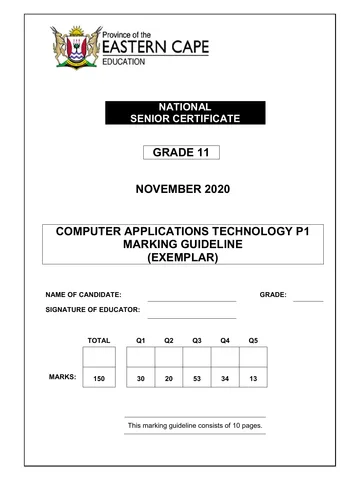
View all
Computer Applications Technology Grade 11 P1 2020 Memo (Eng)
Grade 11 Computer Applications Technology Paper 1 memorandum from the National Exemplar November Exam 2020 (English). Read online or download the free PDF.
Computer Applications Technology · Grade 11 · National Exemplar November Exam · 2020. Memorandum, 10 pages. Read online or download the PDF.
- Subject
- Computer Applications Technology
- Grade
- Grade 11
- Document type
- Memorandum
- Year
- 2020
- Exam period
- National Exemplar November Exam
- Paper
- 1
- Curriculum
- CAPS
- Pages
- 10
- File size
- 189.4 KB
Free to read online, no sign-up needed
Loading document…
Loading document…
1 of 10
This exam
Questions in this paper
Document textSearch extracted text and jump to a page.
Downloaded from hlayiso.com
2 COMPUTER APPLICATIONS TECHNOLOGY P1 (EC/NOVEMBER 2020)
QUESTION 1 File Name: 1WildCoast Total Q1: 30
Maximum Candidate
No. Criteria
Mark Mark
1.1.1 Cover Page
x Size exactly 5 cm x 5 cm 9 1
2
x Lock aspect ratio unchecked 9 1
1.1.2 Cover Page
1 1
x Picture position set to Middle Centre 9
1.1.3 Cover Page
x Learner name and surname inserted in author 1 1
control 9
1.2 Page Numbering
x Border left page numbering used 9 1
2
x Zero on first page removed (different first page) 9 1
1.3 Breaks
1 1
x Page break used 9
1.4. Styles
x New Style Eastern Cape Coasts created 9 1
1
x Based on Heading 1 style 9
1
x New style horizontally centred 9 5
1
x Font colour of style is red 9 1
x Style applied to heading 9
1.5.1 Table of Contents
x Table of content inserted 9 1
x Modern style format used 9 1
3
x Ensure that heading ‘Wild Coast Region, Eastern 1
Cape’ appears in TOC 9
1.5.2 Table of Figures
x Picture captioned 9 1 2
x Table of figures updated 9 1
1.6 Footnote
x Footnote inserted 9 1
x Below the text 9 1
4
x Wingdings character code 0046 or 70 ) used 9 1
1
x Text ‘(www.wildcoast.com/xolobeni)’ added 9
1.7 Find and Replace
1
x Transkei replaced with Former Transkei 9 2
1
x All five occurrences replaced 9
Copyright reserved Please turn over
Downloaded from hlayiso.com
(EC/NOVEMBER 2020) COMPUTER APPLICATIONS TECHNOLOGY P1 3
1.8 Citation
x Web site chosen source 9 1
x Wild Coast inserted as web site name 9 1 3
x www.wildcoast.com inserted as the URL 9 1
1.9 Shapes
x Horizontal scroll shape inserted 9 1
x Correct text added/Copied 9 1 4
x Shape style changed to Subtle effect – Blue Accent 1
19 1
x Yellow text highlight removed from inserted text 9
Total for QUESTION 1 [30]
Copyright reserved Please turn over
Downloaded from hlayiso.com
4 COMPUTER APPLICATIONS TECHNOLOGY P1 (EC/NOVEMBER 2020)
QUESTION 2 File Name: 2Form Total Q2: 20
Maximum Candidate
No. Criteria
Mark Mark
2.1.1 WordArt
x WordArt changed 9 1 2
x Changed / transformed to Warped Ring Inside. 9 1
2.1.2 Grouping
x Any picture inserted. 9 1
x Picture 2Form.jpg inserted. 9 1 3
x Picture and WordArt grouped. 9 1
2.2 Page background
x Page background inserted. 9 1
1 3
x Vertical gradient fill used. 9
x Two colours, blue and white, used. 9 1
2.3 Watermark
x Watermark inserted 9 1
1 3
x 2Watermark.jpg image used 9
x Image scaled to 120% 9 1
2.4 Tabs
x Tabs set to Surname 9 1 3
x First tab set at 6 cm centred. 9 1
x Second tab set at 14 cm right align. 9 1
2.5.1 x Surname text form field 20 characters 9 1
2.5.2 x Gender changed to dropdown form field 9 1
x Male and Female entered. 9 1
6
2.5.3 x The check box form field set to 14 pt 9 1
x exactly 9 1
x and BnB field checked. 9 1
Total for QUESTION 2 [20]
Copyright reserved Please turn over
Downloaded from hlayiso.com
(EC/NOVEMBER 2020) COMPUTER APPLICATIONS TECHNOLOGY P1 5
QUESTION 3 File Name: 3Wild Coast Visitors Total Q3: 53
Maximum Candidate
No. Criteria
Mark Mark
Information worksheet
3.1.1 Merge and Centre
x Cells A1 to Q1 are merged 9 1 2
x and centred 9 1
3.1.2 Shading 1
x Shading applied on merged cell 9
1
x “From Corner” shading style used 9 4
1
x use 2 colours 9
x namely yellow and blue. 9 1
3.2 Date
1
x D2: Today’s date inserted 9 2
x Date format changed to dd-mm-yyyy 9 1
3.3 Wrap text
x Text in row 4 wrapped 9 1 1
3.4 Freeze Panes
x Row 4 frozen 9 1
x All other text moves under row 4 when user scrolls
2
1
down 9
3.5 Printing
1
x Row 1 to row 4 to repeat 9
1 3
x at the top of each page 9
1
x Gridlines inserted (ticked) 9
3.6 Conditional formatting
x Conditional formatting applied in correct column 1
(column G) 9 1 3
x Criteria only hotels 9 1
x Reddish fill colour used 9
3.7 Column I
x Rand Currency or Accounting 9 1
2
x Zero decimal places 9 1
3.8 Cell D67
=MAX(H5:H64) / =LARGE((H5:H64),1) 1
2
x Correct cells used 9 1
x Max / large function used 9
3.9 Cell D69
=SUMIF(E5:E64,"China",L5:L64) 1
x Sumif function correctly used 9 1
4
x Criteria range E5:E64 9 1
x Sum range L5:L64 9 1
x Criteria – China 9
Copyright reserved Please turn over
Downloaded from hlayiso.com
6 COMPUTER APPLICATIONS TECHNOLOGY P1 (EC/NOVEMBER 2020)
3.10 Cell D71
=(H5*J5)*K5
x H5 and J5 used 9 1
3
1
x * sign used 9
1
x K5 9
3.11 Cell D73
=COUNTBLANK(L5:L64) 1 2
x Correct function used 9 1
x Correct range used 9
3.12 Cell D75
=COUNTA(N5:N64)
2
x Correct function used 9 1
x Correct range used 9 1
3.13 Cell D77
=IF(L5>=3000,"Type A Accommodation","Regular
Accommodation")
x Correct function used 9 1 4
x Correct condition specified 9 1
x Value if true is correct 9 1
x Value if false is correct 9 1
3.14 Cell D79
=L5/G2
2
x Countif function used 9 1
x Correct range 9 1
3.15 Cell Q5
=IF(COUNTA(M5:P5)>3;(0,3*H5);IF(COUNTA(M5:P5)=3;
(0,15*H5);” “))
x Function = IF 9 1
x First condition: (COUNTA(M5:P5) >3 9 1
1 7
x 1,3*H5 9
x Second condition: COUNTA(M5:P5)=3 9 1
x 1,15*H5 9 1
x Value false condition: “ “ or Blank 9 1
x Function copied to all cells 9 1
Lodge worksheet
3.16 Tab colour
x Tab colour of Lodge worksheet set to blue 9 1 1
3.17 Filtering
x Filtering used 9 1 2
x on Type of Accommodation column 9 1
Copyright reserved Please turn over
Downloaded from hlayiso.com
(EC/NOVEMBER 2020) COMPUTER APPLICATIONS TECHNOLOGY P1 7
3.18 Graph Worksheet
x Sort table from Large to Small 9 1
x Graph created 9 1
5
x Graph title Wild Coast Lodges 9 1
x Both series points plotted correctly. 9 1
x Gap width set to 50% 9 1
Total for QUESTION 3 [53]
Copyright reserved Please turn over
Downloaded from hlayiso.com
8 COMPUTER APPLICATIONS TECHNOLOGY P1 (EC/NOVEMBER 2020)
QUESTION 4 File Name: 4WildCoast Total Q4: 34
Maximum Candidate
No. Criteria
Mark Mark
4.1.1 Row height
1 1
x Row height set at 25 pt. 9
4.1.2 Row colour
x Alternative row colour set to red. 9 1 2
x Background colour set to green. 9 1
4.1.3 Field: Cell Number
x Input mask set. 9 1
3
x Ten compulsory numbers. 9 1
x Correct format 000-0000 000. 9 1
4.1.4 Field: Cell Number
1 1
x Cell Number field is set to Yes. 9
4.1.5 Field: Age
1
x Validation rule: Between 18 9 1 3
x And 60. 9 1
x Suitable validation text inserted. 9
4.1.6 Field: Deposit Paid
1
x Changed to currency. 9 2
1
x With 2 decimal places. 9
4.1.7 Field: Home
xCombo box created in Home Town field. 9 1
xValue list added. 9 3
1
xAll towns included (Port Elizabeth/East 1
London/Mthatha/Queenstown). 9
4.1.8 Field: email address
1 1
x < symbol set on format 9
Form
4.2 Visitors Info
x Form Visitors Info created. 9
x Only Visitor, Gender, Email address, Country, 1
Number of people, Number of days and Deposit 1
field appear. 9 1
x Image 4WildCoast.jpg used. 9 1
x Centred in form header. 9 1 9
x Date and time inserted. 9 1
x Country field sorted alphabetically. 9 1
x In descending order. 9 1
1
x Any button inserted in the form footer. 9
x Button action is to close the form. 9
Copyright reserved Please turn over
Downloaded from hlayiso.com
(EC/NOVEMBER 2020) COMPUTER APPLICATIONS TECHNOLOGY P1 9
Queries
4.3 QryFemales
x Fields used: Visitor, Deposit and Gender. 9 1
1
x Gender does not show. 9 1
1
x Gender criteria: Female. 9 1
x Deposit criteria: >= 9 3200. 9 5
4.4 Qry4_4
x Criteria of Country field: Russia. 9 Design view
x Total function is used. 9
x From the datasheet view. 9
x Total deposits of the Russian visitors. (Sum) 9
1
1
1 4
1
Total for QUESTION 4 [34]
Copyright reserved Please turn over
Downloaded from hlayiso.com
10 COMPUTER APPLICATIONS TECHNOLOGY P1 (EC/NOVEMBER 2020)
QUESTION 5 File Name: 5WildCoast Resource Total Q5: 13
Maximum Candidate
No. Criteria
Mark Mark
5.1 Export Data
x Data exported from Spreadsheet 5WildCoast 1
Resource. 9 1
x Exported to a new database – table - 5Resource. 9
1 6
x Peak Rates, Number of Days and Deposits are
assigned the correct data type. 9 1
x Type of Accommodation moved to the first field. 9 1
x Table sorted by Type of Accommodation field. 9 1
x In descending order. 9
5.2 Graph
x Graph created using the data in Sheet 2. 9 1
x Countif: Females. 9 1
x Countif: Males. 9 1
x Pie Graph is used 9 7
1
x Appropriate heading – anything around percentage
per gender. 9 1
x Graph is moved to the word document, 5MyDoc. 9 1
x Paste special is used when pasting the graph. 9 1
Total for QUESTION 5 [13]
TOTAL 150
Copyright reserved Please turn over
Study this subject
Recommended for this subject
Memorandum
Computer Applications Technology Grade 11 P1 2020 Memo (Eng)
Memorandum
Computer Applications Technology Grade 11 P1 2020 Memo (Afr)
Memorandum
Computer Applications Technology Grade 11 P1 2020 Memo (Afr)
Memorandum
Computer Applications Technology Grade 11 P1 2020 Memo (Afr)
Memorandum
Computer Applications Technology Grade 11 P1 2020 Memo (Eng)
Question paper