
Downloaded from hlayiso.com
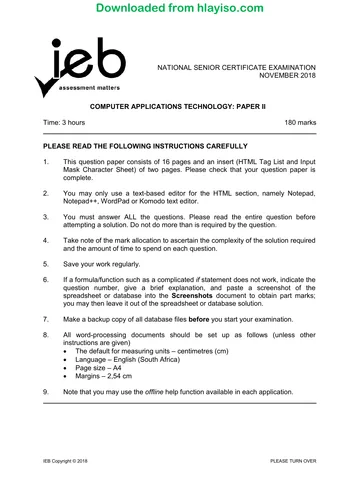
NATIONAL SENIOR CERTIFICATE EXAMINATION
NOVEMBER 2018
COMPUTER APPLICATIONS TECHNOLOGY: PAPER II
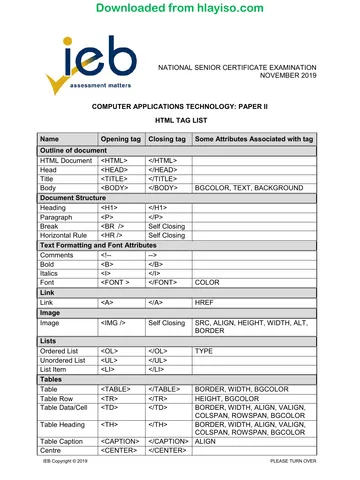
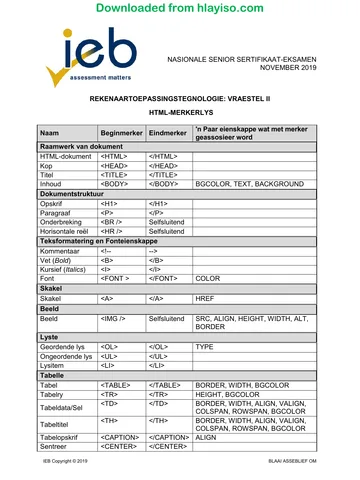
HTML TAG LIST
Name Opening tag Closing tag Some Attributes Associated with tag
Outline of document
HTML Document <HTML> </HTML>
Head <HEAD> </HEAD>
Title <TITLE> </TITLE>
Body <BODY> </BODY> BGCOLOR, TEXT, BACKGROUND
Document Structure
Heading <H1> </H1>
Paragraph <P> </P>
Break <BR /> Self Closing
Horizontal Rule <HR /> Self Closing
Text Formatting and Font Attributes
Comments <!-- -->
Bold <B> </B>
Italics <I> </I>
Font <FONT > </FONT> COLOR
Link
Link <A> </A> HREF
Image
Image <IMG /> Self Closing SRC, ALIGN, HEIGHT, WIDTH, ALT,
BORDER
Lists
Ordered List <OL> </OL> TYPE
Unordered List <UL> </UL>
List Item <LI> </LI>
Tables
Table <TABLE> </TABLE> BORDER, WIDTH, BGCOLOR
Table Row <TR> </TR> HEIGHT, BGCOLOR
Table Data/Cell <TD> </TD> BORDER, WIDTH, ALIGN, VALIGN,
COLSPAN, ROWSPAN, BGCOLOR
Table Heading <TH> </TH> BORDER, WIDTH, ALIGN, VALIGN,
COLSPAN, ROWSPAN, BGCOLOR
Table Caption <CAPTION> </CAPTION> ALIGN
Centre <CENTER> </CENTER>
IEB Copyright © 2018 PLEASE TURN OVER
Skip to contentQuestion paper 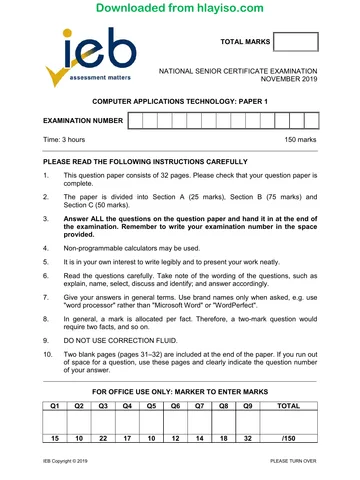
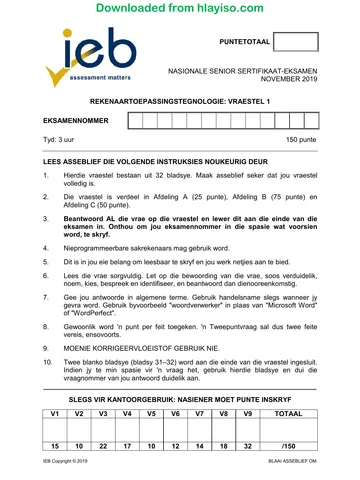
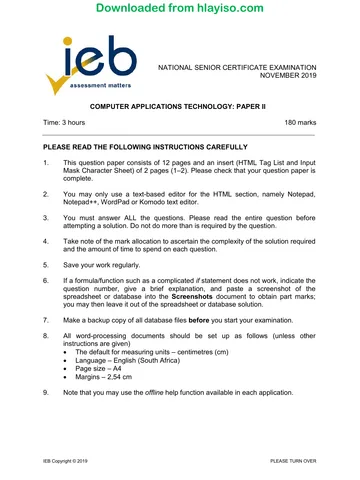
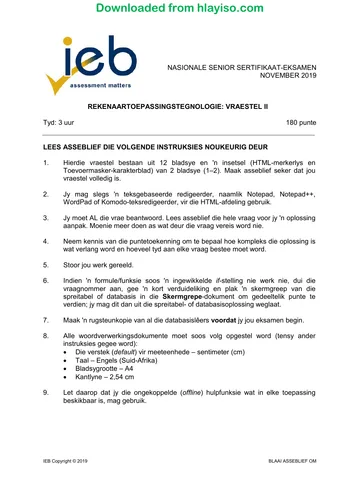

View all
Computer Applications Technology Grade 12 IEB P2 2018 QP
IEB Grade 12 Computer Applications Technology Paper 2 question paper from the 2018, 2 pages. Read online or get the free PDF download, memo linked when available.
Publisher: IEB
Computer Applications Technology · Grade 12 · 2018. Question paper, 2 pages. Read online or download the PDF.
- Subject
- Computer Applications Technology
- Grade
- Grade 12
- Document type
- Question paper
- Year
- 2018
- Paper
- 2
- Publisher
- IEB
- Curriculum
- IEB
- Pages
- 2
- File size
- 113.1 KB
Loading document…
Loading document…
1 of 2
Document textSearch extracted text and jump to a page.
Downloaded from hlayiso.com
NATIONAL SENIOR CERTIFICATE: COMPUTER APPLICATIONS TECHNOLOGY: PAPER II – HTML TAG LIST Page 2 of 2
INPUT MASK CHARACTER SHEET
Character Explanation
0 User must enter a digit (0 to 9).
9 User can enter a digit (0 to 9).
# User can enter a digit, space, plus or minus sign. If skipped, Access enters a blank space.
L User must enter a letter.
? User can enter a letter.
A User must enter a letter or a digit.
a User can enter a letter or a digit.
& User must enter either a character or a space.
C User can enter characters or spaces.
Decimal and thousandths placeholders, date and time separators. The character you select depends on
.,:;-/
your Microsoft Windows regional settings.
> Coverts all characters that follow to uppercase.
< Converts all characters that follow to lowercase.
! Causes the input mask to fill from left to right instead of from right to left.
\ Characters immediately following will be displayed literally.
"" Characters enclosed in double quotation marks will be displayed literally.
IEB Copyright © 2018
Study this subject
Revise the topics in this paper, then practise them question by question.
- Grade 12 Computer Applications Technology notes
CAPS revision notes with worked examples.
- Computer Applications Technology questions by topic
Past exam questions sorted by CAPS topic, with memos where available.
- Grade 12 Computer Applications Technology quizzes
Short topic quizzes with instant feedback.
- All Grade 12 Computer Applications Technology past papers
Past papers by year, with memos where available.
- Grade 12 IEB past papers
More Computer Applications Technology and other subjects in this collection.
Recommended for this subject
More papers and memos for this grade and subject.
Question paperIEB
Computer Applications Technology Grade 12 IEB P1 2019 QP
Question paperIEB
Computer Applications Technology Grade 12 IEB P1 2019 QP (Afr)
Question paperIEB
Computer Applications Technology Grade 12 IEB P2 2019 QP
Question paperIEB
Computer Applications Technology Grade 12 IEB P2 2019 QP (Afr)
Question paperIEB
Computer Applications Technology Grade 12 IEB P2 2019 QP
Question paperIEB
Computer Applications Technology Grade 12 IEB P2 2019 QP (Afr)
Related documents
Question paperIEB
Computer Applications Technology Grade 12 IEB P2 2018 QP
Question paperIEB
Computer Applications Technology Grade 12 IEB P2 2018 QP (Afr)
Question paperIEB
Computer Applications Technology Grade 12 IEB P2 2018 QP (Afr)
MemorandumIEB
Computer Applications Technology Grade 12 IEB Paper 2 2018 Memo
MemorandumIEB
Computer Applications Technology Grade 12 IEB P2 2018 Memo (Afr)
Question paperIEB
Computer Applications Technology Grade 12 IEB P1 2018 QP
More from Grade 12 Computer Applications Technology
MemorandumIEB
Computer Applications Technology Grade 12 IEB Paper 1 2019 Memo
MemorandumIEB
Computer Applications Technology Grade 12 IEB P1 2019 Memo (Afr)
Question paperIEB
Computer Applications Technology Grade 12 IEB P2 2019 QP
Question paperIEB
Computer Applications Technology Grade 12 IEB P2 2019 QP (Afr)
Question paperIEB
Computer Applications Technology Grade 12 IEB P1 2018 QP (Afr)
MemorandumIEB