
Downloaded from hlayiso.com
NATIONAL SENIOR CERTIFICATE: COMPUTER APPLICATIONS TECHNOLOGY: PAPER II – MARKING GUIDELINES Page 1 of 15
EXAMINATION NUMBER #VALUE! PERCENTAGE #DIV/0!
ACTUAL
POSSIBLE MARK 0 0 MODERATED 0 0
MARK
MARKER MOD INTERNAL MODERATOR GB
Q1 FILE AND FOLDER MANAGEMENT FINAL MARK COMMENT (Please indicate by adding 0 if no mark is allocated.)
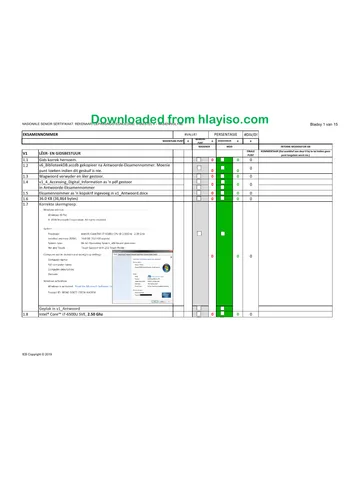
1.1 Folder renamed correctly. 0 0 0
1.2 q6_LibraryDB.accdb copied to AnswerFiles-ExamNumber. Do not award
0
mark if it has been moved. 0 0
1.3 Password removed and file saved. 0 0 0
1.4 q1_4_Accessing_Digital_Information saved as a pdf
0 0 0
In AnswerFiles-ExamNumber
1.5 ExamNumber inserted as a header in q1_AnswerFile.docx 0 0 0
1.6 36.0 KB (36,864 bytes) 0 0 0
1.7 Correct screen shot.
0 0 0
Pasted in q1_AnswerFile
1.8 Intel® Core™ i7-6500U CPU, 2.50Ghz 0 0 0
IEB Copyright © 2019
Skip to contentQuestion paper 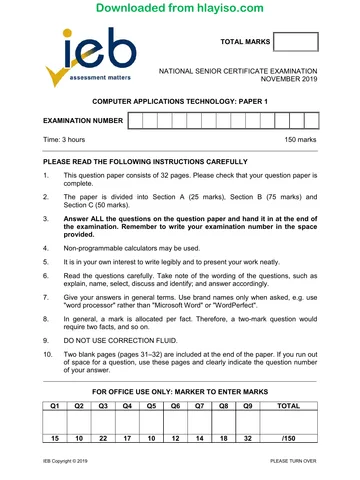
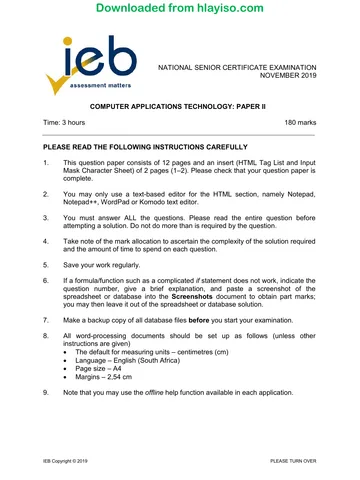
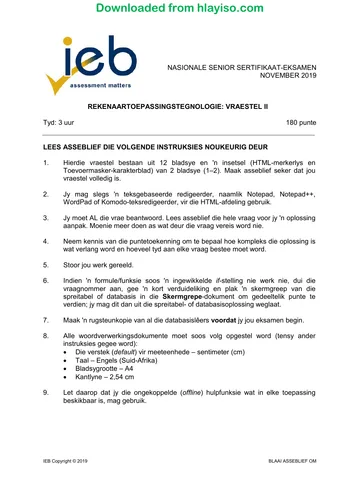

View all
Computer Applications Technology Grade 12 IEB P2 2019 QP
IEB Grade 12 Computer Applications Technology Paper 2 question paper from the 2019, 15 pages. Read online or get the free PDF download, memo linked when available.
Publisher: IEB
Computer Applications Technology · Grade 12 · 2019. Question paper, 15 pages. Read online or download the PDF.
- Subject
- Computer Applications Technology
- Grade
- Grade 12
- Document type
- Question paper
- Year
- 2019
- Paper
- 2
- Publisher
- IEB
- Curriculum
- IEB
- Pages
- 15
- File size
- 818.7 KB
Loading document…
Loading document…
1 of 15
Document textSearch extracted text and jump to a page.
Downloaded from hlayiso.com
NATIONAL SENIOR CERTIFICATE: COMPUTER APPLICATIONS TECHNOLOGY: PAPER II – MARKING GUIDELINES Page 2 of 15
1.9 Open the Start menu and click Settings
Click Apps in Windows Settings.
0 0 0
Select the app you wish to uninstall.
Click the uninstall button that appears
Alternative solution (Win 7):
Click Start , and then click Control Panel.
Under Programs, click Uninstall a program ...
Select the program you want to remove.
Click Uninstall or Uninstall/Change at the top of the program list.
This is OS-specific. Please verify each answer carefully.
1.10 Shortcut created
In AnswerFiles-ExamNumber 0 0 0
opens HTML Editor.
1.11 File property changed.
0 0 0
Set as read-only.
Q1 TOTALS 0 0 0
IEB Copyright © 2019
Downloaded from hlayiso.com
NATIONAL SENIOR CERTIFICATE: COMPUTER APPLICATIONS TECHNOLOGY: PAPER II – MARKING GUIDELINES Page 3 of 15
MARKER MOD INTERNAL MODERATOR GB
Q2 WORD PROCESSING - q2_Guide.docx
FINAL
COMMENT (Please indicate by adding 0 if no mark is allocated.)
MARK
2.1.1 Current date inserted in header. 0 0 0
2.1.2 Date centred in header. 0 0 0
2.1.3 Date updates automatically. 0 0 0
2.1.4 Footer formatted to "Blank (Three Columns)" 0 0 0
2.1.5 Examination number inserted
0 0 0
In the left of the footer.
2.1.6 Plain text page numbers inserted
0 0 0
in the right of the footer.
2.1.7 Middle content control deleted. 0 0 0
2.2.1 books.jpg used. 0 0 0
2.2.2 Image inserted at the start
0 0 0
Of the first paragraph
2.2.3 Text Wrapping applied
0 0 0
Image appears behind text
2.2.4 Image position Top Centre
0 0 0
Relative to the margin.
2.3.1 Font size changed to 18pt. 0 0 0
2.3.2 Colour changed. 0 0 0
2.3.3 Paragraph spacing changed to 6pt before. 0 0 0
2.3.4 Style Heading 1 applied
0 0 0
to all text previously formatted as Style Heading 2.
Q2 TOTALS 0 0 0
IEB Copyright © 2019
Downloaded from hlayiso.com
NATIONAL SENIOR CERTIFICATE: COMPUTER APPLICATIONS TECHNOLOGY: PAPER II – MARKING GUIDELINES Page 4 of 15
MARKER MOD INTERNAL MODERATOR GB
Q3 WORD PROCESSING - q3_LibraryApplicationForm.docx
FINAL
COMMENT (Please indicate by adding 0 if no mark is allocated.)
MARK
3.1.1 Combo Box Content Control Inserted. 0 0 0
3.1.2 Combo box provides the options: "Mr, Mrs, Ms, Other" 0 0 0
3.1.3 Name Text Content Control inserted.
0 0 0
Surname Text Content Control inserted.
Accept Rich Text Content Controls or Plain Text Content Controls
3.2 Outside border added.
0 0 0
dotted border.
Accept labels and content controls in a single-celled table with a dotted outside border.
3.3 Check Box content controls applied
All four options used 0 0 0
Check boxes appear to the left of the labels.
3.4 Two columns applied to the specified section
Appropriate breaks applied. 0 0 0
Rest of the document is a single column.
3.5.1 14 cm Tab Stop applied 0 0 0
3.5.2 Decimal aligned 0 0 0
3.5.3 Leader number 2 applied. 0 0 0
3.6 R150.00 inserted at the tab stop. 0 0 0
Q3 TOTALS 0 0 0
IEB Copyright © 2019
Downloaded from hlayiso.com
NATIONAL SENIOR CERTIFICATE: COMPUTER APPLICATIONS TECHNOLOGY: PAPER II – MARKING GUIDELINES Page 5 of 15
MARKER MOD INTERNAL MODERATOR GB
Q4 MAIL MERGE
FINAL
COMMENT (Please indicate by adding 0 if no mark is allocated.)
MARK
4.1 Track changes activated 0 0 0
4.2.1 tblDonor used as the data source. 0 0 0
4.2.2 Data sorted ascending by DonorSurname
0 0 0
Data sorted descending by DonorName
4.2.3 DonorName field used in place of text.
DonorSurname field used in place of text. 0 0 0
EmailAddress field used in place of text.
4.3 Comment Inserted in correct place.
0 0 0
Correct text used in comment.
Q4 TOTALS 0 0 0
IEB Copyright © 2019
Downloaded from hlayiso.com
NATIONAL SENIOR CERTIFICATE: COMPUTER APPLICATIONS TECHNOLOGY: PAPER II – MARKING GUIDELINES Page 6 of 15
MARKER MOD INTERNAL MODERATOR GB
Q5.1 SPREADSHEETS - q5_1_AccessionRegister.xlsx
FINAL
COMMENT (Please indicate by adding 0 if no mark is allocated.)
MARK
5.1.1 Examination Number inserted in middle of the footer. 0 0 0
5.1.2 (a) Heading underlined with a double line. 0 0 0
5.1.2 (b) Font changed to bold. 0 0 0
5.1.2 (c) Row 1 height changed. Accept any height that is greater than the other rows. 0 0 0
5.1.2 (d) Text aligned to the right. 0 0 0
5.1.2 (e) Vertical alignment set to centre. 0 0 0
5.1.3 Sorted Author1
Ascending order
0 0 0
Sorted by Title
Descending order
5.1.4 Range H3:H477 formatted to currency.
0 0 0
Currency symbol removed.
Please note that format may appear as either "Number" or "Accounting"
5.1.5 Conditional Formatting applied to items between R100 and R200.
0 0 0
Cells are formatted to display a red fill.
5.1.6 (a) Range A1:H477 used.
0 0 0
Range set as print area.
IEB Copyright © 2019
Downloaded from hlayiso.com
NATIONAL SENIOR CERTIFICATE: COMPUTER APPLICATIONS TECHNOLOGY: PAPER II – MARKING GUIDELINES Page 7 of 15
5.1.6 (b) Row 1 used
0 0 0
Row 1 repeats at the top of each page
5.1.6 (c) Page size changed. Accept any size other than A4. 0 0 0
5.1.6 (d) Page orientation set to landscape. 0 0 0
Q5.1 TOTALS 0 0 0
MARKER MOD INTERNAL MODERATOR GB
Q5.2 SPREADSHEETS - q5_2_LibraryMembers.xlxs
FINAL
COMMENT (Please indicate by adding 0 if no mark is allocated.)
MARK
5.2.1 Comment added
0 0 0
to correct place (Cell A1) and correct text
5.2.2 =CONCATENATE( OR use the & (Ampersand)
LEFT(B2,
3 0 0 0
DAY(D2))
Copied to A3:A127
5.2.3(a) List set as Validation criteria
0 0 0
List is found at =GenderTable!$A$2:$A$4
5.2.3(b) Warning Style error alert applied. 0 0 0
IEB Copyright © 2019
Downloaded from hlayiso.com
NATIONAL SENIOR CERTIFICATE: COMPUTER APPLICATIONS TECHNOLOGY: PAPER II – MARKING GUIDELINES Page 8 of 15
5.2.3(c) Error message applied
0 0 0
Meaningful message used e.g., "Invalid gender entered."
5.2.4 =VLookup(
G2,
FeeStructure!$A$2:$B$6,
0 0 0
2,1)
(Award mark even if the 1 or True are not included as lookup table is
sorted.)
5.2.5 =COUNTIF(
LibraryMembers!
0 0 0
E2:E127,
"female")
5.2.6 =MIN(
0 0 0
LibraryMembers!D2:D127)
5.2.7 Worksheet renamed
0 0 0
to ItemSources
5.2.8 (a) Data source from range A2:B5 0 0 0
5.2.8 (b) Chart type set as Pie Chart
0 0 0
Pie Chart set as Doughnut
5.2.8 (c) Labels added to chart. 0 0 0
IEB Copyright © 2019
Downloaded from hlayiso.com
NATIONAL SENIOR CERTIFICATE: COMPUTER APPLICATIONS TECHNOLOGY: PAPER II – MARKING GUIDELINES Page 9 of 15
5.2.8 (d) Title edited to read: "Library Items' Sources" 0 0 0
Q5.2 TOTALS 0 0 0 0
IEB Copyright © 2019
Downloaded from hlayiso.com
NATIONAL SENIOR CERTIFICATE: COMPUTER APPLICATIONS TECHNOLOGY: PAPER II – MARKING GUIDELINES Page 10 of 15
MARKER MOD INTERNAL MODERATOR GB
Q6 DATABASES - q6_LibraryDB.accdb
FINAL
COMMENT (Please indicate by adding 0 if no mark is allocated.)
MARK
6.1.1 AccessionNumber set as Primary Key 0 0 0
6.1.2 (a) Title set to Required: Yes 0 0 0
6.1.2 (b) Title Field is indexed
0 0 0
Title Field allows duplicates.
6.1.3 Combo Box applied.
Looks up values 0 0 0
from tblAuthor
or or
6.1.4 AcquisitionDate modified.
0 0 0
Date appears as long date.
6.1.5 Format changed to Currency
0 0 0
with no decimal places.
6.2.1 Combo Box applied.
Looks up values from tblBooks 0 0 0
Limit to list applied.
or
or
6.2.2 Default value set
0 0 0
as Now(), accept also Date()
IEB Copyright © 2019
Downloaded from hlayiso.com
NATIONAL SENIOR CERTIFICATE: COMPUTER APPLICATIONS TECHNOLOGY: PAPER II – MARKING GUIDELINES Page 11 of 15
6.2.3 Date()
0 0 0
+14
6.3 Input mask created.
LLL (required characters) 0 0 0
0 (required digit) 9 (not necessary to input a digit)
6.4.1 Form based on tblBorrowingManager
0 0 0
All fields except LibraryMember used
6.4.2 (a) Title changed to "Issue Desk" 0 0 0
6.4.2 (b) Header colour changed to Automatic 0 0 0
6.4.2 (c) Button added
0 0 0
Finds record
6.4.2 (d) Size of detail section increased
sfrmIssueDesk 0 0 0
added as object in frmMemberDetails
IEB Copyright © 2019
Downloaded from hlayiso.com
NATIONAL SENIOR CERTIFICATE: COMPUTER APPLICATIONS TECHNOLOGY: PAPER II – MARKING GUIDELINES Page 12 of 15
6.4.2 (e) All fields in subform visible. 0 0 0
IEB Copyright © 2019
Downloaded from hlayiso.com
NATIONAL SENIOR CERTIFICATE: COMPUTER APPLICATIONS TECHNOLOGY: PAPER II – MARKING GUIDELINES Page 13 of 15
6.5.1 qryBooksNotreturned created
Only Name, Surname and Title fields are visible.
4 0 0 0
ActualReturnDate criterion
set as "Is Null"
6.5.2 New calculated field created:
Fine: ([ActualReturnDate] -
[DateToReturn])*10 0 0 0
Only books brought in after the due date are fined. This criterion for
ActualReturnDate is set as >[DateToReturn]
IEB Copyright © 2019
Downloaded from hlayiso.com
NATIONAL SENIOR CERTIFICATE: COMPUTER APPLICATIONS TECHNOLOGY: PAPER II – MARKING GUIDELINES Page 14 of 15
6.6 rptBorrowReport created
0 0 0
MemberID, Surname, Name, BookID and Title are visible
6.7 Grouped by MemberID 0 0 0
6.8 Textbox with appropriate label added
to MemberID group footer. 0 0 0
=Count(*)
Q6 TOTALS 0 0 0
IEB Copyright © 2019
Downloaded from hlayiso.com
NATIONAL SENIOR CERTIFICATE: COMPUTER APPLICATIONS TECHNOLOGY: PAPER II – MARKING GUIDELINES Page 15 of 15
MARKER MOD INTERNAL MODERATOR GB
Q7 HTML - index.html
FINAL
COMMENT (Please indicate by adding 0 if no mark is allocated.)
MARK
7.1 <title> ExamNumber</title> Inserted in the head as instructed 0 0 0
7.2 Examination Number added as a title. 0 0 0
7.3.1 Image inserted => <img src …/>
0 0 0
Images\headerImage.jpg
7.3.2 width adjusted
0 0 0
width = 1 200 px
7.4 <center> … </center>
0 0 0
surrounding the image, the horizontal lines and the text Donors
7.5 <a href = "donors.html"
0 0 0
> Donors</a>
7.6 Colour of text changed
0 0 0
colour is visible
7.7 <ul> …. </ul>
<li> …. </li> 0 0 0
applied to correct text.
7.8 <table
0 0 0
border = 2px>
7.9 <th> Contact Donors </th>
0 0 0
colspan = 3
7.10 <tr bgcolour
0 0 0
= #FFD700 > … </tr>
Q7 TOTALS 0 0 0 0
IEB Copyright © 2019
Study this subject
Revise the topics in this paper, then practise them question by question.
- Grade 12 Computer Applications Technology notes
CAPS revision notes with worked examples.
- Computer Applications Technology questions by topic
Past exam questions sorted by CAPS topic, with memos where available.
- Grade 12 Computer Applications Technology quizzes
Short topic quizzes with instant feedback.
- All Grade 12 Computer Applications Technology past papers
Past papers by year, with memos where available.
- Grade 12 IEB past papers
More Computer Applications Technology and other subjects in this collection.
Recommended for this subject
More papers and memos for this grade and subject.
Question paperIEB
Computer Applications Technology Grade 12 IEB P1 2019 QP
Question paperIEB
Computer Applications Technology Grade 12 IEB P1 2019 QP (Afr)
Question paperIEB
Computer Applications Technology Grade 12 IEB P2 2019 QP
Question paperIEB
Computer Applications Technology Grade 12 IEB P2 2019 QP (Afr)
Question paperIEB
Computer Applications Technology Grade 12 IEB P2 2019 QP
Question paperIEB
Computer Applications Technology Grade 12 IEB P2 2019 QP (Afr)
Related documents
Question paperIEB
Computer Applications Technology Grade 12 IEB P2 2019 QP (Afr)
Question paperIEB
Computer Applications Technology Grade 12 IEB P2 2018 QP
Question paperIEB
Computer Applications Technology Grade 12 IEB P2 2018 QP (Afr)
Question paperIEB
Computer Applications Technology Grade 12 IEB P2 2018 QP
Question paperIEB
Computer Applications Technology Grade 12 IEB P2 2018 QP (Afr)
Question paperIEB
Computer Applications Technology Grade 12 IEB P2 2017 QP
More from Grade 12 Computer Applications Technology
MemorandumIEB
Computer Applications Technology Grade 12 IEB Paper 1 2019 Memo
MemorandumIEB
Computer Applications Technology Grade 12 IEB P1 2019 Memo (Afr)
Question paperIEB
Computer Applications Technology Grade 12 IEB P1 2018 QP
Question paperIEB
Computer Applications Technology Grade 12 IEB P1 2018 QP (Afr)
MemorandumIEB
Computer Applications Technology Grade 12 IEB Paper 1 2018 Memo
MemorandumIEB