
Mock
hlayiso mock exams
Practice Series:
Grade 10 Exam Preparation
WWW.HLAYISO.COM
NATIONAL
SENIOR CERTIFICATE
GRADE 10
INFORMATION TECHNOLOGY P1
NOVEMBER EXAMINATION 2026 (MOCK)
MARKS: 120
TIME: 3 hours
This question paper consists of 20 pages.
Copyright reserved Please turn over
Skip to contentAll 2026 papers 
View all
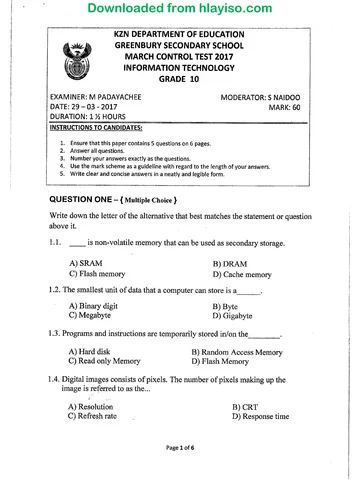
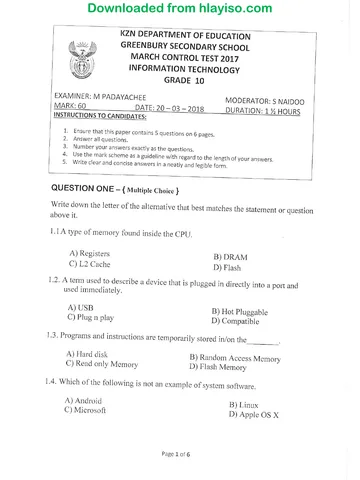
Information Technology Grade 10 P1 2026 QP (Eng)
Grade 10 Information Technology Paper 1 question paper from the November Mock Exam 2 2026 (English), 20 pages. Read online or download the free PDF.
Information Technology · Grade 10 · November Mock Exam 2 · 2026 · English. Question paper, 20 pages. Read online or download the PDF.
- Subject
- Information Technology
- Grade
- Grade 10
- Language
- English
- Document type
- Question paper
- Year
- 2026
- Exam period
- November Mock Exam 2
- Paper
- 1
- Publisher
- Hlayiso
- Curriculum
- CAPS
- Pages
- 20
- File size
- 196.2 KB
Free to read online, no sign-up needed
Loading document…
Loading document…
1 of 20
This exam
November Mock Exam 2 2026
- Paper 1Question paperMemo
- Paper 2Question paperMemo
Document textSearch extracted text and jump to a page.
Information Technology/P1 2 Hlayiso/Mock 2026
Grade 10 Mock
INSTRUCTIONS AND INFORMATION
1. This question paper consists of FOUR questions. Candidates must answer ALL the
questions.
2. The duration of this examination is three hours. Because of the nature of this
examination, it is important to note that you will not be permitted to leave the
examination room before the end of the examination session.
3. This question paper is set with programming terms that are specific to the Delphi
programming language. The Delphi programming language must be used to answer
the questions.
4. Make sure that you answer the questions according to the specifications that are given
in each question. Marks will be awarded according to the set requirements.
5. Answer only what is asked in each question. For example, if the question does not ask
for data validation, then no marks will be awarded for data validation.
6. Your programs must be coded in such a way that they will work with any data and not
just the sample data supplied or any data extracts that appear in the question paper.
7. Where a question asks you to display a message, use a message box (ShowMessage)
unless another component is specified.
8. Routines, such as search and counting routines, must be developed from first principles.
You may NOT use built-in features of the Delphi programming language that do the work
for you, for example Ceil (from the Math unit) or CharInSet.
9. You must save your work regularly on the disk space allocated to you for this
examination session.
10. Make sure that your examination number appears as a comment in every program that
you code, as well as on every event indicated.
11. If required, print the programming code of all the programs that you completed. Your
examination number must appear on all printouts.
12. The files that you need to complete this question paper have been provided to you
on the disk space allocated to you, in a folder called DataNov2026. Once copied, the
following list of files will be available in the folder DataNov2026:
Question 1: Question 3:
Question1_P.dpr Question3_P.dpr
Question1_P.dproj Question3_P.dproj
Question1_U.dfm Question3_U.dfm
Question1_U.pas Question3_U.pas
carwash.bmp
Question 2: Question 4:
Question2_P.dpr Question4_P.dpr
Question2_P.dproj Question4_P.dproj
Question2_U.dfm Question4_U.dfm
Question2_U.pas Question4_U.pas
Copyright reserved Please turn over
Information Technology/P1 3 Hlayiso/Mock 2026
Grade 10 Mock
QUESTION 1: GENERAL PROGRAMMING SKILLS
Zola Car Wash is a small business in Tembisa that washes cars, SUVs, bakkies and minibus
taxis. The owner needs a program to calculate the cost of a wash, the change that must be
given to customers and the amount of water in the rainwater tank that is used to wash the
vehicles.
Do the following:
• Open the incomplete program in the Question 1 folder.
• Enter your examination number as a comment in the first line of the Question1_U.pas file.
• Compile and execute the program. The program has no functionality currently.
Example of the graphical user interface (GUI):
Question 1 - General programming skills – □ ×
1.1 1.4
1.1 - Set up Diameter of tank (m):
imgQ1_1
Height of water (m):
Car wash
1.4 - Water in tank
1.2
Type of wash
Vehicle:
Basic wash (R60)
Full wash (R95) Select a vehicle
Full valet (R150) 1.5
Add wax polish (R35)
1.5 - Bonus numbers
1.2 - Wash cost
1.3
Amount due (R):
Amount paid (R):
1.3 - Change
• Complete the code for each section of QUESTION 1, as described in QUESTION 1.1 to
QUESTION 1.5 below.
Copyright reserved Please turn over
Information Technology/P1 4 Hlayiso/Mock 2026
Grade 10 Mock
1.1 Button [1.1 - Set up]
Write code to do the following:
• Change the properties of the label lblQ1_1 as follows:
o Display the text ’Zola Car Wash’.
o Change the font size to 16.
o Change the font style to bold.
o Change the font colour to blue (clBlue).
• Load the picture carwash.bmp, which is supplied in the Question 1 folder,
into the image component imgQ1_1 and set the properties of the image
so that the picture fills the entire image component.
• Add the item ’Minibus taxi’ to the list of vehicle types in the combo box
cmbQ1_2.
Example of output:
1.1
1.1 - Set up
Zola Car Wash
(7)
Copyright reserved Please turn over
Information Technology/P1 5 Hlayiso/Mock 2026
Grade 10 Mock
1.2 Button [1.2 - Wash cost]
The user selects the type of wash from the radio group rgpQ1_2 and the type
of vehicle from the combo box cmbQ1_2. If the customer wants the vehicle
to be polished with wax, the check box chkQ1_2 is ticked.
The prices of the washes are shown in the radio group: Basic wash R60,
Full wash R95 and Full valet R150. These prices are for a car. The price of
the wash is 20% more for an SUV/Bakkie and 50% more for a minibus taxi.
The wax polish costs an extra R35 for any vehicle, regardless of its type. A
constant WAX_PRICE = 35 has been provided.
Write code to do the following:
• If the type of wash OR the type of vehicle has not been selected, display the
message ’Select the type of wash and the vehicle’ and exit the procedure.
• Determine the price of the selected wash.
• Increase the price if the vehicle is an SUV/Bakkie or a minibus taxi, as
described above.
• Add the price of the wax polish if the check box has been ticked.
• Display the cost of the wash in the label lblQ1_2 in currency format with
TWO decimal places, in the following format:
Cost of the wash: <cost>
NOTE: The item ’Minibus taxi’ is added to the combo box in QUESTION 1.1.
Example of input and output for a full wash of an SUV/Bakkie with wax polish:
1.2
Type of wash
Vehicle:
Basic wash (R60)
Full wash (R95) SUV/Bakkie
Full valet (R150)
✓ Add wax polish (R35)
1.2 - Wash cost
Cost of the wash: R 149.00
(10)
Copyright reserved Please turn over
Information Technology/P1 6 Hlayiso/Mock 2026
Grade 10 Mock
1.3 Button [1.3 - Change]
Customers often pay in cash. The user enters the amount due and the
amount paid by the customer (both whole rand amounts) in the edit boxes
edtQ1_3_Due and edtQ1_3_Paid. Code has been provided to clear the
memo memQ1_3.
Write code to do the following:
• Extract the amount due and the amount paid from the edit boxes.
• If the amount paid is less than the amount due, display the message ’Not
enough money paid’ and exit the procedure.
• Calculate the change.
• Use the DIV and MOD operators to determine the number of R50, R20
and R10 notes and the number of R5, R2 and R1 coins that must be given
as change, using as few notes and coins as possible.
• Display the change and the number of each note and coin in the memo
memQ1_3, as shown in the example below.
Example of input and output if the amount due is R155 and the customer paid
R300:
1.3
Change: R145
Amount due (R): 155
R50 notes: 2
R20 notes: 2
Amount paid (R): 300
R10 notes: 0
R5 coins: 1
1.3 - Change
R2 coins: 0
R1 coins: 0
(7)
Copyright reserved Please turn over
Information Technology/P1 7 Hlayiso/Mock 2026
Grade 10 Mock
1.4 Button [1.4 - Water in tank]
Rainwater is collected in a cylindrical tank. Washing one vehicle uses 85 litres
of water. A constant LITRES_PER_CAR = 85 has been provided.
The user enters the diameter of the tank and the height of the water in the
tank, both in metres, in the edit boxes edtQ1_4_Diam and edtQ1_4_Height.
The volume of a cylinder is calculated with the formula:
Volume = π × radius2 × height
1 cubic metre (m3 ) of water is 1 000 litres.
Write code to do the following:
• Extract the diameter and the height from the edit boxes.
• Calculate the number of litres of water in the tank.
• Calculate the number of vehicles that can be washed completely with the
water in the tank.
• Display the number of litres, rounded to the nearest whole number, in the
label lblQ1_4_Vol, and the number of vehicles in the label lblQ1_4_Cars,
as shown below.
Example of input and output for a diameter of 1.8 m and a water height of 1.5
m:
1.4
Diameter of tank (m): 1.8
Height of water (m): 1.5
1.4 - Water in tank
Water in tank: 3817 litres
Number of cars that can be washed: 44
(6)
Copyright reserved Please turn over
Information Technology/P1 8 Hlayiso/Mock 2026
Grade 10 Mock
1.5 Button [1.5 - Bonus numbers]
After every wash, the customer receives THREE random bonus numbers.
Write code to do the following:
• Generate THREE random numbers from 1 to 9 (both included) and display
them in the label lblQ1_5_Nums as shown below.
• If all three numbers are the same, display the message ’Jackpot - FREE
WASH!’ in the label lblQ1_5_Result.
• Otherwise, use selection statements to determine the largest of the three
numbers and display it in the label lblQ1_5_Result in the format: Largest
number: <number>
NOTE: You may NOT use the built-in Max function.
Examples of output:
1.5
1.5 - Bonus numbers
Numbers: 7 3 9
Largest number: 9
1.5
1.5 - Bonus numbers
Numbers: 5 5 5
Jackpot - FREE WASH!
NOTE: The numbers will differ due to the nature of random numbers. (5)
• Enter your examination number as a comment in the first line of the program file.
• Save your program.
• A printout of the code may be required.
[35]
Copyright reserved Please turn over
Information Technology/P1 9 Hlayiso/Mock 2026
Grade 10 Mock
QUESTION 2: SELECTION AND STRING MANIPULATION
The Ubuntu Reading Club meets every Saturday at the community library in Mamelodi. The
club needs a program to process the details of new members and to analyse the short book
reviews that members write.
Do the following:
• Open the incomplete program in the Question 2 folder.
• Enter your examination number as a comment in the first line of the Question2_U.pas file.
• Compile and execute the program. The program has no functionality currently.
Example of the graphical user interface (GUI):
Question 2 - Selection and string manipulation – □ ×
2.1 2.3
ID number: 2.1 - ID details Review:
2.3 - Review analysis
2.2
Full name:
2.2 - Membership code
Complete the code for each section of QUESTION 2, as described in QUESTION 2.1 to
QUESTION 2.3 below.
Copyright reserved Please turn over
Information Technology/P1 10 Hlayiso/Mock 2026
Grade 10 Mock
2.1 Button [2.1 - ID details]
A new member enters his or her South African ID number in the edit box
edtQ2_1. Code has been provided to clear the memo memQ2_1.
A South African ID number consists of 13 digits in the format
YYMMDDSSSSCAZ:
Digits Meaning
1–6 (YYMMDD) Date of birth: year, month and day
7–10 (SSSS) Gender: 0000 to 4999 = female; 5000 to 9999 = male
11 (C) Citizenship: 0 = South African citizen; 1 = permanent
resident
12–13 (AZ) Other digits (not used in this question)
Write code to do the following:
• Validate the ID number. The ID number is valid if it consists of exactly 13
characters AND every character is a digit (’0’ to ’9’). Use a loop to test the
characters. If the ID number is not valid, display the message ’Invalid ID
number’ and exit the procedure.
• Determine the year of birth: if the first two digits (YY) are 26 or less, the
person was born in 20YY, otherwise in 19YY.
• Display the date of birth in the format DD/MM/YYYY, the gender and the
citizenship in the memo memQ2_1, as shown in the examples below.
Examples of input and output:
ID number 0803155081084: ID number 9811240263188:
2.1 2.1
ID number: 0803155081084 2.1 - ID details ID number: 9811240263188 2.1 - ID details
Date of birth: 15/03/2008 Date of birth: 24/11/1998
Gender: Male Gender: Female
Citizenship: South African citizen Citizenship: Permanent resident
(11)
Copyright reserved Please turn over
Information Technology/P1 11 Hlayiso/Mock 2026
Grade 10 Mock
2.2 Button [2.2 - Membership code]
The user enters the full name of the member (first name and surname,
separated by ONE space) in the edit box edtQ2_2. The ID number of the
member is in the edit box edtQ2_1.
Write code to create a membership code that consists of the following parts:
• The first letter of the first name, in upper case
• The CONSONANTS of the surname, in upper case (use a loop to remove
the vowels ’A’, ’E’, ’I’, ’O’ and ’U’ from the surname)
• The first TWO digits of the ID number, followed by a hyphen (’-’)
• A random number from 100 to 999 (both included)
Display the membership code in the label lblQ2_2 in the format: Membership
code: <code>
Example of input and output for ’Kagiso Mabuza’ with ID number
0803155081084:
2.2
Full name: Kagiso Mabuza
2.2 - Membership code
Membership code: KMBZ08-870
NOTE: The last three digits will differ due to the nature of random numbers.
(8)
Copyright reserved Please turn over
Information Technology/P1 12 Hlayiso/Mock 2026
Grade 10 Mock
2.3 Button [2.3 - Review analysis]
The user enters a short book review in the edit box edtQ2_3. Code has been
provided to clear the memo memQ2_3.
Words in the review are separated by one or more spaces. A word is a group
of one or more letters; groups of characters that contain no letters (e.g. ’ - ’
or ’10’) are NOT words. A review may contain punctuation marks, such as
commas and exclamation marks, which are NOT part of the words and must
not be counted as letters.
Write code to do the following:
• Use ONE loop to inspect each character of the review and determine:
o the number of words;
o the total number of letters (’A’ to ’Z’ and ’a’ to ’z’);
o the longest word (if two words have the same length, use the first one).
• If the review contains no words, display the message ’Enter a review’ and
exit the procedure.
• Calculate the average word length (total number of letters divided by the
number of words).
• Determine the reading level of the review:
Average word length Reading level
Less than 4.5 Easy
4.5 or more, but less than 6 Moderate
6 or more Challenging
• Display the results in the memo memQ2_3, with the average formatted to
ONE decimal place, as shown in the example below.
Example of input and output:
2.3
Review: Reading this book made my holiday truly unforgettable!
2.3 - Review analysis
Number of words: 8
Number of letters: 46
Longest word: unforgettable (13 letters)
Average word length: 5.8
Reading level: Moderate
(11)
• Enter your examination number as a comment in the first line of the program file.
• Save your program.
• A printout of the code may be required.
[30]
Copyright reserved Please turn over
Information Technology/P1 13 Hlayiso/Mock 2026
Grade 10 Mock
QUESTION 3: LOOPS
The Coding Club at Thuthuka High School practises loops by writing small programs. You
have been asked to complete the club’s program.
Do the following:
• Open the incomplete program in the Question 3 folder.
• Enter your examination number as a comment in the first line of the Question3_U.pas file.
• Compile and execute the program. The program has no functionality currently.
Example of the graphical user interface (GUI):
Question 3 - Loops – □ ×
3.1
Enter a number:
3.1 - Digits
3.2
Number: 1
3.2 - Factors
3.3
3.3 - Times-table quiz
3.4
Price (R):
Number of months: 1
3.4 - Price drop
Complete the code for each section of QUESTION 3, as described in QUESTION 3.1 to
QUESTION 3.4 below. Code has been provided to clear the memo memQ3 in each section.
Copyright reserved Please turn over
Information Technology/P1 14 Hlayiso/Mock 2026
Grade 10 Mock
3.1 Button [3.1 - Digits]
The user enters a positive whole number in the edit box edtQ3_1.
Write code to do the following:
• Use a conditional loop and the DIV and MOD operators to determine the
number of digits in the number, the sum of the digits and the number with
its digits in reverse order. You may NOT convert the number to a string.
• Display the results in the memo memQ3, as shown below.
NOTE: The reversed number is displayed as an integer, e.g. the reverse of
120 is 21.
Example of output if 40725 was entered:
Number of digits: 5
Sum of the digits: 18
Reversed number: 52704
(7)
3.2 Button [3.2 - Factors]
The factors of a number are the whole numbers that divide into it without a
remainder. The user selects a number in the spin edit spnQ3_2.
Write code to do the following:
• Use a loop to determine all the factors of the number and display them on
ONE line in the memo memQ3.
• Calculate the sum of the factors that are smaller than the number itself
and display it.
• Classify the number and display the classification as shown below:
o If the sum is equal to the number, it is a PERFECT number.
o If the sum is more than the number, it is an ABUNDANT number.
o Otherwise, it is a DEFICIENT number.
Examples of output if 28 and 36 were selected:
Factors of 28: 1 2 4 7 14 28
Sum of the factors smaller than 28: 28
28 is a PERFECT number
Factors of 36: 1 2 3 4 6 9 12 18 36
Sum of the factors smaller than 36: 55
36 is an ABUNDANT number
(8)
Copyright reserved Please turn over
Information Technology/P1 15 Hlayiso/Mock 2026
Grade 10 Mock
3.3 Button [3.3 - Times-table quiz]
The club wrote a times-table quiz for Grade 8 learners. A constant
NUM_QUESTIONS = 5 has been provided.
Write code to do the following:
• Use a for-loop to ask FIVE questions. For each question:
o Generate two random numbers from 2 to 12 (both included).
o Use an input box to display the question, for example 7 x 8 =, and
to obtain the learner’s answer.
o Determine whether the answer is correct and display the question
number, the question, the answer and the word ’Correct’, or the word
’Wrong’ followed by the correct answer in brackets, as shown below.
• After the loop, display the number of correct answers and the percentage,
rounded to a whole number, in the format:
Score: <number> out of 5 (<percentage>%)
Example of output:
1. 7 x 8 = 56 Correct
2. 12 x 4 = 46 Wrong (48)
3. 9 x 6 = 54 Correct
4. 3 x 11 = 33 Correct
5. 8 x 8 = 64 Correct
Score: 4 out of 5 (80%)
NOTE: The questions will differ due to the nature of random numbers.
(8)
Copyright reserved Please turn over
Information Technology/P1 16 Hlayiso/Mock 2026
Grade 10 Mock
3.4 Button [3.4 - Price drop]
The value of a gaming laptop drops by 8% of its current value every month.
A constant DROP = 8 has been provided. Code has been provided to display
the headings in the memo memQ3.
The user enters the price of the laptop in the edit box edtQ3_4 and selects
the number of months in the spin edit spnQ3_4.
Write code to do the following:
• Use a for-loop to calculate and display the value of the laptop at the end
of each month. Display the month number and the value separated by a
tab, with the value in currency format with TWO decimal places.
• After the loop, calculate and display the total amount by which the value
has dropped, in the format: Total drop in value: <amount>
Example of output if a price of R12 000 and 6 months were entered:
Month Value
1 R 11040.00
2 R 10156.80
3 R 9344.26
4 R 8596.72
5 R 7908.98
6 R 7276.26
Total drop in value: R 4723.74
(7)
• Enter your examination number as a comment in the first line of the program file.
• Save your program.
• A printout of the code may be required.
[30]
Copyright reserved Please turn over
Information Technology/P1 17 Hlayiso/Mock 2026
Grade 10 Mock
QUESTION 4: PROBLEM SOLVING
The parking garage at the fictitious Riverside Junction Mall in Pretoria needs a program to
calculate parking fees and to analyse how many cars use the garage.
Do the following:
• Open the incomplete program in the Question 4 folder.
• Enter your examination number as a comment in the first line of the Question4_U.pas file.
• Compile and execute the program. The program has no functionality currently.
Example of the graphical user interface (GUI):
Question 4 - Problem solving – □ ×
4.1
Entry time (hh:mm):
Exit time (hh:mm):
4.1 - Parking fee
4.2
4.2 - Number plate
4.3
4.3 - Hourly cars
Complete the code for each section of QUESTION 4, as described in QUESTION 4.1 to
QUESTION 4.3 below. Code has been provided to clear the memo memQ4 in each section.
Copyright reserved Please turn over
Information Technology/P1 18 Hlayiso/Mock 2026
Grade 10 Mock
4.1 Button [4.1 - Parking fee]
The user enters the entry time and the exit time of a car in the edit boxes
edtQ4_1_In and edtQ4_1_Out in the 24-hour format hh:mm, for example
08:45 or 9:10. A car enters and leaves the garage on the same day. The
following tariffs apply:
Time parked Parking fee
30 minutes or less Free
More than 30 minutes, up R12
to 1 hour
More than 1 hour R12 for the first hour PLUS R6 for every 30
minutes, or part of 30 minutes, after the first
hour
Maximum fee for a day R90
The constants FIRST_HOUR = 12, HALF_HOUR = 6 and DAY_MAX = 90
have been provided.
Write code to do the following:
• Use string-handling functions to extract the hours and minutes of the entry
and exit times, and convert each time to the number of minutes after
midnight.
• If the exit time is not later than the entry time, display the message ’The
exit time must be later than the entry time’ and exit the procedure.
• Calculate the number of minutes that the car was parked and the parking
fee.
• Display the time parked in hours and minutes, and the parking fee in
currency format, in the memo memQ4 as shown below.
Example of output for an entry time of 08:45 and an exit time of 11:20 (2 h 35
min = R12 + 4 × R6):
Time parked: 2 h 35 min
Parking fee: R 36.00
(10)
Copyright reserved Please turn over
Information Technology/P1 19 Hlayiso/Mock 2026
Grade 10 Mock
4.2 Button [4.2 - Number plate]
The mall’s security office uses randomly generated number plates to test its
new camera system. A test number plate has the following format:
LLL DDD GP
• THREE random uppercase letters. Vowels (’A’, ’E’, ’I’, ’O’ and ’U’) may
NOT be used. Use a conditional loop to generate a new letter until the
letter is not a vowel.
• A space, followed by THREE random digits from 0 to 9.
• A space, followed by the letters ’GP’.
Write code to generate a test number plate and display it in the memo memQ4
in the format: Number plate: <number plate>
HINT: The ASCII values of the uppercase letters ’A’ to ’Z’ are 65 to 90.
Example of output:
Number plate: WPD 789 GP
NOTE: The number plate will differ due to the nature of random numbers.
(7)
Copyright reserved Please turn over
Information Technology/P1 20 Hlayiso/Mock 2026
Grade 10 Mock
4.3 Button [4.3 - Hourly cars]
A security guard counts the number of cars that enter the garage every hour.
A constant MAX_CARS = 200 has been provided.
Write code to do the following:
• Use an input box and a conditional loop to obtain the number of cars
for hour 1, hour 2, and so on. The loop must stop when the value −1
is entered.
• A number of cars that is less than 0 or more than MAX_CARS is
invalid: display the message ’Invalid number of cars’ in a message box
(ShowMessage) and do NOT process the value (the same hour number
is used for the next input).
• Display each valid hour and its number of cars in the memo memQ4.
• After the loop, display the total number of cars, the quietest hour (the hour
with the fewest cars; if more than one hour has the fewest cars, use the
first one) with its number of cars and the average number of cars per hour,
formatted to ONE decimal place, as shown below. If no valid data was
entered, display only the message ’No data was entered’.
Example of output if the values 45, 62, 250, 38, 71, 54 and −1 were entered:
Hour 1: 45 cars
Hour 2: 62 cars
Hour 3: 38 cars
Hour 4: 71 cars
Hour 5: 54 cars
Total number of cars: 270
Quietest hour: Hour 3 (38 cars)
Average per hour: 54.0
(8)
• Enter your examination number as a comment in the first line of the program file.
• Save your program.
• A printout of the code may be required.
[25]
TOTAL: 120
Copyright reserved
Study this subject
Recommended for this subject
Memorandum
Information Technology Grade 10 P2 2026 Memo (Eng)
Memorandum
Information Technology Grade 10 P1 November Mock 2026 Memo
Memorandum
Information Technology Grade 10 P2 November Mock 2026 Memo
Question paper
Information Technology Grade 10 P1 2017 QP
Question paper and memo
Information Technology Grade 10 P1 2016 QP & Memo
Question paper and memo
Information Technology Grade 10 P1 KZN June 2015 QP & Memo
More from Grade 10 Information Technology
Annual teaching plan
Gr 10 Info Tech ATP 2023 24
Question paper and memo
Information Technology Grade 10 NSC Prelim 2018 Paper & Memo
Question paper and memo
Information Technology Grade 10 2018 QP & Memo
Question paper and memo
Information Technology Grade 10 P2 2017 QP & Memo
Question paper and memo
Information Technology Grade 10 March Test 2017 Paper & Memo
Question paper and memo