
Downloaded from hlayiso.com
Province of the
EASTERN CAPE
EDUCATION
NATIONAL
SENIOR CERTIFICATE
GRADE 11
NOVEMBER 2012
INFORMATION TECHNOLOGY P1
MARKS: 120
TIME: 3 hours
*INFDM1*
This question paper consists of 11 pages.
Skip to contentAll 2012 papers 
View all
Information Technology Grade 11 P1 2012 QP (Eng)
Grade 11 Information Technology Paper 1 question paper from the Eastern Cape November 2012 (English), 11 pages. Read online or download the free PDF.
Information Technology · Grade 11 · Eastern Cape November · 2012. Question paper, 11 pages. Read online or download the PDF.
- Subject
- Information Technology
- Grade
- Grade 11
- Document type
- Question paper
- Year
- 2012
- Exam period
- Eastern Cape November
- Paper
- 1
- Curriculum
- CAPS
- Pages
- 11
- File size
- 893.0 KB
Free to read online, no sign-up needed
Loading document…
Loading document…
1 of 11
This exam
Eastern Cape November 2012
Questions in this paper
Document textSearch extracted text and jump to a page.
Downloaded from hlayiso.com
2 INFORMATION TECHNOLOGY P1 (NOVEMBER 2012)
INSTRUCTIONS AND INFORMATION
1. This is a three-hour examination. Because of the nature of this examination
it is important to note that you will NOT be permitted to leave the
examination room before the end of the examination session.
2. You require the files listed below in order to answer the questions. They are
EITHER on a stiffy disk OR CD issued to you, OR the invigilator/educator
will tell you where to find them on the hard drive of the workstation you are
using OR in which network folder it is. If the files are issued to you on a CD,
you need to copy them onto your hard disk.
QUESTION 1
Tuckshop.mdb
Suppliers.txt
Stock.txt
Question1_UX.pas
Question1_UX.dfm
Question1_PX.dpr
QUESTION 2
Stock.txt
Question2_UX.pas
Question2_UX.dfm
Question2_PX.dpr
QUESTION 3
Question3_UX.pas
Question3_UX.dfm
Question3_PX.dpr
If a disk or CD containing the files was issued to you, write your surname on
the label.
3. Save your work at regular intervals as a precaution against power failures.
4. Read ALL the questions carefully. Do only what is required by the question.
5. During the examination you may use the manuals originally supplied with
the hardware and software. You may also use the HELP functions of the
software. You may NOT refer to any other resource material.
6. At the end of this examination session you will be required to hand in the
stiffy or CD given to you by the invigilator with your work saved on it, or you
must make sure that all your work has been saved on the network as
explained to you by the invigilator/educator. Ensure that all files can be
read.
7. You also have to hand in printouts of the programming code for all the
questions you have done.
8. All printing of programming questions will take place within an hour of the
completion of the examination.
Downloaded from hlayiso.com
(NOVEMBER 2012) INFORMATION TECHNOLOGY P1 3
SCENARIO
The school tuck-shop is a very lucrative business and demands excellent
management. The choices of stock, as well as which suppliers to use, are
important decisions that have to be made on a regular basis. As you are
providing a service to learners the prices have to be quite reasonable and
making a profit is not always the main aim, rather healthy food choices.
QUESTION 1 DATABASE AND DELPHI
The database, Tuckshop.mdb, which contains data related to this topic, has been
supplied to you in a folder named Question 1.
Two text files have been supplied as well. If you cannot use the database
provided, use the text files named Suppliers.txt and Stock.txt to create your own
database named Tuckshop.mdb containing two tables named Suppliers and
Stock. Change the data types of the fields of the tables to the specifications given
below. Create a one-to-one relationship between the two tables.
The Suppliers table stores data about the suppliers of stock for the tuck-shop.
The fields in this table are defined as follows:
The following table is an example of the data contained in the table named
Suppliers in the database named Tuckshop.mdb.
Downloaded from hlayiso.com
4 INFORMATION TECHNOLOGY P1 (NOVEMBER 2012)
The Stock table stores data about the stock that is either sold or used in the tuck-
shop. The fields in this table are defined as follows:
The following table is an example of the data contained in the table named Stock
in the database named Tuckshop.mdb.
You have also been supplied with an incomplete Delphi program with a unit named
Question1_UX and a project named Question1_PX in the folder named
Question 1. Open the incomplete program.
Downloaded from hlayiso.com
(NOVEMBER 2012) INFORMATION TECHNOLOGY P1 5
The program should be able to connect to the database named
Tuckshop.mdb.
When you do QUESTION 1.1 and you find that the connectivity is not in
place, use the following steps to establish connection with the database:
Click on the ADOQuery component named qryTuckshop.
Click on the Ellipse button (three dots) to the right of the
ConnectionString property in the Object Inspector.
Click on the Build button which takes you to the Data Link Properties
dialogue box.
Select Microsoft Jet 4.0 OLE DB Provider and click on Next.
The first option on the Connection tab sheet allows you to browse
and find the Tuckshop.mdb file.
Remove the user name Admin.
Click on the Test Connection button.
Click OK on each one of the open dialogue windows.
NOTE: If you cannot establish connectivity with the database at all when you
execute the program you must still do and submit the programming code
for marking.
Marks will only be awarded for the programming code that contains the SQL
statements in the unit named Question1_UX as well as code that makes use
of an inputbox.
1.1 Complete the code in the All Suppliers button by formulating an SQL
statement to display all information from the Suppliers table, sorted
according to the Supplier.
Example of output:
(3)
Downloaded from hlayiso.com
6 INFORMATION TECHNOLOGY P1 (NOVEMBER 2012)
1.2 Complete the code in the Sweets button by formulating an SQL statement
to display the Description as well as UnitPrice of all the sweets in the tuck-
shop.
Example of output of the first few records:
(3)
1.3 Complete the code in the Chips from Way 2 Go button by formulating an
SQL statement to display all the different chips that is received from the
Supplier ‘Way 2 Go’.
Example of output:
(4)
1.4 Complete the code in the Supplier? button by formulating an SQL
statement to display all the information about the supplier as requested by
the user. Make use of an InputBox component to enter the SupplierNo.
Example of output if the SupplierNo SIMBA was entered:
(4)
1.5 Complete the code in the Liquid Refreshments button by formulating an
SQL statement to display the Supplier, Description as well as the UnitPrice
of all the liquid refreshments containing the words drink/water/juice.
NB: You will need to link the tables with an appropriate where clause to be
able to do this.
Example of output:
(7)
Downloaded from hlayiso.com
(NOVEMBER 2012) INFORMATION TECHNOLOGY P1 7
1.6 Complete the code in the Sweet Variety button by formulating an SQL
statement to count how many different sweets the tuck-shop stocks.
Display the output with a suitable heading.
Example of output:
(4)
1.7 Complete the code in the VAT button by formulating an SQL statement that
will determine the amount of VAT (14%) paid on the UnitPrice. Display the
StockID, Type, Description, UnitPrice as well as the calculated field VAT.
Example of output of the first few records:
(6)
1.8 Complete the code in the Insert button by formulating an SQL statement
that will insert a new supplier. Once the new supplier has been added,
display all the information in the Suppliers table.
New Supplier’s Information:
SupplierNo: RJSALE
Supplier: RJ SALES
Address: 21 Union Ave
ContactNo: 0437211895 (5)
Enter your name and surname as a comment line in the first line of the file
named Question1_UX.pas containing the SQL statements.
Save the unit Question1_UX and the project Question1_PX (File|Save All).
A printout of the code of the Question1_UX.pas file will be required. [36]
Downloaded from hlayiso.com
8 INFORMATION TECHNOLOGY P1 (NOVEMBER 2012)
QUESTION 2 DELPHI PROGRAMMING
The Grade 11 Council members have to assist in the tuck-shop during break. They rotate
their duty on a weekly basis. In this program you will work out the duties for a period of a
month as well as many calculations regarding the stock. The stock information is stored in
a text file and the Council members’ names are stored in an array arrLearners. The code
to get the information from the text file has already been written and information is stored
in an array called arrItems. Do not delete or alter the code.
arrItems contents are stored as follows: Name of Item,Units,UnitPrice
2.1 Write a procedure named Items which will separate the contents stored in
arrItems. The array must be separated into the Name of the Item
(arrName), units (arrUnits), as well as the price per item (arrPrice). (10)
2.2 Write code for the Calculate Costs button which will call procedure Items.
The quantities will be generated randomly (values between 1 and 20). The
amount excluding VAT must be calculated for each item based on the
quantity ordered, as well as the amount including VAT (14%). Once the
amount including VAT has been determined, the selling price per unit can
then be calculated. The profit is calculated if all the stock is sold.
Display the information and values formatted to two decimals neatly in
columns in the richedit component.
(17)
Downloaded from hlayiso.com
(NOVEMBER 2012) INFORMATION TECHNOLOGY P1 9
2.3 Write code for the Duties button which will sort the Council members’
names in alphabetical order. Once the names are sorted they must be put
in groups of five to work over a period of four weeks.
(13)
Enter your name and surname as a comment line in the first line of the file
named Question2_UX.pas.
Save the unit Question2_UX and the project Question2_PX (File|Save All).
Make a printout of the code of the Question2_UX.pas. [40]
Downloaded from hlayiso.com
10 INFORMATION TECHNOLOGY P1 (NOVEMBER 2012)
QUESTION 3 DELPHI PROGRAMMING
The Department of Education required information about Grade Eleven learners in
order to start the registration process before the Grade Twelve final exams the
following year. Grade Eleven learners are requested to provide their ID numbers.
Many times the ID numbers are recorded incorrectly and with this program those
errors can be eliminated.
3.1 3.1.1 Write a function called LengthID which will receive the ID number as
a parameter and will return a boolean value indicating that the ID
number is the correct length. All South African ID numbers must
contain 13 digits. (4)
3.1.2 Write a procedure called DateOfBirth which will receive the ID
number as a parameter and will return the date of birth in the
following format: YYYY/MM/DD. The first six digits of an ID number
represent the YYMMDD. (8)
3.1.3 Write a function called Gender which will receive the ID number as a
parameter and will return a value M or F indicating the gender. The
seventh digit of an ID number is the gender digit. If it is less than 5 (0
to 4) the person is female and if the digit is between 5 and 9
(inclusive) then the person is male. (5)
3.1.4 Write a function called Verify which will receive the ID number as a
parameter and will return a boolean value. An ID number is verified
as follows:
ID Number 8001015009087 as an example:
Add all the digits in the odd positions (excluding the last digit)
8 + 0 + 0 + 5 + 0 + 0 = 13
The digits in the even positions must be multiplied by 2
011098 * 2 = 22196
Add all the digits after it has been multiplied
2 + 2 + 1 + 9 + 6 = 20
Add the answers of step 1 and step 3
13 + 20 = 33
Subtract the second digit from 10.
10 – 3 = 7
If the answer is the same as the last digit of the ID number
then the ID number is correct else it is invalid.
7 = 7 ID NUMBER IS VALID
Example output on next page. (5)
3.2 Write code for the Enter ID number EventHandler which will ask the user to
enter an ID number by making use of an InputBox component. If the ID
number does not consist of 13 digits then a message must be displayed
informing the user and must also enable the user to enter the ID number
again until it consists of 13 digits.
The ID number must be verified and if it is correct it must display a suitable
message in the richedit component and also the display the gender and date
of birth. If the ID number is not correct a message must be displayed in the
richedit component. (14)
Downloaded from hlayiso.com
(NOVEMBER 2012) INFORMATION TECHNOLOGY P1 11
Enter your name and surname as a comment line in the first line of the file
named Question3_UX.pas.
Save the unit Question3_UX and the project Question3_PX (File|Save All).
Make a printout of the code of the Question3_UX.pas file. [44]
Example:
INCORRECT NUMBER OF DIGITS:
CORRECT ID NUMBER:
INVALID ID NUMBER:
TOTAL: 120
Study this subject
Recommended for this subject
Memorandum
Information Technology Grade 11 P1 2012 Memo
Memorandum
Information Technology Grade 11 P1 2012 Memo
Question paper
Information Technology Grade 11 2012 QP (Afr)
Question paper
Information Technology Grade 11 2012 QP (Afr)
Question paper
Information Technology Grade 11 P2 2012 QP (Eng)
Question paper
Information Technology Grade 11 P1 2020 QP (Afr)
More from Grade 11 Information Technology
Memorandum
Information Technology Grade 11 P1 November Mock 2026 Memo
Annual teaching plan
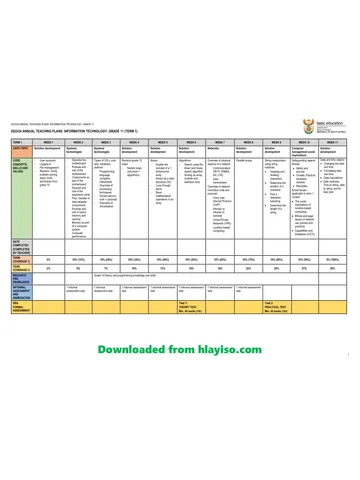
Gr 11 Info Tech ATP 2023 24
Memorandum
Information Technology Grade 11 P1 2022 Memo (Eng)
Memorandum
Information Technology Grade 11 P1 2022 Memo (Afr)
Memorandum
Information Technology Grade 11 P2 2022 Memo (Afr)
Memorandum