Downloaded from hlayiso.com
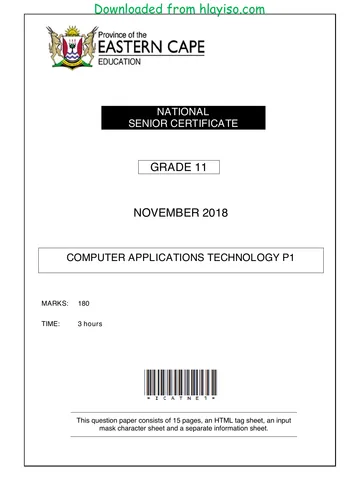
NATIONAL
SENIOR CERTIFICATE
GRADE 11
NOVEMBER 2017
COMPUTER APPLICATIONS TECHNOLOGY P1
MARKS: 180
TIME: 3 hours
This question paper consists of 15 pages and an HTML tag sheet.
Skip to contentAll 2017 papers 
View all
Computer Applications Technology Grade 11 P1 2017 QP (Eng)
Grade 11 Computer Applications Technology Paper 1 question paper from the Eastern Cape November 2017 (English), 15 pages. Read online or download the free PDF.
Computer Applications Technology · Grade 11 · Eastern Cape November · 2017 · English. Question paper, 15 pages. Read online or download the PDF.
- Subject
- Computer Applications Technology
- Grade
- Grade 11
- Language
- English
- Document type
- Question paper
- Year
- 2017
- Exam period
- Eastern Cape November
- Paper
- 1
- Curriculum
- CAPS
- Pages
- 15
- File size
- 1.2 MB
Free to read online, no sign-up needed
Loading document…
Loading document…
1 of 15
This exam
Eastern Cape November 2017
Questions in this paper
Document textSearch extracted text and jump to a page.
Downloaded from hlayiso.com
2 COMPUTER APPLICATIONS TECHNOLOGY P1 (EC/NOVEMBER 2017)
INSTRUCTIONS AND INFORMATION
1. Owing to the nature of this three-hour examination, it is important to note that you
will NOT be permitted to leave the examination room before the end of the
examination period.
2. The invigilator will give you a disk containing all the files needed for the examination
OR you will be told where the files can be found on the network or computer. If a
disk has been issued to you, you must write your centre number and examination
number on the label. If you are working on the network, you must follow the
instructions provided by the invigilator.
3. A copy of the master files will be available from the invigilator. Should there be any
problems with a file, you may request another copy from the invigilator.
4. This question paper consists of SIX questions.
5. Answer ALL the questions.
6. Ensure that you save each document using the file name given in the question
paper. Save your work at regular intervals as a precaution against possible power
failures.
7. Read through each question before answering or solving the problem. Do NOT do
more than required by the question.
8. At the end of the examination you must hand in the disk given to you by the
invigilator with ALL the files saved on the disk, OR you should make sure that ALL
the files are saved on the network/computer as explained to you by the
invigilator/teacher. Make absolutely sure that all files can be read.
9. During the examination you may make use of the help functions of the programs
which you are using. You may NOT use any other resource material.
10. If data is derived from a previous question that you cannot answer, you should still
proceed with the questions that follow.
11. Unless instructed otherwise, you must use formulae and/or functions for ALL
calculations in questions involving spreadsheets. Use absolute cell references only
where necessary to ensure that formulae are correct when you copy them to other
cells in a spreadsheet.
12. In all questions involving word processing, you should set the language to English
(South Africa). The paper size is assumed to be A4 Portrait, unless instructed
otherwise.
13. In ANNEXURE A the HTML Tag sheet is provided.
Copyright reserved Please turn over
Downloaded from hlayiso.com
(EC/NOVEMBER 2017) COMPUTER APPLICATIONS TECHNOLOGY P1 3
14. The examination folder/data disk that you receive with this question paper will
contain the folder and files listed below. Ensure that you have the folder and all the
files before you begin this examination.
Copyright reserved Please turn over
Downloaded from hlayiso.com
4 COMPUTER APPLICATIONS TECHNOLOGY P1 (EC/NOVEMBER 2017)
SCENARIO
Theme: Water resources in South Africa, on an Eastern Cape
perspective.
Water resources in South Africa are depleted and more ways to
save water are needed. The province of the Eastern Cape is one
of the most affected in this regard. Low rainfall in parts of the country has resulted in
severe drought and water scarcity with five out of our nine provinces declared disaster
areas.
Communities all over the Eastern Cape have rallied around – as they always do in
disaster situations – and set up stations to donate, collect and transport water to
disaster areas. The water is distributed to many destinations, each one using the water
sparingly to meet their individual needs.
QUESTION 1: WORD PROCESSING
A document showing the research on the water crisis in the Eastern Cape.
Open the 1Water word processing document and do the following:
1.1 Create a new paragraph style called Water based on the Heading 1 style. Edit
the new style as follows:
Set the font to Comic Sans 18 pt and italics.
Apply the new style to the first heading (‘History’) at the top of page 1.
Give the text a light blue background colour. (4)
1.2 Place a 2¼ pt wide, double-line page border around the first page of the
document. (3)
1.3 Apply a blue gradient text fill effect to the heading 'The main objective of the
study were to'. (2)
1.4 In order to generate an up-to-date bibliography, with correct sources and
citations, make the following reference changes in the document.
1.4.1 The source Smith incorrectly gives 2001 as the date of publication.
Change the date to 2002. (1)
1.4.2 Add the following book source:
Author: Zide K
Title: Scarce Waters
Year: 2002
City: San Francisco
Publisher: Jossey-Bass (2)
1.4.3 Locate the Gold highlighted text (citation), in the first paragraph, and
insert the citation to the source Smith at the end of the text. (1)
Copyright reserved Please turn over
Downloaded from hlayiso.com
(EC/NOVEMBER 2017) COMPUTER APPLICATIONS TECHNOLOGY P1 5
1.5 Insert the picture 1Amanzi.jpg from your data folder in the document as follows:
The image must appear across two columns of text (tight).
The text must flow around the image.
Size of the image must be as follows: height = 5 cm, width = 5 cm. (3)
1.6 Replace all occurrences of “villages” with “locations”. (2)
1.7 Locate the text “developed' in the end of third paragraph. Insert an endnote to that
word, as follows:
The endnote must use the Roman number format 'I' (in capital letters).
Insert the text ‘Quoted from Scarce Waters by Zide K' as the endnote text. (3)
1.8 Apply suitable line and paragraph spacing to the green text at the top of the
document, to make it easier to read. (2)
1.9 Add the current date in the right of the page header. The date should
automatically update each time the document is opened. (2)
1.10 Insert automatic page numbering in the footer as follows:
The numbers must be in the format Page X of Y.
Odd page numbers must be displayed right-aligned, and even page numbers
left-aligned. (4)
1.11 Locate the paragraph on page 2 that starts with “There …” and ends with
“aspects.” highlighted in yellow:
Place in 2 equal columns
with 1.5 cm spacing between columns
insert a line between the columns. (3)
1.12 Change the page orientation of the last page only, to landscape.
The orientation of the other pages must remain in portrait. (2)
1.13 Use the image 1Dam as a watermark and set the scaling to 120%. (3)
[37]
Copyright reserved Please turn over
Downloaded from hlayiso.com
6 COMPUTER APPLICATIONS TECHNOLOGY P1 (EC/NOVEMBER 2017)
QUESTION 2: WORD PROCESSING
A form was created for the community to get information on how they use water.
Open the 2Waterform word processing document.
2.1 Format the text form field type under number of occupants to an appropriate
type and allow a maximum of two digits. (2)
2.2 Insert a drop-down list next to “Sources of Water” section so that it lists the
three sources of water stated there. (2)
2.3 Insert check boxes after each “Number of Litres per day”. The check box
size should be exactly 10pt. (2)
2.4 Insert symbol Wingdings 34 at the beginning of the line above the “House
number” heading. (2)
2.5 Apply any suitable page background to the form. (1)
2.6 Set the hyphenation of the whole document to automatic. (1)
2.7 Locate the information that appears gold at the bottom of the form and insert
this information into any callout you like and remove the gold colour. Change
the colour of the message to red font. (3)
[13]
Copyright reserved Please turn over
Downloaded from hlayiso.com
(EC/NOVEMBER 2017) COMPUTER APPLICATIONS TECHNOLOGY P1 7
QUESTION 3: SPREADSHEET
The statistical analysis of water usage over the recent weeks are stored in the
3WaterUsage spreadsheet.
Work in the WaterUsageData worksheet.
3.1 Format the heading in row 1 so that it stretches from columns A to E. (1)
3.2 Use the red double border around the merged cells in row 1. (2)
3.3 Use a cell formatting feature to ensure that all headings in row 3 are visible. Do
not adjust the column width or text direction. (1)
3.4 Use the freeze pane feature to ensure that the contents in only rows 1 to 3 remain
on the screen if the user scrolls down. (1)
3.5 Use a page setup feature that will display the headings in row 3 on each page if
multiple pages are printed. (1)
3.6 Change the name of Sheet4 to “Dams EC”, and change the colour of this tab to
red. (2)
3.7 The Zwide family uses 8 litres of water per shower. In Cell E4 use a formula to
calculate how many litres of water they used for shower and also include the time
that they shower. (2)
3.8 In Cell E6 calculate the number of litres used for other household chores and
copy to other cells, format to no decimal places. (3)
3.9 In Cell B17, use a formula to calculate the number of litres used by an individual
member of the Zwide family. Use a function to round answer to 1 decimal place. (4)
3.10 People who are saving water are compensated by the municipality. Mr Zwide
wishes to reduce the water consumption. The household chores that uses 20
litres and more per day is being wasteful.
Use an IF- function in Column F to identify all those household chores that are
wasteful, leave the other statement blank. (3)
3.11 The municipality charges R2.00 per litre of water consumed. Use a formula to
calculate in Cell G9 how much will Dishwashing cost be and add the levy of R200
since it is a wasteful chore. (2)
Copyright reserved Please turn over
Downloaded from hlayiso.com
8 COMPUTER APPLICATIONS TECHNOLOGY P1 (EC/NOVEMBER 2017)
3.12 Use a formula in Cell D19 to calculate the average water usage of the Zwide
family. (2)
3.13 Calculate the lowest usage of water in Cell D20. (3)
3.14 Use a formula in Cell D21 to determine how many times 8 litres or less water
were used in 2 minutes or less. (5)
Work in the Water Usage Chart worksheet
3.15 The graph is done to show the percentage of water used per day by each
household chore.
Toilet Flushes contribute to 25% of water usage. Format the block showing
Toilet Flush to red and must be pulled out. (2)
3.16 Use the picture 1Amanzi to fill in the Chart Area. (2)
[36]
Copyright reserved Please turn over
Downloaded from hlayiso.com
(EC/NOVEMBER 2017) COMPUTER APPLICATIONS TECHNOLOGY P1 9
QUESTION 4: DATABASE
A database was created to store statistics for Water usage per day.
Open the 4Water Usage database.
4.1 Format the Water Usage table as follows:
4.1.1 Set one of the existing fields as the primary key. (1)
4.1.2 Change the gridlines settings so that both vertical and horizontal gridlines
are displayed. (1)
4.1.3 Change the row height of the records to 20 units. (1)
4.1.4 Widen the column of the Water-use Activity field so that it displays
correctly. (1)
4.1.5 Add a new field called Photo, which will physically store a photo for each
“Water Use Activity”. The new field must be added directly after the
“Water Use Activity” field. (3)
4.1.6 Sort the records ascending using the “Day 7” field. (2)
4.1.7 The activities need to be classified as to which time of the day they mostly
use water. Insert a new field called “Use” and create a combo box with
the following values: Morning, Noon and Evening. (4)
Copyright reserved Please turn over
Downloaded from hlayiso.com
10 COMPUTER APPLICATIONS TECHNOLOGY P1 (EC/NOVEMBER 2017)
4.2 Create a form using the table “Water Usage”. The form must
Show all fields
Tabular layout
Saved as Water Usage
With the date in the form footer right aligned
Header background colour Gold (6)
4.3 Insert a button in the “Water Usage Input Form” that will close the form. This
button must be placed in the form footer. (3)
4.4 Create a Query called Saved Water Usage. The query must show all those
activities that flush and uses less than 6 litres of water on day 1. Show only the
following fields: Water Use Activity, Day 1, Day 2 and Day 3. (3)
4.5 Modify the query Weekly Usage by calculating the water usage per week. Sort it
in descending order according to the Water Use Activity field. The field name must
be TotalWaterUsage. (4)
4.6 Create a report using all fields. Sort according to Water Use Activity field in
descending order and in landscape.
Insert the picture 4Water in the report header on the right. Calculate the average
water usage for Day 3. Save it as My Report. (6)
[35]
Copyright reserved Please turn over
Downloaded from hlayiso.com
(EC/NOVEMBER 2017) COMPUTER APPLICATIONS TECHNOLOGY P1 11
QUESTION 5: WEB DESIGN (HTML)
A web page has been created to give people information about the areas in need of
water and ways in which they can help to solve this problem.
Open the incomplete 5_WaterWeb page in a web browser and also in a text/HTML
editor e.g. Notepad (NOT a word processing program such as Word).
NOTE:
Question numbers are inserted as comments in the coding as guidelines to show
approximately where the answer(s) should be inserted.
An HTML tag sheet has been attached for reference.
Your final web page should look like the example below.
5.1 Set the title of the HTML document to ‘Water Web of EC”. (1)
5.2 Change the background colour of the page to pink. (1)
5.3 Add all the necessary tags and attributes in order to display the heading “Amanzi
EC” when it is formatted in a Heading 1 style. The heading must be centred. (2)
Copyright reserved Please turn over
Downloaded from hlayiso.com
12 COMPUTER APPLICATIONS TECHNOLOGY P1 (EC/NOVEMBER 2017)
5.4 Insert the image 5Water after the heading Amanzi.
Set the height and width of the image to 25 percent.
Align the image to the right.
Insert an alternate text to display “Tanks” if the image does not display. (6)
5.5 Locate the text starting ‘Knights Pups …’. Modify the necessary tags to:
Display this text in a paragraph.
The font must be Arial and font colour green. (3)
5.6 Locate the items under the heading Areas in Need and display it as an
ordered list. (2)
5.7 Add a level 2 heading for the heading “How you can help”. (1)
5.8 Display the sentence beginning with “It starts with us… found at the
bottom of the web page to be font size 20, bold, italics and centred. (4)
[20]
Copyright reserved Please turn over
Downloaded from hlayiso.com
(EC/NOVEMBER 2017) COMPUTER APPLICATIONS TECHNOLOGY P1 13
QUESTION 6: GENERAL
Some people have used more water than the limits agreed upon per month. The
municipality wants to write them letters so that they explain the reasons for their overuse
of water.
Open the word document 6Letter and do the following:
6.1 A letter has been written to all the people affected. You are asked to edit the
letter and to send to all affected people. The information of these people are
stored in a database 6List of Defaulters.
Replace the text surname, name and amount with the appropriate field.
Send the letter to people who used more than 1 000 litres per month.
Sort the letters according to water used in ascending order.
Save the document.
Complete the merge.
Save the merged document as 6Mergedletters. (6)
6.2 Open 6Notes for Kids document and do the following:
Add a Table of Contents in the first page under the heading Table of Contents.
The TOC must be formal showing two levels. (3)
6.3 Insert any Shape at bottom of page where it says “Insert Shape here”. Add text
Save Water. The shape fill must be Blue Accent 5 colour and the text Save Water
must be font size 48. (4)
6.4 Open 6Graph and do the following:
A graph for Water Usage has been created in sheet 1. Copy the Graph to the
6Notes for Kids document at the end where it indicates “Insert Graph here”.
Copy it in such a way that when you make changes in the graph 6Graph the
changes automatically appear in the 6Notes for Kids document.
Make the following changes:
The litres used in Urban areas in 2013 is 1 200L.
2011 in the legend has been repeated. Change the second 2011 to 2012. (5)
6.5 Dam Capacity Sheet
Apply conditional formatting in an appropriate column to show the top 5 dams in
terms of capacity and shade them with Light Blue Fill. (4)
6.6 B54: Calculate the number of dams in Eastern Cape. (3)
Copyright reserved Please turn over
Downloaded from hlayiso.com
14 COMPUTER APPLICATIONS TECHNOLOGY P1 (EC/NOVEMBER 2017)
6.7 D56: Use a function to find out how many dams whose date of completion are
unknown. (2)
6.8 Format all the data in column F to no decimal. (3)
6.9 Use a function in E58 to find the third biggest dam in South Africa. Read
the comment in cell E59 and do what is requested. (5)
6.10 E61: Use a function to calculate the total capacity of water in the Eastern Cape
dams.
(4)
[39]
GRAND TOTAL: 180
Copyright reserved Please turn over
Downloaded from hlayiso.com
(EC/NOVEMBER 2017) COMPUTER APPLICATIONS TECHNOLOGY P1 15
ANNEXURE A – HTML TAG SHEET
Basic Tags Formatting Tags continued
Tag Description Tag Description
<body></body> Defines the body of the web <li></li> Inserted before each list item,
page and adds a number or symbol
<body bg Sets the background colour of depending upon the type of list
colour="pink"> the web page selected
<body text="black"> Sets the colour of the body text <img src="name"> Adds an image
<head></head> Contains information about the <img src="name" Aligns an image: can also be
document align="left"> "right", "centre"; "bottom",
"top", "middle"
<html></html> Creates a HTML document – <img src="name" Sets size of border around
starts and ends a web page border="1"> an image
<title></title> Defines a title for the document <img src="name" Sets the height and width of an
<!-- --> Comment width="200" height image
="200">
Text Tags <img src="name" Displays alternative text when
Tag Description alt="alternative the mouse hovers over the
<hl></hl> Creates the largest heading text"> image or when the image is
not found
<h6></h6> Creates the smallest heading <hr/> Inserts a horizontal line
<b></b> Creates bold text <hr size="3"/> Sets size (height) of line
<i></i> Creates italic text <hr width="80%"/> Sets width of line, in
percentage or absolute value
<font Sets size of font, from "1" to "7" <hr Sets the colour of the line
size="3"></font> colour="ff0000"/>
<font Sets font colour Table Tags
colour="green"></fo
nt>
<font face="Times Sets font type Tag Description
New Roman"></font>
Link Tags <table></table> Creates a table
Tag Description <tr></tr> Creates a row in a table
<a href="URL"></a> Creates a hyperlink <td></td> Creates a cell in a table
<a href="URL"><img Creates an image link <th></th> Creates a table header (a cell
src="URL"></a> with bold, centred text)
<a name="NAME"></a> Creates a target location <table width="50"> Sets the width of the table
<a Links to a target location <table border="1"> Sets the width of the border
href="#NAME"></a> created somewhere else in the around the table cells
document
Formatting Tags <table Sets the space between the
cellspacing="1"> table cells
Tag Description <table Sets the space between a cell
cellpadding="1"> border and its contents
<p></p> Creates a new paragraph <tr align="left"> Sets the alignment for cell(s)
(can also be "centre" or "right")
<p align="left"> Aligns a paragraph to the "left" <tr valign="top"> Sets the vertical alignment for
(default), can also be "right", or cell(s) (can also be "middle" or
"centre" "bottom")
<br/> Inserts a line break <td colspan="2"> Sets the number of columns a
cell should span
<ol></ol> Creates a numbered list <td rowspan="4"> Sets the number of rows a cell
should span
<ol type="A","a", Defines the type of numbering
"I","i","1"></ol> used
<ul></ul> Creates a bulleted list
<ul type="disc", Defines the type of bullets used
"square","circle"><
/ul>
Copyright reserved Please turn over
Study this subject
Recommended for this subject
Question paper
Computer Applications Technology Grade 11 P2 2017 QP (Eng)
Question paper
Computer Applications Technology Grade 11 P1 2018 QP (Eng)
Memorandum
Computer Applications Technology Grade 11 P2 2017 Memo (Eng)
Memorandum
Computer Applications Technology Grade 11 P1 2018 Memo (Eng)
Question paper
Computer Applications Technology Grade 11 P2 2020 QP (Eng)
Question paper