Downloaded from hlayiso.com
NATIONAL
SENIOR CERTIFICATE
GRADE 11
NOVEMBER 2019
COMPUTER APPLICATIONS TECHNOLOGY P1
MARKING GUIDELINE
NAME OF CANDIDATE: GRADE:
SIGNATURE OF EDUCATOR:
TOTAL Q1 Q2 Q3 Q4 Q5 Q6
MARKS: 180 37 17 57 40 20 9
This marking guideline consists of 13 pages.
Skip to contentAll 2019 papers 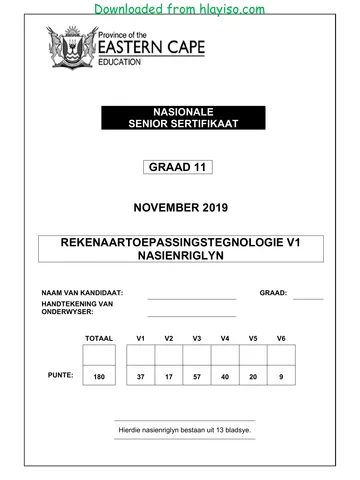
View all
Computer Applications Technology Grade 11 P1 2019 Memo (Eng)
Grade 11 Computer Applications Technology Paper 1 memorandum from the Eastern Cape November 2019 (English), 13 pages. Read online or download the free PDF.
Computer Applications Technology · Grade 11 · Eastern Cape November · 2019. Memorandum, 13 pages. Read online or download the PDF.
- Subject
- Computer Applications Technology
- Grade
- Grade 11
- Document type
- Memorandum
- Year
- 2019
- Exam period
- Eastern Cape November
- Paper
- 1
- Curriculum
- CAPS
- Pages
- 13
- File size
- 751.4 KB
Free to read online, no sign-up needed
Loading document…
Loading document…
1 of 13
This exam
Eastern Cape November 2019
Questions in this paper
Document textSearch extracted text and jump to a page.
Downloaded from hlayiso.com
2 COMPUTER APPLICATIONS TECHNOLOGY P1 (EC/NOVEMBER 2019)
QUESTION 1 File Name: 1_WorldFoodDay Total Q1: 37
Maximum Candidate
No. Criteria
Mark Mark
1.1.1 Cover Page
Cover page Ion (Dark) inserted. 1 1
1.1.2 Cover Page
World Food Day inserted in document’s name field 1 2
2019 entered in Year field. 1
1.2.1 Style
Style ‘Main Heading’ created. 1
With font size 20 and bold. 3
With red font colour. 1
1
1.2.2 Style
Main Heading style applied to the main heading. 1 1
1.3 Formatting
Paragraph is justified. 1
Paragraph is 1.5 line spacing. 1 3
Tahoma is applied as font. 1
1.4 Find and Replace
All occurrences of ‘poverty’ are found.
‘poverty’ is underlined. 1 2
(Note to marker: only 1 occurrence) 1
1.5 References
Reference added 1
in the correct place 1 4
Added as a report 1
Correct information included 1
1.6 Numbering and formatting
Multilevel or outline numbering used. 1
Level 1 number style = 1 1
Level 2 number style = 1.1 1 5
Level 3 number style = 1.1.1 1
Alignment and indentation as per example.
1
1.7 Caption
Caption label changed (No new caption created). 1
Caption label changed to picture. 1 3
Position changed to above picture. 1
Copyright reserved Please turn over
Downloaded from hlayiso.com
(EC/NOVEMBER 2019) COMPUTER APPLICATIONS TECHNOLOGY P1 3
1.8 Hyperlink
Hyperlink added to text ‘Go to Africa’. 1
Linking to the bookmark ‘Africa’.
1 3
Screen tip ‘See how Africa commemorates WFD’
added. 1
1.9 Sorting paragraphs
Paragraphs sorted. 1 2
In descending order. (Ghana to Angola) 1
1.10 Footnote
Footnote added with a, b, c format. 1
Footnote text: ‘This is a non-profit organization.’ 1 3
Footnote below text. 1
1.11 Page numbering
Automatic page numbering inserted in footer. 1
Stacked Pages 1-page numbering style used.
Odd and even checked. 1 4
Consistent page numbering style added to both odd 1
and even pages. 1
1.12 Bibliography
Automatic bibliography inserted on last page. 1 1
Total for QUESTION 1 [37]
Copyright reserved Please turn over
Downloaded from hlayiso.com
4 COMPUTER APPLICATIONS TECHNOLOGY P1 (EC/NOVEMBER 2019)
QUESTION 2 File Name: 2_letter Total Q2: 17
Maximum Candidate
No. Criteria
Mark Mark
2.1 Find and Replace
Correct word replaced. 1 2
With correct symbol (Wingdings 2 Code 63).
2.2 Tabs and Date
Right aligned tab added 1
Set at 10 cm 1 4
Today’s date inserted
Date automatically updates 1
1
2.3.1 Forms
1 1
Name text formfield maximum length = 15
2.3.2
Forms 1
Check box formfield inserted before ‘Male’. 1
2.3.3 Forms
Dropdown formfield inserted next to 1
‘Qualifications’ 3
1
Text added
Text added in correct order 1
2.4 Mail Merge
Applicants worksheet from 2_Judges spreadsheet 1
used as data source
Only people with degrees will receive letters. 1
Letters are sorted according to Name. (Cele to
Symthe) 1
Sir / Madam replaced by the names in the ‘name’ 6
column 1
Mail Merge completed
Letters saved as 2_Merged letters
1
1
(8 letters expected)
Total for QUESTION 2 [17]
Copyright reserved Please turn over
Downloaded from hlayiso.com
(EC/NOVEMBER 2019) COMPUTER APPLICATIONS TECHNOLOGY P1 5
QUESTION 3 File Name: 3_Statistics Total Q3: 57
Mark the questions from the formulae and not the values/answers in the cell.
Check against candidate’s actual work (Cell references may differ, depending on the
candidate's response).
Candidate may use multiple formulae or cells as ‘building blocks’ to reach answers.
Named ranges can be used instead of cell references.
The answers must still be correct even if changes are made to the existing data.
Maximum Candidate
No. Criteria
Mark Mark
World Data worksheet
3.1.1 Row Height
Row 1 increased to 60 pt or 120 pixels. 1
1
3.1.2 Centering 1
Heading ‘Better Life Index of World Countries’ is 2
1
centred both horizontally and vertically.
3.1.3 Fill
Any fill is applied to merged cells. 1 2
Two colours red gradient fill is used. 1
3.1.4 Picture
Insert 3_Picture 1
Height 2 cm 1 4
Width 6 cm 1
Right aligned Row 1 1
3.2 Wrapping
1 1
Wrap text feature applied to Row 2.
3.3 Freeze Pane
Freeze pane feature applied to Row 3. 1
2
1
3.4 Cell C42
=COUNTA (A3:A40)
1 2
Function: CountA
Correct range 1
Copyright reserved Please turn over
Downloaded from hlayiso.com
6 COMPUTER APPLICATIONS TECHNOLOGY P1 (EC/NOVEMBER 2019)
3.5 Conditional formatting
3
Correct column used (Range) 1
Criteria: Top 5 1
Red font formatting used 1
3.6 Cell C44
=LARGE (C3:C40,2)
2
Function: Large, 2 1
Correct range
1
3.7 Cell C46
=IF(E34>=AVERAGE(E3:E40),"Volatile","Fair") 1
Function: IF 1
Criteria range : (E34 >= 1
6
AVERAGE(E3:E40) ," 1
"Volatile","Fair") 1
1
3.8 Cell F6 Random number
=RANDBETWEEN (1,20)
Correct function 1 2
(1,20)
1
3.9 Cell C48
=COUNTIF (K3:K40,">=60")
Function: Countif 1 3
Correct range: (K3:K40, 1
Criteria: ">=60")
1
3.10 Cell O1 - Date
16 October 2019
1
Date inserted 3
Date: long date 1
Correct date 1
Copyright reserved Please turn over
Downloaded from hlayiso.com
(EC/NOVEMBER 2019) COMPUTER APPLICATIONS TECHNOLOGY P1 7
3.11 Cell M34
=O34
2
Spreadsheet feature used 1
Linking to cell O34
1
3.12 Cell C50
=SUMIF (A3:A40,"s*”, N3:N40) 1
Function Sumif
1
Range: A3:A40 4
1
Criteria: s*
1
Sum range: N3:N40
3.13 Cell C52
=N34*B52
1
Correct cells used 3
1
Multiplication sign (*) used
1
Currency changed to Rand
3.14 Cell C54
=N34/SUM (N3:N40) *100
N34 1
Division (/) 1 4
Sum (N3:N40) 1
*100 1
3.15 Graph Worksheet
Graph created 1
Graph displays the Educational attainment of the
1
adult working-age population and Expected years in
education 1
Appropriate chart title inserted 1
Both axes named correctly.
Both series named with appropriate heading 2 11
Plot area filled 1
Correct picture used (3_Pot )
Data Callout added to highest bar 1
Bar with purple solid colour fill 1
Graph moved to a new sheet called Graph
1
1
TOTAL for QUESTION 3 [57]
Copyright reserved Please turn over
Downloaded from hlayiso.com
8 COMPUTER APPLICATIONS TECHNOLOGY P1 (EC/NOVEMBER 2019)
QUESTION 4 File Name: 4_Poverty Total Q4: 42
Maximum Candidate
No. Criteria
Mark Mark
Table: Essay Registration
4.1.1 Field: IDNo/StudentNo 1
Set as Primary Key 1
4.1.2 Field: IDNo field
Input mask created 1
0 used to represent numbers 1 3
13 0’s used (0000000000000) 1
4.1.3 Name of School field
Name of School field moved between IDNo and
1
School Logo 1
4.1.4 School Logo field
Data type changed to OLE Object 1 1
4.1.5 Size of family field
1 1
Default value set to 3
4.1.6 Town field
Data type changed to Lookup Wizard 1
1 3
PE, EL and KWT used
In alphabetical order (EL, KWT and PE) 1
4.1.7 Rural School
Validation rule applied to Rural school field 1
3
Accepts only R for Rural and U for urban 1
Validation text added 1
4.1.8 Essay field
Required field. 1 1
Copyright reserved Please turn over
Downloaded from hlayiso.com
(EC/NOVEMBER 2019) COMPUTER APPLICATIONS TECHNOLOGY P1 9
Form
4.2 Form: frm4_2
Display only Provinces; Households in Agriculture;
% in National GDP; Average Household Size; Main
Source of Income and Source of Employment 1
fields.
Form heading changed to Provinces of SA. 1
Data sorted descending according to Households in
1
Agriculture field.
Red fill colour applied to all labels in the detail 1 8
section.
1
Table layout set to stacked.
Horizontal line inserted at the top of form footer. 1
Today’s date added.
1
Date added in form footer.
1
Queries
4.3 Qry4_3
1
1
Query created using Province Data table with the
following fields: Province, % in National GDP and 1 5
Source of employment. 1
Criteria: % in National GDP: >=10
1
Criteria Majority of people working: Yes
Sorted: % in National GDP
In ascending order
(3 Records)
4.4 Qry4_4
Difference: ([Poverty Gap 2006]) - ([Poverty Gap 2015])
/ replaced with – (minus) sign 1
Criteria in Calculated field 1
< 4
0 1
1
Copyright reserved Please turn over
Downloaded from hlayiso.com
10 COMPUTER APPLICATIONS TECHNOLOGY P1 (EC/NOVEMBER 2019)
Report
4.5 Report4_5
Report is created 1
Fields: Province, Main Source of income, Source of
employment; Poverty Gap 2015, % in National GDP
and Average Household. 1
Grouping according to Main Source of Income field. 1
Sorted according to the Source of Employment field. 1
1 7
Page orientation set to landscape
Calculation on the group footer of the Main Source of 1
Income field:
=count([Province]) 1
4.6 Data export
All data from Query Export has been exported. 1
Saved in Spreadsheet Data Export. 2
1
Total for QUESTION 4 [40]
Copyright reserved Please turn over
Downloaded from hlayiso.com
(EC/NOVEMBER 2019) COMPUTER APPLICATIONS TECHNOLOGY P1 11
QUESTION 5 File Name: 5_World Food Day Total Q5: 20
This question should be marked from the HTML code.
Numerical attributes values do not need to be in inverted commas.
Maximum Candidate
No. Criteria
Mark Mark
5.1 Title
<title>No to Hunger </title>
1 1
Title in title tag spelt correctly.
5.2 Background colour
<body bgcolor = "lightblue"> 1 1
Correct tag and colour used.
5.3 Centering
<center><h1>World Food Day: Action for #ZeroHunger
</h1> </center> 1 1
Main heading ‘World Food Day: Action for #Zero
Hunger” is centred.
5.4 Horizontal line
1
<hr color = "green" size = 10>
Green horizontal line added. 1 3
Size of the line is 10.
1
5.5 Font colour
1
<b> <font color = "red">….</b> </font>
Font colour set to red. 1
3
Text set to bold.
1
Applied to the text below horizontal line.
5.6 Paragraph text
<i><p>Resource: Food and Agriculture Organization 1 1
of the United Nations</p></i>
Paragraph text set to italics.
5.7 Lists
1
<ol type = "A">
Ordered list changed to letters. 2
Letters are in upper case. 1
Copyright reserved Please turn over
Downloaded from hlayiso.com
12 COMPUTER APPLICATIONS TECHNOLOGY P1 (EC/NOVEMBER 2019)
5.8 Image
<center><img src = "5_Picture.jpg" width = 200
1
height = 200 alt = "WFD"> </center>
Img tag used to insert image. 1 5
Correct picture used.
Width and height of picture set at 200. 1
Alt = WFD tag used. 1
Picture is centred. 1
5.9 Hyperlink
<a href = "http://fao.org"> For more information
</a>
Hyperlink tags used.
To the correct text “For more information”. 1 3
Links to “fao.org”. 1
1
Total for QUESTION 5 [20]
Copyright reserved Please turn over
Downloaded from hlayiso.com
(EC/NOVEMBER 2019) COMPUTER APPLICATIONS TECHNOLOGY P1 13
QUESTION 6 File Name: 6_Organisers Total Q6: 9
Maximum Candidate
No. Criteria
Mark Mark
6.1.1 The Coordinator shape flipped horizontally. 1
6.1.2 Information is added under Head
Unemployment. 2
Information is correct and correctly added. 1
6.1.3 New shape Head Research is added above
Coordinator. 1 1
6.1.4 SmartArt switched from left to right to resemble
the picture. 1 1
6.2.1 Graph changed to a bar graph. 1
1
6.2.2 Cities sorted in descending order.
Cities begin with Tokyo and ends with 1
2
London. 1
6.2.3
The colours of bars vary from point to point. 1 1
Total for QUESTION 6 [9]
TOTAL: 180
Copyright reserved Please turn over
Study this subject
Recommended for this subject
Memorandum
Computer Applications Technology Grade 11 P1 2019 Memo (Afr)
Question paper
Computer Applications Technology Grade 11 P1 2019 QP (Eng)
Question paper
Computer Applications Technology Grade 11 P1 2019 QP (Afr)
Memorandum
Computer Applications Technology Grade 11 2019 Memo (Afr)
Memorandum
Computer Applications Technology Grade 11 P2 2019 Memo (Afr)
Memorandum