
Downloaded from hlayiso.com
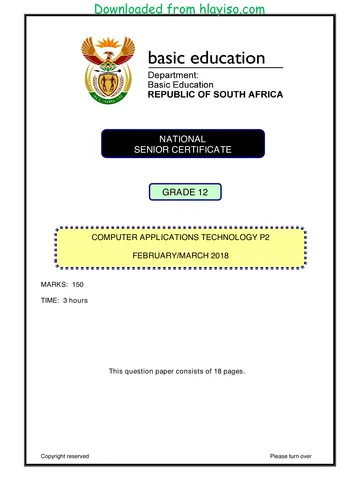
NATIONAL
SENIOR CERTIFICATE
GRADE 12
COMPUTER APPLICATIONS TECHNOLOGY P2
FEBRUARY/MARCH 2018
MARKING GUIDELINES
MARKS: 150
These marking guidelines consist of 13 pages.
Copyright reserved Please turn over
Skip to contentMemorandum 




View all





Computer Applications Technology Grade 12 P2 2018 Memo
Grade 12 Computer Applications Technology Paper 2 memorandum from the NSC Supplementary Exam 2018, 13 pages. Read online or get the free PDF download, question paper linked when available.
Computer Applications Technology · Grade 12 · NSC Supplementary Exam · 2018. Memorandum, 13 pages. Read online or download the PDF.
- Subject
- Computer Applications Technology
- Grade
- Grade 12
- Document type
- Memorandum
- Year
- 2018
- Exam period
- NSC Supplementary Exam
- Paper
- 2
- Curriculum
- CAPS
- Pages
- 13
- File size
- 305.1 KB
Loading document…
Loading document…
1 of 13
Document textSearch extracted text and jump to a page.
Downloaded from hlayiso.com
Computer Applications Technology/P2 2 DBE/Feb.–Mar. 2018
NSC – Marking Guidelines
SUGGESTIONS AND RECOMMENDATIONS TO MARKERS
Revisit the questions and the marking guidelines frequently during the marking
session.
It is advisable to read the question frequently (and re-read) together with the
candidate's response to check that it correlates, so that you are not misled by the
candidate's statements/answers.
Be careful not to focus on keywords or general statements, but rather read the entire
answer. If in doubt, read the entire answer and then the question paper and marking
guidelines. Ask yourself or your senior marker if the response could ΄fit΄ into the
marking guidelines before allocating the correct marks to the candidate. For example,
the marking guidelines state 'cheap' and the learner responds with 'less expensive'.
Beware of overlapping answers to a specific question. In general, one mark is
awarded per fact.
SECTION A
QUESTION 1: MULTIPLE-CHOICE QUESTION 2: MATCHING ITEMS
1.1 A 1 2.1 P 1
1.2 A 1 2.2 N 1
1.3 D 1 2.3 A 1
1.4 D 1 2.4 R 1
1.5 C 1 2.5 B 1
1.6 B 1 2.6 E 1
1.7 D 1 2.7 G 1
1.8 A/B 1 2.8 L 1
1.9 C 1 2.9 H 1
1.10 B 1 2.10 K 1
Total: [10] Total: [10]
Copyright reserved Please turn over
Downloaded from hlayiso.com
Computer Applications Technology/P2 3 DBE/Feb.–Mar. 2018
NSC – Marking Guidelines
QUESTION 3: TRUE OR FALSE
(Note to marker: Do not award a mark if only 'FALSE' is written down.)
3.1 FALSE, Firewall/Router 1
3.2 FALSE, Pop-up 1
3.3 TRUE 1
3.4 FALSE, Styles/Templates 1
3.5 FALSE, Questionnaire/Survey 1
[5]
TOTAL SECTION A: [25]
Copyright reserved Please turn over
Downloaded from hlayiso.com
Computer Applications Technology/P2 4 DBE/Feb.–Mar. 2018
NSC – Marking Guidelines
SECTION B
QUESTION 4: SYSTEMS TECHNOLOGIES
4.1 More convenient/Easier to use/User is more familiar with a mouse
More accurate mouse movements
Ergonomic design of the mouse
(Any one) (1)
4.2 Laptops can be locked away
Battery can allow use during power outages
(Generally) consumes less power
Mobility makes it easy to set up any room for tests and exams, or to
be used for different purposes
(Any two) (2)
4.3 SSDs are more expensive per GB of storage
They are not good for long term (archiving) storage (lose charge)
Write cycles are limited
(Any two) (2)
4.4.1 Access to updated information on the Internet
Take a picture of homework
Use social networking for collaboration
Use for reading digital/electronic version of textbooks
Interact with electronic quizzes
(Any two)
(Note to marker: Accept any valid example that has educational value) (2)
4.4.2 Limited Battery life
Limited controls
Small screen size
Overheating issues
Lower screen resolution
(Any two) (2)
4.4.3 Wi-Fi
NFC
Bluetooth
(Any two) (2)
4.4.4 Location information is added to the photo (as metadata) (1) (7)
Copyright reserved Please turn over
Downloaded from hlayiso.com
Computer Applications Technology/P2 5 DBE/Feb.–Mar. 2018
NSC – Marking Guidelines
4.5.1 Devices are too small/Standard USB connectors are too large (1)
4.5.2 Tablets
Flash storage
Rechargeable headphones/speakers
Digital cameras
Power banks
(Any two)
(Note to marker: Accept valid examples such as tablet keyboard,
dashcam) (2) (3)
4.6.1 The attachment is an exe file which could be a virus
Exe is not an image file extension
(Any one) (1)
4.6.2 Delete the e-mail
Save and scan the attachment with an antivirus program
Do not open the attachment
(Any one) (1) (2)
4.7 Virus/malware infection
Could open your computer to being hacked
Legal consequences
Cannot be updated/Manufacturer may disable software during
update attempt
(Any two) (2)
4.8 Start up in safe mode
Re-install operating system/Format storage media (HDD/SDD)/Try
to boot from recovery disk/media
Check boot sequence in BIOS
Remove external storage from USB ports and try again
Test the power supply
Check the primary hard drive and replace if necessary
(Any two) (2)
4.9 It was created using multi-session/the session was not closed
The optical drive is faulty on either one of the computers
Incorrect label placement
The file system is not supported
The CD was not properly written
(Any two) (2)
4.10 Fixes program bugs
Addresses security vulnerabilities
Adds features to the operating system
Fewer system crashes/More system stability
(Any two) (2)
[25]
Copyright reserved Please turn over
Downloaded from hlayiso.com
Computer Applications Technology/P2 6 DBE/Feb.–Mar. 2018
NSC – Marking Guidelines
QUESTION 5: INTERNET AND NETWORK TECHNOLOGIES
5.1.1 Package C
AND
Uncapped data
High line speed (3)
5.1.2 Package B
AND
Less data required
Sufficient line speed
Cost effective
(Any one) (2) (5)
5.2.1 Data cap is used up
Problems with the NIC
Line cable not connected
Network settings in the operating system are incorrect
Firewall is blocking access to a website
Service provider not accessible
(Any two) (2)
5.2.2 To refresh/reload the webpage (1)
5.2.3 Not secure because of http instead of https (no lock symbol) (2) (5)
5.3.1 Check the list under Wi-Fi settings/Enable Wi-Fi on the phone
(Note to marker: Accept if list is mentioned without reference to Wi-Fi
settings) (1)
5.3.2 Use a firewall
Use an anti-malware/virus program (2) (3)
5.4 Provides additional functionality/features on websites (1)
5.5 Updates are automatically sent to people
No need to continually visit the website to check for new
information
(Any one) (1)
[15]
Copyright reserved Please turn over
Downloaded from hlayiso.com
Computer Applications Technology/P2 7 DBE/Feb.–Mar. 2018
NSC – Marking Guidelines
QUESTION 6: INFORMATION MANAGEMENT
6.1 When data is processed/becomes meaningful
(Note to marker: Accept examples showing data to information e.g.
adding headings to columns.)) (1)
6.2 Reach a larger audience
Distance is not an issue
Data capture can be automated
(Any one)
AND
Responses can be collated into a spreadsheet
Responses can be analysed automatically
(Any one) (2)
6.3 Negative ages/numbers will be accepted
Very high ages will be accepted/there is no limit to how high a number
may be (2)
6.4 It may be old information
Information may be biased
Information may not be accurate/contrary to other expert authors
Search criteria may be irrelevant
(Any two) (2)
6.5 Track changes (1)
6.6 Lock cells
Protect the sheet/add a password
Make the file read only
(Any one) (1)
6.7 Use a primary key
Use indexing (No duplicates) property
(Any one) (1)
[10]
Copyright reserved Please turn over
Downloaded from hlayiso.com
Computer Applications Technology/P2 8 DBE/Feb.–Mar. 2018
NSC – Marking Guidelines
QUESTION 7: SOCIAL IMPLICATIONS
7.1 It requests to be forwarded to many other people
You receive the same message from many people
It could include a threat
Difficult to verify
Highly emotional content
(Any one) (1)
7.2 Could lead to job losses
Distracts employees (lowers productivity)
Increase in electricity consumption
Networks can be hacked into
Employees use work place resources for their own benefit /
/Employees may increase company risk by downloading viruses
and torrents
May lead to lack of trust between employer and employee
(Any two) (2)
7.3 Government has no control over transactions
No tax can be generated from transactions
No consumer protection rights if unhappy with purchase
It is often used as payment in illegal activities
Rapid fluctuation in value may put citizens at risk
(Any two) (2)
7.4 Employer cannot track working hours/may not trust employee to
work the hours he should
Employer expense to set up ICT systems to accommodate
telecommuting
Work is dependent on a stable Internet connection/electricity
supply
(Any two)
(Note to marker: Accept any other valid reason.) (2)
7.5 Appliances can be started remotely before getting home
Check on the status of appliance
Manufacturer can diagnose problems without visiting
Firmware can be upgraded
Usage can be monitored
Data can be retrieved from these devices
(Any one) (1)
7.6 Distraction to learning
Sharing of sensitive pictures
Theft creates unnecessary disciplinary issues for the school
Learners may develop anti-social behaviour
(Any two) (2)
[10]
Copyright reserved Please turn over
Downloaded from hlayiso.com
Computer Applications Technology/P2 9 DBE/Feb.–Mar. 2018
NSC – Marking Guidelines
QUESTION 8: SOLUTION DEVELOPMENT
8.1 Not saved with an html extension/<html> beginning and end tags
omitted (1)
8.2 Specify the size/Resize/ Adjust the width and height of the picture (1)
8.3.1 All fields may hold duplicate values (1)
8.3.2 Yes/No/Boolean
Lookup wizard (2)
8.3.3 Default value (1)
8.3.4 Change data type to Memo/Long Text (1)
8.4 Format Painter (1)
8.5 Insert table on the text
Convert text to table
Copy text and paste into table
Use the Draw Table option
(Any two) (2)
8.6.1 Increase column width (1)
8.6.2 Change the condition to greater than or equal to 28/Change to
greater than 27
Swop the TRUE and FALSE arguments/Swop the position of 200
and 0
(Any two) (2)
8.6.3 COUNTIF (1)
8.7 StoreName (1)
[15]
TOTAL SECTION B: [75]
Copyright reserved Please turn over
Downloaded from hlayiso.com
Computer Applications Technology/P2 10 DBE/Feb.–Mar. 2018
NSC – Marking Guidelines
SECTION C
QUESTION 9: INTEGRATED SCENARIO
9.1 No dedicated graphics card/Integrated graphics
Low resolution screen
Small screen size
Low amount of RAM
Slow/outdated CPU
No sound card
Reduced number of ports
Slower bus speeds
Smaller HDD
(Any two) (2)
9.2 Word processor: Microsoft Word/Libre Office Writer
Document publisher: Microsoft Publisher
Web development tool: Dreamweaver/Frontpage/Notepad++
Browser: Internet Explorer/Edge/Chrome/Firefox
Image manipulation software: Photoshop/Gimp, etc.
(Any two)
(Note to marker: Accept only one correct example of each type of
software application) (2)
9.3 Template has pre-set formatting and layout (1)
9.4.1 A – Router/Gateway/Switch (1)
9.4.2 B – Switch/Gateway/Router/Repeater/Hub (1)
9.4.3 Install a firewall
Every user should have their own profile/login details
Secure/Lock the room
(Any two) (2)
9.4.4 Better security
Better data transfer rates
Not affected by weather or physical obstructions
(Any two) (2) (6)
9.5 Wider audience
People can comment on articles
Automatic notifications to audience about new articles
Analytics on audience is possible
No printing costs
(Any two) (2)
Copyright reserved Please turn over
Downloaded from hlayiso.com
Computer Applications Technology/P2 11 DBE/Feb.–Mar. 2018
NSC – Marking Guidelines
9.6 Source code is available in FOSS
FOSS is free
Proprietary source code is not available
Proprietary software may not be free
(Any one) (1)
9.7.1 There is no Internet connection
Computer has a virus
Prevented by firewall settings
Not a licenced copy of Windows/Corrupted windows files
(Any two) (2)
9.7.2 Windows will be vulnerable to security threats
Bugs in the operating system or other applications will not be fixed
Newer features will not be added
(Any one) (1) (3)
9.8 Backup to a cloud service
Backup to an external storage that can be moved (2)
9.9.1 User friendly layout
Allows for single record view
Images can be inserted for visual appeal
(Any two) (2)
9.9.2 Query
Filter
Sort
Grouping
(Any two) (2) (4)
9.10 May prevent data theft
May prevent malware from external storage devices
May prevent unnecessary data from being loaded onto the
computer
(Any two) (2)
[25]
Copyright reserved Please turn over
Downloaded from hlayiso.com
Computer Applications Technology/P2 12 DBE/Feb.–Mar. 2018
NSC – Marking Guidelines
QUESTION 10: INTEGRATED SCENARIO
10.1.1 Tablet
Smartphone
Phablet
(Any two) (2)
10.1.2 Cyber stalking
Data mining for advertising
Cyber bullying
(Any two) (2)
10.1.3 Get permission from the owner
Acknowledge the source of the picture
Determine licence terms for images/Creative Commons licence
(Any two) (2)
10.1.4 2 Rows and 3 Columns (2) (8)
10.2.1 Viruses
Too many applications installed
Two anti-virus programs installed at the same time
New software demands on hardware
Old operating system
Too many applications launch automatically on start up
Disk may be fragmented
(Any two) (2)
10.2.2 RAM
Hard drive
CPU
(Any two) (2)
10.2.3 Upgrade operating system/Repair/Install Windows
Install patches
Install service pack
(Any two) (2)
10.2.4 Give to a charity organisation
Dispose in an environmentally friendly way
Sell off parts
(Any two) (2) (8)
10.3.1 CPU has two cores (1)
10.3.2 Gives wireless/WiFi network access (1) (2)
Copyright reserved Please turn over
Downloaded from hlayiso.com
Computer Applications Technology/P2 13 DBE/Feb.–Mar. 2018
NSC – Marking Guidelines
10.4.1 Legend has meaningful names
Minor gridlines
Axis titles
Data labels, etc.
(Any two) (2) (4)
10.4.2 Conditional formatting
Sorting
Filters
Functions
Pivot table/chart
Subtotal/outline
(Any two)
(Note to marker: Do not accept any references to normal formatting like
bold, font colours, etc.) (2)
10.5.1 Number/number based datatype
There is a calculation in the query based on this field
(2)
10.5.2 Totals/Group by was used to get the average of all 4 records (1) (3)
[25]
TOTAL SECTION C: 50
GRAND TOTAL: 150
Copyright reserved
Study this subject
Revise the topics in this paper, then practise them question by question.
- Grade 12 Computer Applications Technology notes
CAPS revision notes with worked examples.
- Computer Applications Technology questions by topic
Past exam questions sorted by CAPS topic, with memos where available.
- Grade 12 Computer Applications Technology quizzes
Short topic quizzes with instant feedback.
- All Grade 12 Computer Applications Technology past papers
Past papers by year, with memos where available.
- Grade 12 past papers
More Computer Applications Technology and other subjects in this collection.
Recommended for this subject
More papers and memos for this grade and subject.
Memorandum
Computer Applications Technology Grade 12 P1 2025 Memo
Memorandum
Computer Applications Technology Grade 12 P2 2025 Memo
Memorandum
Computer Applications Technology Grade 12 P1 NSC June 2025 Memo
Memorandum
Computer Applications Technology Grade 12 P1 2024 Memo (Eng)
Memorandum
Computer Applications Technology Grade 12 P1 2022 Memo (Afr)
Memorandum
Computer Applications Technology Grade 12 P1 2022 Memo (Eng)
Related documents
Memorandum
Computer Applications Technology Grade 12 P2 2018 Memo
Question paper
Computer Applications Technology Grade 12 P2 2018 QP
Memorandum
Computer Applications Technology Grade 12 P1 2018 Memo
Memorandum
Computer Applications Technology Grade 12 P2 2018 Memo
Memorandum
Computer Applications Technology Grade 12 P2 2017 Memo
Memorandum
Computer Applications Technology Grade 12 P2 2017 Memo
More from Grade 12 Computer Applications Technology
Question paper
Computer Applications Technology Grade 12 P2 2025 QP
Question paper
Computer Applications Technology Grade 12 P1 2024 QP (Afr)
Question paper
Computer Applications Technology Grade 12 P1 2024 QP (Eng)
Question paper
Computer Applications Technology Grade 12 P2 2024 QP (Eng)
Question paper
Computer Applications Technology Grade 12 P1 November 2024 NSC QP
Question paper