
Downloaded from hlayiso.com
NATIONAL SENIOR CERTIFICATE EXAMINATION
NOVEMBER 2017
COMPUTER APPLICATIONS TECHNOLOGY: PAPER I
MARKING GUIDELINES
Time: 3 hours 150 marks
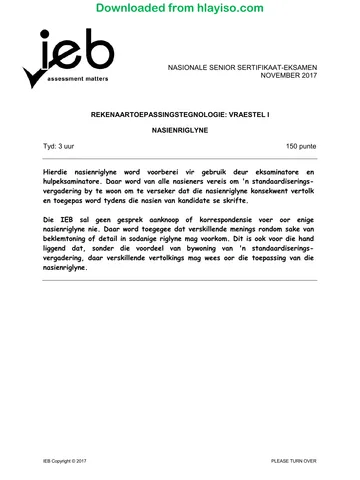
These marking guidelines are prepared for use by examiners and sub-examiners,
all of whom are required to attend a standardisation meeting to ensure that the
guidelines are consistently interpreted and applied in the marking of candidates'
scripts.
The IEB will not enter into any discussions or correspondence about any marking
guidelines. It is acknowledged that there may be different views about some
matters of emphasis or detail in the guidelines. It is also recognised that,
without the benefit of attendance at a standardisation meeting, there may be
different interpretations of the application of the marking guidelines.
IEB Copyright © 2017 PLEASE TURN OVER
Skip to contentMemorandum 
View all
Computer Applications Technology Grade 12 IEB Paper 1 2017 Memo
IEB Grade 12 Computer Applications Technology Paper 1 memorandum from the 2017, 11 pages. Read online or get the free PDF download, question paper linked when available.
Publisher: IEB
Computer Applications Technology · Grade 12 · 2017. Memorandum, 11 pages. Read online or download the PDF.
- Subject
- Computer Applications Technology
- Grade
- Grade 12
- Document type
- Memorandum
- Year
- 2017
- Paper
- 1
- Publisher
- IEB
- Curriculum
- IEB
- Pages
- 11
- File size
- 202.1 KB
Loading document…
Loading document…
1 of 11
Document textSearch extracted text and jump to a page.
Downloaded from hlayiso.com
NATIONAL SENIOR CERTIFICATE: COMPUTER APPLICATIONS TECHNOLOGY: PAPER I – Page 2 of 11
MARKING GUIDELINES
SECTION A
QUESTION 1
1.1 1.1.1 Zombie Computers
1.1.2 BotNet
1.1.3 GPS
1.1.4 Anti-spam
1.1.5 Meme
1.2 1.2.1 Garbage In Garbage Out OR the results (information) of a process
are only as reliable as the data that is input.
1.2.2 A physical location OR device where people may obtain Internet
access (typically using Wi-Fi technology).
1.2.3 An object used to transfer heat away from an electronic device (e.g.
CPU) OR an object used to keep an electronic device cool.
1.2.4 A standard for the connection of peripherals whereby devices can be
plugged into a computer system without having to switch the
computer off.
1.2.5 The name of a computer (server) hosting websites on the Internet OR
a device accessing the Internet OR the website itself.
QUESTION 2
2.1 C
2.2 B
2.3 B
2.4 C
2.5 A
2.6 C
2.7 D
2.8 A
2.9 D
2.10 C
IEB Copyright © 2017 PLEASE TURN OVER
Downloaded from hlayiso.com
NATIONAL SENIOR CERTIFICATE: COMPUTER APPLICATIONS TECHNOLOGY: PAPER I – Page 3 of 11
MARKING GUIDELINES
SECTION B
QUESTION 3 SYSTEM TECHNOLOGIES
3.1 Question
Name of Device Main Function
Number
Supplies appropriate voltage to the
3.1.1 Power Supply.
computer system.
3.1.2 Webcam (Accept Input and digitising of (moving)
Computer Camera). images.
3.1.3 Central Processing Unit Microchip that controls all functions
(Accept CPU). of the computer.
3.1.4 (Internal
Electromechanical) Secondary (Permanent) Storage
(Hard) (Disk) Drive (Do Device.
not accept HDD).
3.1.5 (LCD/LED) Monitor OR
Display OR Output of Information.
Screen.
3.2 3.2.1 Control Unit, Arithmetic Logic Unit, Registers OR L1 cache
3.2.2 Dual Core has 2 processing units within its physical processor.
Quad Core has 4 processing units within its physical processor.
3.2.3 Multiprocessing allows the CPU to operate on multiple programs
simultaneously OR at the same time since it has more than one
microprocessor in its core OR Dual/Quad/Octal Core.
Multitasking allows the CPU to appear to operate on multiple
programs simultaneously by one core allocating processing time to
multiple programs.
3.3 3.3.1 Cache memory holds the next instruction to be processed OR any
repeated instructions. Therefore, it speeds up the processing since
the data has less distance to travel to get to the CPU.
3.3.2 Inside the CPU block OR L1 cache OR internal cache memory.
Outside the CPU block OR L2 cache OR external cache memory.
3.4 Virtual memory increases the size of the available RAM by using part of the
hard disk drive storage. The operating system will load the extra program
instructions into the virtual memory and when they are needed by the CPU,
the instructions are swapped with instructions in the RAM that are no longer
needed. (Give 1 out of 2 marks if Page swapping is answered. OR This is
called 'page swapping' between RAM and the hard disk.)
IEB Copyright © 2017 PLEASE TURN OVER
Downloaded from hlayiso.com
NATIONAL SENIOR CERTIFICATE: COMPUTER APPLICATIONS TECHNOLOGY: PAPER I – Page 4 of 11
MARKING GUIDELINES
QUESTION 4 INTERNET AND NETWORK TECHNOLOGIES
4.1 Star Topology
4.2 4.2.1 Accept any TWO from:
• Control of the network is better since all software is processed by
the server.
• The network administrator can set up access levels and
permissions for different users at a single point.
• When software needs to be updated/loaded, it will only need to
be updated/loaded on the server.
• If one node is broken, the network will still function.
• It is easier to find and repair a faulty node.
4.2.2 Accept any TWO from:
• More hardware is needed as a dedicated server needs to be
purchased.
• It is advisable to have a network administrator as more control is
required.
• More cabling is needed due to the layout of the network.
• More expensive to set up than other topologies.
• If the central server goes down, the whole network crashes.
4.3 4.3.1 Hub
4.3.2 Bridge OR Switch
4.4 4.4.1 It is a network of computers OR a LAN solely accessed within a
company or organisation.
4.4.2 It provides good security for confidential information OR secure
e-mail communications.
4.5 A modem is an older networking device used to connect to a network via a
telephone line not a fibre cable. She will need a (Wi-Fi or cabled) fibre
router.
4.6 Log in name OR User name OR ID OR e-mail.
Password OR PIN (Personal Identification Number)
IEB Copyright © 2017 PLEASE TURN OVER
Downloaded from hlayiso.com
NATIONAL SENIOR CERTIFICATE: COMPUTER APPLICATIONS TECHNOLOGY: PAPER I – Page 5 of 11
MARKING GUIDELINES
QUESTION 5 INFORMATION MANAGEMENT
5.1 5.1.1 Accept any ONE from:
• Microphone
• Sound sensor/detector
5.1.2 Accept any ONE from:
• CO2 monitor OR sensor OR detector OR sampler OR collector.
• NO2 monitor OR sensor OR detector OR sampler OR collector.
• General gas detector OR sensor OR sampler OR collector.
5.1.3 Accept any ONE from:
• Thermometer
• (Thermocouple) Temperature monitor OR sensor
5.2 Accept any TWO from:
• Use portable devices (to download data each month from solid state
memory).
• Transmit data to remote computer at research site automatically over
cellular network. OR Use cloud storage
• Use a telephone network and manually connect to data logger and
request it to send data over Internet link.
5.3 Accept any TWO from: (Accept any correct questions)
• Are the noise levels above the acceptable limits?
• Is CO2 present in the air sample?
• Is NO2 present in the air sample?
• Are the CO2 levels above the acceptable limits?
• Are the NO2 levels above the acceptable limits?
• Is the temperature of the air above expected levels?
• Is the weather different to predicted weather types?
• Are there any other unknown gases present in the air sample?
• Are these unknown gases identifiable?
• Are these unknown gases poisonous?
• Are these unknown gases adding to the Greenhouse Effect?
• Are these unknown gases causing a temperature rise?
5.4 Spreadsheets and Databases. (DO NOT ACCEPT BRAND NAMES)
5.5 Accept any TWO from: (Accept any correct answers)
• Most recent data compared to last two or three months' data already
stored in database or spreadsheet.
• Graphs drawn showing results over last two or three months.
• Graphs produced showing results for every month over last four years.
• Compare results/graphs with 'normal' data.
• Use of 'average' or 'trend' function on graphs.
• Use of 'rolling average' to show changes over long period.
• Use data to predict noise and air pollution levels in five years, ten years.
IEB Copyright © 2017 PLEASE TURN OVER
Downloaded from hlayiso.com
NATIONAL SENIOR CERTIFICATE: COMPUTER APPLICATIONS TECHNOLOGY: PAPER I – Page 6 of 11
MARKING GUIDELINES
5.6 Accept any ONE from: (Accept any correct answers)
• Restrict flight times to daylight hours.
• Line the sides of the runways with sound baffles (buffers).
• Surface the runways with sound baffles.
• Restrict airlines to using a more greenhouse friendly fuel (e.g., biofuels).
• Restrict airlines to using the most up-to-date, fuel efficient engines.
• Move the airport to a more rural location.
• Allow only airplanes with poisonous gas scrubbers in the engines to use
the airport.
QUESTION 6 SOCIAL IMPLICATIONS
6.1 6.1.1 Accept any TWO from: (Note: 1 mark for the advancement OR
development OR improvement AND 1 mark for the effect it has had
on the S.A. government)
• Advancements in database technology have enabled the S.A.
government to collate and monitor statistical information more
quickly and accurately.
• Improved cellular communications technology has enabled the
S.A. government to communicate with its citizenry more
effectively.
• Improved banking OR financial security technology has allowed
the S.A. government to fairly control and maintain the country's
finances.
• National networks development can allow voting to take place
more efficiently and accurately. OR Voting management can be
improved.
• Social media network development has made the S.A.
government operate in a more open and transparent manner.
• Development of national network grids has allowed the S.A.
government to control the electricity supply more equitably.
• Development of radar information technology has enabled the
defence capabilities to be improved.
• Development of encryption methods has allowed the S.A.
government to send its sensitive data via public networks.
6.1.2 Accept any TWO from:
• All information obtained must be fairly and lawfully processed
through the Courts of Law.
• The information obtained can only be used for a specific purpose.
• The information obtained should only be enough for the purpose
it was needed.
• The information obtained must be accurate.
• The information obtained should not be kept longer than necessary.
• The information should be obtained and processed in accordance
with the subject's rights as set out in the S.A. Constitution.
• The information obtained should be kept secure and protected
from unlawful use.
• The information obtained should not be given to anyone or any
other department without a legitimate reason or without adequate
protection.
IEB Copyright © 2017 PLEASE TURN OVER
Downloaded from hlayiso.com
NATIONAL SENIOR CERTIFICATE: COMPUTER APPLICATIONS TECHNOLOGY: PAPER I – Page 7 of 11
MARKING GUIDELINES
6.2 Accept any TWO from:
(Mark for the effect development has on a commercial business.)
• Computer-Aided Design.
• Recruitment of employees
• Improvements in database technologies, spreadsheets, and word
processing software – to store company records.
• Automation of manufacturing processes.
• Online advertising (Social media presence)
• Faster access to customers via an Internet presence OR e-mail OR
Instant Messaging.
• Lower administration costs (electronic office).
• Video conferencing for international businesses.
• Security OR encryption improvements have benefitted financial
transactions.
• Customers can be targeted based on their interests.
• Virtual Private Networks (VPN) for the company staff to work anywhere.
QUESTION 7 SOLUTION DEVELOPMENT
7.1 Using the answer cell as part of the formula OR Circular Reference Error
OR the initial value of u has not been used.
7.2 = SQRT (A2*A2+ 2 * B2 * C2)
7.3 = SQRT(A6 *A6 + 2 * B6 * C6) Do not penalise again if answer 7.2
was incorrect. Carry the error.
7.4 = LARGE (D2:D6 ,2)
7.5 = SQRT(A2*A2 + 2 * 9.8 * C2)
Do not penalise again if answer 7.2
7.6 = SQRT(A2*A2 + 2 * $E$1 * C2) was incorrect. Carry the error.
7.7 Absolute (Cell) Referencing
IEB Copyright © 2017 PLEASE TURN OVER
Downloaded from hlayiso.com
NATIONAL SENIOR CERTIFICATE: COMPUTER APPLICATIONS TECHNOLOGY: PAPER I – Page 8 of 11
MARKING GUIDELINES
SECTION C
QUESTION 8 INTEGRATED SCENARIO
8.1 8.1.1 You did not create the images/theme/concept yourself, therefore
using them would be illegal OR
The images/themes/concepts are copyrighted OR copyright
infringement OR you do not own the images/theme/concept.
8.1.2 Contact the owners of the copyright OR get permission from the
copyright owners.
Pay (a licencing fee) for using their images/theme/concept OR share
profits with the copyright owners.
8.2 8.2.1 System B
8.2.2 Accept THREE from:
• Faster CPU microprocessor
• Faster RAM
• More RAM
• Dedicated Graphics Card OR Graphics with its own GPU OR
RAM
8.2.3 Accept ONE from:
• Headphones
• Speakers
• Audio input device OR Microphone
• Graphics tablet
• Webcam OR Video Camera
8.3 8.3.1 Accept ONE from:
• (Wireless) webcam
• Smart device with built in webcam
8.3.2 Resolution OR MP (MegaPixel) rating OR number of pixels.
Amount of internal storage.
8.4 Accept ONE from:
• External hard drive
• USB memory stick (must state greater than 32 GB storage)
• MicroStorage (must state greater than 32 GB storage)
• Cloud Storage
8.5 8.5.1 Accept ONE from:
• Movie Maker
• Wondershare
• Pinnacle Studio 16 Ultimate
• AVS Video Editor
• Adobe Premiere Elements 11
• Final Cut Pro X 10.0.3
• iMovie 11
• Corel VideoStudio Pro X6
• CyberLink PowerDirector.
• Magix Movie Edit Pro 2013 Plus
• Accept any legitimate video editor
IEB Copyright © 2017 PLEASE TURN OVER
Downloaded from hlayiso.com
NATIONAL SENIOR CERTIFICATE: COMPUTER APPLICATIONS TECHNOLOGY: PAPER I – Page 9 of 11
MARKING GUIDELINES
8.5.2 Accept ONE from:
• Windows Media Player
• VLC Media Player
• DivX Media Player
• Real Player
• iTunes Player
• QuickTime Player
• Accept any legitimate media player
Question
8.6 Field Name Data Type Validation Rule
Number
Is field = 'Male' or
8.6.1 Gender Text
'Female'?
Previous Acting Yes/No OR Is field = Yes or
8.6.2
Experience? Boolean No?
8.6.3 Salary Currency Is field < R1000?
(Accept any validation rule that validates the inputted data to the
type.)
8.7 8.7.1 Accept TWO from:
• RSI (Repetitive Strain Injury) OR CTS (Carpel Tunnel Syndrome)
• Eye strain OR Headaches
• Back strain OR Neck strain
8.7.2 Accept TWO from: (Must match those chosen in 8.7.1)
• Regularly stretch your fingers and wrists OR buy an ergonomic
keyboard.
• Regularly look up from screen and focus on a distant object for a
few moments.
• Regularly get up and stretch back and body OR buy an
ergonomic chair OR ensure that when seated, you look slightly
down onto your screen.
8.8 8.8.1 Accept TWO from:
• Facebook
• Twitter
• YouTube
• Social Networking Sites (Only award this mark if they have not
answered any of Facebook, Twitter, YouTube)
• SMSs OR WhatsApp messaging OR Instant Messaging
• Advertise on a well-visited website OR Pay Google's fee for
searching
• Commercial advertising in print media
8.8.2 Flaming
IEB Copyright © 2017 PLEASE TURN OVER
Downloaded from hlayiso.com
NATIONAL SENIOR CERTIFICATE: COMPUTER APPLICATIONS TECHNOLOGY: PAPER I – Page 10 of 11
MARKING GUIDELINES
Question
8.9 Possible Cause Possible Solution
Number
You have been infected by Run an anti-virus program
malware OR your secondary OR clean up and delete
storage is full OR you are unwanted files on your
running too many programs storage OR close
at once OR there is a unnecessarily running
8.9.1
hardware problem, e.g. programs OR repair or
overheating. OR the HDD is replace the faulty hardware
fragmented or get a better cooling
system OR defragment the
HDD OR restart the system
There is an error in a Uninstall or repair
program that is part of your faulty startup program
startup OR you do not have OR update your
the latest updates for a software to its latest
critical program OR your version OR update
8.9.2 operating system has been your operating system
corrupted. to its latest version OR
restore your system to
a running version OR
re-install your
operating system.
Your computer is not Plug your computer in OR
plugged in OR your power replace the faulty hardware.
supply is not working OR the
8.9.3 CPU is faulty OR the
motherboard is faulty OR a
critical piece of hardware
has failed.
The graphics card/circuitry is Replace the faulty graphics
faulty OR there is not card/circuitry OR install
enough RAM to run such a more RAM OR re-install
high definition video OR your your media player OR reset
8.9.4
media player is faulty. OR the resolution OR restart
graphics cannot support the the system/update driver
set resolution OR the
graphics driver is faulty
Your speakers are faulty OR Replace the faulty speakers
you have turned the volume OR turn the volume up OR
down completely OR the plug the speakers in
8.9.5
speakers are not plugged in correctly OR restart the
properly. OR the sound system/update driver
driver is faulty
(Accept any legitimate cause and solution for each situation.)
IEB Copyright © 2017 PLEASE TURN OVER
Downloaded from hlayiso.com
NATIONAL SENIOR CERTIFICATE: COMPUTER APPLICATIONS TECHNOLOGY: PAPER I – Page 11 of 11
MARKING GUIDELINES
8.10 8.10.1 Direct Download means you first transfer and save the media file
completely on your computer and then watch it OR download the
media file completely first and then watch it offline.
8.10.2 Streaming describes the act of playing media on one device when
the media is saved on another. The data is transmitted to your
computer and you watch it while it is downloading.
8.11 8.11.1 Internet Service Provider
8.11.2 Accept any TWO from:
• E-mail accounts
• Cloud storage
• Malware filtering
• Technical support
• Telephone Voice service
• FTP service
8.12 8.12.1 Encryption codes data AND so that it appears to be meaningless OR
it will need a decryption key to be understood.
8.12.2 Accept any TWO from:
• Provides security for sensitive data.
• Protects against results of unauthorised access OR hacking.
• Prevents data from being understood by hackers.
8.12.3 Check to see that the URL (web address) is a secure address OR
the URL contains https OR there is a closed lock on the bottom of
the web page OR the site uses such security measures as Verisign.
Total: 150 marks
IEB Copyright © 2017
Study this subject
Revise the topics in this paper, then practise them question by question.
- Grade 12 Computer Applications Technology notes
CAPS revision notes with worked examples.
- Computer Applications Technology questions by topic
Past exam questions sorted by CAPS topic, with memos where available.
- Grade 12 Computer Applications Technology quizzes
Short topic quizzes with instant feedback.
- All Grade 12 Computer Applications Technology past papers
Past papers by year, with memos where available.
- Grade 12 IEB past papers
More Computer Applications Technology and other subjects in this collection.
Recommended for this subject
More papers and memos for this grade and subject.
MemorandumIEB
Computer Applications Technology Grade 12 IEB Paper 1 2019 Memo
MemorandumIEB
Computer Applications Technology Grade 12 IEB P1 2019 Memo (Afr)
MemorandumIEB
Computer Applications Technology Grade 12 IEB Paper 1 2018 Memo
MemorandumIEB
Computer Applications Technology Grade 12 IEB P1 2018 Memo (Afr)
MemorandumIEB
Computer Applications Technology Grade 12 IEB Paper 2 2018 Memo
MemorandumIEB
Computer Applications Technology Grade 12 IEB P2 2018 Memo (Afr)
Related documents
MemorandumIEB
Computer Applications Technology Grade 12 IEB P1 2017 Memo (Afr)
Question paperIEB
Computer Applications Technology Grade 12 IEB P1 2017 QP
Question paperIEB
Computer Applications Technology Grade 12 IEB P1 2017 QP (Afr)
MemorandumIEB
Computer Applications Technology Grade 12 IEB Paper 2 2017 Memo
MemorandumIEB
Computer Applications Technology Grade 12 IEB P2 2017 Memo (Afr)
Question paperIEB
Computer Applications Technology Grade 12 IEB P2 2017 QP
More from Grade 12 Computer Applications Technology
Question paperIEB
Computer Applications Technology Grade 12 IEB P1 2019 QP
Question paperIEB
Computer Applications Technology Grade 12 IEB P1 2019 QP (Afr)
Question paperIEB
Computer Applications Technology Grade 12 IEB P2 2019 QP
Question paperIEB
Computer Applications Technology Grade 12 IEB P2 2019 QP (Afr)
Question paperIEB
Computer Applications Technology Grade 12 IEB P2 2019 QP
Question paperIEB