
Downloaded from hlayiso.com
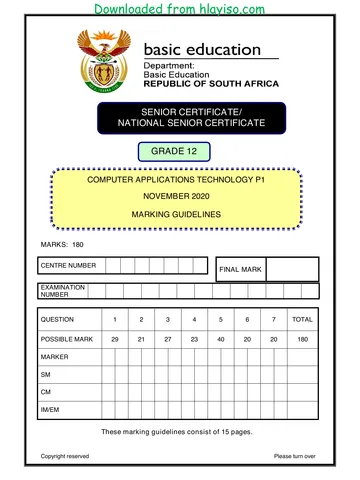
SENIOR CERTIFICATE EXAMINATIONS/
NATIONAL SENIOR CERTIFICATE EXAMINATIONS
COMPUTER APPLICATIONS TECHNOLOGY P1
2021
MARKING GUIDELINES
MARKS: 180
CENTRE FINAL MARK
NUMBER
EXAMINATION
NUMBER
QUESTION 1 2 3 4 5 6 7 TOTAL
POSSIBLE MARK 30 20 25 25 40 20 20 180
MARKER
SM
CM
IM/EM
These marking guidelines consist of 15 pages.
Copyright reserved Please turn over
Skip to contentAll 2021 papers 
View all





Computer Applications Technology Grade 12 P1 2021 Memo (Eng)
Grade 12 Computer Applications Technology Paper 1 memorandum from the NSC June Exam 2021 (English), 15 pages. Read online or download the free PDF.
Computer Applications Technology · Grade 12 · NSC June Exam · 2021. Memorandum. Read online or download the PDF.
- Subject
- Computer Applications Technology
- Grade
- Grade 12
- Document type
- Memorandum
- Year
- 2021
- Exam period
- NSC June Exam
- Paper
- 1
- Curriculum
- CAPS
- Pages
- 15
- File size
- 601.4 KB
Free to read online, no sign-up needed
Loading document…
Loading document…
1 of 15
This exam
NSC June Exam 2021
Questions in this paper
Document textSearch extracted text and jump to a page.
Downloaded from hlayiso.com
Computer Applications Technology/P1 2 DBE/2021
SC/NSC –Marking Guidelines
EXAMINATION
NUMBER
IGNORE SPELLING IN ALL CASES WHERE IT WOULD NOT HAVE ANY IMPACT ON
THE ANSWER.
QUESTION 1 File name: 1Review Total Q1: 30
Maximum Candidate
No Criteria
Mark Mark
1.1.1 WordArt 3
Any WordArt applied /Text Box containing text 1
Green fill WordArt 1
Any transformation applied (Mark by inspection) 1
1.1.2 Wrap Text 2
Wrapping of WordArt/Text Box that places text in
front of the image/Image wrapping set to behind text 1
Heading stretches across the top of image 1
1.2 Footnote/Endnote 1
Endnote changed to footnote 1
1.3 Indent 3
'First line indent' applied 1
Set at 2 cm on the ruler (Accept 'by 1 cm' in the Special 1
Indentation of the dialog box)
Right indent is set to 14.5 cm on ruler (1.42 cm in the 1
dialog box)
1.4 Style (Mark in the dialog box) 3
New style created (Display OR Style1) 1
New style named 'Display' 1
Character spacing set to 'Expanded' 1
(Ignore if new style is applied to any text)
1.5 Find and Replace: 'care' 4
Replace ('care' not found in the document) 1
A symbol or appears in the place of the word 'care' 1
Correct symbol displays 1
'Find Whole words only' selected (Healthcare NOT 1
replaced)
Copyright reserved Please turn over
Downloaded from hlayiso.com
Computer Applications Technology/P1 3 DBE/2021
SC/NSC –Marking Guidelines
EXAMINATION
NUMBER
1.6 Synonym for 'intercepted' 1
Any one synonym (interrupted, stopped, seized,
captured, caught, diverted, cut-off) appears 1
1.7 Columns (Mark in dialog box) 3
Text appears in two columns 1
Vertical line between columns 1
Column Break inserted before 'MEDICAL
ACHIEVEMENTS … 1
1.8 Last page 10
Clipboard image flipped horizontally (Tick appears 1
correctly)
Right aligned tab inserted
1
At 13 cm 1
Dotted (leader) line 1
Tab settings applied to both lines of text 1
Check Box Form Field control inserted 1
Drop Down Form Field inserted with 1
options: Doctor/Nurse/Surgeon 1
Shape/textbox/table surrounding the image inserted 1
With any dashed line border 1
Total for QUESTION 1 [30]
Copyright reserved Please turn over
Downloaded from hlayiso.com
Computer Applications Technology/P1 4 DBE/2021
SC/NSC –Marking Guidelines
EXAMINATION
NUMBER
QUESTION 2 File name: 2History Total Q2: 20
Maximum Candidate
No Criteria
Mark Mark
2.1 Hyperlink 2
Hyperlink inserted on the whole text 'Doctors Without
Borders' below the heading 'Introduction' 1
Linked to bookmark 'Legends' (Allocate if first mark is 1
lost because of accuracy and the correct bookmark is
hyperlinked)
2.2 Manage Sources 3
Type of source: Report 1
Title: Year in Review 1
Corporate Author: MSF 1
2.3 Table (Use Alt+F9) 6
Table is split/last 3 rows appears as a separate own
table 1
Row above inserted (Above row containing '1980') 1
Formula inserted =SUM (ABOVE) *15 2
Format set to currency (€/$ appears inside formula) 1
Euro € symbol inserted before the amount 1
2.4 Page Numbering 3
'Different First Page' selected (OR 'Link to previous' 1
and numbering removed)
Second page number set to 1 or A 1
Page number format appears in format 1,2,3 1
2.5 Table of Figures/Caption (Use Alt+F9) 4
Picture 10: Caption inserted (above/below) 1
New label: Picture 1
Caption text (from text box): Displaced people 1
Table of Figures updated to show 9 or 10 entries 1
2.6 Page Border 2
Page border inserted 1
Page border appears only on last page 1
Total for QUESTION 2 [20]
Copyright reserved Please turn over
Downloaded from hlayiso.com
Computer Applications Technology/P1 5 DBE/2021
SC/NSC –Marking Guidelines
EXAMINATION
NUMBER
QUESTION 3 File name: 3Countries Total Q3: 25
Mark the questions from the formulae and not the values/answers in the cell.
Check against candidate's actual work (Cell references may differ, depending on the
candidate's response).
Candidate may use multiple formulae or cells as 'building blocks' to reach answers.
Named ranges can be used instead of cell references.
The answers must still be correct even if changes are made to the existing data.
Maximum Candidate
No Criteria
Mark Mark
Services worksheet
3.1 Cell C2: 2
Border changed to a thicker border 1
Border line is red 1
3.2 Cell P9: 3
=AVERAGE(C5:C75)
OR
=C76/COUNTA(C5:C75)
OR
=SUM(C5:C75)/COUNTA(C5:C75)
Average determined in cell P9 1
Cell range: C5:C75 1
Number Format: Zero/No decimal places (Do not 1
accept a function to remove decimal places)
3.3 Cell P11: 2
=COUNT(C20:L20)
OR
=COUNTA(C20:L20)
Function: COUNT function in cell P11 1
Cell range: C20:L20 1
(Note to marker:
Accept any correct formula that contains a function such
as =10-COUNTBLANK(C20:L20))
Copyright reserved Please turn over
Downloaded from hlayiso.com
Computer Applications Technology/P1 6 DBE/2021
SC/NSC –Marking Guidelines
EXAMINATION
NUMBER
3.4 Cell P13: (Check for building blocks) 6
=COUNTIFS(B5:B75,">=1980", B5:B75 ,"<=1989")
OR
=COUNTIF(B5:B75,">=1980")-
COUNTIF(B5:B75,">1989")
OR
=COUNTA(B5:B75)-COUNTIF(B5:B75,"<1980")-
COUNTIF(B5:B75 ,">1989")
OR
=COUNT(B5:B75)-COUNTIF(B5:B75;"<1980")-
COUNTIF(B5:B75;">1989")
COUNTIFS (Accept COUNTIF/COUNT)) 1
Criteria range 1: B5:B75 1
Criteria 1: ">=1980" OR >1979 1
Criteria range 2: B5:B75 1
Criteria 2: "<=1989" OR <1990 1
Correct subtraction order (Allocate this mark if 1
COUNTIFS was used correctly)
(Expected answer: 24)
3.5 Cells M5:M75: Data Validation 3
Validation applied to cell range: M5:M75 1
Validation criteria: list 1
Source: $O$5:$O$7/'Disastrous, Critical, Moderate' 1
3.6 Cell P15: 3
=H32/H76
OR
=H32/SUM(H5:H75)
Treatments in India H32 / 2
Total treatments for DR-TB H76 OR SUM(H5:H75) 1
3.7 Cell P17: 1
5 1
Copyright reserved Please turn over
Downloaded from hlayiso.com
Computer Applications Technology/P1 7 DBE/2021
SC/NSC –Marking Guidelines
EXAMINATION
NUMBER
ServiceChart worksheet
3.8 Chart/Graph 5
Chart moved to worksheet ServiceChart 1
Only displays categories: Outpatients_Buite-pasiënte,
Malaria, Births_Geboortes 1
Data labels displays Service names & percentage 1
Doughnut explosion set to 5% 2
(Note to marker: Check towards row 90 for the chart in
the Services or ServiceChart worksheets.)
Total for QUESTION 3 [25]
Copyright reserved Please turn over
Downloaded from hlayiso.com
Computer Applications Technology/P1 8 DBE/2021
SC/NSC –Marking Guidelines
EXAMINATION
NUMBER
QUESTION 4 File name: 4Donate Total Q4: 25
Mark the questions from the formulae and not the values/answers in the cell.
Check against candidate's actual work (Cell references may differ, depending on the
candidate's response).
Candidate may use multiple formulae or cells as 'building blocks' to reach answers.
Named ranges can be used instead of cell references.
The answers must still be correct even if changes are made to the existing data.
Maximum Candidate
No Criteria
Mark Mark
Details worksheet
4.1 Cell F3: 2
=MODE(D8:D107)
MODE function in cell F3 1
Cell range: D8:D107 1
4.2 Cell F4: (Check for building blocks) 4
=SUMIF(D8:D107,MAX(D8:D107),D8:D107)
OR
=SUMIF(D8:D107,LARGE(D8:D107,1))
OR
=(COUNTIF(D8:D107,MAX(D8:D107)))*MAX(D8:D107)
Correct function used in cell F4 (SUMIF/COUNTIF)
1
Correct range: D8:D107 1
Correct function used to determine the largest value:
MAX/LARGE 1
Correct use of the above chosen function 1
4.3 Cell F5: 4
=SUMIFS(D8:D107,C8:C107,"Single",E8:E107,">=01/0
1/2019")
Criteria 1: "Single" 1
Criteria range 2: E8:E107 1
Criteria 2: ">= 01/01/2019" OR ">31/12/2018" 2
Copyright reserved Please turn over
Downloaded from hlayiso.com
Computer Applications Technology/P1 9 DBE/2021
SC/NSC –Marking Guidelines
EXAMINATION
NUMBER
4.4 Cell H8 (Check for building blocks) 7
=IF(C8="Monthly",IF(G8<$H$4,"Expired","Remind"),"#")
OR
=IF(C8="Monthly",IF($H$4>=G8,"Expired","Remind"),"#")
OR
=IF(C8="Single","#",IF(G8<$H$4,"Expired","Remind"))
Nested IF function used 1
Criteria 1: C8="Monthly" 1
Criteria 2: G8<$H$4 1
Correct output if both criteria are true: "Expired" 1
Correct output if criteria 1 is false: "#" 1
Correct output if criteria 2 is false: "Remind" 1
Absolute cell referencing 1
Code worksheet
4.5 Cell C3 (Check for building blocks) 8
=RIGHT(A3,LEN(A3)-2)&LEFT(A3,2)
OR
=MID(A3,3,LEN(A3))&LEFT(A3,2)
OR
=MID(A3,3,LEN(A3)-2)&LEFT(A3,2)
OR
=CONCATENATE(RIGHT(A3,LEN(A3)-2),LEFT(A3,2))
Use LEFT function 1
to extract first 2 characters 1
from A3 1
Determine the length of the string (LEN (A3) 2
Extract the rest of the (RIGHT/MID) from A3 2
Combine the two extracted strings:
(CONCATENATE OR &) 1
Total for QUESTION 4 [25]
Copyright reserved Please turn over
Downloaded from hlayiso.com
Computer Applications Technology/P1 10 DBE/2021
SC/NSC –Marking Guidelines
EXAMINATION
NUMBER
QUESTION 5 File name: 5Support Total Q5: 40
Maximum Candidate
No Criteria
Mark Mark
Table: tbI5_1
5.1.1 Field: RegionId 5
New field 'RegionId' inserted 1
as first field of record 1
Set as primary key 1
Data Type: AutoNumber 1
'New Values' property setting changed to 'Random' 1
5.1.2 Field: RegionCode 5
Field size: 6 1
Input Mask:
>LL0099
> 1
LL 1
00 1
99 1
(Also accept: >LL"0"099)
5.1.3 Field: StaffAvailable 1
Default value set to 10 1
Form: frm5_2
5.2 Label with examination number added to Form 2 5
Header
Label's 'Visible' property set to 'No' 1
Combo box:
CountryToVolunteer field changed to Combo Box
Row Source: tblCountry 1
Select[tblCountry].[Country] from [tblCountry] 1
Query: qry5_3
5.3 ReturnVolunteer criteria: "Yes" 1 4
NumberofWeeks criteria: >= 20 2
Surname field sorted ascending 1
(Expected number of records: 3)
Copyright reserved Please turn over
Downloaded from hlayiso.com
Computer Applications Technology/P1 11 DBE/2021
SC/NSC –Marking Guidelines
EXAMINATION
NUMBER
Query: qry5_4
5.4 Fields displayed: Name, Surname, 6
CountryToVolunteer and MedicalService (Ignore 1
order of fields.)
MedicalService Criteria row:
NOT "HIV/Aids" OR <> "HIV/Aids" 2
CountrytoVolunteer Criteria row
Zimbabwe OR Angola 3
OR
MedicalService Criteria row:
NOT "HIV/Aids" OR <> "HIV/Aids"
And in MedicalService 'or' row:
NOT "HIV/Aids" OR <> "HIV/Aids"
CountrytoVolunteer Criteria row Zimbabwe
CountryToVolunteer 'or' row Angola
(Expected number of records: 4)
Query: qry5_5
5.5 Totals feature activated 1 5
NumberofWeeks function inserted: SUM 1
Sorted on MedicalService 1
Criteria in StartingDate:
Year([StartingDate]) = 2022 2
OR
StartingDate = Between #2022-01-01# And #2022-12-
01#
OR
Like "2022/*/*" OR Like "2022/*
Report: rpt5_6
5.6 Image 5Rescue inserted 1 9
and 'Size Mode' property set to 'Stretch' 1
Resized to 2 cm wide by 1.6 cm high 2
Grouping applied to ReturnVolunteer field 1
Function inserted in the footer 1
of the MedicalService group 1
Function: =COUNT([Name]) OR =COUNT(*) 1
Suitable label inserted (must refer to number of 1
volunteers)
Total for QUESTION 5 [40]
Copyright reserved Please turn over
Downloaded from hlayiso.com
Computer Applications Technology/P1 12 DBE/2021
SC/NSC –Marking Guidelines
EXAMINATION
NUMBER
QUESTION 6 File name: 6_1Sierra Total Q6: 20
This question should be marked from the HTML code.
Numerical attribute values do not need to be in inverted commas.
A maximum of 1 mark will be deducted if one or more closing tags are omitted.
Maximum Candidate
No Criteria
Mark Mark
6.1.1 Background colour 1
<body bgcolor="linen">
Background colour is changed to 'linen' 1
6.1.2 Font colour: text 'Ebola' 1
<font color="red">Ebola</font>
Red font colour applied to the word 'Ebola' 1
6.1.3 Hyperlink to a target location 3
<h3><a href="#Data2020">2020 Status</a></h3>
Hyperlink inserted: <a href></a> 1
On text '2020 Status' 1
To target: "#Data2020" 1
6.1.4 Table row and data 4
<tr align="center">
<td colspan="2">2020 Status Pending!</td>
</tr>
Row inserted <tr>…</tr> 1
Table row/cell centred <.. align="center"> OR 1
<center>
Table cell inserted <td> …</td> 1
Merge/Colspan of 2 created 1
Copyright reserved Please turn over
Downloaded from hlayiso.com
Computer Applications Technology/P1 13 DBE/2021
SC/NSC –Marking Guidelines
EXAMINATION
NUMBER
6_2Wash
6.2 Web page duplication 10
<body …
<h1 align="center">WASH PROJECT IN SIERRA
LEONE</h1>
OR
<h1><center>WASH PROJECT IN SIERRA
LEONE</center></h1>
<hr size="4" color="black" width="50%">
<ol>
<li>Waste Disposal</li>
<li>Sanitation </li>
<li>Hygiene </li>
</ol>
<img src="6_2Progress.jpg" height="500"
border="4">
Heading level 1 or any other level of heading 1
(Accept font size larger than 4 and bold)
Heading centred 1
Horizontal line colour changed to black (Accept any 1
other dark colour)
Horizontal line width set to 50% 1
Ordered list inserted 1
Three list items 1
Image 6_2Progress.jpg inserted 1
o Image height="500" 1
o Image border inserted 1
o Size of image border="4" (Accept any size 1
larger than 1)
Closing tag(s) or triangular brackets and correct 1
nesting 1
Total for QUESTION 6 [20]
Copyright reserved Please turn over
Downloaded from hlayiso.com
Computer Applications Technology/P1 14 DBE/2021
SC/NSC –Marking Guidelines
EXAMINATION
NUMBER
QUESTION 7 File names: 7Distribute, 7Directory and 7Reorder Total Q7: 20
7Distribute
7.1.1 Mail Merge 5
Link to 7Prospects spreadsheet 1
Filter applied:
Prestige_Aansien = Yes AND 1
Amount_Bedrag >=800 1
Merged field Surname_Van inserted in 1st table cell 1
Merged field Name_Naam inserted in 2nd table cell 1
(Records expected: 5)
7Directory
7.1.2 Merged Document 3
Mail merge completed 1
Merged to a Directory (All records on one page) 1
(Merged) file saved as 7Directory 1
7Reorder – Subtotal worksheet
7.2 Subtotal 3
Total appears at each change:Category_Kategorie 1
(Award this mark only if this question was attempted)
Function used: COUNT 1
SUBTOTAL of Country_Land displayed 1
Stock worksheet
7.3.1 Cell D4: 4
=VLOOKUP(B4, Order!$A$4:$C$13,2,FALSE)
Table array: Order!A4:C13 (Also accept 1
Order!A4:B13)
Absolute cell reference: $A$4:$C$13 (Also accept 1
$A$4:$B$13)
Column index number: 2 1
FALSE for exact match 1
Copyright reserved Please turn over
Downloaded from hlayiso.com
Computer Applications Technology/P1 15 DBE/2021
SC/NSC –Marking Guidelines
EXAMINATION
NUMBER
Order worksheet
7.3.2 Cell C5: 5
=IF(Stock!D5-Stock!C5>0,Stock!D5-Stock!C5&"
"&Stock!B5," ")
OR
=IF(B5-Stock!C5>0,Order!B5-Stock!C5&"
"&Stock!B5," ")
OR
=IF(B5>Stock!C5,B5-Stock!C5&" "&A5," ")
Condition: B5>Stock!C5 OR B5-Stock!C5>0 1
Output if condition true: Calculates and displays:
the difference between quantity and minimum 1
a space 1
and the item name 1
Output if condition is false: Display space/empty
string 1
Total for QUESTION 7 [20]
TOTAL: 180
Copyright reserved
Study this subject
Recommended for this subject
Question paper
Computer Applications Technology Grade 12 P1 2021 QP (Eng)
Memorandum
Computer Applications Technology Grade 12 P1 2021 Memo (Afr)
Memorandum
Computer Applications Technology Grade 12 P1 2021 Memo (Eng)
Memorandum
Computer Applications Technology Grade 12 P1 2021 Memo (Eng)
Memorandum
Computer Applications Technology Grade 12 P1 2019 Memo
Memorandum
Computer Applications Technology Grade 12 P1 2017 Memo (Eng)
More from Grade 12 Computer Applications Technology
Question paper
Computer Applications Technology Grade 12 P1 2025 QP (Afr)
Question paper
Computer Applications Technology Grade 12 P2 2025 QP (Eng)
Question paper
Computer Applications Technology Grade 12 P1 2024 QP (Afr)
Question paper
Computer Applications Technology Grade 12 P1 2024 QP (Eng)
Question paper
Computer Applications Technology Grade 12 P2 2024 QP (Eng)
Question paper