
Downloaded from hlayiso.com
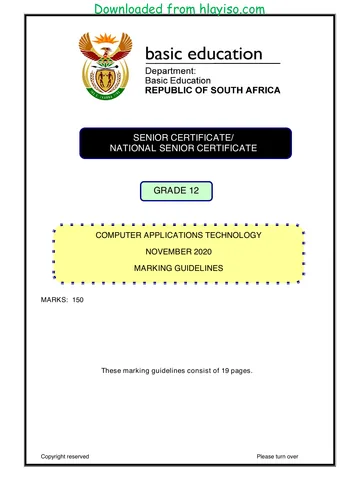
SENIOR CERTIFICATE/
NATIONAL SENIOR CERTIFICATE
GRADE 12
COMPUTER APPLICATIONS TECHNOLOGY P1
NOVEMBER 2020
MARKING GUIDELINES
MARKS: 180
CENTRE NUMBER
FINAL MARK
EXAMINATION
NUMBER
QUESTION 1 2 3 4 5 6 7 TOTAL
POSSIBLE MARK 29 21 27 23 40 20 20 180
MARKER
SM
CM
IM/EM
These marking guidelines consist of 15 pages.
Copyright reserved Please turn over
You're offline
Skip to contentMemorandum 




View all





Computer Application Technology P1 Nov 2020 Memo Eng hlayiso.com
Computer Applications Technology · Grade 12 · NSC November Exam · 2021. Memorandum, 15 pages. Read online or download the PDF.
- Subject
- Computer Applications Technology
- Grade
- Grade 12
- Document type
- Memorandum
- Year
- 2021
- Exam period
- NSC November Exam
- Paper
- 1
- Pages
- 15
- File size
- 566.4 KB
Loading document…
Loading document…
1 of 15
Document textSearch extracted text and jump to a page.
Downloaded from hlayiso.com
Computer Applications Technology/P1 2 DBE/November 2020
SC/NSC – Marking Guidelines
EXAMINATION
NUMBER
IGNORE SPELLING IN ALL CASES WHERE IT WOULD NOT HAVE ANY IMPACT ON
THE ANSWER.
QUESTION 1 File name: 1Pyramids Total Q1: 29
Maximum Candidate
No. Criteria
Mark Mark
1.1 Picture 3
Picture width changed to 21 cm 1
Picture positioned over top edge and across width of
page 1
All empty paragraphs below picture removed 1
1.2 Heading 4
Strikethrough removed from whole heading 1
Character spacing expanded by 1.5 pt 2
Heading horizontally centred 1
1.3 Source 4
Website source added 1
Author 'Nina Sen' added (Accept Sen, Nina OR any 1
variation of Nina Sen)
Year '2012', Month 'September' OR 09 OR 9, Day '6'
Added in the appropriate places 1
1
1.4 Find and replace 2
Nonbreaking spaces replaced with a single normal
space (some replacements) 1
All 14 occurrences of nonbreaking spaces replaced 1
(Find nonbreaking spaces (^s), no occurrences)
1.5 Indent: 'One of …' 3
First line indent 1
Left or hanging indent set at 2 cm 1
Right indent set at exactly 14 cm on ruler (1.92 cm in 1
dialog box)
1.6 Line and Paragraph spacing: 'The grand …' 3
Paragraph spacing after changed to 8 pt 1
Line spacing set to 'Multiple' 1
At 1.4 1
1.7 Paragraph settings: 'Insert here' 1
'Page break before' selected on text 'Insert here' (Do 1
NOT allocate mark for Page Break)
Copyright reserved Please turn over
Downloaded from hlayiso.com
Computer Applications Technology/P1 3 DBE/November 2020
SC/NSC – Marking Guidelines
EXAMINATION
NUMBER
1.8 File inserted as icon 3
File 1Structure inserted (Alt + F9) 1
As icon 1
Icon named as 1Structure 1
1.9 Caption 3
Picture 'cropped' to remove only text below 1
Caption label changed to Structure (Alt + F9, {Seq 1
Structure \* alphabetic})
Caption label numbering changed to a, b, c, … 1
1.10 Watermark 3
Text watermark inserted 1
Text 'Ancient' 1
Watermark displays only on first page 1
Total for QUESTION 1 [29]
Copyright reserved Please turn over
Downloaded from hlayiso.com
Computer Applications Technology/P1 4 DBE/November 2020
SC/NSC – Marking Guidelines
EXAMINATION
NUMBER
QUESTION 2 File name: 2Building Total Q2: 21
Maximum Candidate
No. Criteria
Mark Mark
2.1 Cover page 2
Exam number inserted in 'Author' form control 1
Abstract form control removed (With or without text) 1
2.2 Page border 1
Page borders removed from document 1
2.3 Table of Contents {TOC\h\z\t"Heading 1,2,Title,1"} 3
Two 'Heading 2' style headings changed to 'Heading
1' style headings 1
Table of Contents inserted 1
Table of Contents options set to 'Title' style level 1
and 'Heading 1' style level 2 1
2.4 Page numbering 3
Any automatic page numbering inserted 1
Page numbers inserted anywhere in the left page
margin (Accept any format containing 'Page') 1
Page after Table of Contents page numbered as
'Page 1' (No page numbers on or before TOC page) 1
2.5 Table to text 5
Table converted to text with tabs at 4 cm 2
Hanging indent set to tab position 1
Text alignment set to justify (No mark if table) 1
Any solid paragraph border inserted 1
2.6 Citation 2
Citation displays only author (Year suppressed. 1
Ignore if Title NOT suppressed.)
Page number 'p. 433' inserted 1
Copyright reserved Please turn over
Downloaded from hlayiso.com
Computer Applications Technology/P1 5 DBE/November 2020
SC/NSC – Marking Guidelines
EXAMINATION
NUMBER
2.7 Picture 3
Picture background removed 1
Text wrapping set to 'Tight'/'Through' 1
Picture moved to approximate correct position 1
2.8 Cross reference 2
Cross reference to 'ForEver' bookmark inserted (Alt 1
+ F9, {PAGEREF ForEver \h })
Only page number displays 1
Total for QUESTION 2 [21]
Copyright reserved Please turn over
Downloaded from hlayiso.com
Computer Applications Technology/P1 6 DBE/November 2020
SC/NSC – Marking Guidelines
EXAMINATION
NUMBER
QUESTION 3 File name: 3Tourists Total Q3: 27
Mark the questions from the formulae and not the values/answers in the cell.
Check against candidate's actual work (Cell references may differ, depending on the
candidate's response).
Candidate may use multiple formulae or cells as 'building blocks' to reach answers.
Named ranges can be used instead of cell references.
The answers must still be correct even if changes are made to the existing data.
Maximum Candidate
No. Criteria
Mark Mark
Data worksheet
3.1 Row 1: 2
Cells A1:I1 merged and centred 1
Font size increased to 13 (All text) 1
3.2 Cell C3: 2
=MONTH(A3)
MONTH function (A3) 1
Cell format changed to 'General'/'Text' OR 'Number'
with zero decimals 1
3.3 Cell C4: 3
=AVERAGE(H8:H19)
AVERAGE function (Ignore if divided by 5) 1
Range: H8:H19 1
Cell formatted to show no decimal places 1
3.4 Cell C5: 3
=SUMIF(B8:B19,"Peak",G8:G19)
Criteria range: B8:B19 1
Criteria: "Peak" 1
Sum range: G8:G19 1
Copyright reserved Please turn over
Downloaded from hlayiso.com
Computer Applications Technology/P1 7 DBE/November 2020
SC/NSC – Marking Guidelines
EXAMINATION
NUMBER
3.5 Cell I8 (Check for building blocks): 7
=IF(SUM(C8:G8)=H8,"Correct","Error")
OR
=IF(H8=SUM(C8:G8),"Correct","Error")
=IF function in cell I8 1
SUM function 1
Range (C8:G8) (No mark if absolute cell reference) 1
=H8
Correct output ("Correct") if true 1
Correct output ("Error") if false 1
Formula copied to rest of cells 1
1
3.6 Conditional formatting (Check for building blocks) 3
Conditional formatting applied to range C8:G19 1
To check for below average ('Below average' rule 1
OR <752293 OR C8<AVERAGE($C$8:$G$19))
Filled with any colour 1
Chart_Grafiek worksheet
3.7 Chart type for 2015 data changed to column 2 7
Legend series 'Year' changed to '2018' 1
Legend appears to the right of the chart 1
1000 separator applied to vertical axis (Check Axis 1
Options Number setting)
Markers inserted on 2019 data only 2
Total for QUESTION 3 [27]
Copyright reserved Please turn over
Downloaded from hlayiso.com
Computer Applications Technology/P1 8 DBE/November 2020
SC/NSC – Marking Guidelines
EXAMINATION
NUMBER
QUESTION 4 File name: 4Visitors Total Q4: 23
Mark the questions from the formulae and not the values/answers in the cell.
Check against candidate's actual work (Cell references may differ, depending on the
candidate's response).
Candidate may use multiple formulae or cells as 'building blocks' to reach answers.
Named ranges can be used instead of cell references.
The answers must still be correct even if changes are made to the existing data.
Maximum Candidate
No. Criteria
Mark Mark
Pyr_Pir worksheet
4.1 Page layout 2
Page orientation set to landscape 1
Row 2 set to repeat at top of each page 1
4.2 Cell D3 (Check for building blocks): 5
=RIGHT(C3,LEN(C3)-FIND("@",C3))
OR
=RIGHT(C3,LEN(C3)-SEARCH("@",C3))
OR
=MID(C3,FIND("@",C3)+1,LEN(C3)-FIND("@",C3))
OR
=MID(C3,FIND("@",C3)+1,LEN(C3))
Determine the position of the @ in cell C3 with 1
FIND/SEARCH function 1
Determine the length of string in cell C3 with LEN 1
function
Extract text AFTER the "@" with MID/RIGHT 1
function 1
4.3 Cell F4: 5
=VLOOKUP(E4,Code_Kode!$A$2:$C$43,3)
OR
=VLOOKUP(E4,Code_Kode!$A$1:$C$43,3)
OR
=XLOOKUP(E4,Code_Kode!$A$2:$A$43,Code_Kode!$
C$2:$C$43)
VLOOKUP OR XLOOKUP function 1
Lookup value: E4 1
Table array: Code_Kode!A2:C43 (OR 1
Code_Kode!$A$1:$C$43)
Row index number: 3 1
Absolute cell referencing 1
Copyright reserved Please turn over
Downloaded from hlayiso.com
Computer Applications Technology/P1 9 DBE/November 2020
SC/NSC – Marking Guidelines
EXAMINATION
NUMBER
4.4 Cell H5 (Check for building blocks): 6
=ROUNDDOWN(((TODAY()-G5)/365.25),0)
OR
=ROUNDDOWN(DAYS360(G5,TODAY())/360,0)
OR
=ROUNDDOWN(DAYS(TODAY(),G5)/365.25,0)
OR
=ROUNDDOWN(YEARFRAC(G5,TODAY()),0)
OR
=TRUNC(((TODAY()-G5)/365.25),0)
OR
=INT((TODAY()-G5)/365.25)
ROUNDDOWN ( ,0) (Allocate mark if INT OR 1
TRUNC was used)
TODAY() OR NOW() 1
- 1
G5) 1
Correct order of subtraction 1
/ 365.25 (Accept 365 OR 360 if DAYS360 function 1
was used)
4.5 Cell I14 (Check for building blocks): 5
=IF(H14<60,IF(F14="Giza","Yes","No"),"No")
OR
=IF(H14<=59,IF(F14="Giza","Yes","No"),"No")
OR
=IF(H14>=60,"No",IF(F14="Giza","Yes","No"))
Criteria 1: check for <60 OR <=59 1
Criteria 2: check for "Giza" 1
Correct output ("Yes") if both true 1
Correct output ("No") if both false 1
Correct output ("No") if age (<60) is false 1
Total for QUESTION 4 [23]
Copyright reserved Please turn over
Downloaded from hlayiso.com
Computer Applications Technology/P1 10 DBE/November 2020
SC/NSC – Marking Guidelines
EXAMINATION
NUMBER
QUESTION 5 File name: 5Egypt Total Q5: 40
Maximum Candidate
No. Criteria
Mark Mark
Table: tbl5_1
5.1.1 Field: TSurname 1
Allow for duplicates (Yes (Duplicates OK)) 1
5.1.2 Field: TBirthDate 1
Date displays in 'Short Date' format 1
5.1.3 Field: TAge 1
Decimal places set to 0 1
5.1.4 Field: EContact 3
Validation rule: Like *@*
o * 1
o @ 1
o * 1
5.1.5 Field: TType 1
Field size changed to 4 1
5.1.6 Input Mask: <.LL? OR .<LL? 4
< 1
. (Accept in combination with /, \ or " ") 1
LL 1
? 1
5.1.7 Field: PyramidCode 1
Text align is set to 'Center' 1
5.1.8 Field: PyramidSite 2
Combo box created 1
Row source: tblSites (14 options in combo box) 1
5.1.9 Field: TPhoto 2
Any picture inserted for 'Peter Andrews' 1
5Andrews picture inserted (Accept linked icon) 1
Form: frm5_2
5.2 Fields are in order TSurname, TName, EContact and 4
TPhoto 1
Examination number replaces the form heading 1
Date field inserted in form header (Do not accept 1
typed date)
EContact field shaded to any colour (Accept 1
shadow or shade. Not label)
Copyright reserved Please turn over
Downloaded from hlayiso.com
Computer Applications Technology/P1 11 DBE/November 2020
SC/NSC – Marking Guidelines
EXAMINATION
NUMBER
Query: qry5_3
5.3 Total row switched on 1 3
Pyramid: COUNT 1
Site criteria: "Giza" 1
Query: qry5_4
5.4 Surname field moved to before Name field 1 9
Criteria in BirthDate field: < #1960/01/01# 1
OR <=#1959/12/31#
OR YEAR([BirthDate])<1960
OR YEAR([BirthDate])<=1959
OR LEFT([BirthDate],4)<=1959
Criteria in DomainType field: ".org" OR ".edu" 3
(Accept "*org" OR "*edu")
Calculated field:
Payable:[VisitorsCost] - ([VisitorsCost] * 0.15)
Payable:[VisitorsCost] - ([VisitorsCost] * 15/100)
Payable:[VisitorsCost] * 0.85
o Calculated field name: Payable: 1
o Correct field: VisitorsCost 1
o 15% calculated (*15/100 OR *0.15) 1
o Subtracted from VisitorsCost (*0.85 OR 1
–[VisitorsCost]) (Accept 0.85 OR 85/100 for last
two marks)
(Expected number of records: 37)
Report: rpt5_5
5.5 Report saved as rpt5_5 based on tblVisitors 1 8
Pyramid, Name, Surname, VisitorsCost fields
display 1
Grouping on Pyramid 1
Function in Pyramid footer 1
=MAX ([VisitorsCost]) 2
'Maximum Amount' label added for the function 1
Border appears around 'Maximum Amount' textbox
and appears as currency (Mark from Print Preview) 1
Total for QUESTION 5 [40]
Copyright reserved Please turn over
Downloaded from hlayiso.com
Computer Applications Technology/P1 12 DBE/November 2020
SC/NSC – Marking Guidelines
EXAMINATION
NUMBER
QUESTION 6 File names: 6_1NatGeo, 6_2Facts Total Q6: 20
This question should be marked from the HTML code.
Numerical attribute values do not need to be in inverted commas.
Maximum Candidate
No. Criteria
Mark Mark
6_1NatGeo
6.1.1 Centre 2
<center>
<h1><font face="Papyrus">PYRAMIDS</font></h1>
<p>The third of … complex mortuary temple.</p>
<p>Each massive pyramid … other features.</p>
</center>
'Center' OR paragraph and align tags inserted 1
Text 'PYRAMIDS … other features' (including picture)
is centred 1
6.1.2 Heading 3
<h1><font face="Papyrus">PYRAMIDS</font></h1>
'Heading 1' tags correctly inserted 1
Font tags correctly inserted 1
'Font face' set to "Papyrus" 1
6.1.3 Image 2
<img src="6Group.jpg">
Image tags inserted <img src …> 1
Image 6Group.jpg 1
6.1.4 Hyperlink 2
<a href="www.crystal.com"><h2>The Future of the
Pyramids</h2></a>
Tags for anchor inserted <a …> 1
To correct web address "www.crystal.com" 1
Copyright reserved Please turn over
Downloaded from hlayiso.com
Computer Applications Technology/P1 13 DBE/November 2020
SC/NSC – Marking Guidelines
EXAMINATION
NUMBER
6_2Facts
6.2 … 10
<font size="6"><b>TOP 3 Egyptian Pyramid
Facts</b></font>
<hr/>
…
<table bgcolor="Burlywood" border="1">
<tr>
<th>No.</th>
<th>Question</th>
<th>Answer</th>
</tr>
<tr>
<td>1. </td>
<td>Which pyramids are the most well known?
</td>
<td>Ancient Egyptian pyramids</td>
</tr>
…
</table>
<ul type="circle">
<li>Most Ancient Egyptian ...</li>
<li>Saqqara is a ...</li>
<li>For over 3 800 years ...</li>
</ul>
Tag for horizontal line <hr/> inserted 1
Table row tags <tr></tr> inserted for table heading 1
Table heading tags <th></th> inserted (OR bold 1
and centred)
Table row tags <tr></tr> inserted twice for table
rows 1
Cell tags <td></td> inserted 1
Cell tags <td></td> inserted for two rows 1
Closing table tag </table> inserted before bulleted
list 1
Unordered list tags <ul></ul> inserted around the
text 1
Bullet type is a 'circle' 1
List item tags <li></li> inserted three times 1
Closing tag(s), triangular brackets and nesting 1
correctly used on both web pages 1
Total for QUESTION 6 [20]
Copyright reserved Please turn over
Downloaded from hlayiso.com
Computer Applications Technology/P1 14 DBE/November 2020
SC/NSC – Marking Guidelines
EXAMINATION
NUMBER
QUESTION 7 File names: 7Years, 7Invitation, 7Mail, 7InvitationMerged Total Q7: 20
Maximum Candidate
No. Criteria
Mark Mark
7Years
Data worksheet
7.1.1 Transpose 2
Correct data appears in Data worksheet 1
Column A is right aligned 1
Chart worksheet
7.1.2 Chart 3
Only the data series 2017 to 2019 is displayed 1
Data labels added 1
Vertical axis major units changed to 0.2 1
7.1.3 Chart saved as image (7Chart.jpg) 2
Chart saved as a file 1
Saved as 7Chart.jpg 1
Visitors worksheet
7.1.4 Cell J3: 3
=COUNTIF(AmountSpent,">14000")
COUNTIF function 1
Named Range: AmountSpent (OR cell F2:F194) 1
Criteria: ">14000" 1
7.1.5 Data validation: Column E 3
In Validation List
o Option 'ord' changed to 'org' 1
OR
'org' added to list
o Option 'gov' added to list 1
Validation Rule Source changed to include
amendments in validation list for column E (OR 1
$M$4:$M$9 OR $M$4:$M$10 OR 'org' added)
Copyright reserved Please turn over
Downloaded from hlayiso.com
Computer Applications Technology/P1 15 DBE/November 2020
SC/NSC – Marking Guidelines
EXAMINATION
NUMBER
7Invitation/7InvitationMerged
7.2.1 Mail Merge (14 records expected) 6
7Invitation linked to data source 7Mail 1
Data source: DomainType criteria = edu 1
Data source: BirthDate criteria >=1961/01/01 OR 1
>1960/12/31
<<Name>> replaced with field Name 1
Any date and time field inserted in the footer to 1
automatically update 1
7.2.2 Merged Document 1
Merged document saved as 7InvitationMerge 1
Total for QUESTION 7 [20]
TOTAL 180
Copyright reserved
Recommended for this subject
Published documents with matching subject and grade metadata.
Memorandum
CAT P1 MEMO GR12 SEPT 2025 ENG
Memorandum
CAT P2 GR12 MEMO September 2025 AFR
Memorandum
Computer Applications Technology P1 May June 2025 MG Eng
Memorandum
CAT P1 MEMO GR12 SEPT 2024 English hlayiso.com
Memorandum
CAT P1 MEMO GR12 SEPT 2022 Afrikaans hlayiso.com
Memorandum
CAT P1 MEMO GR12 SEPT 2022 English hlayiso.com
Related documents
Matched using subject, grade, language, document type and exam metadata.
Memorandum
Computer Application Technology P2 Nov 2020 Memo Eng hlayiso.com
Memorandum
CAT P1 MEMO GR12 SEPT 2021 Afr D hlayiso.com
Memorandum
Computer Application Technology P1 Nov 2019 Memo Afr hlayiso.com
Memorandum
Computer Application Technology P1 Nov 2018 FINAL Memo Afr1 hlayiso.com
Memorandum
Computer Application Technology P1 Nov 2017 Memo Afr Rewrite hlayiso.com
Memorandum
Computer Application Technology P1 Nov 2017 Memo Eng Rewrite hlayiso.com
More from Grade 12 Computer Applications Technology
Explore more published documents in this catalogue.
Question paper
CAT P2 GR12 QP September 2025 ENG
Question paper
CAT P1 QP GR12 SEPT 2024 Afrikaans hlayiso.com
Question paper
CAT P1 QP GR12 SEPT 2024 English hlayiso.com
Question paper
CAT P2 GR12 QP SEPT 2024 English hlayiso.com
Question paper
Computer Applications Technology P1 Nov 2024 Afr
Question paper