
Downloaded from hlayiso.com
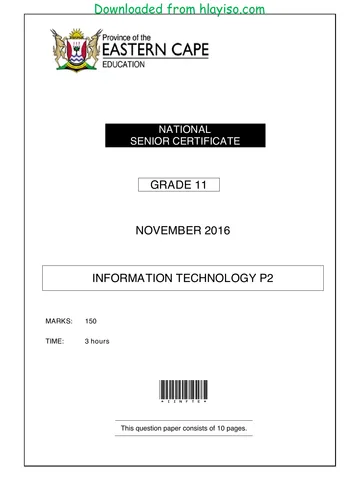
NATIONAL
SENIOR CERTIFICATE
GRADE 11
NOVEMBER 2016
INFORMATION TECHNOLOGY P1
MARKS: 150
TIME: 3 hours
*IINFTE*
This question paper consists of 11 pages.
Skip to contentAll 2016 papers 
View all
Information Technology Grade 11 P1 2016 QP (Eng)
Grade 11 Information Technology Paper 1 question paper from the Eastern Cape November 2016 (English), 11 pages. Read online or download the free PDF.
Information Technology · Grade 11 · Eastern Cape November · 2016. Question paper, 11 pages. Read online or download the PDF.
- Subject
- Information Technology
- Grade
- Grade 11
- Document type
- Question paper
- Year
- 2016
- Exam period
- Eastern Cape November
- Paper
- 1
- Curriculum
- CAPS
- Pages
- 11
- File size
- 971.1 KB
Free to read online, no sign-up needed
Loading document…
Loading document…
1 of 11
This exam
Eastern Cape November 2016
Questions in this paper
Document textSearch extracted text and jump to a page.
Downloaded from hlayiso.com
2 INFORMATION TECHNOLOGY P1 (EC/NOVEMBER 2016)
INSTRUCTIONS AND INFORMATION
1. This question paper consists of FOUR questions. Candidates must answer ALL
four questions.
2. The duration of this examination is three hours. Because of the nature of this
examination it is important to note that you will not be permitted to leave the
examination room before the end of the examination session.
3. Answer only what is asked in each question. For example, if the question does
not ask for data validation, then no marks will be awarded for data validation.
4. Your programs must be coded in such a way that they will work with any data
and not just the sample data supplied or any data extracts that appear in the
question paper.
5. Routines such as search, sort and selection must be developed from first
principles. You may NOT use the built-in features of a programming language
for any of these routines.
6. Save your work regularly.
7. The files that you need to complete this question paper have been given to you.
The files are provided in the form of password-protected executable files.
Do the following:
Double click on the password-protected executable file.
Click on the extract button.
Enter the following password: Cycling*#&
Once extracted, the following list of files will be available in the folder
DataNov2016:
Question 1: Question 2: Question 3: Question 4:
Question1P.dpr Question2P.dpr Question3P.dpr Question4P.dpr
Question1P.res Question2P.res Question3P.res Question4P.res
Question1U.dfm Question2U.dfm Question3U.dfm Question4U.dfm
Question1U.pas Question2U.pas Question3U.pas Question4U.pas
timetrial.txt Cycling.mdb
Copyright reserved Please turn over
Downloaded from hlayiso.com
(EC/NOVEMBER 2016) INFORMATION TECHNOLOGY P1 3
SCENARIO
Cycling is one of the fastest growing sports at the moment. There are more and more
races available for cyclists to compete in, either road cycling or mountain biking. Most
tourist attractions are also catering for the cyclist with a 5 km off-road track. Cycling is not
limited to only the fittest, but rather a sport where anyone can take part; regardless of age
and fitness level.
QUESTION 1: GENERAL PROGRAMMING SKILLS
A variety of aspects concerning cycling is dealt with in this question.
An example of the GUI is given below:
Complete the code for each section of QUESTION 1 as described in
QUESTION 1.1 to QUESTION 1.4.
1.1 Cyclists are divided into two different categories namely, Junior and Senior.
The categories are decided based on ages. If the cyclist is 18 years or younger
they fall in the Junior category and cyclists older than 18 will fall in the Senior
category.
Write code to ask the user to enter their name and date of birth. Display the
category based on the age in the text area.
NOTE: The date of birth must be entered in the format: YYYY/MM/DD
Example of output:
(8)
Copyright reserved Please turn over
Downloaded from hlayiso.com
4 INFORMATION TECHNOLOGY P1 (EC/NOVEMBER 2016)
1.2 Each cyclist has to pay race fees when they enter into races. If they are a
member of Cycling SA, they will get a 10%. They will also get a discount of
6% if they belong to a club.
Write code to inform the user how much discount, if any, they can expect on
their race fees.
Example of output if club member is selected:
Example of output if club member and CSA options are selected:
Example of output if no option is selected:
(6)
1.3 Race numbers are assigned to cyclists. The race number consists of the
initials of the race name, for example Bay to Beach will be BtB as well as a
random number between 1000 and 9999 (numbers included).
Write code to determine the race number for the cyclists based on the race
that they are taking part in.
Example of output (output will be different due to random numbers that are
generated):
(9)
Copyright reserved Please turn over
Downloaded from hlayiso.com
(EC/NOVEMBER 2016) INFORMATION TECHNOLOGY P1 5
1.4 For each race an amount has to be paid to CSA. The amount is made up of a
compulsory amount of R150, a provincial fee determined by the different
provinces and a day licence of R35 if the entrant is not a member of CSA (entered
in QUESTION 1.2). If the cyclist wants to be seeded for future races then a
domestic racing licence of R350 must be paid.
Provincial Fees:
Gauteng Central R75
Gauteng North R50
KwaZulu Natal R50
Free State R75
Eastern Cape R50
North West R75
Northern Cape R50
Limpopo R50
Mpumalanga R25
Western Cape R50
Example of output if Eastern Cape is selected and Domestic Racing Licence is
not selected:
Example of output if Eastern Cape and Domestic Racing Licence are selected:
(13)
Enter your name and surname as a comment in the first line of the program
file.
Save your program.
A printout of the code may be required.
[36]
Copyright reserved Please turn over
Downloaded from hlayiso.com
6 INFORMATION TECHNOLOGY P1 (EC/NOVEMBER 2016)
QUESTION 2
Cyclists are very competitive with themselves and always want to improve on their
previous times. They make use of special software which tracks their speed the entire
distance and then they can analyse their performance afterwards.
The text file, timetrial.txt, contains an unknown number of lines of text (which does not
exceed 50 entries).
Each line consists of the cyclist’s surname, name, the time it took for the first lap, time
it took for the second lap. The time is given in minutes.
Format of each line of text in the text file:
<surname>#<name>#<first lap time>#<second lap time>
2.1 When the program is compiled (FormCreate), the contents of the text file must be
assigned to TWO arrays, arrName and arrAverage.
ArrName must contain the name and surname of the cyclist and arrAverage will
be the average of the two lap times. (21)
2.2 When the user clicks the Display Info button, the cyclists’ names must be
displayed; as well as the total number of cyclists.
Example of output:
(5)
2.3 Write code for the Top 3 button which will display the name AND average of the
THREE fastest cyclists. The fastest cyclist’s information must be displayed first.
Write the information of the Top 3 cyclists to a text file called top3.txt. It must be
in the following format:
<position>#<name>#<average rounded off to two decimal places>
Display the Top 3 in the output component, in columns.
Once the information is written to the text file display a suitable message.
Copyright reserved Please turn over
Downloaded from hlayiso.com
(EC/NOVEMBER 2016) INFORMATION TECHNOLOGY P1 7
Example of output:
(19)
Enter your name and surname as a comment in the first line of the program
file.
Save your program.
A printout of the code may be required.
[45]
Copyright reserved Please turn over
Downloaded from hlayiso.com
8 INFORMATION TECHNOLOGY P1 (EC/NOVEMBER 2016)
QUESTION 3
When hosting a cycling event, there is a lot of administration that needs to be done.
Race numbers must be created, checking whether the cyclists have entered in the
correct age group, t-shirts and medals need be ordered, etc.
3.1 Write a function named Age which will receive the ID number of the cyclist
and return the age of the cyclist. The ID number must be used to calculate the
age. The first six digits of an ID number represent YYMMDD. The month and
day can be ignored. (9)
3.2 Write a procedure named Gender which will receive the ID number and
return the gender of the cyclist in the format of ‘Male’ or ‘Female’. If the 7 th
digit of the ID number is less than 5, then it represents female. If the 7 th digit
is equal to 5 or more, then the cyclist is a male. (8)
3.3 Write a procedure named RaceNumber which will receive the category that
the cyclist entered. The race number consists of the first 3 letters of the
category (in capital letters) as well as a random number between 1000 and
9999. Display the race number in the given output component. (7)
3.4 Write code for the Calculate Race Number button which will ask the user for
their name and ID number. The gender must then be determined by calling
the appropriate method. The categories are determined by the ages as shown
below:
AGE CATEGORY
13–18 (both included) Junior
19–39 (both included) Elite
40–59 (both included) Veteran
60 + Masters
Display the cyclist’s name and gender (on two lines) in the output component.
Call the RaceNumber method to calculate the race number.
Example of output:
(12)
Enter your name and surname as a comment in the first line of the
program file.
Save your program.
A printout of the code may be required.
[36]
Copyright reserved Please turn over
Downloaded from hlayiso.com
(EC/NOVEMBER 2016) INFORMATION TECHNOLOGY P1 9
QUESTION 4
All the racing events for the Eastern Cape are stored in a database named
cycling.mdb.
The extract of the information stored in cycling.mdb is given below:
Your program should be able to connect to the database named cycling.mdb.
When you do QUESTION 4.1 and you find that the connectivity is not in place,
use the following steps to establish connectivity:
Click on the Adotable component adocycling.
Click on the Ellipsis button (three dots) to the right of the ‘ConnectionString’
property in the Object Inspector.
Click on the Build button which takes you to the Data Link Properties dialogue
box.
Click on the Provider tab to open the Provider tab sheet and select Microsoft
Jet 4.0 OLE DB Provider. Click on the Next button.
The Connection tab sheet will be displayed. The first option on the Connection
tab sheet provides an Ellipsis button (three dots) that allows you to browse and
look for the cycling file. Once you have found it, select the cycling file and then
click on the Open button.
Remove the user name Admin.
Click on the Test Connection button.
Click OK on each of the open dialogue windows.
Select the correct table in the TableName property of the adocycling
component.
Click on the DataSource component.
Ensure that the DataSet property is set to adocycling
Copyright reserved Please turn over
Downloaded from hlayiso.com
10 INFORMATION TECHNOLOGY P1 (EC/NOVEMBER 2016)
An incomplete program has been created for you to process queries on the data
in the given database. Your task is to complete this program.
4.1 Write code for the Races in PE button which must display the date of the race
and race name which will take place in Port Elizabeth. The total number of
races must also be displayed.
NO FILTERS MAY BE USED.
Example of output:
(12)
4.2 Write code for the Road vs MTB button which must display the total Road
cycle races and the total MTB cycle races.
Example of output:
(6)
Copyright reserved Please turn over
Downloaded from hlayiso.com
(EC/NOVEMBER 2016) INFORMATION TECHNOLOGY P1 11
4.3 Find Race button: The user will be asked to enter a race name and then the
database must be checked to see if that race is on the race timetable. If it is
found, then the Race Title and where it will take place must be displayed. If it
is not found, a suitable message must be displayed.
Example of output:
(7)
4.4 Write code for the FormOnCreate EventHandler which will add an e-mail
address for the Cape Argus Cycle Tour. When the table was created there
was no contact person, but now the contact address is
argus@capeargus.co.za. (4)
4.5 Due to bad weather the Cabbage Patch race in Komga has been cancelled.
Delete the record from the table. Display a message once the race has been
deleted. (4)
Enter your name and surname as a comment in the first line of the
program file.
Save your program.
A printout of the code may be required.
[33]
TOTAL: 150
Copyright reserved Please turn over
Study this subject
Recommended for this subject
Question paper
Information Technology Grade 11 P1 2016 QP (Afr)
Memorandum
Information Technology Grade 11 P1 2016 Memo (Eng)
Memorandum
Information Technology Grade 11 P1 2016 Memo (Afr)
Question paper
Information Technology Grade 11 P2 2016 QP (Afr)
Question paper
Information Technology Grade 11 P2 2016 QP (Eng)
Question paper
Information Technology Grade 11 P1 2020 QP (Afr)
More from Grade 11 Information Technology
Memorandum
Information Technology Grade 11 P1 November Mock 2026 Memo
Annual teaching plan
Gr 11 Info Tech ATP 2023 24
Memorandum
Information Technology Grade 11 P1 2022 Memo (Eng)
Memorandum
Information Technology Grade 11 P1 2022 Memo (Afr)
Memorandum
Information Technology Grade 11 P2 2022 Memo (Afr)
Memorandum