
Downloaded from hlayiso.com
basic education
Department:
Basic Education
REPUBLIC OF SOUTH AFRICA
NATIONAL
SENIOR CERTIFICATE
GRADE 12
COMPUTER APPLICATIONS TEGHNOLOGY P1
NOVEMBER 2023
MARKING GUIDELINES
MARKS: 150
CENTRE FINAL MARK |
.NUMBER
EXAMINATION
NUMBER
QUESTION
POSSIBLE MARK
CANDIDATE
MARK
MARKER CODE/
SIGNATURE
MODERATED
MARK
~:These marking guidelines consist of 14 pages.
: = tor <
Sat uderaton
=D MARKING GUIDELINE |
Skip to contentAll 2023 papers 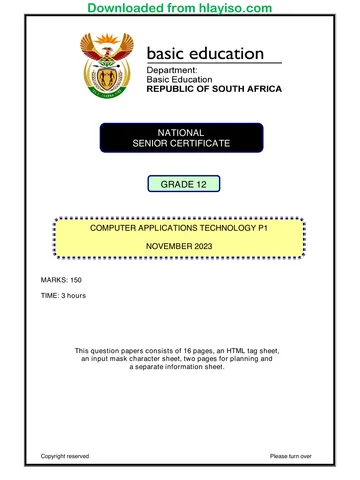
View all





Computer Applications Technology Grade 12 P1 2023 Memo (Eng)
Grade 12 Computer Applications Technology Paper 1 memorandum from the NSC November Exam 2023 (English), 14 pages. Read online or download the free PDF.
Computer Applications Technology · Grade 12 · NSC November Exam · 2023. Memorandum, 14 pages. Read online or download the PDF.
- Subject
- Computer Applications Technology
- Grade
- Grade 12
- Document type
- Memorandum
- Year
- 2023
- Exam period
- NSC November Exam
- Paper
- 1
- Curriculum
- CAPS
- Pages
- 14
- File size
- 1.1 MB
Free to read online, no sign-up needed
Loading document…
Loading document…
1 of 14
This exam
NSC November Exam 2023
Questions in this paper
Document textSearch extracted text and jump to a page.
Downloaded from hlayiso.com
Computer Applications Technology/P1 2
NSC ~ Marking Guidelines
DBE/November 2023
EXAMINATION
NUMBER
Check the accuracy and skill required before awarding a mark throughout.
QUESTION 1
File name: 1Top10
Total Q1: 24
No
Criteria
Maximum
Mark
Candidate
Mark
4.1
Cover page
e Cover page: Retrospect inserted
e¢ Document title: ‘Popular Cars'
¢ Subtitle control removed ¥
3
1.2
Font formatting
e Font Colour: white OR Fill Colour: No Fill WOR
Transparency: 100%
¢ Text Effect: Tight Reflection: Touching Vv OR
Half Reflection: Touching
1.3
Image
e 1Toyota image inserted “
e Picture style: Soft Edge Rectangle ¥
14
Find and replace: ‘Hilux’
e Character scale: 150% v
e Character spacing: Expanded 1 pt
e 5replacements ¥
15
Table formatting
« Volkswagen data moved into table W
Last row — first 2 cells: merged
Formula: =MIN(ABOVE)*100 ”
AutoFit: Auto Fit to Contents ¥
Table: Alignment: Centre ¥
ALT+F9: { =MIN(ABOVE)*100 \# "0.00%" }
ean ak
1.6
Caption
e New label: Graph ¥
e Caption: Bestsellers “
ALT+F9: Graph { SEQ Graph \* ARABIC }
1.7
Drop Cap
¢ Drop cap inserted on the letter D
¢ Lines: 4 ¥
© Highlight removed ¥
e Shading: Green ¥
aaa
1.8
Paragraph settings
e Pagination: Keep with next “
Copyright reserved
| ™
|_ APPROVED MARKING GUIDELINE |
PUBLIC EXAMINGTION _}_
Please turn over f .
Downloaded from hlayiso.com
Computer Applications Technology/P1 3 DBE/November 2023
NSC — Marking Guidelines
EXAMINATION
NUMBER
1.9 Section break AND File path 2
e File path inserted in header “
¢ Appears only on the last page ¥
ALT+F9: { FILENAME \p \* MERGEFORMAT }
Total for QUESTION 1 [24]
AUS, PRET: &
| 2028 H+ 3
Copyright reserved Please turn over i ‘
Downloaded from hlayiso.com
Computer Applications Technology/P1 4
NSC — Marking Guidelines
DBE/November 2023
EXAMINATION
NUMBER
Check the accuracy and skill required before awarding a mark throughout.
QUESTION 2 File name: 2Tips
Total Q2: 21
No.
Criteria
Maximum
Mark
Candidate
Mark
21
Margins
e Layout: Margins: Narrow ¥
2.2
Page border
¢ Width: 3 pt ¥
¢ Left and right side only VW
« Page border on first page only ¥
2.3
Hyperlink AND bookmark
e Bookmark 'Contact' created at the text ‘Contact form’ W
¢ Hyperlink created on text 'choosing' ¥
¢ Hyperlink links to bookmark 'Contact' ¥
ALT+F9:; { HYPERLINK \I "Contact" }
2.4
Bulleted fist
e Changed first four numbered paragraphs to bulleted
list ¥
¢ Symbol: # Font: Webdings: Character code: 142 ¥
2.5.1
Tab stops: Form field: Surname
e Left tab stop OR Hanging indent: 7em ¥
2.5.2
Form field: Name
¢ Text format: Uppercase ¥
2.5.3
Form field: Contact number
e¢ Maximum length: 10 ¥
2.5.4
Form field: Preferred time to call’
e Type: Date ¥
e Text format: h:imm am/pm ¥ OR h:mm:ss am/pm
2.6
Shape
e Left arrow shape inserted
° Text: 'Choose' Y (appears as in screenshot)
2 No fill colour/white fill colour ¥
27
SmartArt
* Shape added: Negotiate v (between insurance & Finance)
e Layout changed: Continuous block process ¥
e 3-D style: Cartoon
e Right to Left selected ¥
aaa
Total for QUESTION 2
[21]
Copyright reserved
ED MARKING GUIDELINE i
ri
—EEE
Please turn over
Downloaded from hlayiso.com
DBE/November 2023
Computer Applications Technology/P1 5
NSC — Marking Guidelines
EXAMINATION
NUMBER
QUESTION 3 File name: 3CarSales
Total Q3: 17
« Mark the questions from the formulae and not the values/answers in the cell.
«Check against candidate's actual work (Cell references may differ, depending on the candidate's
response).
Candidate may use multiple formulae, cells or ‘building blocks‘ to reach answers.
Named ranges can be used instead of cell references.
¢ The answers must still be correct even if changes are made to the existing data.
No. Criteria
Maximum
Mark
Candidate
Mark
3.1 Row 1:
e At:J1: merged and centred ¥
¢ Horizontal alignment: Distribute (Indent) ¥
e Indent: i3¥
3.2 Cell E3:
=SMALL(C7:17,2)
¢ Function: SMALL(C7:]7, ...) ¥
e Value: 2¥
3.3 Cell E4:
=COUNTIF(J9:J20,"<15")
¢ Function: COUNTIF(J9:J20,...) ¥
e Criteria: "<15" Vv OR "<=14"
3.4 | Cells C9:120
Conditional formatting
¢ Two-colour scale applied to correct cells only ¥
¢ Minimum colour: blue ¥
¢ Type: Percent (both) “
¢ Maximum value: 50 ¥
aaa
3.5 Cell F23:
=HLOOKUP(MAX(C7:17),C7:18,2,FALSE)
OR
=XLOOKUP(MAX(C7:17),C7:17,C8:18)
Function: HLOOKUP/XLOOKUP ¥
« Lookup Value:
¢ Function: MAX ¥ (C7:17) ~ OR LARGE (C7:17,1)
Table array: C7:18 ¥ OR A7:18
e Row number: 2 ¥ If XLOOKUP(...,C8:18)
e Range lookup: FALSE ¥ Award both marks
Total for QUESTION 3
[17]
“ED MARKING GUIDELINE i
[2 SV ASINATION |
Copyright reserved
| ;
Please turn over i i
Downloaded from hlayiso.com
Computer Applications Technology/P1 6 DBE/November 2023
NSC — Marking Guidelines
EXAMINATION
NUMBER
QUESTION 4 File name: 4Sales Total Q4: 23
e Mark the questions from the formulae and not the values/answers in the cell.
¢ Check against candidate's actual work (Cell references may differ, depending on the candidate's
response).
¢ Candidate may use multiple formulae, cells or ‘buitding blocks’ to reach answers.
Named ranges can be used instead of cell references.
¢ The answers must still be correct even if changes are made fo the existing data.
No Criteria Maximum Candidate
. Mark Mark
Sales worksheet
41 Column H 2
e Data type: Currency “~ OR Accounting 1/4
e Column width: data is visible 1
4.2 Cell C3: Circular reference error 1
= SUM(E9:E50)*0.08=E3 Sit
° E3v 1
4.3 | Cell C5: 6
=SUMIFS(E9:E50,C9:C50,"Hyundai",D9:D50,"i*")
OR
=SUMIFS(E9:E50,D9:D50,"i*",C9:C50,"Hyundai") —
* Function: SUMIFS ” 1
e Sum range: E9:E50 ¥ 1
¢ Criteria range 1: C9:C50 ¥ 1 -—
e Criteria 1: "Hyundai" ¥ 1
¢ Criteria range 2: D9:D50 ¥ 1
e Criteria 2: "i*"“ OR 'I* 1
S895, PRETORIA G000 S
Copyright reserved | AE ED MARKING GUIDELINE 1 Please turn over rj
= CAMASM ACTION 1
Downloaded from hlayiso.com
Computer Applications Technology/P1 7
NSC — Marking Guidelines
DBE/November 2023
EXAMINATION
NUMBER
|
|
44
Cell A11:
=MID(B11,0,LEN(B11)): Function modified not replaced
=MID(B11,FIND(",",B41)+2,LEN(B11))
yD (6 14,FIND( "61492, LENE 1) INDE" B11}82)
Sane 1, FIND(" ",B11)#1,LEN(B11))
cMID(Bt4,FIND(" "B11)#1,LEN(B11)-FIND(" ",B11))
Saatnen 1,LEN(B11)-FIND(" ",B11))
SRG ErTCEH 1,LEN(B11)-FIND(",",B11)-1)
Function: FIND ¥
Find *,"OR"" ¥
Within cell: B11 ¥
Correct initials without space W
oeoee
ray =a =
45
Cell H10:
=IF(G10="Yes",SUM(E10:F10)*1.05,SUM(E10:F10))
OR
=IF(G10="Yes",SUM(E10:F10)*5%+SUM(E10:F10),
SUM(E10:F10))
OR
=IF(G10="Yes",(E10+F10)*1.05,E10+F10)
OR
=IF(G10="Yes",(E10+F10)*5%+E10+F10, E10+F10)
Concepts:
e Determine if extras are "Yes"
e If TRUE:
e Determine totai price and interest
e With a 5% added to the total
e If FALSE:
¢ Determine total price and interest
Function: IF ¥
Criteria: G10="Yes" ¥
Output if true: SUM(E10+F10)*1.05 W
OR (E10+F10)*5%+E10+F10
© Output if false: SUM(E10:F10) “ OR E10+F10
(Note to marker: Building blocks)
Copyright reserved
Please turn over i
Downloaded from hlayiso.com
Computer Applications Technology/P1
8 DBE/November 2023
NSC — Marking Guidelines
EXAMINATION
NUMBER
Chart worksheet
46
Chart/Graph
Data selected: Audi ticked W
Column Shape: Cylinder W
eooeeee
Major vertical gridlines added
Y-Axis options: Display units: Thousands “
Data Series: Fill: Vary colors by point ¥
Legend added at the bottom ¥
aan a an
v
Total for QUESTION 4
[23]
Copyright reserved
35, PRETORIA GG0s |
Please turn over ;
; |
“FED MARKING GUIDELINE
EXAMINATION
Downloaded from hlayiso.com
Computer Applications Technology/P1 9 DBE/November 2023
NSC —- Marking Guidelines -
EXAMINATION i |
NUMBER |
QUESTION 5 File name: 5Shuttle Total Q5: 35
ce ee Maximum Candidate
No. Criteria Mark Mark
Table: tbl5_1
5.1.1 | Field: Name 1
e Required: Yes ¥ 1
5.1.2 | Field: StartDate 2
e Data type: Date/Time ¥ 1
« Format: Medium date OR dd-mmm-yy ” 1
Input Mask: Field: LicenceNo 4
000000>LLL9 OR >000000LLL9
io
a
los)
000000 ¥
>v
LLL ¥
ov
5.1.4 | Field: Rating Z
AA aa
eoeeoe
e Default value: Blank/Empty ~ 1
e Validation rule: Between 1 And 5 ¥ 1
OR >=1 And <=5
OR 1 or 20r3o0r4or5
5.1.5 | Field: LicenceCard 4
New field: LicenceCard inserted ¥
Position: Between Car and LicenceNo ¥
Data Type: OLE Object ¥ (Attachment/Hyperlink)
5Card added in Datasheet View ¥
Form: frm5_2
5.2 Logo 5
e Inserted 5Bus ¥ 1
e Asa logo Y in the header 1
aaa
Field: Reason
e Change to Combo box ¥
e Row Source: "Business";"Personal" ”
e Row Source Type: Value list ¥ 1
Copyright reserved : . | Please turn over i
t VED MARKING GUIDELINE |
Lt EXAMINATION |
Downloaded from hlayiso.com
Computer Applications Technology/P1 10 DBE/November 2023
NSC — Marking Guidelines
~ EXAMINATION | | |
NUMBER
Query: qry5_3
5.3 e Only Name, Surname and ContactNo displays W 1 5
Reason criteria: "Business" ~ 1
KMTravel criteria: >30 ¥ 4
KMTravel criteria: <=10 V OR <11 4
AND (Business AND >30)/
OR (>30 OR <=10) logic correct ¥ 4
fieta [ame] Burmere {Contacto} {Reazon) pareaves
bs Pre-bookings Pre-bookings Pre-bookings Pre-bookings Pre-bookings
shove a g =) Oo
Criteria: Business” 30 i
(Expected records: 19)
Query: qry5_4
5.4 Field: DepartDate 3
e Between #2023/12/01# AND #2023/12/31#
OR
>=#2023/12/01# AND <= #2023/12/31#
OR
>#2023/11/30# AND <#2024/01/01#
OR
Like "2023/12/*" OR Like */12/*
OR
>=#2023/12/01# OR >#2023/11/30#
OR
Month([DepartDate])=12
e Date range correct ¥ 1
« Between/AND/cike/*/Month/Single criterion ¥ 1
¢ Operators correct ¥ 1 4
(Expected records: 9)
Query: qry5_5
5.5 New field: 4
Total: [KMTravel]*2*6.25
OR -—
Total: [KMTravel]"6.25*2
* Calculated field:
¢ Total field inserted 1
e [KMTravel] ¥ 1 | 4
e *2V 1
© *6.257 1
Copyright reserved Please turn over i L
=XAMINATION — |
Downloaded from hlayiso.com
Computer Applications Technology/P 1 11 DBE/November 2023
NSC — Marking Guidelines
EXAMINATION
NUMBER
Report: rpt5_6
5.6 e Group footer: Function inserted “ 1 5
e Function: =COUNT(*) ¥ OR any other field name 1
e Page orientation: Landscape W 1
+ Report exported as .pdf ” 1
¢ File name: 5Pre-bookings ¥ 1
Total for QUESTION 5 [35]
| | 5
Copyright reserved : Please turn over i ;
ED MARKING GUIDELINE | |
MAMIPERTION ]
Downloaded from hlayiso.com
Computer Applications Technology/P1 12 DBE/November 2023
NSC — Marking Guidelines
EXAMINATION | | | | | |
NUMBER
QUESTION 6 File name: 6_1Win; 6_2Opening Total Q6: 15
« This question should be marked from the HTML code.
« Numerical attribute values and single words do not need to be in inverted commas.
"No.
Criteria
Maximum
-Mark
Candidate |.
Mark
6_1Win
6.1.1
Background colour
<body bgcolor="LightBlue">
¢ Attribute: bgcolor inserted ¥
e Colour: "Lightblue" ¥
Image
<img src="6_1Rover.png" height="100" width="140"
align="left">
« Attribute: Height="100" “
e Attribute: Align="Left" v
Table: Cell
<th width="25%"><a href="Home.html">Home</a></th>
e <th> tag added with attribute: width="25%" W
Link
<th width="25%"><a href="6_7Win.html">T's and
C's</a></th>
e Anchor tags inserted: <a>... </a> ¥
e Attribute: href="6_1Win.html" v
Ordered list
<ol type="a">
¢ <ul> change to <ol> ¥ (opening and closing tags)
¢ Attribute: Type="a" ¥
Copyright reserved
Please turn over
Se &
Downloaded from hlayiso.com
Computer Applications Technology/P1 13
NSC ~ Marking Guidelines
DBE/November 2023
EXAMINATION |
NUMBER
6_20pening
6.2
eo
<h1 align="center"><b>
<font face="Bradley Hand ITC">New branch opening
soon</font></b> </h1>
<br/>
@ <hr size="10" color="Orange"/>
<center>@ @
<table border="5">
<tr>
<th width="100">
6
<img src="6_2Father. jpg" height="50" width="80"/>
<br/> shi/>
</th>
© Font type:
e Attribute: face ¥
@ Horizontal line:
e Moved to appear below the heading ~
Table: .
e Attribute: border ¥
@ « Border size: "5" Y (accept size between 2- 6)
© Image:
e gif changed to .jpg
Closing tag(s) or triangular brackets and nesting
correctly used. “
Total for QUESTION 6
[15]
Copyright reserved
TEIN
5, PRETORIA 8907
03
D MARKING GUIDELINE
Please turn over
ry
Downloaded from hlayiso.com
Computer Applications Technology/P1 14
NSC — Marking Guidelines
DBE/November 2023
EXAMINATION
NUMBER
QUESTION 7 File names: 7New; 7NewLogo; 7Bookings
Total Q7: 15
No. _ Criteria
Maximum
Mark
Candidate
Mark
7New; 7NewLogo
7.1 Image manipulation
e WordArt inserted: 'n time’ ¥
Shuttle Image: Text wrapping changed ¥
Images and text moved in correct positions ¥
Grouped: Image moves as one object ~
Saved as 7NewLogo image ¥
aaa a
7Bookings
7.2.1 | Cell D8:
=C8-TIME(1,30,0)
OR
=TIME(HOUR(C8)-1,MINUTE(C8)-30,SECOND(C8))
OR
=TIME(HOUR(C8),MiivUTE(C8)-90,SECOND(C8)
OR
=TIME(HOUR(C8),MINUTE(C8),SECOND(C8))-
TIME(1,30,0)
Function: TIME ¥
HOUR(C8) ¥
MINUTE(C8) ¥
SECOND(C8) ”
Subtracted: 1 hour and 30 minutes “
eoeceee
eer ey
7.2.2 | Column G:
=F4-E4
OR
=Days(F4,E4)
OR
=Days360(E4,F4)
° F4-E4v
e Data type: Number ¥ OR General
e Copied down ¥
7.2.3 | Page setup
e Scaling: Adjust to: 70% - 85% v
e Headings: Print: Row and column headings “
TOTAL for QUESTION 7
[15]
TOTAL
150
Copyright reserved
Study this subject
Recommended for this subject
Question paper
Computer Applications Technology Grade 12 P1 2023 QP (Eng)
Memorandum
Computer Applications Technology Grade 12 P1 2021 Memo (Eng)
Memorandum
Computer Applications Technology Grade 12 P1 2019 Memo (Afr)
Memorandum
Computer Applications Technology Grade 12 P1 2018 Memo (Afr)
Memorandum
Computer Applications Technology Grade 12 P1 2017 Memo (Afr)
Memorandum
Computer Applications Technology Grade 12 P1 2017 Memo (Eng)
More from Grade 12 Computer Applications Technology
Question paper
Computer Applications Technology Grade 12 P1 2025 QP (Afr)
Question paper
Computer Applications Technology Grade 12 P2 2025 QP (Eng)
Question paper
Computer Applications Technology Grade 12 P1 2024 QP (Afr)
Question paper
Computer Applications Technology Grade 12 P1 2024 QP (Eng)
Question paper
Computer Applications Technology Grade 12 P2 2024 QP (Eng)
Question paper