
Downloaded from hlayiso.com
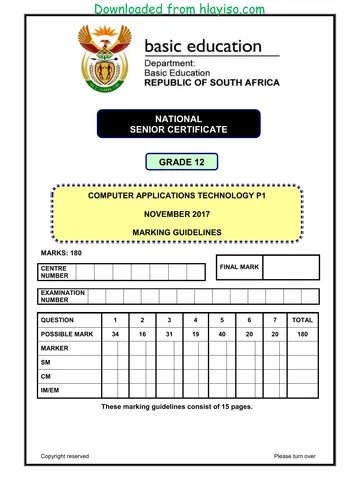
NATIONAL
SENIOR CERTIFICATE
GRADE 12
COMPUTER APPLICATIONS TECHNOLOGY P1
NOVEMBER 2017 (2)
MARKING GUIDELINES
MARKS: 180
CENTRE FINAL MARK
NUMBER
EXAMINATION
NUMBER
QUESTION 1 2 3 4 5 6 7 TOTAL
POSSIBLE MARK 27 24 24 26 41 19 19 180
MARKER
SM
CM
IM/EM
These marking guidelines consist of 16 pages.
Copyright reserved Please turn over
Skip to contentAll 2017 papers 
View all





Computer Applications Technology Grade 12 P1 2017 Memo (Eng)
Grade 12 Computer Applications Technology Paper 1 memorandum from the NSC November Exam 2017 (English), 16 pages. Read online or download the free PDF.
Computer Applications Technology · Grade 12 · NSC November Exam · 2017. Memorandum, 16 pages. Read online or download the PDF.
- Subject
- Computer Applications Technology
- Grade
- Grade 12
- Document type
- Memorandum
- Year
- 2017
- Exam period
- NSC November Exam
- Paper
- 1
- Curriculum
- CAPS
- Pages
- 16
- File size
- 469.5 KB
Free to read online, no sign-up needed
Loading document…
Loading document…
1 of 16
This exam
Questions in this paper
Document textSearch extracted text and jump to a page.
Downloaded from hlayiso.com
Computer Applications Technology/P1 2 DBE/November 2017 (2)
NSC – Marking Guidelines
EXAMINATION
NUMBER
IGNORE SPELLING IN ALL CASES WHERE IT WOULD NOT HAVE ANY IMPACT ON
THE ANSWER.
QUESTION 1 File name: 1Rio Total Q1: 27
Maximum Candidate
No. Criteria
Mark Mark
1.1 Cover page 3
• Text 'Rio Carnival' or any other text inserted in 'Title'
control 1
• Text 'Rio Carnival is the Mother of All Brazilian Carnival
Parties' moved (not copied) into 'Subtitle' control (ignore
formatting but no marks allocated if text also appears in
original position) 1
• 'Company' control removed 1
1.2 Style 1
• 'Heading 1' style renamed to 'Rio' 1
1.3 Table of contents 1
• Table of contents updated ('The Carnival Original' 1
does not appear)
1.4 Page numbers 3
• Section break inserted 1
• Page number from 'Table of Contents' page removed 1
• Page after 'Table of Contents' page numbered as 1 1
1.5 Superscript 1
• 'Adapted from www.dobrazilrigth.com' appears in
superscript (Accept all or part of text) 1
1.6 Line spacing 2
• Paragraph 'Carnival is on …' line spacing changed to
'Multiple' 1
• At 1.2 1
1.7 Footnote 1
• Footnote removed from the word 'Portuguese' 1
Copyright reserved Please turn over
Downloaded from hlayiso.com
Computer Applications Technology/P1 3 DBE/November 2017 (2)
NSC – Marking Guidelines
EXAMINATION
NUMBER
1.8 Columns 3
• Text inserted into 2 columns 1
• First column width set to 5 cm 1
• Second column width set to 10 cm 1
1.9 Leader tabs 3
• Tab set on 10 cm 1
• Right-aligned 1
• Dotted leader tab set 1
1.10 WordArt/Picture 3
• Picture 1Mask.jpg inserted 1
• Wrapping changed to Square/Tight/Through/Behind
Text/In Front of Text (Mask appears to the right of Rio 1
and above the WordArt)
• Picture adjusted and moved to resemble example 1
1.11 Find and replace 2
• All occurrences (5 changes/6 occurrences) (accept 7 1
occurrences if original is still in document)
• ao replaced with ão 1
1.12 Hyperlink screentip 1
• Screentip 'Read more' inserted on hyperlink (Accept 1
any text for the screentip)
1.13 Source 2
• Website source inserted 1
• URL OR name of website inserted 1
1.14 Bibliography 1
• Automatic bibliography inserted 1
Total for QUESTION 1 [27]
Copyright reserved Please turn over
Downloaded from hlayiso.com
Computer Applications Technology/P1 4 DBE/November 2017 (2)
NSC – Marking Guidelines
EXAMINATION
NUMBER
QUESTION 2 File name: 2Party Total Q2: 24
Maximum Candidate
No. Criteria
Mark Mark
2.1 Page footer 2
• File path inserted as a field (File name will be 1
included)
• Appear in page footer (not header) 1
2.2 Widow/Orphan control 1
• Widow/Orphan control checked for paragraph that 1
starts with 'Blocos are groups …'
2.3 Caption 2
• Automatic caption inserted on picture either above or
below 1
• 'Figure 1: Orguestra' (accept any text) 1
2.4 Indentation 2
• Number position set at 0 cm 1
• Text indent set at 1.4 cm 1
2.5 Antonym 1
• 'Successors' replaced with 'predecessors' 1
2.6 Comment 1
• Comment inserted on '2010' with text 'Since 2000' 1
2.7 Cross-reference 2
• Cross-reference added on 'ref' 1
• Moves to '9.Other Blocos' 1
2.8 Bullets 2
• Bullets changed 1
• To 2Maraca.jpg 1
2.9 Table 7
• Table style changed to any other table style 1
• Repeat row header selected (not for whole table) 1
• Textbox form control type changed to 'Date' 1
• Displays in date format 'dd Mmm' OR 'dd mmm' OR
'dd MMM' 1
• First five cells in last row merged (Accept any 1
number of cells merged)
• Formula entered: =SUM (Above) 2
Copyright reserved Please turn over
Downloaded from hlayiso.com
Computer Applications Technology/P1 5 DBE/November 2017 (2)
NSC – Marking Guidelines
EXAMINATION
NUMBER
2.10 Spreadsheet inserted 2
• Data from spreadsheet 2Carnival inserted as table 1
• As linked object (Verify by checking 'Edit Links to 1
Files' or checking that 'Update Link' appears on the
right-click menu)
2.11 Table to text 2
• Table converted to text 1
• Character used to separate '#' 1
Total for QUESTION 2 [24]
Copyright reserved Please turn over
Downloaded from hlayiso.com
Computer Applications Technology/P1 6 DBE/November 2017 (2)
NSC – Marking Guidelines
EXAMINATION
NUMBER
QUESTION 3 File name: 3Stat Total Q3: 24
• Mark the questions from the formulae and not the values/answers in the cell.
• Check against candidate's actual work (Cell references may differ, depending on the
candidate's response).
• Candidate may use multiple formulae or cells as 'building blocks' to reach answers.
• Named ranges can be used instead of cell references.
• The answers must still be correct even if changes are made to the existing data.
Maximum Candidate
No. Criteria
Mark Mark
Visit_Besoek worksheet
3.1 Foreign worksheet: 1
• Foreign worksheet shows 1
3.2 Cell D4: 1
• =VALUE(C4) 1
3.3 Cell E89: 1
=SUM(E4:E88)
• E89 changed to E88 1
3.4 Cell F89: 3
=LARGE(F4:F88,7)
• LARGE function 1
• F4:F88 1
• ,7 1
Copyright reserved Please turn over
Downloaded from hlayiso.com
Computer Applications Technology/P1 7 DBE/November 2017 (2)
NSC – Marking Guidelines
EXAMINATION
NUMBER
3.5 Cell G4: 6
=RIGHT(A4,3)&LEN(B4)&RANDBETWEEN(100,200)
OR
=CONCATENATE(RIGHT(A4,3),LEN(B4),
RANDBETWEEN(100,200))
OR
=RIGHT(A4,3)&LEN(B4)&TRUNC(RAND()*(200-
100)+100)
• RIGHT function 1
• (A4,3) 1
• LEN(B4) 1
• RANDBETWEEN function/(TRUNC(RAND() …) 1
• (100,200)/(200-100)+100 1
• & OR CONCATENATE 1
3.6 Conditional formatting: 3
• Conditional formatting applied to cells B4:B88 1
• Format all unique values 1
• Font colour set to red 1
Summary_Opsom worksheet
3.7 Cell C2: 3
• Hyperlink set in cell C2 1
• Links to cell F4 in the Visit_Besoek worksheet 2
3.8 Graph/Chart: 6
• Graph/Chart title inserted 'Visitors' 1
• Column graph/chart created for 'National' and
'Foreign' and line graph with or without markers for 1
'Total' 1
• Legend displayed on left of chart/graph 1
• 3Brazil set as plot/chart area background 1
• 'National' data series filled with any pattern 1
Total for QUESTION 3 [24]
Copyright reserved Please turn over
Downloaded from hlayiso.com
Computer Applications Technology/P1 8 DBE/November 2017 (2)
NSC – Marking Guidelines
EXAMINATION
NUMBER
QUESTION 4 File name: 4Tickets Total Q4: 26
• Mark the questions from the formulae and not the values/answers in the cell.
• Check against candidate's actual work (Cell references may differ, depending on the
candidate's response).
• Candidate may use multiple formulae or cells as 'building blocks' to reach answers.
• Named ranges can be used instead of cell references.
• The answers must still be correct even if changes are made to the existing data.
Maximum Candidate
No. Criteria
Mark Mark
Sales_Verkoop worksheet
4.1 Page orientation 1
• Page orientation changed to landscape 1
4.2.1 Row 1 height 1
• Row height changed from 78.75 to 135 pt 1
4.2.2 Picture 1
• Picture stretched to approximately fit into cell A1 1
4.3 Cells A2:K2: 2
• Headings appear in bold 1
• Background shaded to any colour 1
4.4 Cell K1: 4
=DATE(2018,2,1)
• Year: 2018 1
• Month: 2 1
• Day: 1 1
• Custom format: dd MMMM yyyy (Accept dd-MMM- 1
yyyy)
4.5 Cell G4: 3
=(F4-E4)*24
• (F4-E4) 1
• *24 1
• Cell's number format changed to number or general 1
Copyright reserved Please turn over
Downloaded from hlayiso.com
Computer Applications Technology/P1 9 DBE/November 2017 (2)
NSC – Marking Guidelines
EXAMINATION
NUMBER
4.6.1 Cell N3: 4
=ROUNDDOWN(AVERAGE(H3:H80),0)
OR
=INT(AVERAGE(H3:H80)
OR
=INT(AVERAGE(H:H)
• ROUNDDOWN function 1
• AVERAGE function 1
• Range: (H3:H80) (OR H:H) 1
• ,0 1
4.6.2 Cell J3: 5
=IF(H3>=$N$2,IF(H3<=$N$3,
"TRUE","FALSE"),"FALSE")
OR
=IF(AND(H3>=$N$2,H3<= $N$3),"TRUE","FALSE")
OR
=(H3-$N$2)*(H3-$N$3)<=0
OR
=IF(AND(H3>$N$3,H3>$N$2),"FALSE",IF(AND(H3<$N
$3,H3<$N$2),"FALSE","TRUE"))
OR 1
=AND(H3>=$N$2,H3<=$N$3) 1
1
• IF H3 1
• >=N2 (Ignore absolute cell reference) 1
• AND <=N3 (Ignore absolute cell reference)
• TRUE if between
• FALSE if not between
Copyright reserved Please turn over
Downloaded from hlayiso.com
Computer Applications Technology/P1 10 DBE/November 2017 (2)
NSC – Marking Guidelines
EXAMINATION
NUMBER
4.7 Cell K3: 5
=VLOOKUP(I3,Places_Plekke!A2:C7,3,False)*H3
OR
=VLOOKUP(I3,Places_Plekke!A2:C7,3)*H3
OR
=VLOOKUP(I3,Places_Plekke!$A$1:$C$7,3)*H3
• VLOOKUP function 1
• Lookup value: I3 1
• Lookup array Places_Plekke!A2:C7 OR
Places_Plekke!A1:C7 (Ignore absolute cell 1
reference)
• Column index: 3 1
• *H3 1
Total for QUESTION 4 [26]
Copyright reserved Please turn over
Downloaded from hlayiso.com
Computer Applications Technology/P1 11 DBE/November 2017 (2)
NSC – Marking Guidelines
EXAMINATION
NUMBER
QUESTION 5 File names: 5Samba, 5_7Gender.pdf Total Q5: 41
Maximum Candidate
No. Criteria
Mark Mark
Table: tbComp
5.1.1 Field: Entry 1
• Field size changed to 15 1
5.1.2 Field: PerformanceDay 5
Input Mask: >L?09
• > 1
• L 1
• ? 1
• 0 1
• 9 1
5.1.3 Field: Class 2
Validation rule: "A" or "B" or "C" or "D" or "E" or "F"
• AND operator changed to OR operator 1
• Suitable validation text entered that refers to
characters A–F to be entered 1
5.1.4 New field 2
• New field added with suitable name (should refer to
sound clips) 1
• Data type set to OLE object /attachment /hyperlink 1
5.1.5 Field: Year 1
• Moved to appear last in field list (Check in 1
datasheet view and design view)
5.1.6 Sorting 1
• Database sorted according to school names (Check 1
in datasheet view and design view)
Copyright reserved Please turn over
Downloaded from hlayiso.com
Computer Applications Technology/P1 12 DBE/November 2017 (2)
NSC – Marking Guidelines
EXAMINATION
NUMBER
Form: frm5_2
5.2 • Form created with all fields from tbComp table 1 7
• Heading 'Entries' inserted in form header (May 1
appear with default heading)
• Class field changed to combo box 1
• Row source: "A";"B";"C";"D";"E";"F" 1
• Row source type: "Value list" 1
• Label with examination number added in form 1
footer 1
Query: qry5_3
5.3 • Sorted first by Surname 1 4
then by School 1
• Criteria on Position: 1 1
• School, Surname, Name fields displayed 1
(Note to marker: 6 records expected.)
Query: qry5_4
5.4 • Criteria in PerformanceDay: 7
Between #2017/03/02# AND #2017/03/03# 2
OR >=#2017/03/02# AND <=#2017/03/03#
OR #2017/03/02# OR #2017/03/03#
OR Day([PerformanceDay])=2
OR Day([PerformanceDay])=3 AND
Month([PerformanceDay])=3 AND
Year([PerformanceDay])=2017
• Calculated field:
[TotalPoints]*110/100
OR ([TotalPoints]*0.1) + [TotalPoints]
OR [TotalPoints] *1.1
OR ([TotalPoints]*10/100) + [TotalPoints]
NewPoints field name: 1
[TotalPoints]* 1
Calculation of 10% 1
Added to [TotalPoints] 1
• TotalPoints criteria: >265 1
(Notes to marker:
• 17 records expected.
• The format of the date may differ.)
Copyright reserved Please turn over
Downloaded from hlayiso.com
Computer Applications Technology/P1 13 DBE/November 2017 (2)
NSC – Marking Guidelines
EXAMINATION
NUMBER
Query: qry5_5
5.5 • Criteria in Entry: Like "??" OR LEN([Entry])=2 2
o ? (correct character or use of LEN function) 1
o Two characters 1
(Note to marker: 15 records expected.)
Report: rpt5_6
5.6 • Fields inserted PerformanceDay, Class, Surname, 7
Name, Title, School (Ignore sequence) 1
• Report firstly grouped by PerformanceDay 1
• Performance grouping intervals set to Normal/Day 1
• Report secondly grouped by Class 1
• Function in Class group footer/group header 1
=Max ([TotalPoints]) 2
(Note to marker: Allocate the marks for the function even
if it appears in the wrong place.)
PDF: 5_7Gender
5.7 • Report exported 1 2
• As PDF 1
Total for QUESTION 5 [41]
Copyright reserved Please turn over
Downloaded from hlayiso.com
Computer Applications Technology/P1 14 DBE/November 2017 (2)
NSC – Marking Guidelines
EXAMINATION
NUMBER
QUESTION 6 File name: 6Post Total Q6: 19
• This question should be marked from the HTML code.
• Numerical attribute values do not need to be in inverted commas.
• A maximum of 1 mark will be deducted if one or more closing tags are omitted.
Maximum Candidate
No. Criteria
Mark Mark
6.1 Title 1
<title>Examination number</title>
• Examination number added as title 1
6.2 Body background colour 2
<body text="#ecf8a4" bgcolor="green">
• Background of web page (bgcolor) 1
• Changed to green (ignore if text tags removed) 1
6.3 Image 3
<img src="6Redeem.jpg" width="24%" height="200">
<img src="6House.jpg" width="24%" height="200">
<img src="6Flag.jpg" width="24%" height="200">
<img src="6Dance.jpg" width="24%" height="200">
• Picture inserted as second image
• Picture 6House.jpg inserted correctly 1
• Width="24%" and Height="200" (copied from other 1
images) 1
6.4 Alignment 1
<h3 align="center">SAMBA DANCERS | FREE PAINT |
FREE CARNIVAL MASKS</h3>
OR
<center><h3>SAMBA DANCERS | FREE PAINT | FREE
CARNIVAL MASKS</h3></center>
• Text centred 1
Copyright reserved Please turn over
Downloaded from hlayiso.com
Computer Applications Technology/P1 15 DBE/November 2017 (2)
NSC – Marking Guidelines
EXAMINATION
NUMBER
6.5 Horizontal line 2
<hr size="4"/>
• Horizontal line tag corrected 1
• Size set to 4 1
6.6 Font size 2
<font size="20">It starts on Friday</font>
• Font size tags inserted 1
• Font size set to 20 pt 1
6.7 Table 6
<table border="2">
<th colspan="2">Facts about Brazil</th>
<tr> <td>OFFICIAL NAME:</td>
<td>Federal Republic of Brazil</td></tr>
<tr> <td>CAPITAL:</td><td>Brasilia</td></tr>
<tr> <td>POPULATION:</td><td>183 888 841</td>
</tr>
<tr> <td>OFFICIAL LANGUAGE:</td>
<td>Portuguese</td></tr>
</table>
• Table inserted 1
• Table border added 1
• First row merged (colspan=2) 1
• First row contain a heading (th) 1
• Table contains 5 rows (correct text) 1
• Table contains 2 columns (correct text) 1
6.8 Hyperlink 2
<a
href="http://www.riotickets.com">www.riotickets.com
</a>
• Tag completed (<a href=) 1
• To correct target http://www.riotickets.com (ignore if 1
'http://' is left out)
Closing tag(s) or triangular brackets omitted -1
Total for QUESTION 6 [19]
Copyright reserved Please turn over
Downloaded from hlayiso.com
Computer Applications Technology/P1 16 DBE/November 2017 (2)
NSC – Marking Guidelines
EXAMINATION
NUMBER
QUESTION 7 Total Q7: 19
File names: 7Travel.docx, 7Handout & 7Tickets
Maximum Candidate
No. Criteria
Mark Mark
7Travel_Toer
7.1.1 Page border 2
• Page border inserted 1
• Any double line border 1
7.1.2 Footnote 2
• Footnote (or endnote) added on the 'Redeemer'
picture 1
• Any footnote text added 1
7.1.3 Picture formatting 2
• Alt Text Title inserted 1
• Alt Text Description changed to 'Photo of Hotel' 1
7.1.4 Hyperlink 1
• Hyperlink removed 1
7Handout
7.2 Handouts 3
• Slides exported to word processing document 1
• As handouts 1
• Provision for notes next to slides 1
7Tickets
7.3 Tickets table 9
• Table created 1
• 5 (6) fields added 1
• Date set to Date data type 1
• Date field format set to any date format 1
• Section, Row set to Short Text/Text 1
• Section, Row field size changed to less than 255 1
(Accept if only one field size changed)
• Price set to Currency 1
• Price field format changed to Euro 1
• Sold field set to Yes/No 1
Total for QUESTION 7 [19]
TOTAL 180
Copyright reserved
Study this subject
Recommended for this subject
Memorandum
Computer Applications Technology Grade 12 P1 2017 Memo (Afr)
Memorandum
Computer Applications Technology Grade 12 P1 2017 Memo (Eng)
Memorandum
Computer Applications Technology Grade 12 P1 2017 Memo (Afr)
Memorandum
Computer Applications Technology Grade 12 P1 2017 Memo (Eng)
Memorandum
Computer Applications Technology Grade 12 P1 2017 Memo (Eng)
Memorandum
Computer Applications Technology Grade 12 P1 2017 Memo (Eng)
More from Grade 12 Computer Applications Technology
Question paper
Computer Applications Technology Grade 12 P1 2025 QP (Afr)
Question paper
Computer Applications Technology Grade 12 P2 2025 QP (Eng)
Question paper
Computer Applications Technology Grade 12 P1 2024 QP (Afr)
Question paper
Computer Applications Technology Grade 12 P1 2024 QP (Eng)
Question paper
Computer Applications Technology Grade 12 P2 2024 QP (Eng)
Question paper