
Downloaded from hlayiso.com
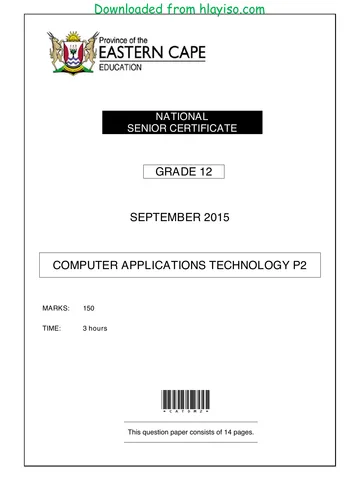
NATIONAL
SENIOR CERTIFICATE
GRADE 12
COMPUTER APPLICATIONS TECHNOLOGY P2
NOVEMBER 2015
MARKS: 150
TIME: 3 hours
This question paper consists of 16 pages.
Copyright reserved Please turn over
Skip to contentAll 2015 papers 
View all
Computer Applications Technology Grade 12 P2 2015 QP (Eng)
Grade 12 Computer Applications Technology Paper 2 question paper from the NSC November Exam 2015 (English), 16 pages. Read online or download the free PDF.
Computer Applications Technology · Grade 12 · NSC November Exam · 2015. Question paper, 16 pages. Read online or download the PDF.
- Subject
- Computer Applications Technology
- Grade
- Grade 12
- Document type
- Question paper
- Year
- 2015
- Exam period
- NSC November Exam
- Paper
- 2
- Curriculum
- CAPS
- Pages
- 16
- File size
- 395.0 KB
Free to read online, no sign-up needed
Loading document…
Loading document…
1 of 16
This exam
Questions in this paper
Document textSearch extracted text and jump to a page.
Downloaded from hlayiso.com
Computer Applications Technology/P2 2 DBE/November 2015
NSC
INSTRUCTIONS AND INFORMATION
1. This question paper consists of:
SECTION A (25 marks)
SECTION B (75 marks)
SECTION C (50 marks)
2. Answer ALL the questions.
3. Number the answers correctly according to the numbering system used in this
question paper.
4. Start EACH question on a NEW page.
5. Do NOT write in the right-hand margin of the ANSWER BOOK.
6. Leave a line after EACH subquestion.
7. Generally, one mark is allocated per action; therefore, a 2-mark question
would usually require TWO actions, et cetera.
8. Write neatly and legibly.
Copyright reserved Please turn over
Downloaded from hlayiso.com
Computer Applications Technology/P2 3 DBE/November 2015
NSC
SECTION A
QUESTION 1: MATCHING ITEMS
Choose a term/concept from COLUMN B that matches a description in COLUMN A.
Write only the letter (A–S) next to the question number (1.1–1.10) in the
ANSWER BOOK, for example 1.11 T.
COLUMN A COLUMN B
1.1 A dedicated device that can be A fibre-optic cable
used to withdraw cash from a
bank account B switch
1.2 The process of trying to resolve C RSS feed
hardware or software problems
D COUNTIF
1.3 A medium used for sending and
receiving data at a very high E proofing
speed
F SUMIF
1.4 A device that is used to connect
computer devices in a LAN G Intranet
1.5 The act of passing off someone H facial recognition
else's work as your own
I troubleshooting
1.6 A website used by a company to
share information with its J cloud computing
employees only
K twisted pair cable
1.7 The process of interacting online
with people who share similar L formatting
interests and activities
M copyright
1.8 The process of checking
documents for spelling and N ATM
grammar errors
O plagiarism
1.9 A biometric security measure that
could control access to a user's P router
computer or device
Q WAN
1.10 A spreadsheet function used to
determine the number of cells R social networking
where the content meets specific
criteria S cellphone banking
(10 x 1) [10]
Copyright reserved Please-turn-over
Downloaded from hlayiso.com
Computer Applications Technology/P2 4 DBE/November 2015
NSC
QUESTION 2: MULTIPLE-CHOICE QUESTIONS
Various options are given as possible answers to the following questions. Choose the
answer and write only the letter (A–D) next to the question number (2.1–2.10) in the
ANSWER BOOK, for example 2.11 D.
2.1 Which ONE of the following would usually be viewed in a browser?
A WWW
B PAN
C USB
D UPS (1)
2.2 ... is a shortcut commonly used in many programs to save a file.
A Alt + S
B Shift + S
C Ctrl + S
D Alt + Shift + S (1)
2.3 Which ONE of the following search phrases would typically exclude or ignore
the word 'Android' when using a search engine to search for the
word 'tablets'?
A tablet AND Android
B tablet -Android
C tablet OR Android
D tablet without Android (1)
2.4 Which ONE of the following is directly associated with e-mail?
A URL
B html
C SSD
D Bcc (1)
2.5 A(n) ... is NOT an example of optical storage.
A CD
B DVD
C HDD
D BD (1)
2.6 Which ONE of the following is a potential threat to the environment, caused
by the widespread use of technology?
A Increased power consumption
B A paperless office
C Refilling ink cartridges
D Repetitive strain injuries (1)
Copyright reserved Please-turn-over
Downloaded from hlayiso.com
Computer Applications Technology/P2 5 DBE/November 2015
NSC
2.7 Which ONE of the following database objects allows a user to enter or view
data one record at a time?
A Table
B Query
C Form
D Report (1)
2.8 Which ONE of the following is the abbreviation for the largest unit used to
measure storage?
A MB
B GB
C TB
D KB (1)
2.9 The ... is a hardware component that allows a computer to connect to and
communicate via a network.
A BIOS
B GPU
C ROM
D NIC (1)
2.10 Which ONE of the following is the most likely reason why all files frequently
disappear from the same USB flash drive?
A The flash drive was connected to a USB 3.0 port.
B The files are backed up automatically.
C The flash drive is 'Read Only'.
D The files were hidden by a virus. (1)
[10]
Copyright reserved Please-turn-over
Downloaded from hlayiso.com
Computer Applications Technology/P2 6 DBE/November 2015
NSC
QUESTION 3: TRUE/FALSE ITEMS
Indicate whether the following statements are TRUE or FALSE. Choose the answer
and write 'true' or 'false' next to the question number (3.1–3.5) in the ANSWER BOOK.
Correct the statement if it is FALSE. Change the underlined word(s) to make the
statements TRUE. (You may not simply use the word 'NOT' to change the statement.)
EXAMPLES:
QUESTION ANSWER
Computer program instructions are
True
executed by the CPU.
Dot matrix, inkjet and laser are types of
False – printers
keyboards.
3.1 The www is the multimedia section or service of the Internet. (1)
3.2 The hyperlink is the most suitable database field type for physically storing
images in a field. (1)
3.3 Hacking refers to the use of techniques like phishing and e-mail spoofing to
trick a user into giving out confidential details, such as passwords and
account numbers. (1)
3.4 The spreadsheet feature which formats cells according to the values they
contain is called number formatting. (1)
3.5 An e-mail message that warns the reader about a problem such as a
virus that does not actually exist is called a hoax. (1)
[5]
TOTAL SECTION A: 25
Copyright reserved Please-turn-over
Downloaded from hlayiso.com
Computer Applications Technology/P2 7 DBE/November 2015
NSC
SECTION B
QUESTION 4: SYSTEMS TECHNOLOGIES
Study the specifications of the two computers below and answer the questions
that follow:
COMPUTER A COMPUTER B
i3 1.7 GHz CPU i7 3.0 GHz CPU
4 GB DDR3, 1 333 MHz RAM 8 GB DDR3, 1600 MHz RAM
500 GB hard drive 1 TB hard drive
2 GB integrated HD graphics card 4 GB dedicated graphics card
Multi-DVD writer Multi-DVD writer
USB 3.0 USB 3.0
802.11 a/b/g 802.11 a/b/g/n
2 MP webcam 8 MP webcam
19'' LCD monitor 23'' touch screen
Windows 7 Windows 8.1 Professional
USB keyboard Wireless keyboard
4.1 State TWO hardware specifications for Computer B, besides the graphics
card, that indicate that it should be more 'powerful' or provide better
performance than Computer A. (2)
4.2 Explain the difference between RAM and a hard drive in terms of each one's
function. (2)
4.3 Name TWO examples of power users who would benefit from installing a
separate graphics card such as the one listed for Computer B. (2)
4.4 The term 'convergence' refers to a common trend in the development of
computer hardware and devices.
4.4.1 Explain the term convergence. (1)
4.4.2 Give ONE example of convergence. (1)
4.5 Which item in the list of specifications would you use to connect a printer
to Computer A? (1)
4.6 Which type of system software is specifically designed to allow a computer to
control and communicate with a device such as a printer? (1)
4.7 Name the type of software required to change a scanned image of text into
editable text. (1)
4.8 Explain why the webcam specification for Computer B could possibly cause it
to use more bandwidth than the webcam specification for Computer A. (2)
Copyright reserved Please-turn-over
Downloaded from hlayiso.com
Computer Applications Technology/P2 8 DBE/November 2015
NSC
4.9 Give TWO advantages of SSDs (solid-state drives) over traditional hard
drives. (2)
4.10 Name a hardware device that is needed to connect a computer to the
Internet. (1)
4.11 Voice recognition software could be used on the computers.
4.11.1 Name a hardware device that is NOT specified for either
Computer A or B, but which would be necessary for voice input. (1)
4.11.2 State TWO potential disadvantages of using voice recognition
software. (2)
4.12 State TWO possible software-related issues, excluding malware, that could
cause a sudden decrease in the performance of a computer. (2)
4.13 Name TWO advantages of having a POS ('point of sale') system installed in
a shop. (2)
4.14 State TWO basic functions of an operating system, excluding tasks performed
by utilities such as the disk defragmenter. (2)
[25]
Copyright reserved Please-turn-over
Downloaded from hlayiso.com
Computer Applications Technology/P2 9 DBE/November 2015
NSC
QUESTION 5: INTERNET AND NETWORK TECHNOLOGIES
5.1 State TWO benefits of using VoIP. (2)
5.2 What is the main difference between a server and a client on a network in
terms of their role or function? (1)
5.3 What is the general name for the type of network that extends over a large
area such as a province? (1)
5.4 What is grid computing? (2)
5.5 Name ONE thing that you will see in your web browser to show that you are
connected to a secure site when using online banking. (1)
5.6 A video on a web page won't play in your browser, even after you have
refreshed the page.
Suggest ONE way to solve this problem other than using another browser or
trying to view the video on another computer or website. (1)
5.7 Users commonly upload and download data using the Internet.
5.7.1 Explain the difference between the terms uploading and
downloading. (2)
5.7.2 How does the speed of data transmission of an ADSL line differ in
terms of downloading and uploading? (1)
5.8 State TWO alternative ways of sending large files via the Internet, other than
sending it as an e-mail attachment. (2)
5.9 Briefly explain what web caching is AND also the main advantage it provides. (2)
[15]
Copyright reserved Please-turn-over
Downloaded from hlayiso.com
Computer Applications Technology/P2 10 DBE/November 2015
NSC
QUESTION 6: INFORMATION MANAGEMENT
6.1 Motivate why you would use a questionnaire or survey to obtain information,
even if you have access to so much information on the Internet. (1)
6.2 Give TWO reasons for using closed questions in a questionnaire or survey. (2)
6.3 State TWO general features of spreadsheets that make them suitable for data
analysis. (2)
6.4 What would you need to add to a word processing document to create an
automatically generated bibliography? (1)
6.5 Name the word processing feature that can be used to automatically indicate
the different changes made to a document by various editors or users. (1)
6.6 State TWO indications that information found on a website may not be
accurate. (2)
6.7 Why should you include the date when information was retrieved from the
websites in a bibliography? (1)
[10]
QUESTION 7: SOCIAL IMPLICATIONS
7.1 State TWO operating system settings that can be changed to improve battery
life by saving power on a portable computer. (2)
7.2 State TWO different actions that would make someone guilty of piracy in
an ICT context. (2)
7.3 Give advice to someone who cannot afford a fully licensed copy of the
Windows 8.1 operating system by giving TWO possible legal solutions to
this problem. (2)
7.4 Suggest TWO ways to make it easier for people with poor eyesight to use a
website. (2)
7.5 Briefly explain what information overload is AND how it affects productivity
specifically. (2)
[10]
Copyright reserved Please-turn-over
Downloaded from hlayiso.com
Computer Applications Technology/P2 11 DBE/November 2015
NSC
QUESTION 8: SOLUTION DEVELOPMENT
8.1 A word processing application allows a user to create a mail merge.
8.1.1 State TWO possible data sources that can be used for a mail
merge. (2)
8.1.2 Why do you need to insert merge fields into a mail merge
document? (1)
8.2 Study the following screenshot from a spreadsheet:
8.2.1 Examine the function in cell E2.
Explain, in your own words, the TWO criteria for a person to qualify
for a pension according to this function.
Do NOT quote from or refer directly to the function in your answer. (2)
8.2.2 What would the function display in cell E2? (1)
8.3 Give ONE example of where or why you would use the 'paste special' feature
of a spreadsheet program instead of the normal paste function. (1)
8.4 The HTML code of a web page contains the following line:
<!-- School information here -->
8.4.1 What is the purpose of this type of HTML code (tag)? (1)
8.4.2 What is displayed by this HTML code when the web page is
displayed in a browser? (1)
8.5 What is the purpose of adding the 'Alt' section in the HTML code below?
<img src=''school.jpg'' Alt=''School badge''> (1)
Copyright reserved Please-turn-over
Downloaded from hlayiso.com
Computer Applications Technology/P2 12 DBE/November 2015
NSC
8.6 Study the screenshot below of the structure of a table that was created to keep
track of items that a computer shop has in stock.
8.6.1 Why would it NOT be necessary to set the properties of the
StockID field to be a required field? (1)
8.6.2 Which feature or property could be used in the Number in stock
field to ensure that no number larger than 100 can be entered? (1)
8.7 Processors are listed in the Category field as CPU.
The query below (based on the Stock table described in QUESTION 8.6) was
created to find all the CPUs of which there are fewer than 10 in stock.
8.7.1 Briefly explain why this query will NOT return the correct data
AND how it can be corrected. (2)
8.7.2 Which field in this query will NOT be displayed when the query
is run? (1)
[15]
TOTAL SECTION B: 75
Copyright reserved Please-turn-over
Downloaded from hlayiso.com
Computer Applications Technology/P2 13 DBE/November 2015
NSC
SECTION C
QUESTION 9: INTEGRATED SCENARIO
A school wishes to set up a computer network in their library for learners to do
research for their projects. Ms Mabona, the CAT teacher, has agreed to help the
librarian, Mr Joseph, with any questions concerning computers.
9.1 State ONE ergonomic consideration that should be taken into account when
purchasing chairs for the learners to work on the computers. (1)
9.2 One of the programs Mr Joseph wants to buy for the library has the following
minimum system requirements:
Dual core 1.8 GHz
2 GB RAM
5 GB hard drive space
Windows 8 or 8.1
1024 x 768
9.2.1 What does the term minimum system requirements mean in
this context? (2)
9.2.2 Ms Mabona recommends that the school buy computers with
higher specifications than the requirements above.
Give TWO reasons why this is good advice. (2)
9.2.3 To which device does the '1024 x 768' specification refer? (1)
9.2.4 Name TWO potential disadvantages of using a proprietary
operating system such as Windows instead of an OSS (open
source software) version. (2)
9.2.5 Mr Joseph wants to install the new program, but the hard drive on
the computer currently does not have enough free space.
Name TWO possible ways in which he can free up disk space on
the existing hard drive. (2)
9.2.6 Mr Joseph also has the option of using web-based applications.
Outline TWO possible reasons why web-based applications would
NOT be a good solution for the school. (2)
9.3 Mr Joseph was advised to install a service pack for his office suite.
Give TWO advantages or benefits of installing a service pack. (2)
Copyright reserved Please-turn-over
Downloaded from hlayiso.com
Computer Applications Technology/P2 14 DBE/November 2015
NSC
9.4 Mr Joseph would like to order a printer for the library for the learners to print
their projects.
9.4.1 Give TWO advantages of having a card reader or spare USB port
on a printer.
NOTE: This excludes connecting the printer to the USB port. (2)
9.4.2 Mr Joseph has received a spreadsheet with the details and prices
of all printers that would work in his situation.
What spreadsheet feature could he use to list only a specific type
of printer? (1)
9.4.3 State TWO ways in which Mr Joseph can reduce the amount of
paper used by learners. (2)
9.4.4 State TWO environmentally-friendly ways of managing empty ink
cartridges. (2)
9.5 Mr Joseph has bought a scanner for the library.
9.5.1 After opening the box and unpacking the contents, he noted that
this type of scanner does not have a CD with drivers.
Where could the drivers for the scanner be found or obtained from,
other than a shop? (1)
9.5.2 Explain what each of the following terms indicate regarding the
scanner:
(a) Colour depth
(b) dpi (2)
9.6 The computers in the library will be connected to the Internet.
9.6.1 Give TWO advantages of using the Internet for doing research
instead of the books in the library. (2)
9.6.2 Name the class or type of software that should be used to prevent
unauthorised access to the computers on the network from the
Internet or from the computers to the Internet. (1)
9.6.3 Learners have used Wikipedia for their research.
What is a wiki? (2)
Copyright reserved Please-turn-over
Downloaded from hlayiso.com
Computer Applications Technology/P2 15 DBE/November 2015
NSC
9.7 Learners and staff members are encouraged to use cloud storage to save
their work.
9.7.1 Name TWO potential advantages of using cloud storage instead of
a flash drive to save data and information. (2)
9.7.2 Name ONE way in which staff members can ensure that their work
is backed up to the cloud on a regular basis. (1)
9.8 A weekly art class will be streamed live over the Internet. Learners will be
able to participate via a video conference.
9.8.1 Name ONE input device that should be installed on the computers
for the video conference to take place. (1)
9.8.2 State TWO advantages in terms of teaching and learning of using
video conferencing as outlined in this scenario. (2)
9.8.3 State the main advantage of streaming a video. (1)
9.8.4 Mr Joseph has to choose between using a large computer screen
and a data projector for the video conference.
Give TWO reasons why using a large computer screen might be
preferable in this context. (2)
9.9 Ms Mabona has recommended that the server be placed in a room with
biometric access control.
9.9.1 Why should the server be kept in such a room? (1)
9.9.2 Give TWO limitations that Mr Joseph should be aware of regarding
biometric fingerprint security, besides any cost-related issues. (2)
9.10 Give TWO reasons for using a database instead of a spreadsheet to record
information about all the books in the library. (2)
9.11 Mr Joseph created a database to enter the information of all the books.
Recommend the most suitable data type for each of the following fields:
9.11.1 The Cost field, which will store and display the replacement cost of
each book in 'Rand' format (1)
9.11.2 The ISBN field, which will contain the ISBN number of each book,
for example 918-6-619-42299-5 (1)
9.11.3 The Overview field, which will contain a summary of 500 to 1 000
words describing each book's contents (1)
9.11.4 The Cover field, which will store a picture of the outside cover of
each book within the field itself (1)
Copyright reserved Please-turn-over
Downloaded from hlayiso.com
Computer Applications Technology/P2 16 DBE/November 2015
NSC
9.12 Mr Joseph has a database with records of all the people who have
contributed to the project. He would like to create a report of the top 10
donors in terms of the total amounts they have donated to the project.
Broadly describe the steps he should follow to create this report in the
database. (3)
TOTAL SECTION C: 50
GRAND TOTAL: 150
Copyright reserved *
Study this subject
Recommended for this subject
Memorandum
Computer Applications Technology Grade 12 P2 2015 Memo (Afr)
Memorandum
Computer Applications Technology Grade 12 P2 2015 Memo (Eng)
Question paper
Computer Applications Technology Grade 12 P1 2015 QP (Afr)
Question paper
Computer Applications Technology Grade 12 P2 2015 QP (Eng)
Question paper
Computer Applications Technology Grade 12 P2 2015 QP (Eng)
Question paper
Computer Applications Technology Grade 12 P2 2022 QP (Afr)
More from Grade 12 Computer Applications Technology
Memorandum
Computer Applications Technology Grade 12 P1 2025 Memo (Eng)
Memorandum
Computer Applications Technology Grade 12 P2 2025 Memo (Afr)
Memorandum
Computer Applications Technology Grade 12 P1 2025 Memo (Eng)
Memorandum
Computer Applications Technology Grade 12 P1 2024 Memo (Eng)
Memorandum
Computer Applications Technology Grade 12 P2 2024 Memo (Eng)
Question paper