
Downloaded from hlayiso.com
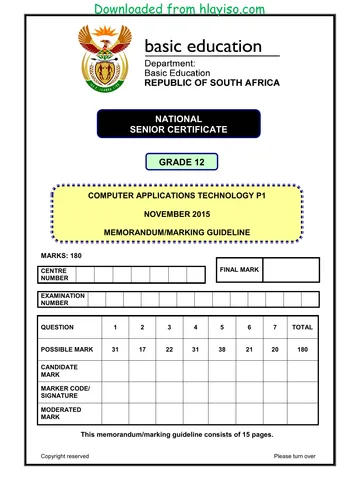
NATIONAL
SENIOR CERTIFICATE
GRADE 12
COMPUTER APPLICATIONS TECHNOLOGY P1
NOVEMBER 2015 (2)
MEMORANDUM/MARKING GUIDELINE
MARKS: 180
FINAL MARK
CENTRE
NUMBER
EXAMINATION
NUMBER
QUESTION 1 2 3 4 5 6 7 TOTAL
POSSIBLE MARK 29 20 22 29 41 20 19 180
CANDIDATE
MARK
MARKER CODE/
SIGNATURE
MODERATED
MARK
This memorandum/marking guideline consists of 13 pages.
Copyright reserved Please turn over
Skip to contentAll 2015 papers 
View all





Computer Applications Technology Grade 12 P1 2015 Memo (Eng)
Grade 12 Computer Applications Technology Paper 1 memorandum from the NSC November Exam 2015 (English), 13 pages. Read online or download the free PDF.
Computer Applications Technology · Grade 12 · NSC November Exam · 2015. Memorandum, 13 pages. Read online or download the PDF.
- Subject
- Computer Applications Technology
- Grade
- Grade 12
- Document type
- Memorandum
- Year
- 2015
- Exam period
- NSC November Exam
- Paper
- 1
- Curriculum
- CAPS
- Pages
- 13
- File size
- 463.3 KB
Free to read online, no sign-up needed
Loading document…
Loading document…
1 of 13
This exam
Questions in this paper
Document textSearch extracted text and jump to a page.
Downloaded from hlayiso.com
Computer Applications Technology/P1 2 DBE/November 2015 (2)
NSC – Memorandum/Marking Guideline
EXAMINATION
NUMBER
IGNORE SPELLING IN ALL CASES WHERE IT WOULD NOT HAVE ANY IMPACT ON
THE ANSWER.
QUESTION 1 File name: 1Fynbos Total Q1: 29
Maximum Candidate
No. Criteria
Mark Mark
1.1 Margins 1
• Margins gutter set to left 1 cm 1
1.2 Cover page 2
• Text box filled 1
• With picture 1Title_Titel.jpg 1
(Note to marker: Ignore if the word 'Fynbos' still appears in
the textbox.)
1.3 Alignment 1
• Text of first paragraph in document justified (i.e. left
and right) 1
1.4 Dropped cap 3
• Dropped cap applied 1
• Over 5 lines 1
• 0.5 cm from text 1
1.5 Columns 2
• Text formatted into two columns 1
• Column break applied so that the heading 'Richness of
plant life' appears at the top of the second column 1
1.6 Table 5
• Row 1 merged 1
• Small caps applied to heading in row 1 1
• Data in second column vertically centred 1
• Data in second column sorted alphabetically 1
• Outer border changed to a thicker border 1
(Notes to marker:
• Award the third mark if the text is vertically and
horizontally centred.
• The images should match the description. If the
candidate moved the text manually and the pictures
are not moved accordingly, do not award the fourth
mark.)
1.7 Hyperlink 2
• Hyperlink applied to text 'Threats to Fynbos' 1
• Link created to picture 1Fire_Vuur.jpg 1
1.8 Page orientation 2
• Landscape orientation applied to selected text only
(section breaks included) 1
• All other pages are portrait 1
Copyright reserved Please turn over
Downloaded from hlayiso.com
Computer Applications Technology/P1 3 DBE/November 2015 (2)
NSC – Memorandum/Marking Guideline
EXAMINATION
NUMBER
1.9 Multilevel list 3
• Multi-level numbering applied 1
• First level numbering applied correctly (A..G) 1
• Second level numbering applied correctly (i..vi) 1
(Note to marker: Accept numbering in uppercase or
lowercase.)
1.10 Comment 1
• Comment deleted 1
1.11 Endnote 3
• Endnote applied to heading 'Acknowledgements' 1
• Text added for endnote 1
• Letter 'A' used as custom mark 1
(Notes to marker:
• Allocate second mark if all or some text has been
added to the endnote.
• Ignore if original text still appears.)
1.12 Automatic bibliography 1
• Automatic bibliography added 1
1.13 Watermark 3
• Watermark inserted 1
• Picture 1Wash_Was.gif used 1
• Only appears on last page 1
(Note to marker: Allocate the last mark if the watermark
appears on the last page and not on the second last page,
even if it appears on the other pages of the document.)
Total for QUESTION 1 [29]
Copyright reserved Please turn over
Downloaded from hlayiso.com
Computer Applications Technology/P1 4 DBE/November 2015 (2)
NSC – Memorandum/Marking Guideline
EXAMINATION
NUMBER
QUESTION 2 File names: 2Entry_Inskryw Total Q2: 20
Maximum Candidate
No. Criteria
Mark Mark
2.1 Formatting 3
• Heading formatted to italics 1
• Appears over two lines 1
• Text underlined 1
(Note to marker: Accept any method of manipulating the
heading to appear over two lines.)
2.2 Logo 4
• Logo 2Sanbi.png added 1
• Logo formatted to appear on right of text 1
• Width set to 8.1 cm 1
• Height set to 3.6 cm 1
2.3 Styles 1
• Heading 'Personal Details' formatted with 'Heading'
style 1
2.4.1 Form controls 4
• First tab stop set to 1 cm 1
• Second tab stop set to 11 cm 1
• Tab stop positions applied to one 1
• Tab stop positions applied to all 1
2.4.2 Drop-down form field control 2
• Male option added 1
• Female option added 1
2.4.3 ID number control 2
• Text form field control added 1
• Maximum length set to 13 1
2.4.4 Date of birth date control 2
• Type set to Date 1
• Format set to yyyy/MM/dd 1
2.4.5 Check box control 1
• Check box control inserted next to 'Wednesday' 1
2.5 Subject property 1
• Text 'Entry form' added as subject to the properties 1
Total for QUESTION 2 [20]
Copyright reserved Please turn over
Downloaded from hlayiso.com
Computer Applications Technology/P1 5 DBE/November 2015 (2)
NSC – Memorandum/Marking Guideline
EXAMINATION
NUMBER
QUESTION 3 File name: 3Plant Total Q3: 22
• Mark the questions from the formulae and not the values/answers in the cell.
• Check against candidate's actual work (Cell references may differ, depending on the
candidate's response).
• Candidate may use multiple formulae or cells as 'building blocks' to answers.
• Named ranges can be used instead of cell references.
Maximum Candidate
No. Criteria
Mark Mark
Plants_Plante worksheet
3.1 Row 1: 1
• Row height changed to 40 pt 1
3.2 Cell A1: 3
• Heading or part of heading 'List of Plants' added 1
• 'Aharoni' font applied 1
• Any pattern style applied to cell 1
3.3 Freeze Panes: 2
• Freeze panes applied 1
• Correct position: row 3 1
3.4 Row 2: 1
• Text wrapping applied 1
3.5 Border: 1
• Any orange border applied around cells A2:E79 1
3.6 Cell E3: 5
=COUNTIF(B3:B79, "*Sugarbush*") OR
= COUNTIF(B:B, "*Sugarbush*")
• COUNTIF function used 1
• Range: B3:B79 1
• Criteria: * "Sugarbush" * 3
(Note to marker: Expected answer is 26.)
Summary worksheet
3.7 Bar chart/graph: 9
• Chart/graph created 1
• Bar chart/graph type 1
• Correct data series: A2:C5 1
• Data row/column switched 1
• Data labels on horizontal axis to show years 1
• Heading 'Species per year' 1
• Legend appears at the bottom 1
• Axis intervals changed to units of 15 1
• Data labels inserted 1
Total for QUESTION 3 [22]
Copyright reserved Please turn over
Downloaded from hlayiso.com
Computer Applications Technology/P1 6 DBE/November 2015 (2)
NSC – Memorandum/Marking Guideline
EXAMINATION
NUMBER
QUESTION 4 File names: 4StatsData Total Q4: 29
• Mark the questions from the formulae and not the values/answers in the cell.
• Check against candidate's actual work (Cell references may differ, depending on the
candidate's response).
• Candidate may use multiple formulae or cells as 'building blocks' to reach answers.
• Named ranges can be used instead of cell references.
Maximum Candidate
No. Criteria
Mark Mark
Stats worksheet
4.1.1 Cells A1:J1: 2
• Cells centred 1
• Cells merged 1
4.1.2 Text direction: 2
• Text rotated 1
• Only row 2 1
(Note to marker: Rotation must ensure that the text is
clearly visible and reads correctly.)
4.2 Cell C3: 2
=AVERAGE(B3:B159) OR =AVERAGE(B:B)
• AVERAGE function 1
• Range: B3:B159 1
(Note to marker: Expected answer is 143705.)
4.3 Conditional formatting: Column E 4
• Criteria >0 – font colour set to blue 2
• Criteria <0 – font colour set to red 2
(Note to marker: If a candidate includes zero in the
criteria, penalise only once in any one of the criteria.)
4.4 Cell F3: 6
=HLOOKUP(G3,Code_Kode!$A$1:$D$2,2,FALSE)
• HLOOKUP function used 1
• Lookup value: G3 1
• Lookup range: Code_Kode!$A$1:$D$2 1
• Column reference: 2 1
• Lookup range: False OR no False if lookup table has
been sorted 1
• Absolute cell referencing 1
(Notes to marker:
• Accept a VLOOKUP if candidates
transposed/swopped the table in worksheet
Code_Kode.
• =VLOOKUP(G3:G159,Code_Kode!$A$1:$B$4,2,
FALSE).)
Copyright reserved Please turn over
Downloaded from hlayiso.com
Computer Applications Technology/P1 7 DBE/November 2015 (2)
NSC – Memorandum/Marking Guideline
EXAMINATION
NUMBER
4.5 Cell H3: 6
=IF(D3>30,"Well",IF(D3>25,"Moderate","Poor"))
OR
=IF(D3>=31,"Well",IF(D3>=26,"Moderate","Poor"))
OR
=IF(D3>30,"Well",IF(AND(D3>25,D3<=30),"Moderate",
"Poor"))
OR
=IF(D3<=25,"Poor",IF(AND(D3>25,D3<=30),"Moderate
","Well"))
OR
=IF(D3<=25,"Poor",IF(D3<=30,"Moderate","Well"))
OR
=IF(D3>30,"Well",IF(D3<=25,"Poor","Moderate"))
• Nested IF function 1
• Syntax of IF statement is correct 1
• 'Well' correctly displayed for conservation target
greater than 30 1
• 'Moderate' correctly displayed for conservation target
greater than 25 1
• 'Poor' correctly displayed for conservation target
equal to and lower than 25 1
• Function copied to cells below 1
(Note to marker: Check for correct use of conditional
options. There are many alternative answers, one of
which could be a VLOOKUP.)
4.6 Cell I4: 7
=CONCATENATE(LEFT(A4,3),LEN(A4),F4)
OR
=LEFT(A4,3)&LEN(A4)&F4
• & operators OR CONCATENATE function used
correctly 1
• LEFT function used to extract the first three letters 1
from cell A4 2
• LEN (A4) 2
• F4 1
(Note to marker: Expected answer is Agu24LT.)
Total for QUESTION 4 [29]
Copyright reserved Please turn over
Downloaded from hlayiso.com
Computer Applications Technology/P1 8 DBE/November 2015 (2)
NSC – Memorandum/Marking Guideline
EXAMINATION
NUMBER
QUESTION 5 File name: 5CFKData Total Q5: 41
Maximum Candidate
No. Criteria
Mark Mark
Table: Plant
5.1.1 Field: FamilyCommon 1
• Field size is 50 1
5.1.2 Field: EndemicSpecies 2
• Required property set to Yes 1
• Format of field set to 'Fixed' format 1
5.1.3 Field: Listing 2
• Combo box/List box applied to field 1
• Options added ('Endangered' and 'Threatened') 1
(Note to marker: Accept if only one option is added.)
5.1.4 Field: PlantCode 5
Input Mask: >LAAa
• > (enforce capital letters) 1
• L (compulsory letter) 1
• AA (two compulsory letters or digits) 2
• a (optional letter or number) 1
5.1.5 Field: PlantCode 1
• Primary key set on PlantCode field 1
Form: frm5_2
5.2 • Form frm5_2 created based on Plant table 1 10
• Columnar layout selected 1
• Selected fields: FamilyCommon, FamilyBot,
TotalSpecies and EndemicSpecies 1
• Font size of heading is 36 1
• Heading 'Plant' centred 1
• 5Erica.jpg picture inserted in form header 2
• Background colour of form header changed to
yellow 1
• Button inserted 1
• The next record is shown when the button is clicked
1
(Notes to marker:
• Ignore if full heading is not visible.
• Accept if heading centred across page or inside label.
• Also accept 'Find Next' as action of the button.)
Copyright reserved Please turn over
Downloaded from hlayiso.com
Computer Applications Technology/P1 9 DBE/November 2015 (2)
NSC – Memorandum/Marking Guideline
EXAMINATION
NUMBER
Query: qry5_3
5.3 • Displays FamilyCommon and FamilyBot fields only 1 4
• EndemicSpecies field:
o Show: not selected 1
o Criteria: > 1200 2
(Note to marker: Expected answer is 40 records.)
Query: qry5_4
5.4 • FamilyBot field displayed in descending order 1 6
• Calculated field:
Perc: [EndemicSpecies] /[TotalSpecies] * 3
100 1
• FamilyBot and Perc fields display 1
(Notes to marker:
• Only allocate the fifth mark if the answer is correct
and the column displays the % sign.
• Ignore if EndemicSpecies and TotalSpecies fields are
also displayed.)
Report: rpt5_5
5.5 • Fields included: FamilyCommon, FamilyBot, 10
EndemicSpecies and Genus 1
• Landscape orientation 1
• Grouped according to EndemicSpecies 1
• Calculation in report header or report footer 1
• Calculation:
=Round (Avg ([EndemicSpecies]), 1) 4
• Appropriate label included 1
• All data displays fully 1
(Note to marker: Accept formatting to one decimal place
instead of ROUND.)
Total for QUESTION 5 [41]
Copyright reserved Please turn over
Downloaded from hlayiso.com
Computer Applications Technology/P1 10 DBE/November 2015 (2)
NSC – Memorandum/Marking Guideline
EXAMINATION
NUMBER
QUESTION 6 File name: 6Home, 6Flower, 6Ref Total Q6: 20
• This question should be marked from the browser as far as possible, unless otherwise
indicated or if it cannot be seen on the browser.
• A maximum of 1 mark will be deducted if one or more closing tags are omitted.
• The code of the candidates who use a word processor will contain additional
unnecessary tags. Markers will need to work through the code to check for the
answers provided below.
Maximum Candidate
No. Criteria
Mark Mark
6.1 Comment 1
<!--Examination number-->
• Examination number added as an additional
comment 1
6.2 Title 1
<title>Fynbos</title>
• Title tags correctly added 1
6.3 Italics and font colour 2
<h1><font color="red"><i>Fynbos Information</i>
</font></h1>
• Font colour appears as red 1
• Heading 'Fynbos Information' appears in italics 1
6.4 Bulleted list 1
<ol>
<li>Erica</li>
<li>Protea</li>
</ol>
OR
<ol type ="1">
<li>Erica</li>
<li>Protea</li>
</ol>
• Unordered list changed to ordered list 1
6.5 Horizontal line 2
<hr width="50%"/>
• Horizontal line added 1
• Width = "50%" 1
(Note to marker: Ignore position.)
Copyright reserved Please turn over
Downloaded from hlayiso.com
Computer Applications Technology/P1 11 DBE/November 2015 (2)
NSC – Memorandum/Marking Guideline
EXAMINATION
NUMBER
6.6 Image 6
<img src="6Flower.jpg" height="191" width="181"
alt="Nevillea">
• Image tags inserted correctly 1
• Correct source file 6Flower.jpg used 1
• Height set to 191 1
• Width set to 181 1
• Alternative text included 1
• Alternative text reads as 'Nevillea' 1
6.7 Bold 1
<b>Erica</b>
• Text 'Erica' appears in bold 1
6.8 Link 3
<a href="6Ref.docx">Website References</a>
• Link created 1
• On text 'Website References' 1
• Links to 6Ref.docx 1
6.9 Table border 3
<table border ="2" cellspacing ="1">
First <tr> after the table tag:
<tr bgcolor="pink">
• Table border set to 2 1
• Cell spacing set to 1 1
• Attribute: bgcolor="any colour" 1
(Note to marker: Accept any colour for the background.)
Closing tag(s) or triangular brackets omitted -1
Total for QUESTION 6 [20]
Copyright reserved Please turn over
Downloaded from hlayiso.com
Computer Applications Technology/P1 12 DBE/November 2015 (2)
NSC – Memorandum/Marking Guideline
EXAMINATION
NUMBER
QUESTION 7 File names: 7Flora, 7Answ_Antw, 7End Total Q7: 19
Maximum Candidate
No. Criteria
Mark Mark
7Flora
7.1 Page numbering 5
• Automatic page numbering of any format appears in 1
the footer
• No page numbering on cover page and table of 1
contents page
• Page numbering starts at 1 from the third page 1
• Even page numbers are right aligned 1
• Odd page numbers are left aligned 1
7.2.1 Table of contents 3
• Table of contents inserted 1
• Two levels of heading displayed 1
• No leader tabs included for page numbering 1
7.2.2 Table of contents 2
• Heading 2 style applied to the text 'RICHNESS OF
PLANT LIFE', 1
• Displayed in table of contents 1
Copyright reserved Please turn over
Downloaded from hlayiso.com
Computer Applications Technology/P1 13 DBE/November 2015 (2)
NSC – Memorandum/Marking Guideline
EXAMINATION
NUMBER
• Accept any method that will yield the correct answer.
• One mark for the answer and one mark for the method. If there is only an answer and
no method, allocate only one mark if correct.
7Answ_Antw
7.3.1 How many records are in the table? 1
• 99 1
7.3.2 How many lemurs have no average size listed? 2
• 11 1
Method: 1
• Filter on blank Average size field
• Switch on filter and select 'Blanks'
• Sort on the Average size field and count
• Create a query with a Is Null operator
7.3.3 What is the common name of the lemur that Forsyth 2
Major classified as vulnerable in 1894?
• Milne-Edward's sportive lemur 1
Method: 1
• Sort or filter on Classified
• Toggle filter on Conservation Status
• Create a query on Classified and Conservation status
with the criteria *Forsyth Major* under Classified and
with the criteria 'vulnerable' under Conservation
status
7.3.4 How many types of lemur families are there? 2
• 4 1
Method: 1
• Query grouped by Family-field
• Filter and count filter (any method)
• Scroll down and physically count the types
• Duplicate Query
7.3.5 What is the average size of all the endangered species? 2
• 2 279.9 1
Method: 1
• Create a query or use filter
• Filter on Conservation status: 'Endangered'
• AVERAGE: Use a total function to average
• Export to spreadsheet and calculate average
Total for QUESTION 7 [19]
TOTAL 180
Copyright reserved
Study this subject
Recommended for this subject
Memorandum
Computer Applications Technology Grade 12 P1 2015 Memo (Afr)
Memorandum
Computer Applications Technology Grade 12 P1 2015 Memo (Eng)
Question paper
Computer Applications Technology Grade 12 P1 2015 QP (Afr)
Memorandum
Computer Applications Technology Grade 12 P2 2015 Memo (Afr)
Memorandum
Computer Applications Technology Grade 12 P2 2015 Memo (Eng)
Memorandum
Computer Applications Technology Grade 12 P1 2015 Memo (Afr)
More from Grade 12 Computer Applications Technology
Question paper
Computer Applications Technology Grade 12 P1 2025 QP (Afr)
Question paper
Computer Applications Technology Grade 12 P2 2025 QP (Eng)
Question paper
Computer Applications Technology Grade 12 P1 2024 QP (Afr)
Question paper
Computer Applications Technology Grade 12 P1 2024 QP (Eng)
Question paper
Computer Applications Technology Grade 12 P2 2024 QP (Eng)
Question paper