
Downloaded from hlayiso.com
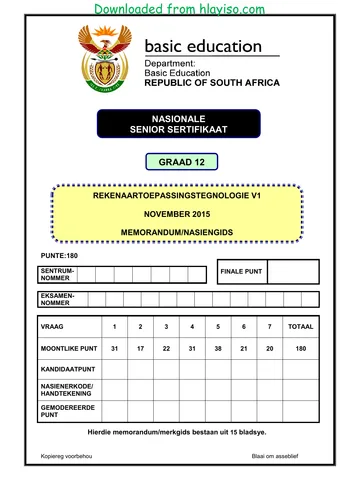
NATIONAL
SENIOR CERTIFICATE
GRADE 12
COMPUTER APPLICATIONS TECHNOLOGY P1
NOVEMBER 2015
MEMORANDUM/MARKING GUIDELINE
MARKS: 180
CENTRE FINAL MARK
NUMBER
EXAMINATION
NUMBER
QUESTION 1 2 3 4 5 6 7 TOTAL
POSSIBLE MARK 31 17 22 31 38 21 20 180
CANDIDATE
MARK
MARKER CODE/
SIGNATURE
MODERATED
MARK
This memorandum/marking guideline consists of 15 pages.
Copyright reserved Please turn over
You're offline
Skip to contentMemorandum 




_hlayiso.com_--fb9bde27-0b37-4918-9601-b73cffc8a81d/v1-f6162084d235af202af8/card.webp)
View all





CAT P1 Nov 2015 Memo Eng hlayiso.com
Computer Applications Technology · Grade 12 · NSC November Exam · 2015. Memorandum, 15 pages. Read online or download the PDF.
- Subject
- Computer Applications Technology
- Grade
- Grade 12
- Document type
- Memorandum
- Year
- 2015
- Exam period
- NSC November Exam
- Paper
- 1
- Pages
- 15
- File size
- 489.3 KB
Loading document…
Loading document…
1 of 15
Document textSearch extracted text and jump to a page.
Downloaded from hlayiso.com
Computer Applications Technology/P1 2 DBE/November 2015
NSC – Memorandum/Marking Guideline
EXAMINATION
NUMBER
IGNORE SPELLING IN ALL CASES WHERE IT WOULD NOT HAVE ANY IMPACT ON
THE ANSWER.
QUESTION 1 File name: 1Prev_Voor Total Q1: 31
Maximum Candidate
No. Criteria
Mark Mark
1.1.1 Heading 1
• Character spacing scale set to 120% 1
1.1.2 Border 2
• Border added to 'Prevalence of Diabetes in South
Africa' 1
• Border applied to text/paragraph 1
(Note to marker: Accept heading in any border style.)
1.2.1 Paragraph and line spacing 2
• Spacing after paragraph set to 3 pt 1
• Line spacing set to double 1
(Note to marker: Allocate first mark if spacing before
paragraph was changed to 3 pt.)
1.2.2 Indents and alignment 3
• Left indent set to 3 cm 1
• Right indent set to 2 cm/on 15 cm 1
• Text in paragraph justified 1
1.3 Bookmark and hyperlink 2
• Hyperlink created on bullet 'Introduction' 1
• Linked to heading 'Introduction' 1
(Notes to marker:
• Accept if candidate created a bookmark to 'Introduction'
and created a hyperlink to bookmark.
• Hyperlink must be on the text 'Introduction'.
• Accept if hyperlink was created on heading
'Introduction'.)
1.4 Rectangle shape fill 2
• Any type of fill used to fill the shape 1
• 1Earth_Aarde.jpg picture used 1
(Note to marker: Allocate first mark if any type of fill effect
used e.g. gradient, texture and pattern.)
1.5.1 Table 4
• Sort first by: column 2 in ascending order 2
• Secondly by: column 3 in ascending order 1
• Correct rows were used 1
(Note to marker: Mark by inspection.)
Copyright reserved Please turn over
Downloaded from hlayiso.com
Computer Applications Technology/P1 3 DBE/November 2015
NSC – Memorandum/Marking Guideline
EXAMINATION
NUMBER
1.5.2 Minimum % column 2
• =AVERAGE(above) OR =MEAN(B3:B8) 1
• Average formatted to 1 decimal place 1
(Notes to marker:
• No mark should be awarded for typing in the answer.
Answer should be 7.2.
• Accept if answer is divided by 100.
• Accept if ROUND function used.)
1.5.3 • Repeat header rows feature used 1 2
• Both headers of the rows repeated 1
(Notes to marker:
• Do not accept if the headers of the rows have been
copied to the second page.
• Ensure that the 'Repeat header row' feature has been
used.)
1.6 Footnote 3
• Footnote added to 'Distiller says' text 1
• Footnote position: below text 1
• All or part of footnote text added 'Director of CDE' 1
(Note to marker: Verify by checking footnote setting.)
1.7 Image/SmartArt 2
• Any text entered into the diagram (not textbox) 1
• Correct position 1
1.8 Object inserted 3
• Textbox OR shape OR table inserted to the right of
picture 1
• Text 'What's your number?' inserted in textbox 1
• Text rotated to read bottom to top 1
(Notes to marker:
• Accept if text was added to a shape instead of a textbox.
• Accept if any text was added in the textbox.)
1.9 Citation 2
• Electronic reference citation inserted 1
• Citation text: (Health 24, 2014) 1
(Note to marker: Accept Health 24, 2014 in any format.)
1.10 Automatic bibliography 1
• Automatic bibliography inserted 1
(Note to marker: Allocate mark for automatic bibliography
even if no sources appear.)
Total for QUESTION 1 [31]
Copyright reserved Please turn over
Downloaded from hlayiso.com
Computer Applications Technology/P1 4 DBE/November 2015
NSC – Memorandum/Marking Guideline
EXAMINATION
NUMBER
QUESTION 2 File names: 2Diagnos Total Q2: 17
Maximum Candidate
No. Criteria
Mark Mark
2.1 'Pretest' style 3
• Shading changed to reddish 1
• Font size changed to 18 pt 1
• All occurrences of this style updated 1
(Note to marker: 4 occurrences.)
2.2 Synonyms 1
• Word 'sweet' replaced with any one of the available
synonyms found: sugary, syrupy, saccharine,
sweetened, honeyed, sweet-smelling, fragrant 1
(Note to marker: Accept any synonym (not antonym)
given by the word processor.)
2.3 Reviewing 3
• Comment added 1
• To 'Preventing Type 2 Diabetes' 1
• Text 'Stop' or any other text appears in comment 1
2.4 Find and Replace 3
• Only the prefix 'pre' have been replaced (not
represent) 1
• In capital letters 1
• All occurrences replaced (not heading
'Prediabetes') 1
2.5 Table of figures/graphics 1
• Automatic table of figures/graphics added (contains 1
3 entries: Figure 1, Figure 2 and Figure 3)
(Note to marker: Do not accept manually inserted table.)
2.6 Text form field: Name 4
• Text form field: Format set on uppercase 1
Check box
• Check box form field inserted in the correct position 1
• Default value set to checked 1
Combo box
• One of the 3 options removed from combo box 1
2.7 Page border
• Page border applied 1 2
• Only to last page (section breaks included) 1
Total for QUESTION 2 [17]
Copyright reserved Please turn over
Downloaded from hlayiso.com
Computer Applications Technology/P1 5 DBE/November 2015
NSC – Memorandum/Marking Guideline
EXAMINATION
NUMBER
QUESTION 3 File names: 3Online_Aanlyn Total Q3: 22
• Mark the questions from the formulae and not the values/answers in the cell.
• Check against candidate's actual work (Cell references may differ, depending on the
candidate's response).
• Candidate may use multiple formulae or cells as 'building blocks' to reach answers.
• Named ranges can be used instead of cell references.
• Any function that works consistently for the data should be accepted.
Maximum Candidate
No. Criteria
Mark Mark
Types_Tipes worksheet
3.1.1 Row 1: 1
• Row height changed to 35 pt exactly 1
(Note to marker: Accept 1.22 cm in page layout view.)
3.1.2 Cell A1: 2
• Border inserted around whole title in cell A1 1
• Border colour added, any colour besides black 1
(Note to marker: Ignore thickness of border.)
3.2.1 Cell B4: 2
=SUM(B9:B56)
• SUM function 1
• Range: (B9:B56) 1
(Note to marker: Expected answer is 386023.)
3.2.2 Cell B5: 2
=MODE(B9:B56)
• MODE function 1
• Range: (B9:B56) 1
(Notes to marker:
• Expected answer is 1.
• Also accept MODE.SNGL and MODE.MULT function.)
3.2.3 Cell B6: 2
=COUNTBLANK(B9:B56)
• COUNTBLANK function 1
• Range: (B9:B56) 1
--------------------------------------------------------------------------------------------
OR
B6:=COUNTIF(B9:B56,"")
• COUNTIF function
• Range: (B9:B56,"")
(Note to marker: Expected answer is 4.)
Copyright reserved Please turn over
Downloaded from hlayiso.com
Computer Applications Technology/P1 6 DBE/November 2015
NSC – Memorandum/Marking Guideline
EXAMINATION
NUMBER
3.3 Cell E9: 5
=ROUNDDOWN((D9-C9)/365.25,0)
OR
=TRUNC(YEARFRAC(C9,D9))
OR
=ROUNDDOWN(YEARFRAC(C9,D9),0)
OR
=ROUNDDOWN(ABS((C9-D9)/365.25),0)
OR
=ROUNDDOWN(DAYS(D9,C9)/365.25,0)
OR
=ROUNDDOWN(DAYS360(C9,D9)/365.25,0)
• ROUNDDOWN function 1
• To zero decimal places 1
• Correct cells used (D9,C9) 1
• To calculate difference correctly 1
• Determining the year (/365 OR YEARFRAC) 1
(Notes to marker:
• Expected answer is 5.
• Accept the INT and TRUNC functions.
• Accept =YEAR(D9)-YEAR(C9) for 3 marks.
• Accept 365 or 365.25.)
3.4 Cell G9: 3
=F9*24
• F9 * 24 2
• Format set to General/Number/Text 1
(Notes to marker:
• Also accept =HOUR(F9)+MINUTE(F9)/60
• Expected answer is 0.25.)
Chart_Grafiek worksheet
3.5 Chart in Chart_Grafiek worksheet: 5
• Only 'Total Time' data series changed 1
• To line chart/graph with/without markers 1
• Legend for the 'Number of online surveys' text reads 1
'Number of years'
• Minor horizontal gridlines displayed 1
• Horizontal axis text labels alignment set to: rotate all
text 270° 1
(Notes to marker:
• Accept any kind of right-angled rotation.
• Ignore if the legend for 'Total Time' does not display.)
Total for QUESTION 3 [22]
Copyright reserved Please turn over
Downloaded from hlayiso.com
Computer Applications Technology/P1 7 DBE/November 2015
NSC – Memorandum/Marking Guideline
EXAMINATION
NUMBER
QUESTION 4 File name: 4Surv_Opn Total Q4: 31
• Mark the questions from the formulae and not the values/answers in the cell.
• Check against candidate's actual work (Cell references may differ, depending on the
candidate's response).
• Candidate may use multiple formulae or cells as 'building blocks' to answers.
• Named ranges can be used instead of cell references.
• Any function that works consistently for the data should be accepted.
Maximum Candidate
No. Criteria
Mark Mark
Data worksheet
4.1 Cell E3: 2
=AVERAGE(J8:J207) OR =AVERAGE(J:J)
• AVERAGE function 1
• Range: (J8:J207) 1
(Note to marker: Expected answer is 4.72.)
4.2 Cell E4: 4
=COUNTIF(I8:I207,"Type 2*")
OR =COUNTIF(I:I,"Type 2*")
• COUNTIF function 1
• Range: (I8: I207) 1
• Criteria: "Type 2 * " OR "*2*" 2
(Notes to marker:
• Expected answer is 144.
• Candidates may use any method to count the cells
that contain a '2'.)
4.3 Cell E5: 4
=SUMIF(H8:H207,"Male",K8:K207)
OR
=SUMIF(H8:H207, "<> Female",K8:K207)
OR
=SUMIFS(K8:K207,H8:H207,"Male")
OR
=SUMIF(H:H,"Male",K:K)
• SUMIF function
1
• Criteria range: (H8:H207)
1
• Criteria: "Male" 1
• Sum range: (K8:K207) 1
(Note to marker: Expected answer is 53901793.)
Copyright reserved Please turn over
Downloaded from hlayiso.com
Computer Applications Technology/P1 8 DBE/November 2015
NSC – Memorandum/Marking Guideline
EXAMINATION
NUMBER
4.4.1 Cell C8: 6
=LEFT(A8,FIND(" ",A8))
OR
=MID(A8,1,FIND(" ",A8))
OR
=LEFT(A8,SEARCH(" ",A8,1))
• To determine the space:
o FIND/SEARCH function 1
o Used to determine position of space 1
o In the correct cell 1
• Extracting the first name:
o Function to extract (LEFT OR MID) 1
o Correct cell extracted from 1
o From first character to space OR space -1 1
(Notes to marker:
• Accept absolute cell referencing if used.
• Check for building blocks.
• Expected answer is 'Yardley'.)
4.4.2 Cell D9: 3
=CONCATENATE(C9," ",B9)
OR
=C9&" "&B9
• Concatenation of strings:
o CONCATENATE OR & function 1
o Space between first name and surname 1
o Name and Surname (correct 2 cells) any order 1
(Notes to marker:
• Accept reference to A9 instead of C9.
• Expected answer is 'Austin Allison'.)
4.5.1 Cell F11: 2
=MONTH(E11)
• MONTH (E11) OR =TEXT(E11,"M") 2
4.5.2 Cell G12: 4
=VLOOKUP(F12,Months_Maande!$A$2:$B$13,2)
• Lookup value: F12 1
• Lookup range: Months_Maande!A2:B13 OR
Months_Maande!A1:B13 1
• Absolute cell reference 1
• Correct column: 2 1
(Note to marker: Accept if False added as the fourth
parameter.)
Copyright reserved Please turn over
Downloaded from hlayiso.com
Computer Applications Technology/P1 9 DBE/November 2015
NSC – Memorandum/Marking Guideline
EXAMINATION
NUMBER
4.6 Column K: 6
• Conditional formatting applied to column K 1
• Format style: 3 Arrows (Colored) icon set used 1
• Applied to Type: Number 1
• Criteria:
o > 500 000
o 300 001 – 500 000
o 0 – 300 000
• All three criteria correct 3
(one mark per criteria)
(Notes to marker:
• Evaluate criteria irrespective of the style or format of
conditional formatting used.
• Do not penalise twice for one mistake that influences
two criteria.)
Total for QUESTION 4 [31]
Copyright reserved Please turn over
Downloaded from hlayiso.com
Computer Applications Technology/P1 10 DBE/November 2015
NSC – Memorandum/Marking Guideline
EXAMINATION
NUMBER
QUESTION 5 File name: 5Info Total Q5: 38
Maximum Candidate
No. Criteria
Mark Mark
Table: Type_Tipe
5.1.1 Field: SurveyCode 1
• Set as primary key 1
(Note to marker: Do not accept if Field1's data type was
changed to make the field suitable for a primary key.)
5.1.2 Field: SurveyCode 4
Input Mask: >LA9
• Uppercase: > 1
• Compulsory letter: L 1
• Compulsory letter or digit: A 1
• Optional digit: 9 1
5.1.3 Field: EndDate 3
• Validation Rule:
• <= 2019/12/31 OR < 2020/01/01 OR 2
<=#2019/12/31# OR <#2020/01/01# OR
Year([Enddate])<2020
(One mark for correct relational operator and one
mark for correct date usage.)
• Validation text
Any appropriate validation text that refers to the
limitation of the date 1
(Note to marker: The format of the date may differ,
depending on the regional settings of the computer.)
5.1.4 Field: Years 2
• Data type changed to number 1
• Default value set to 0 1
(Note to marker: Accept =0 but do not accept a combo
box.)
5.1.5 Field: Feedback 1
• Required property set to 'Yes' 1
5.1.6 Field: Purpose 1
• The value 'Scientific' removed from the drop down
list 1
(Note to marker: Check 'Lookup tab' in field properties.)
Copyright reserved Please turn over
Downloaded from hlayiso.com
Computer Applications Technology/P1 11 DBE/November 2015
NSC – Memorandum/Marking Guideline
EXAMINATION
NUMBER
Form: frm5_2
5.2 • Background colour of ParticipantId field light red/pinkish 1 8
• Picture 5Diabetes inserted in form header 2
• Format of Income field changed to currency 1
• Button created in the detail section 2
• Button moves to next record 1
• Date and time inserted in the form footer 1
(Notes to marker:
• Accept any currency format.
• Accept only date or only time in form footer or header.)
Query: qry5_3
5.3 • Gender criteria: F 1 2
• InsulinDevice criteria: "None" OR "Syringe" or "None" OR
NOT Like "Insulin*" 1
(Note to marker: 28 or 50 records expected.)
Query: qry5_4 (Deelnemer_Participant)
5.4 • Displays EducationLevel, Type, SumOfNoTests fields 1 3
• Total (Group by) row displayed 1
• SUM selected for NoTests field in the Total row 1
(Notes to marker:
• 16 records expected.
• Accept if NoTests displays instead of SumOfNoTests.)
Query: qry5_5
5.5 • Criteria in Race field: Indian 1 2
• DOB field inserted 1
(Note to marker: 42 records expected.)
Query: qry5_6
5.6 • Calculated field: Paid: [NoTests] * [TestFee] 5
Paid field : [NoTests] * [TestFee] 4
Displays Names, NoTests and Paid fields 1
(Note to marker: Formatting of Paid field is not required.)
Report: rpt5_7
5.7 • Report shows only EducationLevel, Type, Names, Race 6
and NoTests fields 1
• Report firstly grouped according to EducationLevel 1
• Report secondly grouped by Type 1
• Function in Type group footer/group header 1
=Count ([Names]) OR [Race] [NoTests] OR Count(*) 2
(Note to marker: Allocate the marks for the function even if it
appears in the wrong place.)
Total for QUESTION 5 [38]
Copyright reserved Please turn over
Downloaded from hlayiso.com
Computer Applications Technology/P1 12 DBE/November 2015
NSC – Memorandum/Marking Guideline
EXAMINATION
NUMBER
QUESTION 6 File name: 6Type1_Tipe1 Total Q6: 21
• This question should be marked from the browser as far as possible, unless otherwise
indicated or if it cannot be seen on the browser.
• A maximum of 1 mark will be deducted if one or more closing tags are omitted.
• The code of the candidates who use a word processor will contain additional
unnecessary tags. Markers will need to work through the code to check for the
answers provided below.
Maximum Candidate
No. Criteria
Mark Mark
6.1 Title 1
<title>Juvenile Diabetes</title>
• Text 'Juvenile Diabetes' displays in the browser tab 1
6.2 Font size and Font Colour 3
<h1 align="center"><font color="purple"
size="24"><b>Type 1 Diabetes</b></font></h1>
• 'Type 1 Diabetes' font colour successfully changed 1
font color="purple"
• 'Type 1 Diabetes' font size changed to 24 1
size="24"
• Tag closed </h1> 1
6.3 Table 5
<table border="5" cellpadding="10">
<tr>
<td><img src="6Button1.jpg"></td>
<td width ="150" rowspan="2">Diabetes is
often referred to as a silent killer.</td>
</tr>
<tr>
<td><img src="6Button2.jpg"></td>
</tr>
<tr>
<td><a href="#balance"><img src=
"6Button3.jpg"></a></td>
<td>Check your glucose level!</td>
</tr>
</table>
• Additional cell included in first row 1
Spans two rows: rowspan="2"> 1
Column width: width ="150" 1
• Additional cell included in last row in the correct
position 1
• Correct text added in last cell 1
(Note to marker: Mark this question from HTML code.)
Copyright reserved Please turn over
Downloaded from hlayiso.com
Computer Applications Technology/P1 13 DBE/November 2015
NSC – Memorandum/Marking Guideline
EXAMINATION
NUMBER
6.4.1 Image 3
<img src="6Ado.jpg" height="100" align="right"
alt="Type 1">
• Image tags 1
• Correct source file: src = "6Ado.jpg" 2
(Note to marker: Mark this from the HTML code.)
6.4.2 Height and Alignment 2
• Picture height set to 100
height="100" 1
• Picture alignment set to right
align="right" 1
(Note to marker: Mark this from the HTML code.)
6.4.3 Alternative text 1
• Text to display if picture does not display
alt="Type 1" 1
(Note to marker: Some browsers will display alt text if
mouse is hovered over image.)
6.5 Bulleted list 3
<ol type = "i">
<li>Junk food</li>
<li>Oily food</li>
</ol>
• Ordered list 1
• Bullet number type: type = "i"> 1
• Applied list to both items 1
(Note to marker: Allocate marks if at least one item
appears in the list.)
6.6 Anchor (Target location) 3
<a name="Balance">Balancing Act</a>
• Anchor created 1
• To correct position "Balance" 1
• Anchor appears on heading 'Balancing Act' 1
Closing tag(s) or triangular brackets omitted -1
Total for QUESTION 6 [21]
Copyright reserved Please turn over
Downloaded from hlayiso.com
Computer Applications Technology/P1 14 DBE/November 2015
NSC – Memorandum/Marking Guideline
EXAMINATION
NUMBER
QUESTION 7 Total Q7: 20
File names: 7Res_Nav, 7Conv_Veran, 7Burden_Las, 7Answ_Antw
Maximum Candidate
No. Criteria
Mark Mark
7Res_Nav
7.1 Nested IF: 4
=IF(C2>500,IF(E2="CSS","Publish",""),"")
• Criteria 1: C2>500 1
• Criteria 2: E2="CSS" 1
• Output if true: "Publish" 1
• Output if false: ""),"") 1
OR
=IF(AND(C2>500),(E2="CSS"),"Publish","")
(Note to marker: "CSS" and "Publish" must be in inverted
commas to allocate the second and third mark.)
7Conv_Veran, 7Res_Nav
7.2 Import data 2
• Data imported to Find_Bevind table (from 1
7Res_Nav spreadsheet)
• Data imported as a linked table
(appears as a spreadsheet icon) 1
(Note to marker: Allocate first mark if data is only
imported as a table (i.e. it does NOT appear as
spreadsheet icon.))
7Burden_Las
7.3 Cross reference 3
• Cross reference added 1
• Reference type table/heading 1
• Reference to page number (Toggle Field Codes) 1
(Notes to marker:
• Text '3' will appear as cross reference to the table on
page 3.
• Award one mark only if a hyperlink was used to link to
the table.)
7.4 Header 2
• 'Annexure' inserted as header 1
• Only appears on last page 1
Copyright reserved Please turn over
Downloaded from hlayiso.com
Computer Applications Technology/P1 15 DBE/November 2015
NSC – Memorandum/Marking Guideline
EXAMINATION
NUMBER
• Accept any method that will yield the correct answer.
• One mark for the answer and one mark for the method. If there is only an answer and no
method, allocate two marks if the answer is correct.
7Answ_Antw
7.5.1 How many members appear in the spreadsheet? 1
• 500 1
7.5.2 How many members live in Bloemfontein? 2
• 19 1
Method:
• Sort and manual count using row numbers 1
• Text filter
• Filter search
• COUNTIF
• Conditional formatting and then sort or count
• SUBTOTAL
• Find and enter Bloemfontein
7.5.3 How many members are older than the average age? 2
• 257 1
Method:
• Use (Number) filter 1
• Use AVERAGEIF function
• Find average, sort data and count
• Find average then use COUNTIF with criteria > than
average
• Conditional formatting with 'above average' and count
7.5.4 What is the average waist size of all the males? 2
• 27.413 (accept 27.4) 1
Method:
• Filter and see average on status bar 1
• Filter, copy and calculate average
• AVERAGEIF
• Sort, select males and see average on status bar
• 'SUMIF' of male waists divided by number of males
• Sort and then use 'SUBTOTAL'
7.5.5 Who is at a higher risk for heart attacks, Males or 2
Females?
• Females 1
Method:
• Filter HeartattackRisk and then filter Male and Female, 1
compare the two
• Filter Yes and No, 'COUNTIF' the males, 'COUNTIF' the
females and compare which one is the highest
• Sort Male and Female, 'COUNTIF' the males, 'COUNTIF'
the females and compare which one is the highest
• Sort and the use SUBTOTAL
Total for QUESTION 7 [20]
TOTAL 180
Copyright reserved
Recommended for this subject
Published documents with matching subject and grade metadata.
Memorandum
CAT P1 MEMO GR12 SEPT 2025 ENG
Memorandum
CAT P2 GR12 MEMO September 2025 AFR
Memorandum
Computer Applications Technology P1 May June 2025 MG Eng
Memorandum
CAT P1 MEMO GR12 SEPT 2024 English hlayiso.com
Memorandum
CAT P1 MEMO GR12 SEPT 2022 Afrikaans hlayiso.com
Memorandum
CAT P1 MEMO GR12 SEPT 2022 English hlayiso.com
Related documents
Matched using subject, grade, language, document type and exam metadata.
Memorandum
CAT P1 Nov 2015 Memo Afr hlayiso.com
Question paper
CAT P1 Nov 2015 Afr (2) hlayiso.com
Memorandum
CAT P2 Nov 2015 Memo Afr hlayiso.com
Memorandum
CAT P2 Nov 2015 Memo Eng hlayiso.com
Memorandum
CAT P1 GR12 MEMO SEPT 2015 AFR hlayiso.com
Memorandum
Computer Application Technology P1 Nov 2020 Memo Eng hlayiso.com
More from Grade 12 Computer Applications Technology
Explore more published documents in this catalogue.
Question paper
CAT P2 GR12 QP September 2025 ENG
Question paper
CAT P1 QP GR12 SEPT 2024 Afrikaans hlayiso.com
Question paper
CAT P1 QP GR12 SEPT 2024 English hlayiso.com
Question paper
CAT P2 GR12 QP SEPT 2024 English hlayiso.com
Question paper
Computer Applications Technology P1 Nov 2024 Afr
Question paper