
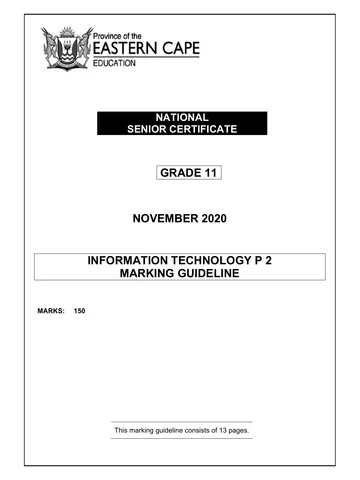
NATIONAL
SENIOR CERTIFICATE
GRADE 11
NOVEMBER 2020
INFORMATION TECHNOLOGY P 2
MARKING GUIDELINE
(EXEMPLAR)
MARKS: 150
This marking guideline consists of 13 pages.
Skip to contentAll 2020 papers 
View all
Information Technology Grade 11 P2 2020 Memo (Eng)
Grade 11 Information Technology Paper 2 memorandum from the National Exemplar November Exam 2020 (English), 13 pages. Read online or download the free PDF.
Information Technology · Grade 11 · National Exemplar November Exam · 2020. Memorandum, 13 pages. Read online or download the PDF.
- Subject
- Information Technology
- Grade
- Grade 11
- Document type
- Memorandum
- Year
- 2020
- Exam period
- National Exemplar November Exam
- Paper
- 2
- Curriculum
- CAPS
- Pages
- 13
- File size
- 383.4 KB
Free to read online, no sign-up needed
Loading document…
Loading document…
1 of 13
This exam
National Exemplar November Exam 2020
- Paper 1Question paper · EngQuestion paper · Eng (2)Question paper · AfrQuestion paper · Afr (2)Memo · EngMemo · Eng (2)Memo · Eng (3)Memo · AfrMemo · Afr (2)Memo · Afr (3)
- Paper 2Question paper · EngQuestion paper · Eng (2)Question paper · AfrQuestion paper · Afr (2)Memo · EngMemo · Eng (2)Memo · Eng (3)Memo · Eng (4)Memo · AfrMemo · Afr (2)Memo · Afr (3)
Document textSearch extracted text and jump to a page.
2 INFORMATION TECHNOLOGY P2 (EC/NOVEMBER 2020)
SECTION A: SHORT QUESTIONS
QUESTION 1
1.1 1.1.1 B – (Low-level programming language) (1)
1.1.2 A – (0) (1)
1.1.3 A – (Process) (1)
1.1.4 B – (Data verification) (1)
1.1.5 C – (_Discount) (1)
1.1.6 B – (Data maintenance) (1)
1.1.7 B – (Modulation and Demodulation) (1)
1.1.8 C – (Machine code) (1)
1.1.9 A – (Acceptable Usage Policy) (1)
1.1.10 B – (Office automation) (1)
1.2 1.2.1 Data redundancy (1)
1.2.2 Telecommuting (1)
1.2.3 Anomaly/Anomalies (1)
1.2.4 Constant (1)
1.2.5 Jail breaking (1)
TOTAL SECTION A: 15
Copyright reserved Please turn over
(EC/NOVEMBER 2020) INFORMATION TECHNOLOGY P2 3
SECTION B: SYSTEM TECHNOLOGIES
QUESTION 2
2.1 2.1.1 Dual Inline Memory Module / DIMM (1)
2.1.2 Volatile memory (1)
2.1.3 DIMM slots/RAM slots (1)
2.1.4 32bit operating system can only see and use 4GB of memory. (1)
2.1.5 Any ONE:
Loads data and instructions (programs or applications) before the
CPU can work with them.
Temporarily stores data and instructions (programs or
applications) before the CPU can work with them. (1)
2.2 Any ONE:
Spec A
Windows 10 Pro – Operation system (OS)
Kaspersky – Utility software
Spec B
Windows 10 Home – Operating system (OS)
ESET – Utility software (2)
2.3 2.3.1 8192 GB / 8GB (1)
2.3.2 Double Data Rate (1)
2.4 2.4.1 Intel CoreTM i7 9750H (1)
2.4.2 Machine cycle (1)
2.4.3 Fetching the instructions and data from memory (RAM)
Decoding the instructions
Executing the instructions
Transferring data back to the memory (4)
2.5 2.5.1 Built-in video/integrated adapter is used when doing normal
tasks because it uses much less power and battery life.
Video card is used by programs that require good graphics. (2)
2.5.2 Intel RX 5700XT 8GB
NVDIA GTX 1660 4GB (2)
Copyright reserved Please turn over
4 INFORMATION TECHNOLOGY P2 (EC/NOVEMBER 2020)
2.6 Compiler takes the entire program and translates into machine
language.
Interpreter runs one line of a program and the current line is converted
into machine language. (4)
2.7 2.7.1 HDMI is an audio/video interface for transferring uncompressed
video data, compressed or uncompressed digital audio from
HDMI device to a computer monitor, video projector, digital TV or
digital audio device. (2)
2.7.2 High Definition Multimedia Interface (1)
TOTAL SECTION B: 26
Copyright reserved Please turn over
(EC/NOVEMBER 2020) INFORMATION TECHNOLOGY P2 5
SECTION C: COMMUNICATION AND NETWORK TECHNOLOGIES
QUESTION 3
3.1 3.1.1 Computer network is a collection of computers or other computing
devices connected by some sort of communication medium/channel
to allow users to share software, hardware, data and information. (1)
3.1.2 Any TWO:
Fast and efficient communication
Sharing of hardware resources
Centralisation of data
Transfer of files
Leisure
Increased control and security
Flexible access (2)
3.1.3 Global Area Network (GAN) / World Wide Web (WWW) (1)
3.2 3.2.1 (a) Wi-Fi NIC (1)
(b) 3G/4G/LTE/5G (1)
3.2.2 (a) Wi-Fi NIC (1)
(b) Ethernet port (1)
3.3 Wi-Fi access point sends and receives radio signals and allows devices to
connect to a wired network wirelessly. (1)
3.3.1 Base station (1)
3.3.2 Hotspot is an area, usually in a public space (such as airport, hotel
lobby and restaurant etc), where people may be granted Wi-Fi
access from access point to connect wirelessly to the Internet via
a wired network.
Bandwidth refers to the total amount of data that can be
transferred from one point to another in a given period of time. (2)
3.4 3.4.1 Any ONE:
Skype
Google voice
Vonage
ooVoo
Viber
Facebook Messenger
Jitsi
MicoSIP
8*8
EkigaZoiPer (1)
Copyright reserved Please turn over
6 INFORMATION TECHNOLOGY P2 (EC/NOVEMBER 2020)
3.4.2 Any TWO:
The call quality may be poor if you have a slow Internet connection.
Your data cap can be used up quickly, especially when using video.
You need to purchase credits to call telephones that are not on the
Internet.
You need to have an Internet connection and both users need to
use the same software. (2)
3.5 3.5.1 Lossy compression compresses data by losing some of the data /
compresses data by sacrificing some insignificant or virtually
indetectable portion of the data.
Lossless compression compresses data without losing any portion
of the data. (2)
3.5.2 Lossy compression (Any ONE):
Audio
Video
Still images
Lossless compression (Any ONE):
Documents
Spreadsheet
Databases (2)
3.6 3.6.1 Fixed location Internet access refers to high speed data
transmission to homes and businesses using cabled technology.
Mobile Internet access refers to the ability to connect to the
Internet using wireless networks such as cellular phone network. (4)
3.6.2 Fixed Location Internet Access
ADSL
Mobile Internet access (Any ONE):
3G
4G/LTE
5G (2)
TOTAL SECTION C: 25
Copyright reserved Please turn over
(EC/NOVEMBER 2020) INFORMATION TECHNOLOGY P2 7
SECTION D: DATA AND INFORMATION MANAGEMENT
QUESTION 4
4.1 4.1.1 DBMS is a software that allows you to work with electronic databases. (1)
4.1.2 Any THREE:
Creates database
Edits the structure of the database
Adds, edits and deletes data in the database
Queries or searches the data in the database
Processes the data in the database to extract information (3)
4.1.3 Bigtable (1)
4.2 4.2.1 Any THREE:
Format check
Data type check
Range check
Presence check
Check digit (3)
4.2.2 Accurate and without errors
Verifiable
Timely information (3)
4.3 4.3.1
tblStudent tblStudentTransactions
1
PK StudentID PK TransactionID
∞/m
FirstName FK StudentID
LastName PostDate
Address Amount
City Description
PostalCode
DateAdmitted
Major
Photo (5)
4.3.2 Composite keys refer to the combination of more than one field to
uniquely identify a record.
Primary key is a field which identifies each record with a unique value. (2)
Copyright reserved Please turn over
8 INFORMATION TECHNOLOGY P2 (EC/NOVEMBER 2020)
4.4 Any THREE:
Manages and maintains databases
Controls the allocation and supervision of users of the database and their
access rights
Performs routine maintenance on the database
Ensures the DB software is updated regularly
Implementing a good backup policy
Installing and configuring software on additional servers
Ensuring systems have enough storage and memory (3)
TOTAL SECTION D: 21
Copyright reserved Please turn over
(EC/NOVEMBER 2020) INFORMATION TECHNOLOGY P2 9
SECTION E: SOLUTION DEVELOPMENT
QUESTION 5
5.1 5.1.1 American Standard Code for Information Interchange / ASCII (1)
5.1.2 CSV/Comma elimited (1)
5.1.3 (a) AssignFile(txtStock, ‘Goods.txt) – Links file variable (txtStock) to
the file on the disk (Goods.txt). (1)
(b) Append(txtStock) – opens an existing file to write to, the file
pointer is positioned at the end of the file and the new data is
added to the end of the file. (2)
5.2 Step-and-Watch (1)
5.3 Data persistence refers to the ability of data to be retrieved and used more than
once after it has been saved. (1)
5.4 5.4.1 Format function is used to convert the real values to strings of equal
length, with leading spaces added. (1)
5.4.2 (a) % – this indicates that the text which follows is formatting
instructions and not normal text
10 – shows that the final string must contain 10 characters
2 – shows that the final string must contain 2 decimal points/
values
f – shows that the value being passed in the second parameter
is a floating-point value
rWeight – holds the information that needs to be converted into
a formatted string (5)
(b) m, monetary (2)
5.5 Selection sort is a sorting algorithm that uses two For loops to sort a list, by
moving the smallest or largest element to the top of the list.
Bubble sort is a sorting algorithm that bubbles the smallest or largest
element to the bottom of the list by using Boolean flag and a For loop. (2)
Copyright reserved Please turn over
10 INFORMATION TECHNOLOGY P2 (EC/NOVEMBER 2020)
5.6 Line No Value1 Value2 Value3 Value4 Screen Output
1 10
2 5
3 7
4 10.6
5 2
6 5
7 5
8 2
9 10
10 10.6 (5)
5.7 Readln will read a line of text from the file buffer/variable text file and place
it into the string variable.
Writeln will write a line of text to the buffer area/variable text file and add
an EOLn character to the line of text. (2)
TOTAL SECTION D: 24
Copyright reserved Please turn over
(EC/NOVEMBER 2020) INFORMATION TECHNOLOGY P2 11
SECTION F: INTEGRATED SCENARIO
QUESTION 6
6.1 6.1.1 Any THREE examples:
Better record keeping or data storage and management
Better communication and virtual presence
Automation
Artificial Intelligence and sensor driven computing (3)
6.1.2 Any TWO:
Musicians now record an album with greater ease and lower cost
than ever before.
Well-known musicians have released albums created entirely on
iPads.
Musicians distribute their work directly without the aid of a studio.
IT gives them many ways to market themselves.
Customers can buy/ download music via Internet. (2)
6.1.3 Workplace – is wherever work takes place/any place where people
work.
Employment practices – refer to how people are employed, for
how long, how they are paid, where and when they are expected to
work. (2)
6.1.4 Outsourcing occurs when contracting a specialist business to run
aspects of your own business that are essential for proper
functioning, but that do not fall within your area of expertise. (2)
6.2 6.2.1 Settings in server operating system (1)
6.2.2 Any THREE aspects:
A code of conduct educating users and governing their behaviour
when using the network and the Internet.
Details on when and where portable storage devices such as flash
disks and portable media players may be used.
Details of restrictions about installing any hardware or software.
Procedures to follow if users become the victims of identity theft,
malware, cyber bullying and/or cyber stalking.
Hints on how to avoid plagiarism and breaking copyright law.
Clear consequences of violating conditions spelt out in the AUP. (3)
6.2.3 Restrictions (1)
Copyright reserved Please turn over
12 INFORMATION TECHNOLOGY P2 (EC/NOVEMBER 2020)
6.3 6.3.1 Any THREE:
Better communication
More efficient administration
Census and statistics
Elections
Weather services and predictions (3)
6.3.2 Any THREE:
Insufficient knowledge of and exposure to ICT.
ICT exposes them to risks that they cannot manage.
Abuse of ICT by criminal elements through activities such as
hacking, cybercrime.
Malware increases people’s fear of ICT and limits implementation
and adoption of ICT projects. (3)
6.4 6.4.1 Globalisation is the integration of economies, cultures, ideas and
groups across the globe driven by a world-wide network of
communication, transport, trade and immigration.
OR
Globalisation is a process of connection, interaction and integration
among people, companies, and governments. (2)
6.4.2 Any THREE:
An efficient market where there is an equilibrium between what
buyers are willing to pay for a good or service and what sellers are
willing to sell a good or service for.
Increased competition between companies which improves the
service and quality of goods or services delivered to the consumers.
Security as countries’ economies are intertwined and dependent on
each other.
Wealth equality throughout the world as poorer nations have more
job opportunities. (3)
6.4.3 Agricultural sector: AI-powered machine vision systems can
measure crop populations and detect weeds or plant pests and use
robotic sprayers to precisely apply herbicides.
Healthcare sector: Precision medicine helps doctors analyse a
patient’s genome sequence, medical history and lifestyle, making a
diagnosis more reliable. (4)
6.5 6.5.1 Any THREE:
Accidentally deleting files or reformatting a disk.
Not ensuring that regular backups are made.
Entering incorrect data in a program.
Losing or misplacing portable storage devices.
Allowing other unauthorised users to get access to data by not
following security principles (such as having secure password and
changing it on a regular basis.) (3)
Copyright reserved Please turn over
(EC/NOVEMBER 2020) INFORMATION TECHNOLOGY P2 13
6.5.2 Any THREE:
You need to back up data.
Automate or schedule the running of the backup software so that
you do not forget to run the backup process.
Back up your files on an external storage device such as portable
hard drive.
Keep the backups off-site in case of theft or a disaster such as fire.
Perform housekeeping so that you do not have multiple copies or
versions of the same files on your computer.
Consider archiving large files that you seldom use by moving them
off your computer to an external hard drive.
Check from time to time that the backups are actually working by
restoring some of the files from backups. (3)
6.6 Any THREE:
Minimising user input
Format checks
Data type checks
Range checks
Presence check (3)
6.7 Mandatory fields are specific fields that are compulsory and need to be filled
in. (1)
TOTAL SECTION F: 39
GRAND TOTAL: 150
Copyright reserved Please turn over
Study this subject
Recommended for this subject
Memorandum
Information Technology Grade 11 P2 2020 Memo (Afr)
Memorandum
Information Technology Grade 11 P2 2020 Memo (Afr)
Memorandum
Information Technology Grade 11 P2 2020 Memo (Afr)
Memorandum
Information Technology Grade 11 P2 2020 Memo (Eng)
Memorandum
Information Technology Grade 11 P2 2020 Memo (Eng)
Question paper
Information Technology Grade 11 P2 2020 QP (Afr)
More from Grade 11 Information Technology
Annual teaching plan
Gr 11 Info Tech ATP 2023 24
Question paper
Information Technology Grade 11 P1 2022 QP (Afr)
Question paper
Information Technology Grade 11 P1 2022 QP (Eng)
Question paper
Information Technology Grade 11 P2 2022 QP (Afr)
Question paper
Information Technology Grade 11 P2 2022 QP (Eng)
Question paper