
Downloaded from hlayiso.com
NATIONAL
SENIOR CERTIFICATE
SENIOR CERTIFICATE
GRADE 12
INFORMATION TECHNOLOGY P1
NOVEMBER 2023
MARKING GUIDELINES
MARKS: 150
Approved:
These marking guidelines consist of 24 pages.
Copyright reserved Please turn over
Skip to contentAll 2023 papers 
View all




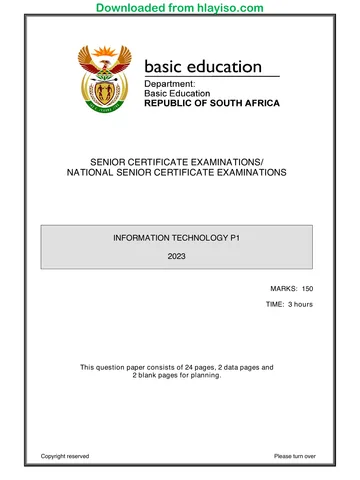
Information Technology Grade 12 P1 NSC November 2023 Memo
Grade 12 Information Technology Paper 1 memorandum from the NSC November Exam 2023 (English), 24 pages. Read online or download the free PDF.
Information Technology · Grade 12 · NSC November Exam · 2023. Memorandum. Read online or download the PDF.
- Subject
- Information Technology
- Grade
- Grade 12
- Document type
- Memorandum
- Year
- 2023
- Exam period
- NSC November Exam
- Paper
- 1
- Curriculum
- CAPS
- Pages
- 24
- File size
- 704.1 KB
Free to read online, no sign-up needed
Loading document…
Loading document…
1 of 24
This exam
NSC November Exam 2023
Questions in this paper
Document textSearch extracted text and jump to a page.
Downloaded from hlayiso.com
Information Technology/P1 2 DBE/November 2023
NSC – Marking Guidelines
GENERAL INFORMATION:
These marking guidelines are to be used as the basis for the marking session.
They were prepared for use by markers. All markers are required to attend a
rigorous standardisation meeting to ensure that the guidelines are consistently
interpreted and applied in the marking of candidates' work.
Note that learners who provide an alternate correct solution to that given as
example of a solution in the marking guidelines will be given full credit for the
relevant solution, unless the specific instructions in the paper was not followed or
the requirements of the question was not met
Annexures A, B, C and D (pages 3 to 10) include the marking grid for each
question.
Annexures E, F, G and H (pages 11 to 24) contain examples of solutions for
QUESTIONS 1 to 4 in programming code.
Copies of Annexures A, B, C, D and the summary for the marks of the learner
(pages 3 to 10) should be made for each learner and completed during the
marking session.
Copyright reserved Please turn over
Downloaded from hlayiso.com
Information Technology/P1 3 DBE/November 2023
NSC – Marking Guidelines
ANNEXURE A
QUESTION 1: MARKING GRID – GENERAL PROGRAMMING SKILLS
CENTRE NUMBER: EXAMINATION NUMBER:
MAX. LEARNER'S
QUESTION DESCRIPTION
MARKS MARKS
1.1 Button [1.1 – Display name and age]
Retrieve name from edtQ1_1 and store in sName variable
Retrieve age from spnQ1_1 and store in iAge variable
Display using an output dialog box 5
the name
with #13/#10/sLineBreak for next line
the age converted to string
1.2 Button [1.2 – Hockey teams]
Extract the number of learners from the edit box,
converted to an integer/real
Calculate the number of teams
Number of learners DIV PLAYERS (using constant)
Calculate the number of reserves
Number of learners MOD PLAYERS
Display the number of teams converted to String 9
in the memo memQ1_2
Also display the number of reserves
ALSO ACCEPT: Alternative mathematical functions that will
provide the correct answer.
NOTE: The given Constant PLAYERS must be used at least
once.
1.3 Button [1.3 – Calculate]
Formula: d = Sqrt (power ((rX - rY),4))
Display the value of d in edtQ1_3
formatted to 3 decimal places
5
ALSO ACCEPT: Alternative mathematical functions that will
provide the correct answer.
DO NOT ACCEPT hardcoding instead of mathematical
functions.
Copyright reserved Please turn over
Downloaded from hlayiso.com
Information Technology/P1 4 DBE/November 2023
NSC – Marking Guidelines
1.4 Button [1.4 – Marathon results]
case iPosition of
1: Display 'You receive a gold medal'
2,3: Display 'You receive a silver medal'
4..20: Display 'You receive a bronze medal'
Else 6
Display 'You receive a participation certificate'
End // case
NOTE: The first two marks for the structure of the case
statement will be lost when multiple if statements
are used.
1.5 Button [1.5 – Average mark]
Declare file variable (tFile)
Initialise Total and iCount variables to 0
AssignFile (tFile, 'Details.txt')
Reset (tFile)
While not end of file
Begin
Read line from text file
Increment iCount 15
Find the position of the # delimiter
Extract mark from line using correct indexes
Convert mark to integer/real and add to total
End while
Close the file
Calculate average using Total and iCount
Round display to the nearest integer
Display average mark in pnlQ1_5
TOTAL SECTION A: 40
Copyright reserved Please turn over
Downloaded from hlayiso.com
Information Technology/P1 5 DBE/November 2023
NSC – Marking Guidelines
ANNEXURE B
QUESTION 2: MARKING GRID – DATABASE PROGRAMMING
CENTRE NUMBER: EXAMINATION NUMBER:
MAX. LEARNER'S
QUESTION DESCRIPTION
MARKS MARKS
2.1 SQL statements
2.1.1 Button [2.1.1 – Large enrolments]
SELECT * FROM tblCourses
WHERE MaxStudents > 99 3
Alternative: MaxStudents >= 100
2.1.2 Button [2.1.2 – Lecturer gender]
SELECT LecturerName, LecturerSurname,
LEFT (Gender, 1) AS [Gender (M/F)] 4
FROM tblLecturers
Alternative: MID (Gender, 1, 1)
2.1.3 Button [2.1.3 – Multilingual lecturers]
SELECT CourseID, CourseName
FROM tblLecturers, tblCourses
WHERE tblLecturers.LecturerID
= tblCourses.LecturerID AND
Multilingual = TRUE 6
ORDER BY CourseName
Alternatives: Multilingual
Multilingual LIKE True
ORDER BY 2
2.1.4 Button [2.1.4 – Lecturer salaries]
SELECT LecturerID,
FORMAT(Count(*) * 10000 , "CURRENCY")
AS Salary
5
FROM tblCourses
GROUP BY LecturerID
Note: Count can use any field name instead of *.
2.1.5 Button [2.1.5 – Change online option]
UPDATE tblCourses SET OnlineOption = FALSE
WHERE CourseName LIKE "%Programming%" 4
Alternative: CourseName LIKE "%Programming"
Subtotal: 22
Copyright reserved Please turn over
Downloaded from hlayiso.com
Information Technology/P1 6 DBE/November 2023
NSC – Marking Guidelines
QUESTION 2: MARKING GRID (CONT.)
2.2 Database Manipulation
2.2.1 Button [2.2.1 – Average duration of courses]
Go to the first record in tblLecturers
Loop through tblLecturers
Display heading using LecturerID, LecturerName,
and LecturerSurname in the correct format
Initialise Counter and Sum variables
Go to the first record in tblCourses
Loop through tblCourses
Test if (tblLecturers ['LecturerID'] =
tblCourses['LecturerID']) 14
Increment Counter and
add duration to Sum
Display the counter value and course name
tblCourses.Next
End loop (tblCourses)
Calculate average duration: Sum / Counter
Display average duration formatted to two decimals
tblLecturers.Next
End loop (tblLecturers)
2.2.2 Button [2.2.2 – Register new lecturer]
tblLecturers.Insert;
tblLecturers['LecturerID'] := 'ZT032';
tblLecturers['LecturerName'] := 'Zander';
tblLecturers['LecturerSurname'] := 'Thomas';
tblLecturers['Gender'] := 'Male';
tblLecturers['Multilingual'] := True;
tblLecturers.Post; 4
Alternatives: Append instead of insert
Any navigation command instead of Post
Allocating field values:
1 mark for correctly using all field names
1 mark for using correct values
Subtract 1 mark for each error to a maximum of two marks
Subtotal: 18
TOTAL SECTION B: 40
Copyright reserved Please turn over
Downloaded from hlayiso.com
Information Technology/P1 7 DBE/November 2023
NSC – Marking Guidelines
ANNEXURE C
QUESTION 3: MARKING GRID – OBJECT-ORIENTED PROGRAMMING
CENTRE NUMBER: EXAMINATION NUMBER:
MAX. LEARNER'S
QUESTION DESCRIPTION
MARKS MARKS
3.1.1 3Constructor Create
.
1Set attributes
. (fSchoolName, fTotalLearners, fPublicSchool) 3
2 to correct parameters
Assign 'Z' to fRating
3.1.2 Function getPublicSchool
Function heading with Boolean value as return data type
2
result = fPublicSchool
3.1.3 3Procedure updateRating
.
1Procedure heading with integer parameter
.
3passPercentage = parameter / fTotalLearners * 100
if passPercentage >= 80
fRating = 'A'
else if passPercentage >= 60
8
fRating = 'B'
else
fRating = 'C'
Also accept other solutions
Note: The range 79 – 80 can also be dealt with as a
separate range – being included or excluded
3.1.4 Function calcFunding
Function heading with real return data type
4
Result = fTotalLearners * 145.50
Copyright reserved Please turn over
Downloaded from hlayiso.com
Information Technology/P1 8 DBE/November 2023
NSC – Marking Guidelines
3.1.5 3Function toString with string return data type
.
1Build string with fSchoolName and '-------------' on next line
.Add 'Total number of learners: ' and fTotalLearners to the
5string
Add 'Rating: ' and fRating to the string
7
If fPublicSchool
Add 'Public school'
Else Add 'Private school'
Return string
Subtotal: Object class 24
QUESTION 3: MARKING GRID – FORM CLASS
MAX. LEARNER'
QUESTION DESCRIPTION MARKS S MARKS
3.2.1 3Button [3.2.1 – Instantiate Object]
.
2Extract school name from edtQ3_2_1
.Extract number of learners from spnQ3_2_1
1Extract public school from chbQ3_2_1
objSchool 7
:= TSchool.Create
Use three arguments in correct order
(sSchoolName, iNumLearners, bPublicSchool)
Display object objSchool in redQ3 using toString method
3.2.2 Button [3.2.2 – Rating]
Extract number of learners that passed from spnQ3_2_2
Call updateRating 4
with correct argument
Display objSchool in redQ3 using toString method
3.2.3 Button [3.2.3 – Funding]
Test if getPublicSchool = TRUE
Display in redQ3 with message
Using calcFunding method 5
Formatted to currency
Else
Display message – 'No funding available'
Subtotal Form class: 16
TOTAL SECTION C: 40
Copyright reserved Please turn over
Downloaded from hlayiso.com
Information Technology/P1 9 DBE/November 2023
NSC – Marking Guidelines
ANNEXURE D
QUESTION 4: MARKING GRID – PROBLEM-SOLVING
CENTRE NUMBER: EXAMINATION NUMBER:
MAX LEARNER'S
QUESTION DESCRIPTION
MARKS MARKS
4.1 Button [4.1 – Codes]
Loop from 1 to length of array (or 5)
Initialise sLine blank string
Loop from 1 to the length of code
Test if character in the code
is a letter ('a'..'z' OR 'A'..'Z') or a digit ('0'..'9')
Join the character to the sLine output string
End inner loop
Determine the number of special characters removed
Length(arrCodes[i]) – Length(sLine)
// Or use a counter in the inner loop
Add the sLine code to the list box
in the correct format with brackets and number of 12
characters removed
End outer loop
Concepts:
Outer i loop (1 to 5) (1)
Inner j loop (1 to length(arrCodes[i])) (2)
Test character [i][j] (1)
is digit OR letter (2)
Remove characters / build string (2)
Counting characters removed (2)
Add new code to lstQ4_1 (1)
and number of characters removed (1)
4.2.1 Button [4.2.1 – Extra IT periods]
Loop iCnt from 1 to 4 (Monday – Thursday)
Set counter to 1
While the cell is not blank
Increment counter by 1
Assign 'IT' to arrTimeTable[iCnt, counter]
End loop
6
Concepts:
Loop through the days 1 to 4 (1) // Also accept 1 to 5
Conditional loop/Break statement with for loop (1)
Determine index of (1)
First empty space in a row (1)
Assign a new value to empty space (2)
Copyright reserved Please turn over
Downloaded from hlayiso.com
Information Technology/P1 10 DBE/November 2023
NSC – Marking Guidelines
4.2.2 Button [4.2.2 – Group IT]
Loop I from 1 to 4 (Monday–Thursday)
Initialise Counter
Loop J from 1 to length of arrTimeTable[I]
If arrTimeTable[I, J] = 'IT'
If Counter = 1
Store index J (J1) at first occurrence of 'IT'
If Counter = 2
Store index J (J2) at second occurrence of 'IT'
// swap other subject code with IT
Set sTemp to arrTimeTable[I, J1+1]
Set arrTimeTable[I, J1+1] to arrTimeTable[I,J2]
Set arrTimeTable[I, J2] to sTemp
End inner loop
End outer loop
12
Concepts:
Loop through the rows (1 to 4) // 1
Determine the position of the first occurrence of IT:
Initialise/Create variable to store first position // 1
Loop through the columns // 1
Test if the cell value = 'IT' // 1
Save/Determine the index/position of first
occurrence // 2
Determine the position of the second occurrence of IT:
Save/Determine the index/position of second
occurrence // 2
Swap the subject after the first occurrence of IT with the
second occurrence of IT // 4
TOTAL SECTION D: 30
SUMMARY OF LEARNER'S MARKS:
CENTRE NUMBER: LEARNER'S EXAMINATION NUMBER:
SECTION A SECTION B SECTION C SECTION D
QUESTION 1 QUESTION 2 QUESTION 3 QUESTION 4 GRAND TOTAL
MAX.
40 40 40 30 150
MARKS
LEARNER'S
MARKS
Copyright reserved Please turn over
Downloaded from hlayiso.com
Information Technology/P1 11 DBE/November 2023
NSC – Marking Guidelines
ANNEXURE E: SOLUTION FOR QUESTION 1
unit Question1_u;
interface
uses
Windows, Messages, SysUtils, Variants, Classes, Graphics, Controls,
Forms,
Dialogs, StdCtrls, ExtCtrls, Spin, pngimage, Math;
type
TfrmQuestion1 = class(TForm)
grpQ1_2: TGroupBox;
btnQ1_2: TButton;
grpQ1_1: TGroupBox;
edtQ1_1: TEdit;
spnQ1_1: TSpinEdit;
lblQ1_1_Name: TLabel;
lblQ1_1_Age: TLabel;
btnQ1_1: TButton;
grpQ1_3: TGroupBox;
imgQ1_3: TImage;
btnQ1_3: TButton;
edtQ1_3: TEdit;
Label3: TLabel;
grpQ1_5: TGroupBox;
Label4: TLabel;
Label5: TLabel;
cmbQ1_5: TComboBox;
btnQ1_5: TButton;
grpQ1_: TGroupBox;
btnQ1_4: TButton;
pnlQ1_5: TPanel;
Label6: TLabel;
edtQ1_2: TEdit;
memQ1_2: TMemo;
lblQ1_4: TLabel;
procedure btnQ1_1Click(Sender: TObject);
procedure btnQ1_2Click(Sender: TObject);
procedure btnQ1_3Click(Sender: TObject);
procedure btnQ1_4Click(Sender: TObject);
procedure btnQ1_5Click(Sender: TObject);
private
{ Private declarations }
public
{ Public declarations }
end;
var
frmQuestion1: TfrmQuestion1;
implementation
{$R *.dfm}
Copyright reserved Please turn over
Downloaded from hlayiso.com
Information Technology/P1 12 DBE/November 2023
NSC – Marking Guidelines
// ==============================================================================
// 1.1 Display name and age 5 marks
// ==============================================================================
procedure TfrmQuestion1.btnQ1_1Click(Sender: TObject);
var
sName: String;
iAge: integer; // Provided code
begin
sName := edtQ1_1.Text;
iAge := spnQ1_1.Value;
ShowMessage(sName + #13 + IntToStr(iAge));
end;
// ==============================================================================
// 1.2 Hockey teams 9 marks
// ==============================================================================
procedure TfrmQuestion1.btnQ1_2Click(Sender: TObject);
const
PLAYERS = 11;
var
iNumLearners, iNumTeams, iNumReserves: integer;
begin
// Provided code
memQ1_2.Clear;
iNumLearners := StrToInt(edtQ1_2.Text);
iNumTeams := iNumLearners DIV PLAYERS;
iNumReserves := iNumLearners MOD PLAYERS;
memQ1_2.Lines.Add('Number of hockey teams: ' + IntToStr(iNumTeams));
memQ1_2.Lines.Add('Number of learners on reserve list: ' + IntToStr
(iNumReserves));
end;
// ==============================================================================
// 1.3 Calculate 5 marks
// ==============================================================================
procedure TfrmQuestion1.btnQ1_3Click(Sender: TObject);
var
rX, rY: real; // Provided code
rD: real;
begin
// Provided code
rX := 12.46;
rY := 8.54;
rD := sqrt(power((rX - rY), 4));
edtQ1_3.Text := FloatToStrF(rD, ffFixed, 8, 3);
end;
Copyright reserved Please turn over
Downloaded from hlayiso.com
Information Technology/P1 13 DBE/November 2023
NSC – Marking Guidelines
// ==============================================================================
// 1.4 Marathon results 6 marks
// ==============================================================================
procedure TfrmQuestion1.btnQ1_4Click(Sender: TObject);
var
iPosition: integer; // Provided code
begin
// Provided code
iPosition := StrToInt(InputBox('Marathon results',
'Enter the position the athlete achieved', '1'));
// ----------------------------------------------------
case iPosition of
1: lblQ1_4.Caption := 'You receive a gold medal.';
2, 3: lblQ1_4.Caption := 'You receive a silver medal.';
4 .. 20: lblQ1_4.Caption := 'You receive a bronze medal.'
else lblQ1_4.Caption := 'You receive a participation certificate.';
end;
end;
// ==============================================================================
// 1.5 Average mark 15 marks
// ==============================================================================
procedure TfrmQuestion1.btnQ1_5Click(Sender: TObject);
var
tFile: TextFile;
sLine: String;
iTotal, iMark, iCount, iPosHash: integer;
rAverage: real;
begin
iTotal := 0;
iCount := 0;
AssignFile(tFile, 'Details.txt');
Reset(tFile);
while NOT(eof(tFile))do
begin
readln(tFile, sLine);
iPosHash := pos('#', sLine);
iMark := StrToInt(copy(sLine, iPosHash + 1));
iTotal := iTotal + iMark;
inc(iCount);
end;
closeFile(tFile);
rAverage := iTotal / iCount;
pnlQ1_5.Caption := FloatToStrF(rAverage, ffFixed, 3, 0);
end;
end.
Copyright reserved Please turn over
Downloaded from hlayiso.com
Information Technology/P1 14 DBE/November 2023
NSC – Marking Guidelines
ANNEXURE F: SOLUTION FOR QUESTION 2
// ==============================================================================
// 2.1 – Section: SQL statements
// ==============================================================================
// ==============================================================================
// 2.1.1 Large courses 3 marks
// ==============================================================================
sSQL1 := 'SELECT * ' +
'FROM tblCourses ' +
'WHERE MaxStudents > 99';
// ==============================================================================
// 2.1.2 Lecturer gender 4 marks
// ==============================================================================
sSQL2 := 'SELECT LecturerName, LecturerSurname, ' +
'Left(Gender, 1) AS [Gender (M/F)]' +
'FROM tblLecturers';
// ==============================================================================
// 2.1.3 Multilingual lecturers 6 marks
// ==============================================================================
sSQL3 := 'SELECT CourseID, CourseName ' +
'FROM tblLecturers , tblCourses ' +
'WHERE (tblLecturers.LecturerID = tblCourses.LecturerID) AND
(Multilingual = True) ' +
'ORDER BY CourseName';
// ==============================================================================
// 2.1.4 Lecturer salaries 5 marks
// ==============================================================================
sSQL4 := 'SELECT LecturerID, ' +
'FORMAT(Count(*)*10000, "CURRENCY") ' +
'AS [Salary] ' +
'FROM tblCourses ' +
'GROUP BY LecturerID';
// ==============================================================================
// 2.1.5 Change online option 4 marks
// ==============================================================================
sSQL5 := 'UPDATE tblCourses Set OnlineOption = FALSE ' +
'WHERE CourseName Like "%Programming%"';
Copyright reserved Please turn over
Downloaded from hlayiso.com
Information Technology/P1 15 DBE/November 2023
NSC – Marking Guidelines
// ==============================================================================
// 2.2 – Section: Delphi code
// ==============================================================================
// ==============================================================================
// 2.2.1 Average duration of courses 14 marks
// ==============================================================================
procedure TfrmQuestion2.btnQ2_2_1Click(Sender: TObject);
var
iCountCourses, iSumDuration : integer;
rAverageDuration : real;
begin
redQ2_2_1.Clear;
tblLecturers.First;
while NOT tblLecturers.Eof do
begin
redQ2_2_1.Lines.Add(tblLecturers['LecturerID'] + ': ' +
tblLecturers['LecturerName'] + ' ' +
tblLecturers['LecturerSurname']);
tblCourses.First;
iCountCourses := 0;
iSumDuration := 0;
while NOT tblCourses.Eof do
begin
if tblLecturers['LecturerID'] =
tblCourses['LecturerID'] then
begin
inc(iCountCourses);
redQ2_2_1.Lines.Add(IntToStr(iCountCourses) + '. ' +
tblCourses['CourseName']);
iSumDuration := iSumDuration +tblCourses['Duration'];
end;
tblCourses.Next;
end;
rAverageDuration := iSumDuration / iCountCourses;
redQ2_2_1.Lines.Add('Average duration of courses: ' + #9 +
FloatToStrF(rAverageDuration, ffFixed, 8, 2) + #13);
tblLecturers.Next;
end;
end;
// ==============================================================================
// 2.2.2 Register new lecturer 4 marks
// ==============================================================================
procedure TfrmQuestion2.btnQ2_2_2Click(Sender: TObject);
begin
tblLecturers.Insert;
tblLecturers['LecturerID'] := 'ZT032';
tblLecturers['LecturerName'] := 'Zander';
tblLecturers['LecturerSurname'] := 'Thomas';
tblLecturers['Gender'] := 'Male';
tblLecturers['Multilingual'] := True;
tblLecturers.Post;
end;
Copyright reserved Please turn over
Downloaded from hlayiso.com
Information Technology/P1 16 DBE/November 2023
NSC – Marking Guidelines
// ==============================================================================
// {$ENDREGION}
// ==============================================================================
// {$REGION 'Provided code: Setup DB connections - DO NOT CHANGE!'}
// ==============================================================================
procedure TfrmQuestion2.FormClose(Sender: TObject; var Action:
TCloseAction);
begin
// Disconnects from database and closes all open connections
dbCONN.dbDisconnect;
end;
procedure TfrmQuestion2.FormCreate(Sender: TObject);
begin
redQ2_2_1.Paragraph.TabCount := 2;
redQ2_2_1.Paragraph.Tab[0] := 100;
redQ2_2_1.Paragraph.Tab[1] := 150;
redQ2_2_1.Paragraph.Tab[2] := 200;
end;
procedure TfrmQuestion2.FormShow(Sender: TObject);
begin
// Sets up the connection to database and opens the tables.
dbCONN := TConnection.Create;
dbCONN.dbConnect;
tblLecturers := dbCONN.tblOne;
tblCourses := dbCONN.tblMany;
dbCONN.setupGrids(dbgLecturers, dbgCourses, dbgrdSQL);
pgcDBAdmin.ActivePageIndex := 0;
end;
// ==============================================================================
// {$ENDREGION}
end.
Copyright reserved Please turn over
Downloaded from hlayiso.com
Information Technology/P1 17 DBE/November 2023
NSC – Marking Guidelines
ANNEXURE G: SOLUTION FOR QUESTION 3
Object class
unit School_U;
interface
type
TSchool = class(TObject)
private
var
fSchoolName: String;
fTotalLearners: Integer;
fPublicSchool: boolean;
fRating: char;
public
// Provide code
constructor create(sSchoolName: String; iTotalLearners: integer;
bPublicSchool: Boolean);
// Code here
function getPublicSchool: boolean;
procedure updateRating(iLearnersPassed: integer);
function calcFunding: real;
function toString: String;
end;
implementation
uses
SysUtils, Math;
// ==============================================================================
// 3.1.1 Constructor Create 3 marks
// ==============================================================================
constructor TSchool.create(sSchoolName: String; iTotalLearners: integer;
bPublicSchool: boolean);
begin
// 3.1.1 Contructor Create
fSchoolName := sSchoolName;
fTotalLearners := iTotalLearners;
fPublicSchool := bPublicSchool;
fRating := 'Z';
end;
// ==============================================================================
// 3.1.2 Function getPublicSchool 2 marks
// ==============================================================================
function TSchool.getPublicSchool: boolean;
begin
Result := fPublicSchool;
end;
Copyright reserved Please turn over
Downloaded from hlayiso.com
Information Technology/P1 18 DBE/November 2023
NSC – Marking Guidelines
// ==============================================================================
// 3.1.3 Procedure updateRating 8 marks
// ==============================================================================
procedure TSchool.updateRating(iLearnersPassed: integer);
var
rPassPer: real;
cRating: char;
begin
rPassPer := iLearnersPassed / fTotalLearners * 100;
if rPassPer >= 80 then
begin
fRating := 'A';
end
else if (rPassPer >= 60) AND (rPassPer < 80) then
begin
fRating := 'B';
end
else
begin
fRating := 'C';
end;
end;
// ==============================================================================
// 3.1.4 Function calcFunding 4 marks
// ==============================================================================
function TSchool.calcFunding: real;
begin
Result := 145.50 * fTotalLearners;
end;
// ==============================================================================
// 3.1.5 Function toString 7 marks
// ==============================================================================
function TSchool.toString: String;
var
sOutStr : String;
begin
sOutStr := fSchoolName + #13 + '-----------------------------' +#13;
sOutStr := sOutStr + 'Total number of learners: ' +
IntToStr(fTotalLearners) + #13;
sOutStr := sOutStr + 'Rating: ' + fRating + #13;
if fPublicSchool then
sOutStr := sOutStr + 'Public school ' + #13
else
sOutStr := sOutStr + 'Private school ' + #13;
result := sOutStr;
end;
end.
Copyright reserved Please turn over
Downloaded from hlayiso.com
Information Technology/P1 19 DBE/November 2023
NSC – Marking Guidelines
Main Form Unit
unit Question3_U;
interface
uses
Windows, Messages, SysUtils, Variants, Classes, Graphics, Controls,
Forms,
Dialogs, StdCtrls, CheckLst, ExtCtrls, Buttons, Spin, ComCtrls, jpeg;
type
TfrmQuestion3 = class(TForm)
gbxQ3_2_1: TGroupBox;
gbxQ3_2_3: TGroupBox;
redQ3: TRichEdit;
btnQ3_2_1: TButton;
gbxQ3_2_2: TGroupBox;
btnQ3_2_2: TButton;
Panel1: TPanel;
Panel2: TPanel;
btnQ3_2_3: TButton;
Image1: TImage;
Label6: TLabel;
edtQ3_2_1: TEdit;
Label2: TLabel;
spnQ3_2_1: TSpinEdit;
chbQ3_2_1: TCheckBox;
Label1: TLabel;c
sedQ3_2_2: TSpinEdit;
procedure btnQ3_2_1Click(Sender: TObject);
procedure btnQ3_2_2Click(Sender: TObject);
procedure btnQ3_2_3Click(Sender: TObject);
private
public
end;
var
frmQuestion3: TfrmQuestion3;
implementation
{$R *.dfm}
uses
School_U;
var
objSchool: TSchool;
Copyright reserved Please turn over
Downloaded from hlayiso.com
Information Technology/P1 20 DBE/November 2023
NSC – Marking Guidelines
// ==============================================================================
// 3.2.1 Instantiate object 7 marks
// ==============================================================================
procedure TfrmQuestion3.btnQ3_2_1Click(Sender: TObject);
var
sSchoolName : String;
iNumLearners : integer;
bPublicSchool : boolean;
begin
// Provided code
redQ3.Clear;
// 3.2.1 Instantiate object
sSchoolName := edtQ3_2_1.Text;
iNumLearners := spnQ3_2_1.Value;
bPublicSchool := chbQ3_2_1.Checked;
objSchool := TSchool.create(sSchoolName, iNumLearners, bPublicSchool);
redQ3.Lines.Add(objSchool.toString);
end;
// ==============================================================================
// 3.2.2 Rating 4 marks
// ==============================================================================
procedure TfrmQuestion3.btnQ3_2_2Click(Sender: TObject);
var
iNumPassed : integer;
begin
// Provided code
redQ3.Clear;
// 3.2.2 Rating
iNumPassed := spnQ3_2_2.Value;
objSchool.updateRating(iNumPassed);
redQ3.Lines.Add(objSchool.toString);
end;
// ==============================================================================
// 3.2.3 Funding 5 marks
// ==============================================================================
procedure TfrmQuestion3.btnQ3_2_3Click(Sender: TObject);
begin
// 3.2.3 Funding
if objSchool.getPublicSchool then
redQ3.Lines.Add('Public school will receive ' + FloatToStrF
(objSchool.calcFunding, ffCurrency, 8, 2))
else
redQ3.Lines.Add('No funding available ');
end;
end.
Copyright reserved Please turn over
Downloaded from hlayiso.com
Information Technology/P1 21 DBE/November 2023
NSC – Marking Guidelines
ANNEXURE H: SOLUTION FOR QUESTION 4
unit Question4_U;
interface
uses
Windows, Messages, SysUtils, Variants,
Classes, Graphics,
Controls, Forms, Dialogs, StdCtrls, ComCtrls,
ExtCtrls, jpeg, math;
type
TfrmQuestion4 = class(TForm)
Panel1: TPanel;
Panel2: TPanel;
btnQ4_2_2: TButton;
redQ4: TRichEdit;
GroupBox1: TGroupBox;
btnQ4_2_1: TButton;
pgcQ4: TPageControl;
tshQ4_1: TTabSheet;
tshQ4_2: TTabSheet;
btnQ4_1: TButton;
lstQ4_1: TListBox;
GroupBox2: TGroupBox;
procedure btnQ4_2_2Click(Sender: TObject);
procedure FormShow(Sender: TObject);
procedure btnQ4_2_1Click(Sender: TObject);
procedure btnQ4_1Click(Sender: TObject);
private
{ Private declarations }
public
{ Public declarations }
procedure populate;
procedure display;
end;
var
frmQuestion4: TfrmQuestion4;
// Provided code for Question 4.1
arrCodes: array [1 .. 5] of String =
('An7J*Q#D&N', 'pL78K#$.%BV',
'89@FGh0&Y56#$Q','Bn4m321&*#T','P2QwER%$#a' );
// Provided code for Question 4.2
arrDays: array [1 .. 5] of String = ('Mon.', 'Tue.', 'Wed.', 'Thu.',
'Fri.');
arrSubjectCodes: array [1 .. 5] of String =
('IT','HL', 'ACC', 'PHY', 'MAT' );
arrTimeTable: array [1 .. 5, 1 .. 7] of String;
implementation
Copyright reserved Please turn over
Downloaded from hlayiso.com
Information Technology/P1 22 DBE/November 2023
NSC – Marking Guidelines
// ==============================================================================
// 4.1 Codes 12 marks
// ==============================================================================
procedure TfrmQuestion4.btnQ4_1Click(Sender: TObject);
var
I, J, iNumSpecChars: integer;
sLine: String;
begin
// 4.1 Codes
for I := 1 to length(arrCodes) do
begin
sLine := '';
for J := 1 to length(arrCodes[I]) do
begin
if arrCodes[I][J] IN ['A' .. 'Z', 'a' .. 'z', '0' .. '9'] then
begin
sLine := sLine + arrCodes[I][J];
end;
end;
iNumSpecChars := length(arrCodes[I]) - length(sLine);
lstQ4_1.Items.Add(sLine + '(' + intToStr(iNumSpecChars) + ')');
end;
end;
// ==============================================================================
// 4.2.1 Extra IT periods 6 marks
// ==============================================================================
procedure TfrmQuestion4.btnQ4_2_1Click(Sender: TObject);
var
iRow, iCol: integer;
begin
// 4.2.1 Extra IT periods
for iRow := 1 to 4 do
begin
iCol := 1;
While NOT(arrTimeTable[iRow, iCol] = '') do
begin
inc(iCol);
end;
arrTimeTable[iRow, iCol] := 'IT';
end;
// Provided code
display;
end;
// ==============================================================================
// 4.2.2 Group IT 12 marks
// ==============================================================================
procedure TfrmQuestion4.btnQ4_2_2Click(Sender: TObject);
var
I: integer;
J: integer;
iCount, iFirst, iSecond: integer;
sTemp: String;
begin
Copyright reserved Please turn over
Downloaded from hlayiso.com
Information Technology/P1 23 DBE/November 2023
NSC – Marking Guidelines
// 4.2.2 Group IT
for I := 1 to 4 do
begin
iCount := 0;
for J := 1 to 7 do
Begin
if arrTimeTable[I, J] = 'IT' then
begin
inc(iCount);
if iCount = 1 then
iFirst := J + 1;
if iCount = 2 then
begin
iSecond := J;
sTemp := arrTimeTable[I, iFirst];
arrTimeTable[I, iFirst] := arrTimeTable[I, iSecond];
arrTimeTable[I, iSecond] := sTemp;
end;
end;
end;
end;
// Provided code
display;
end;
// ==============================================================================
// Provided code – Do not change
// ==============================================================================
procedure TfrmQuestion4.populate;
var
sSubjCode: String;
iPeriod, iRand, iRow, iCol, iCnt: integer;
arrLocal: array [1 .. 5] of String;
begin
for iCnt := 1 to 5 do
begin
repeat
iRand := RandomRange(1, 6);
if length(arrLocal[iRand]) = 0 then
arrLocal[iCnt] := arrSubjectCodes[iCnt];
until length(arrLocal[iCnt]) > 0;
end;
for iCol := 1 to 5 do
begin
for iRow := 1 to 5 do
begin
repeat
iRand := RandomRange(1, 8);
until (arrTimeTable[iRow, iRand] = '');
arrTimeTable[iRow, iRand] := arrLocal[iCol];
end;
end;
display;
end;
Copyright reserved Please turn over
Downloaded from hlayiso.com
Information Technology/P1 24 DBE/November 2023
NSC – Marking Guidelines
procedure TfrmQuestion4.FormShow(Sender: TObject);
begin
redQ4.Paragraph.TabCount := 9;
redQ4.Paragraph.Tab[0] := 50;
redQ4.Paragraph.Tab[1] := 100;
redQ4.Paragraph.Tab[2] := 150;
redQ4.Paragraph.Tab[3] := 200;
redQ4.Paragraph.Tab[4] := 250;
redQ4.Paragraph.Tab[5] := 300;
redQ4.Paragraph.Tab[6] := 350;
redQ4.Paragraph.Tab[7] := 400;
redQ4.Paragraph.Tab[8] := 450;
display;
populate;
end;
procedure TfrmQuestion4.display;
var
iRow, iCol, iCnt: integer;
sLine: String;
begin
sLine := #9;
for iCnt := 1 to 7 do
sLine := sLine + intToStr(iCnt) + #9;
redQ4.Clear;
redQ4.Lines.Add(sLine);
for iRow := 1 to 5 do
begin
sLine := arrDays[iRow];
for iCol := 1 to 7 do
begin
sLine := sLine + #9 + arrTimeTable[iRow, iCol];
end;
redQ4.Lines.Add(sLine);
end;
end;
// ========================================================
// End of provided code
// ========================================================
end.
Copyright reserved
Study this subject
Recommended for this subject
Question paper
Information Technology Grade 12 P1 NSC November 2023 QP
Memorandum
Information Technology Grade 12 P1 NSC June 2023 Memo (Eng)
Memorandum
Information Technology Grade 12 P1 NSC November 2020 Memo
Memorandum
Information Technology Grade 12 P1 NSC November 2020 Memo
Memorandum
Information Technology Grade 12 P1 NSC November 2017 Memo
Memorandum
Information Technology Grade 12 P1 NSC November 2015 Memo
More from Grade 12 Information Technology
Question paper
Information Technology Grade 12 P2 Eastern Cape Mock 2025 QP
Question paper
Information Technology Grade 12 P2 2024 QP (Afr)
Question paper
Information Technology Grade 12 P2 2024 QP (Eng)
Question paper
Information Technology Grade 12 P1 November 2024 NSC QP
Question paper
Information Technology Grade 12 P2 November 2024 NSC QP
Question paper