
Downloaded from hlayiso.com
NATIONAL
SENIOR CERTIFICATE
GRADE 12
COMPUTER APPLICATIONS TECHNOLOGY P1
FEBRUARY/MARCH 2018
MARKING GUIDELINES
MARKS: 180
CENTRE FINAL MARK
NUMBER
EXAMINATION
NUMBER
QUESTION 1 2 3 4 5 6 7 TOTAL
POSSIBLE MARK 28 22 26 24 40 20 20 180
MARKER
SM
CM
IM/EM
These marking guidelines consist of 14 pages.
Copyright reserved Please turn over
Skip to contentAll 2018 papers 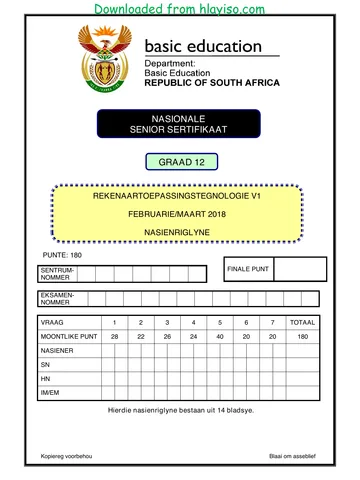
View all





Computer Applications Technology Grade 12 P1 2018 Memo (Eng)
Grade 12 Computer Applications Technology Paper 1 memorandum from the NSC Supplementary Exam 2018 (English), 14 pages. Read online or download the free PDF.
Computer Applications Technology · Grade 12 · NSC Supplementary Exam · 2018. Memorandum, 14 pages. Read online or download the PDF.
- Subject
- Computer Applications Technology
- Grade
- Grade 12
- Document type
- Memorandum
- Year
- 2018
- Exam period
- NSC Supplementary Exam
- Paper
- 1
- Curriculum
- CAPS
- Pages
- 14
- File size
- 527.1 KB
Free to read online, no sign-up needed
Loading document…
Loading document…
1 of 14
This exam
NSC Supplementary Exam 2018
Questions in this paper
Document textSearch extracted text and jump to a page.
Downloaded from hlayiso.com
Computer Applications Technology/P1 2 DBE/Feb.–Mar. 2018
NSC – Marking Guidelines
EXAMINATION
NUMBER
IGNORE SPELLING IN ALL CASES WHERE IT WOULD NOT HAVE ANY IMPACT ON
THE ANSWER.
QUESTION 1 File name: 1Pat Total Q1: 28
Maximum Candidate
No. Criteria
Mark Mark
1.1 Font and alignment 2
More than half of document's font size changed to 12 1
More than half of document's alignment changed to
justified 1
1.2 WordArt 3
Heading changed to any WordArt 1
Text filled with any green colour (mark from WordArt 1
settings, accept green gradient fill)
Text outline set to 3 pt (mark from WordArt settings) 1
1.3 Find and replace 3
Symbols '㜀' replaced 1
With 'fi' (ignore quotation marks) 1
9 replacements made 1
1.4 Citation 3
Any citation inserted on the text 1
Citation refers to website source 1
Only the title displayed 1
1.5 Footnote 3
Footnote inserted on text 'soda bread' 1
Custom mark is '♣' symbol 1
Footnote text entered ('Bread without yeast') 1
1.6 Bullets 3
Image 1StPat used as bullet 1
Bullet position 0.5 cm from margin 1
Text indent 2 cm from bullet 1
1.7 Table 3
Table with 2 columns inserted 1
First column width changed to 3 cm (allocate mark for 1
column instead of table)
Paragraph setting 'Keep with next' applied (or first two 1
rows) (accept Paragraph setting 'Page break before')
Copyright reserved Please turn over
Downloaded from hlayiso.com
Computer Applications Technology/P1 3 DBE/Feb.–Mar. 2018
NSC – Marking Guidelines
EXAMINATION
NUMBER
1.8 Heading 1 style 4
Font changed to small caps in green 2
Paragraph spacing 'after' set to 12 pt 1
All 4 changes automatically applied 1
1.9 Synonym 1
Word 'celebrations' replaced by any word from list
(revels, revelries, merriments, festivities, partying,
carousing, parties, fetes) 1
1.10 Linked object 2
Link to 1Luck image file inserted (Alt+F9, accept 1
hyperlink)
Appears as an icon 1
1.11 Date and format 1
Format of date changed to dd MMM yyyy 1
Total for QUESTION 1 [28]
Copyright reserved Please turn over
Downloaded from hlayiso.com
Computer Applications Technology/P1 4 DBE/Feb.–Mar. 2018
NSC – Marking Guidelines
EXAMINATION
NUMBER
QUESTION 2 File name: 2Place Total Q2: 22
Maximum Candidate
No. Criteria
Mark Mark
2.1 Table of contents 4
Automatic table of contents inserted 1
Displays only one level (no Bibliography/Table of 1
figures) 1
Style of second heading changed to 'Heading 1'
'2. The leaning tower of Pisa, Italy' appears in the table 1
of contents
2.2 Crop and format picture 2
Picture cropped OR colour changed to black 1
Any shadow effect added to the picture 1
2.3 Caption and comment (Picture below 6. Selfridges) 3
Figure caption added to picture 1
Caption text 'Photograph by Nala Rewop' 1
Comment deleted 1
2.4 Orientation 4
Any/All pages appear in landscape orientation 1
Only selected text in landscape orientation 1
Text entered in any footer ('Table mountain') 1
on specific page only 1
2.5 Bookmark and hyperlink 2
Hyperlink inserted on 'Day' 1
Hyperlink linked to bookmark March 1
2.6 Sources and bibliography 3
'Month Accessed' changed to July ('History' source) 1
Source 'Tourism Ireland announces Global Greening
line-up for St Patrick's Day' removed 1
Bibliography updated (see 'Big Becky') 1
2.7 Table of figures 2
Automatic table of figures inserted 1
Labels and figure numbers excluded 1
2.8 NumWords field 2
Number of words field inserted (NumWords) 1
Total number of words shown 1
(Note to marker: Number of words may differ depending
on what was done previously in the question. Accept any
number between 1075 and 1150.)
Total for QUESTION 2 [22]
QUESTION 3 File name: 3Cost Total Q3: 26
Copyright reserved Please turn over
Downloaded from hlayiso.com
Computer Applications Technology/P1 5 DBE/Feb.–Mar. 2018
NSC – Marking Guidelines
EXAMINATION
NUMBER
Mark the questions from the formulae and not the values/answers in the cell.
Check against candidate's actual work (Cell references may differ, depending on the
candidate's response).
Candidate may use multiple formulae or cells as 'building blocks' to reach answers.
Named ranges can be used instead of cell references.
The answers must still be correct even if changes are made to the existing data.
Maximum Candidate
No. Criteria
Mark Mark
Spending worksheet
NOTE: Sort the worksheet on column B before marking.
3.1 Cell A1: 1
Data vertically centred 1
3.2 Page setup: 3
Left margin set to 2 cm 1
Worksheet horizontally centred on page 1
Row 2 set to repeat on top of pages 1
3.3 Column A: 1
All or some identifying codes continued 1
3.4 Cell H3: 5
=G3*$I$1
G3 1
* 1
I1 (OR $I$1) 1
Displays in South African currency 1
Absolute cell reference used 1
Copyright reserved Please turn over
Downloaded from hlayiso.com
Computer Applications Technology/P1 6 DBE/Feb.–Mar. 2018
NSC – Marking Guidelines
EXAMINATION
NUMBER
3.5 Cell I4: 6
=IF(D4="Wear Green", IF(E4="Accessories",
"Green"," ")," ")
OR
=IF(E4="Accessories", IF(D4="Wear Green",
"Green"," ")," ")
OR
=IF(D4<>"Wear Green", " ",
IF(E4="Accessories","Green"," "))
OR
=IF(AND(D4="Wear Green",
E4="Accessories"),"Green"," ")
Nested IF/IF function used 1
Criteria 1: "Wear Green" 1
Criteria 2: "Accessories" 1
Correct result for both criteria being met: "Green" 1
Correct result if either/both criteria not being met: " " 1
Nested IF constructed correctly (OR IF/AND used 1
correctly)
3.6 Cell M3: 2
=AVERAGE(G3:G102) OR =AVERAGE (G:G)
AVERAGE function 1
Range: (G3:G102) 1
3.7 Cell M4: 4
=SUMIF(E3:E102,"Snacks", G3:G102) OR
=SUMIF(E:E,"Snacks","G:G) OR
=SUMIFS(G3:G102, E3:E102, "Snacks")
SUMIF(S) function 1
Criteria range: E3:E102 1
Criteria: "Snacks" 1
Sum range:G3:G102 1
3.8 Cell M5: 2
=COUNTIF(D3:D102,"*party*")
Criteria: * party* 2
Copyright reserved Please turn over
Downloaded from hlayiso.com
Computer Applications Technology/P1 7 DBE/Feb.–Mar. 2018
NSC – Marking Guidelines
EXAMINATION
NUMBER
Green worksheet
3.9 Filter and copy to new worksheet 2
Filtered/sorted on column F 1
Filtered/sorted data ('online') displayed in Green
worksheet (15 items expected) 1
Total for QUESTION 3 [26]
Copyright reserved Please turn over
Downloaded from hlayiso.com
Computer Applications Technology/P1 8 DBE/Feb.–Mar. 2018
NSC – Marking Guidelines
EXAMINATION
NUMBER
QUESTION 4 File name: 4Dublin Total Q4: 24
Mark the questions from the formulae and not the values/answers in the cell.
Check against candidate's actual work (Cell references may differ, depending on the
candidate's response).
Candidate may use multiple formulae or cells as 'building blocks' to reach answers.
Named ranges can be used instead of cell references.
The answers must still be correct even if changes are made to the existing data.
Maximum Candidate
No. Criteria
Mark Mark
List worksheet
4.1 Cell E3: 2
=D3-C3 OR =DAYS(D3,C3) OR =DAYS360(D3,C3) OR
=DAY(D3)-DAY(C3)
D3 OR DAYS OR DAYS360 1
-C3 OR (D3,C3) 1
4.2 Cell H4: 4
=VLOOKUP(G4,Codes!$A$2:$B$10,2)
OR
=VLOOKUP(G4,Codes!$A$1:$B$10,2)
OR
=LOOKUP(G4,Codes!$A$2:$B$10)
VLOOKUP/LOOKUP function 1
Lookup value: G4 1
Lookup table: Codes!A2:B10 (ignore absolute cell 1
referencing)
Column index number: 2 1
4.3 Cell I5: 6
=LOWER(CONCATENATE(LEFT(B5,1),RIGHT(A5,4),
"@stp.co.",H5))
OR
=LOWER(LEFT(B5,1)&RIGHT(A5,4)&"@stp.co."&H5)
LOWER () 1
LEFT (B5,1) (accept (B5)) 2
RIGHT (A5,4) 2
"@stp.co." (no mark as it's already provided)
H5 1
(Note to marker: Accept any other options that will yield
the correct answer.)
Summary worksheet
Copyright reserved Please turn over
Downloaded from hlayiso.com
Computer Applications Technology/P1 9 DBE/Feb.–Mar. 2018
NSC – Marking Guidelines
EXAMINATION
NUMBER
4.4 Cell C1: 5
=IF(SUM(B2:B21)=COUNTA(List!A3:A102),"True",
"False")
OR
=SUM(B2:B21)=COUNTA(List!A3:A102)
IF statement 1
SUM(B2:B21) = COUNTA (List!A3:A120) 2
(columns A, B, C, D, F & G can also be used)
Value if condition true: "True" 1
Value if condition false: "False" 1
4.5 Cells A23:B43: 1
Duplicates removed 1
UK 36
South Africa 2
USA 11
Canada 12
Russia 16
Italy 8
Korea 5
Australia 6
Japan 4
4.6 Chart/Graph: 6
Chart/Graph type changed to bar 1
Data selection changed to include only Chicago, New
York and Washington 1
Data series gap width set to 40% 1
Data series fill set to vary colours by point 1
Data labels displayed with dash style border 2
(Note to marker: If a new chart/graph was created do
not allocate the first two marks.)
Total for QUESTION 4 [24]
Copyright reserved Please turn over
Downloaded from hlayiso.com
Computer Applications Technology/P1 10 DBE/Feb.–Mar. 2018
NSC – Marking Guidelines
EXAMINATION
NUMBER
QUESTION 5 File name: 5Data Total Q5: 40
Maximum Candidate
No. Criteria
Mark Mark
Table: tbGroups
5.1.1 Field: GroupId 1
Field ID renamed to GroupID 1
5.1.2 Field: Artist 2
Combo box/List box added 1
Row source: Soloist, Group, Band 1
5.1.3 Field: Manager 1
Format set to uppercase: > 1
5.1.4 Field: CellNo 3
Input Mask: "+27"00\ 0000000
"+27" 1
00 and space (do not accept 9) 1
0000000 (allocate this mark if 9 was used) 1
5.1.5 Field: Available 1
Format changed to Yes/No 1
5.1.6 Field: DateBooked 4
Validation rule: Between #2018/03/14# AND 2
#2018/03/17# (format of the date may differ) 1
OR >=#3/14/2018# AND <=#3/17/2018#
OR >#3/13/2018# AND <#3/18/2018#
OR Between "2018/03/14" AND "2018/03/17"
OR Between DateSerial(2018,03,14) AND
DateSerial(2018,03,17)
Required property set to 'Yes' 1
Form: frm5_2
5.2 Artist field displays in bold 1 4
Label inserted next to ReleaseDate field with help 1
for date format MMM-yy (allocate second mark if in 1
'ControlTip Text')
NoOfCDsInShop field AND label deleted 1
Copyright reserved Please turn over
Downloaded from hlayiso.com
Computer Applications Technology/P1 11 DBE/Feb.–Mar. 2018
NSC – Marking Guidelines
EXAMINATION
NUMBER
Query: qry5_3
5.3 Sorted by Title field in ascending order 2 5
ReleaseDate criteria: Is Null 1
OR operator 1
NoOfCDsInShop criteria: 0 OR <1 1
(Note to marker: 36 records expected.)
Query: qry5_4
5.4 Displays Artist, CountOfTitle and LastOfReleaseDate 5
fields 1
Artist field: Group By selected in Total row 1
Title field: COUNT selected in Total row and criteria 1
set to >1 1
ReleaseDate field: LAST selected in Total row
1
(Note to marker: 14 records expected.)
Query: qry5_5
5.5 Fields displayed: Title, Format, Price 1 6
Format field criteria: Tape OR DVD 3
Total row included in datasheet view 1
Displayed as SUM 1
(Note to marker: 8 records expected.)
Report: rpt5_6
5.6 Data source changed to qry5_6 1 8
ZARPrice field inserted in Detail section 2
Label ('ZARPrice') added to the page header 1
Grouping on Artist field 1
Function in Artist group footer/group header 1
=Count ([Title]) OR Count(*) 2
Total for QUESTION 5 [40]
QUESTION 6 File name: 6Quiz Total Q6: 20
Copyright reserved Please turn over
Downloaded from hlayiso.com
Computer Applications Technology/P1 12 DBE/Feb.–Mar. 2018
NSC – Marking Guidelines
EXAMINATION
NUMBER
This question should be marked from the HTML code.
Numerical attribute values do not need to be in inverted commas.
A maximum of 1 mark will be deducted if one or more closing tags are omitted.
Maximum Candidate
No. Criteria
Mark Mark
6.1 Heading font and size: 3
<h1 align = "center"><font face = "forte" size = "10">St
Patrick's Day</font></h1>
Font changed to 'Forte' 1
Font size set to 10 1
Font tags correctly used 1
6.2 Table: Merge and alignment 2
<tr Height = "80"> <!--Row-->
<td colspan="4" valign="top"><h2 align="center">
Row 1 vertically aligned to the top 1
Row 1 merged over 4 columns 1
6.3 Table row: Shading 2
<tr bgcolor="white">
Row 2 background colour changed 1
To white 1
6.4 Bullets and type 2
<td>
<ol type="A">
<li>It's the day St Patrick was born</li>
<li>It's the day St Patrick drove snakes out of
Ireland</li>
<li>It's the day St Patrick died</li></ol>
</td>
Ordered list tags inserted 1
Numbered type: A, B 1
6.5 Tag copied 2
<td><input type="text"></td>
Correct tag 1
Inserted in fourth column for question 1 (row 3) 1
Copyright reserved Please turn over
Downloaded from hlayiso.com
Computer Applications Technology/P1 13 DBE/Feb.–Mar. 2018
NSC – Marking Guidelines
EXAMINATION
NUMBER
6.6 Link 1
<a href="6Rip.png">Look</a>
Hyperlink tags correctly inserted 1
6.7 Bold and italic 2
<td><b>Where was St. Patrick born?</b></td>
<i> and </i> tags removed 1
<b> and </b> tags inserted 1
6.8 Image 2
<td><img src="6Lep.png" Width="120" height="60" >
</td>
src inserted 1
File extension .png added 1
6.9 Table: column tags 2
<td><b>6. According to legend, what should you never do
if you catch a leprechaun?</b></td>
<td><ul>
<li>Kiss him</li>
<li>Take your eyes of him</li>
<li>Tell your friends</li></ul></td>
<td><input type = "text"></td>
<td><img src="6Eye.jpg" Width="120" height="60" >
</td>
Opening column tags <td> included 1
Sixth question displays correctly 1
6.10 Image editing 2
<button style="background:green" type="submit"><img
src="6Button.jpg" Width="30" Height="30">
SUBMIT</button>
Width="30" (OR 30) 1
Height="30" (OR 30) 1
Closing tag(s) or triangular brackets omitted or tags -1
incorrectly nested
Total for QUESTION 6 [20]
QUESTION 7 File names: 7St, 7Old, 7New, 7Top Total Q7: 20
No. Criteria Maximum Candidate
Copyright reserved Please turn over
Downloaded from hlayiso.com
Computer Applications Technology/P1 14 DBE/Feb.–Mar. 2018
NSC – Marking Guidelines
EXAMINATION
NUMBER
Mark Mark
7St
7.1.1 Track changes 1
All track changes rejected (See Irish (not bold) and 1
heading 5)
7.1.2 Comment 2
Comment inserted on word 'Biography' 1
Comment reads 'See source' 1
7.1.3 Edit picture 4
Images ungrouped (allocate mark even if seventh 1
image appears but the picture is ungrouped, allocate
mark if six images grouped)
Seventh image removed from document (if seventh 1
image is not removed, but is not grouped with the six
images, allocate first two marks)
Regroup remaining images (only six images) 1
Seventh image saved as an image file (Saint) 1
7.1.4 Form controls 6
Text form field maximum length set to 30 1
Drop-down form field: Dance added and list 2
displays in alphabetical order 1
Check box default changed to unchecked 1
Text form field inserted and type set to date 1
7New
7.2 Import 2
tbDanceArticles table imported 1
to 7New (accept if new database was created) 1
7Top
7.3 Sort/Filter and delete table data 5
Gender: only females 1
Age: under 30 1
Sorted according to amount in descending order of 1
amounts 1
Displays only top 10 records 1
Total for QUESTION 7 [20]
TOTAL 180
Copyright reserved
Study this subject
Recommended for this subject
Memorandum
Computer Applications Technology Grade 12 P1 2018 Memo (Afr)
Question paper
Computer Applications Technology Grade 12 P1 2018 QP (Afr)
Memorandum
Computer Applications Technology Grade 12 P2 2018 Memo (Afr)
Memorandum
Computer Applications Technology Grade 12 P1 2018 Memo (Afr)
Memorandum
Computer Applications Technology Grade 12 P1 2018 Memo (Afr)
Memorandum
Computer Applications Technology Grade 12 P1 2016 Memo (Afr)
More from Grade 12 Computer Applications Technology
Question paper
Computer Applications Technology Grade 12 P1 2025 QP (Afr)
Question paper
Computer Applications Technology Grade 12 P2 2025 QP (Eng)
Question paper
Computer Applications Technology Grade 12 P1 2024 QP (Afr)
Question paper
Computer Applications Technology Grade 12 P1 2024 QP (Eng)
Question paper
Computer Applications Technology Grade 12 P2 2024 QP (Eng)
Question paper