
Downloaded from hlayiso.com
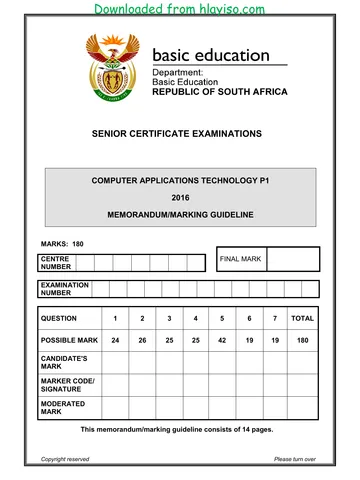
NATIONAL
SENIOR CERTIFICATE
GRADE 12
COMPUTER APPLICATIONS TECHNOLOGY P1
NOVEMBER 2016 (2)
MEMORANDUM/MARKING GUIDELINES
MARKS: 180
CENTRE FINAL MARK
NUMBER
EXAMINATION
NUMBER
QUESTION 1 2 3 4 5 6 7 TOTAL
POSSIBLE MARK 25 27 23 26 39 21 19 180
MARKER
SM
CM
IM/EM
This memorandum/marking guideline consists of 17 pages.
Copyright reserved Please turn over
Skip to contentAll 2016 papers 
View all





Computer Applications Technology Grade 12 P1 2016 Memo (Eng)
Grade 12 Computer Applications Technology Paper 1 memorandum from the NSC November Exam 2016 (English), 17 pages. Read online or download the free PDF.
Computer Applications Technology · Grade 12 · NSC November Exam · 2016. Memorandum, 17 pages. Read online or download the PDF.
- Subject
- Computer Applications Technology
- Grade
- Grade 12
- Document type
- Memorandum
- Year
- 2016
- Exam period
- NSC November Exam
- Paper
- 1
- Curriculum
- CAPS
- Pages
- 17
- File size
- 476.4 KB
Free to read online, no sign-up needed
Loading document…
Loading document…
1 of 17
This exam
Questions in this paper
Document textSearch extracted text and jump to a page.
Downloaded from hlayiso.com
Computer Applications Technology/P1 2 DBE/November 2016 (2)
NSC – Memorandum/Marking Guidelines
EXAMINATION
NUMBER
IGNORE SPELLING IN ALL CASES WHERE IT WOULD NOT HAVE ANY IMPACT ON
THE ANSWER.
QUESTION 1 File name: 1Gold_Goud Total Q1: 25
Maximum Candidate
No Criteria
Mark Mark
1.1 Page size 1
• Page size changed to A4 1
1.2 Margin 2
• Top margin set to 2 cm 1
• Gutter position set to left 1
1.3.1 Style 5
• New style 'Love Gold' created 1
• Based on the 'Heading 1' style 1
• Text centred horizontally 1
• Any border applied 1
• New style applied to heading 1
1.3.2 Citation 3
• 'Pinn&Co, J' citation inserted after the heading 1
• Page number 3 displayed 1
• Year (2012) displayed 1
1.4.1 Line spacing 2
• First paragraph line spacing set to multiple 1
• At 1.2 1
1.4.2 Spacing 2
• First line indent applied to second paragraph 1
• Set at 2 cm 1
1.5 Find and replace 2
• Text 'nano' replaced with 'NANO' in small caps 1
• 4 occurrences of 'nano' replaced 1
1.6 Thesaurus 1
• 'Alchemist' replaced with word from suggested list:
experimenters, transformers, pseudoscientists, etc. 1
Copyright reserved Please turn over
Downloaded from hlayiso.com
Computer Applications Technology/P1 3 DBE/November 2016 (2)
NSC – Memorandum/Marking Guidelines
EXAMINATION
NUMBER
1.7 SmartArt 4
• Last shape filled with picture 1Gold_Goud 1
• Text added to the last shape ('Gold Bricks') 1
• Layout changed to 'Closed Chevron Process' 1
• Automatic caption inserted ('Processing Gold')
(ignore if caption is centred) 1
1.8 Bibliography 1
• Any automatic bibliography inserted 1
1.9 Watermark 2
• Any text watermark added on any page 1
• Text changed to 'Love of Gold' (accept any part of 1
text)
Total for QUESTION 1 [25]
Copyright reserved Please turn over
Downloaded from hlayiso.com
Computer Applications Technology/P1 4 DBE/November 2016 (2)
NSC – Memorandum/Marking Guidelines
EXAMINATION
NUMBER
QUESTION 2 File name: 2Resource_Bron Total Q2: 27
Maximum Candidate
No Criteria
Mark Mark
2.1 Table of contents 4
• Table of contents updated ('Index' to be included) 1
• 2 levels of headings displayed 1
• Page number displayed with solid tab leader 1
• 'Fancy' format used (Small caps) 1
2.2 Comment 1
• Any comment added to word 'resources' 1
2.3 Cross reference 2
• Cross reference on text 'production is slowly declining'
added (text does not display) 1
• Entire caption is displayed 'Table 1: Year-on-year
changes' 1
2.4 Text inserted 2
• All the text from 2Trade_Handel inserted 1
• Text replaced in the correct position 1
2.5 Image 3
• Image cropped correctly 1
• Image rotated/flipped (camel appears on left) 1
• Any border with any border width added to image 1
2.6 Edit table 5
• Table auto fitted to window 1
• Any row height set to 1 cm 1
• Cells in first column merged 1
• Any content in cells centred vertically and
horizontally 1
• Argument in MIN function changed to LEFT 1
2.7 Text to table 3
• Text added as first row to table 1
• Any predefined table style applied 1
• Alternative table title text inserted ('Changes') 1
(Note to marker: Check table properties to see if changes
were made in Alt Text.)
Copyright reserved Please turn over
Downloaded from hlayiso.com
Computer Applications Technology/P1 5 DBE/November 2016 (2)
NSC – Memorandum/Marking Guidelines
EXAMINATION
NUMBER
2.8 Link 2
• Document 2Predict_Voorspel inserted 1
• Displays as icon 1
(Note to marker: Award one mark only if learner used a
hyperlink with no icon.)
2.9 Table of figures 1
• Table of figures updated (2 automatic entries) 1
2.10 Index 2
• Index inserted 1
• Appears as one column 1
2.11 Page numbers 2
• Automatic page numbers inserted in header/footer 1
• Display vertically in left or right margin 1
Total for QUESTION 2 [27]
Copyright reserved Please turn over
Downloaded from hlayiso.com
Computer Applications Technology/P1 6 DBE/November 2016 (2)
NSC – Memorandum/Marking Guidelines
EXAMINATION
NUMBER
QUESTION 3 File name: 3Mine_Myn Total Q3: 23
• Mark the questions from the formulae and not the values/answers in the cell.
• Check against candidate's actual work (Cell references may differ, depending on the
candidate's response).
• Candidate may use multiple formulae or cells as 'building blocks' to reach answers.
• Named ranges can be used instead of cell references.
• The answers must still be correct even if changes are made to the existing data.
Maximum Candidate
No Criteria
Mark Mark
Stats worksheet
3.1 Cells A1:G1: 2
• Cells A1:G1 merged and centred 1
• Text wrapped 1
3.2 Number formatting (B3:B14): 2
• Number formatting used 1
• Negative values displayed in red font colour (any
number format) 1
(Note to marker: Do not award any marks if conditional
formatting was used.)
3.3 Conditional formatting: 2
• Conditional formatting applied to columns B to F 1
• Cells with lowest ten values appear shaded (not font
colour) 1
(Note to marker: The top '10 negative numbers' will be
shaded.)
3.4 Cell B15: 2
=AVERAGE(B3:B14)
• AVERAGE function 1
• Correct range (B3:B14) 1
3.5 Cell B16: 3
=LARGE(Five,2)
• LARGE function 1
• Named range 'Five' 1
• 2 1
Copyright reserved Please turn over
Downloaded from hlayiso.com
Computer Applications Technology/P1 7 DBE/November 2016 (2)
NSC – Memorandum/Marking Guidelines
EXAMINATION
NUMBER
3.6 Cell G3: 4
=IF(F3>=0,A3,"*")
OR
=IF(F3<0,"*",A3)
• IF function 1
• Test: F3>=0 OR F3<0 1
• "*" displayed if cell F3 is negative 1
• Month displayed if cell F3 is positive or 0 1
(Note to marker: Accept if only > or < is used in the
condition.)
3.7 Graph/chart: 8
• Column graph/chart inserted 1
• Correct data =Stats!$A$3:$A$14,Stats!$F$3:$F$14
used 1
• Chart title inserted ('Production 2015') below the 1
chart 1
• Data labels displayed inside data series 2
• Month names (horizontal axis labels) displayed in
8.5 pt font size 1
• 'August' series filled with green colour 1
(Note to marker: Ignore if the legend appears on the
graph/chart.)
Total for QUESTION 3 [23]
Copyright reserved Please turn over
Downloaded from hlayiso.com
Computer Applications Technology/P1 8 DBE/November 2016 (2)
NSC – Memorandum/Marking Guidelines
EXAMINATION
NUMBER
QUESTION 4 File name: 4Extra_Ekstra Total Q4: 26
• Mark the questions from the formulae and not the values/answers in the cell.
• Check against candidate's actual work (Cell references may differ, depending on the
candidate's response).
• Candidate may use multiple formulae or cells as 'building blocks' to answers.
• Named ranges can be used instead of cell references.
Maximum Candidate
No Criteria
Mark Mark
4_1 worksheet
4.1 Data sort: 2
• All data sorted by date of birth (column C) 1
• Youngest to oldest (newest to oldest) 1
Shift_Skof worksheet
4.2 Cell A3: 5
=CONCATENATE(LEFT(B3,3),RANDBETWEEN(1,250))
OR
=LEFT(B3,3)&INT(RAND()*(250)+1)
• CONCATENATE OR & 1
• LEFT (B3,3) 2
• RANDBETWEEN (1,250) 2
(Note to marker: If RAND was used accept any correctly
used function to round off the number, such as INT,
TRUNC or ROUND.)
4.3 Cell G3: 2
=F3+H3/24
• F3 1
• +H3/24 1
Copyright reserved Please turn over
Downloaded from hlayiso.com
Computer Applications Technology/P1 9 DBE/November 2016 (2)
NSC – Memorandum/Marking Guidelines
EXAMINATION
NUMBER
Sum_Ops worksheet
4.4 Cell D3: 3
=COUNTIF(Shift_Skof!D3:D252,"AR001")
• COUNTIF function 1
• Criteria range: Shift_Skof!D3:D252 1
• Criteria: "AR001" (not name or surname) 1
4.5 Cell E4: 4
=SUMIF(Shift_Skof!D3:D252,"BD002",
Shift_Skof!H3:H252)
• SUMIF function 1
• Criteria range: Shift_Skof!D3:D252 1
• Criteria: "BD002" 1
• Sum range: Shift_Skof!H3:H252 1
(Note to marker: Allocate marks only if name AND
surname columns were correctly used.)
4.6 Column F: 5
=VLOOKUP(D3,Scale_Skaal!$A$2:$B$8,2)
OR
=VLOOKUP(D3,Scale_Skaal!A$2:B$8,2)
• Lookup Value: D3 1
• Table array: Scale_Skaal!$A$2:$B$8 OR 1
Table array: Scale_Skaal!A$2:B$8
• Absolute cell referencing applied correctly 1
• Column index number: 2 1
• Copied to other cells 1
(Note to marker: Accept A1:B8 as lookup range.)
Copyright reserved Please turn over
Downloaded from hlayiso.com
Computer Applications Technology/P1 10 DBE/November 2016 (2)
NSC – Memorandum/Marking Guidelines
EXAMINATION
NUMBER
4.7 Cell I5: 5
=IF(E5>60,"Experienced",IF(H5>20,"Experienced",
""))
OR
=IF(OR(E5>60,H5>20),"Experienced","")
OR
=IF((E5>60)+(H5>20),"Experienced"," ")
• Syntax of IF function is correct 1
• Criteria E5>60 1
• Criteria H5>20 1
• "Experienced" shows if either of the criteria is true 1
• " " OR "False" 1
Total for QUESTION 4 [26]
Copyright reserved Please turn over
Downloaded from hlayiso.com
Computer Applications Technology/P1 11 DBE/November 2016 (2)
NSC – Memorandum/Marking Guidelines
EXAMINATION
NUMBER
QUESTION 5 File name: 5Work_Werk Total Q5: 39
Maximum Candidate
No Criteria
Mark Mark
Table: tbEmploy
5.1.1 Field: Name 1
• Field size set to 15 1
5.1.2 Field: Surname 1
• Required set to 'Yes' 1
5.1.3 Field: Gender 1
• Default value set to 'Male' OR 'M' 1
5.1.4 Field: YearsEmployed 4
Validation Rule
• >0 and <50 3
OR
>=1 and <=49
OR
Between 1 and 49
• Validation text
Any suitable message that refers to range between 1
and 49 1
5.1.5 Field: IDNum 3
Input Mask: 000000 0000 000 will appear as
000000\ 0000\ 000;
OR
000000\ 0000\ 000
OR
000000" "0000" "000"
• Correct character 0 1
• Two spaces correctly placed 1
• Thirteen valid placeholders 1
Copyright reserved Please turn over
Downloaded from hlayiso.com
Computer Applications Technology/P1 12 DBE/November 2016 (2)
NSC – Memorandum/Marking Guidelines
EXAMINATION
NUMBER
Form: frm5_2
5.2.1 • Form properties record source changed to qry5_2 1 1
(Note to marker: Check in Property Sheet (Data) for
record source.)
5.2.2 • Form header background changed to any colour 1 1
5.2.3 Function: 6
=(Date() - [Birthdate]) /365 3
OR
=(Now()-[Birthdate])/365.25
OR
=(Year(Now())-Year([Birthdate])
• Fixed/Standard 1
• Age field formatted to zero decimal places 1
• Suitable label relating to age inserted 1
(Note to marker: Accept the function
=Round ((Now()-[Birthdate])/365.25,0) for the
first 5 marks.)
5.2.4 • Examination number inserted in form footer 1 1
Query: qry5_3
5.3 • Only Name, Surname and ContactNum fields display 5
1
• Additional fields added (ContactNum, Gender,
Permanent) 1
• Gender criteria: "F" and Permanent criteria: 2
"No" OR FALSE OR 0 1
(Note to marker: 34 records expected.)
Query: qry5_4
5.4 • New field Salary created 1 4
• Calculation: [Notch] *1200 2
• Calculated field Salary formatted to currency 1
Copyright reserved Please turn over
Downloaded from hlayiso.com
Computer Applications Technology/P1 13 DBE/November 2016 (2)
NSC – Memorandum/Marking Guidelines
EXAMINATION
NUMBER
Query: qry5_5
5.5 • Sorted in ascending order according to Surname and 5
Name fields 1
• Surname field appears before the Name field 1
• Notch criteria 12 1
• OR operator (or separate criteria line) used 1
• Birthdate criteria <#01/01/1956# OR <=#31/12/1955#
OR YEAR([Birthdate])<1956 (ignore format of year) 1
(Note to marker: 9 records expected.)
Report: rpt5_6
5.6 • 5Mine_Myn picture inserted in report header 2 6
• Function inserted in the Permanent group
footer/header 1
• Function: =Count(*) OR =Count([Name]) or on any 1
other field
• Average function moved to report footer 1
• Replaced AVERAGE with AVG in function 1
Total for QUESTION 5 [39]
Copyright reserved Please turn over
Downloaded from hlayiso.com
Computer Applications Technology/P1 14 DBE/November 2016 (2)
NSC – Memorandum/Marking Guidelines
EXAMINATION
NUMBER
QUESTION 6 File name: 6Gold_Goud Total Q6: 21
• This question should be marked from the HTML code.
• Numerical attribute values do not need to be in inverted commas.
• A maximum of 1 mark will be deducted if one or more closing tags are omitted.
Maximum Candidate
No Criteria
Mark Mark
6.1 Heading 2
<h1 align="center"><font color="yellow">Jewellery
Design</font></h1>
• Heading alignment set to centre 1
• Heading font colour changed to yellow 1
6.2 Horizontal line 3
<hr width="60%" size="8">
• Horizontal line inserted 1
• Line width set to 60% 1
• Line size set to 8 1
6.3 Open lines 2
<br/><br/>
• Break tag inserted <br/> 1
• Two open lines inserted 1
6.4 Bold 1
<b>You can buy high quality …</b>
• Bold tags applied to correct paragraph 1
6.5.1 Image 3
<img src="6J.png">
• 'src' attribute inserted 1
• Correct file used "6J" 1
• Image displays correctly (correct extension used) 1
6.5.2 Alternative text 2
<img src="6J.png" alt ="Jewellery">
• Alternative text tag inserted 1
• Correct text inserted "Jewellery" 1
Copyright reserved Please turn over
Downloaded from hlayiso.com
Computer Applications Technology/P1 15 DBE/November 2016 (2)
NSC – Memorandum/Marking Guidelines
EXAMINATION
NUMBER
6.6 Table 5
<table border=5>
<tr>
<td>Jewellers use:</td>
<td>Precious stones</td>
</tr>
<tr>
<td>Jewellers work with:</td>
<td>
<ul>
<li>Plastic</li>
<li>Enamel</li>
<li>Perspex</li>
</ul>
</td>
</tr>
<tr>
<td colspan="2">Jewellers create their own
beads and jewellery made from ostrich
eggshell, leather and wood</td>
</tr>
</table>
• The table consists of three rows and two columns 1
• Correct text appears in each cell 1
• Unordered list inserted 1
• Correct tags identify items in list 1
• Last row: cell (colspan) spans 2 columns 1
6.7 Hyperlink 3
<a href="http://www.southafrica.net.za">Go to Jewellery
design website</a>
• Hyperlink tags inserted <a href></a> 1
• Tags inserted to link to the correct file
"http://www.southafrica.net.za" 1
• Hyperlink inserted on correct text 'Go to Jewellery
design website' 1
Closing tag(s) or triangular brackets omitted or
multiple closing tags in the incorrect order -1
Total for QUESTION 6 [21]
Copyright reserved Please turn over
Downloaded from hlayiso.com
Computer Applications Technology/P1 16 DBE/November 2016 (2)
NSC – Memorandum/Marking Guidelines
EXAMINATION
NUMBER
QUESTION 7 Total Q7: 19
File names: 7Statem_Staat, 7Graph_Grafiek, 7Invest_Belê, 7Answ_Antw
Maximum Candidate
No Criteria
Mark Mark
7Statem_Staat
7.1.1 Mail Merge 3
• Source table Clients linked with 7Statem_Staat 1
• Merge fields Initials and Surname added in the correct
place (accept if only one field) 1
• Space inserted between two fields (do not allocate if
only one field inserted) 1
7.1.2 Form controls 4
• 'Date' form field set to 'Current date' 1
• 'Amount Due' form field set to display in 'Number' and 1
'Currency'
and default value set to zero 1
• 'Cash' option added to drop down form field 1
7Graph_Grafiek
7.2 Insert graph/chart data 2
• 'Gold fields' mine name appears 1
• Value '211' inserted correctly for Newmont Mining 1
7Invest_Belê
7.3.1 Page orientation 1
• Page orientation of only indicated text changed to
landscape 1
7.3.2 Header 2
• Text 'Choices' inserted in header on any/all pages 1
• Applied to landscape pages only (Link to previous
removed) 1
7.4 Line breaks 1
• 'Keep lines together' setting applied to all paragraphs
in document 1
7.5 Hyphenation 2
• Automatic hyphenation applied to text 1
• Hyphenation limit set to 2 consecutive lines 1
Copyright reserved Please turn over
Downloaded from hlayiso.com
Computer Applications Technology/P1 17 DBE/November 2016 (2)
NSC – Memorandum/Marking Guidelines
EXAMINATION
NUMBER
7Answ_Antw
7.6.1 What is the size of the spacing AFTER the paragraph in 1
the 'Title' style?
• Auto (Accept any paragraph spacing) 1
7.6.2 How many times does the EXACT word 'Gold' appear in 1
this document?
• 8 1
7.6.3 What is the alternative text title of the picture found at the 1
end of the document?
• Gold Nugget 1
7.6.4 What is the name of the artistic effect applied to the 1
picture at the end of the document?
• Film Grain 1
Total for QUESTION 7 [19]
TOTAL 180
Copyright reserved
Study this subject
Recommended for this subject
Memorandum
Computer Applications Technology Grade 12 P1 2016 Memo (Afr)
Memorandum
Computer Applications Technology Grade 12 P2 2016 Memo (Eng)
Memorandum
Computer Applications Technology Grade 12 P1 2016 Memo (Eng)
Memorandum
Computer Applications Technology Grade 12 P1 2016 Memo (Eng)
Memorandum
Computer Applications Technology Grade 12 P1 2016 Memo (Afr)
Memorandum
Computer Applications Technology Grade 12 P1 2021 Memo (Eng)
More from Grade 12 Computer Applications Technology
Question paper
Computer Applications Technology Grade 12 P1 2025 QP (Afr)
Question paper
Computer Applications Technology Grade 12 P2 2025 QP (Eng)
Question paper
Computer Applications Technology Grade 12 P1 2024 QP (Afr)
Question paper
Computer Applications Technology Grade 12 P1 2024 QP (Eng)
Question paper
Computer Applications Technology Grade 12 P2 2024 QP (Eng)
Question paper